Send messages to users on your platform with verified WhatsApp numbers. These messages can contain attachment of files of different formats.
Compose WhatsApp Message
Here you can compose WhatsApp messages, send Bulk WhatsApp messages, Schedule WhatsApp messages, compose WhatsApp messages and save as a draft.
How to send WhatsApp messages
To send WhatsApp messages, follow these steps;
-
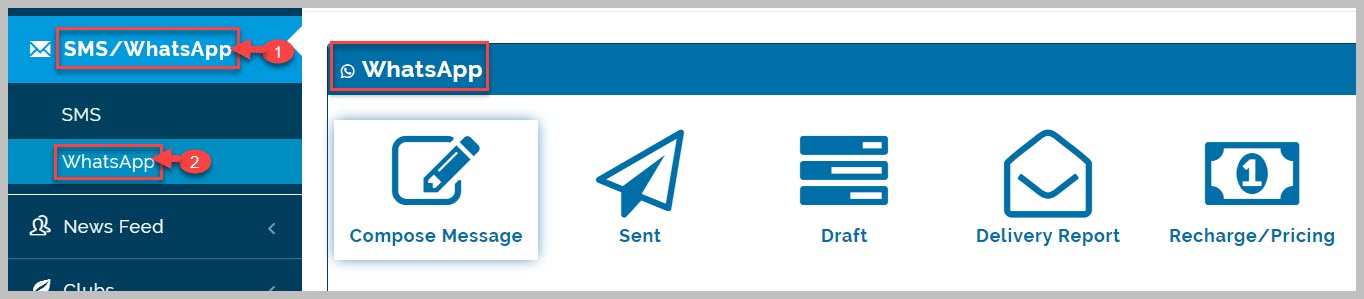
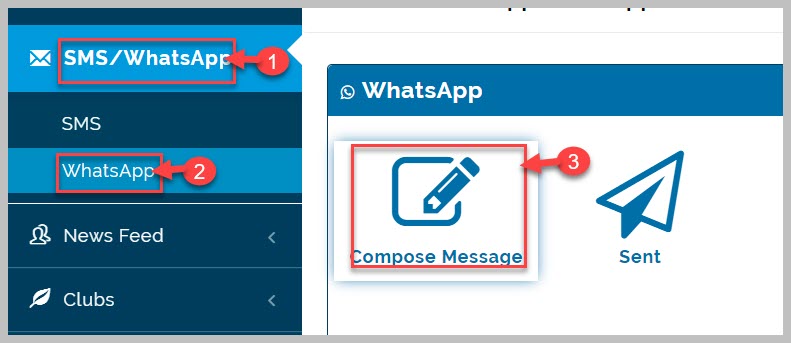
Go to SMS/WhatsApp module
-
Navigate to Compose WhatsApp messages tab
-
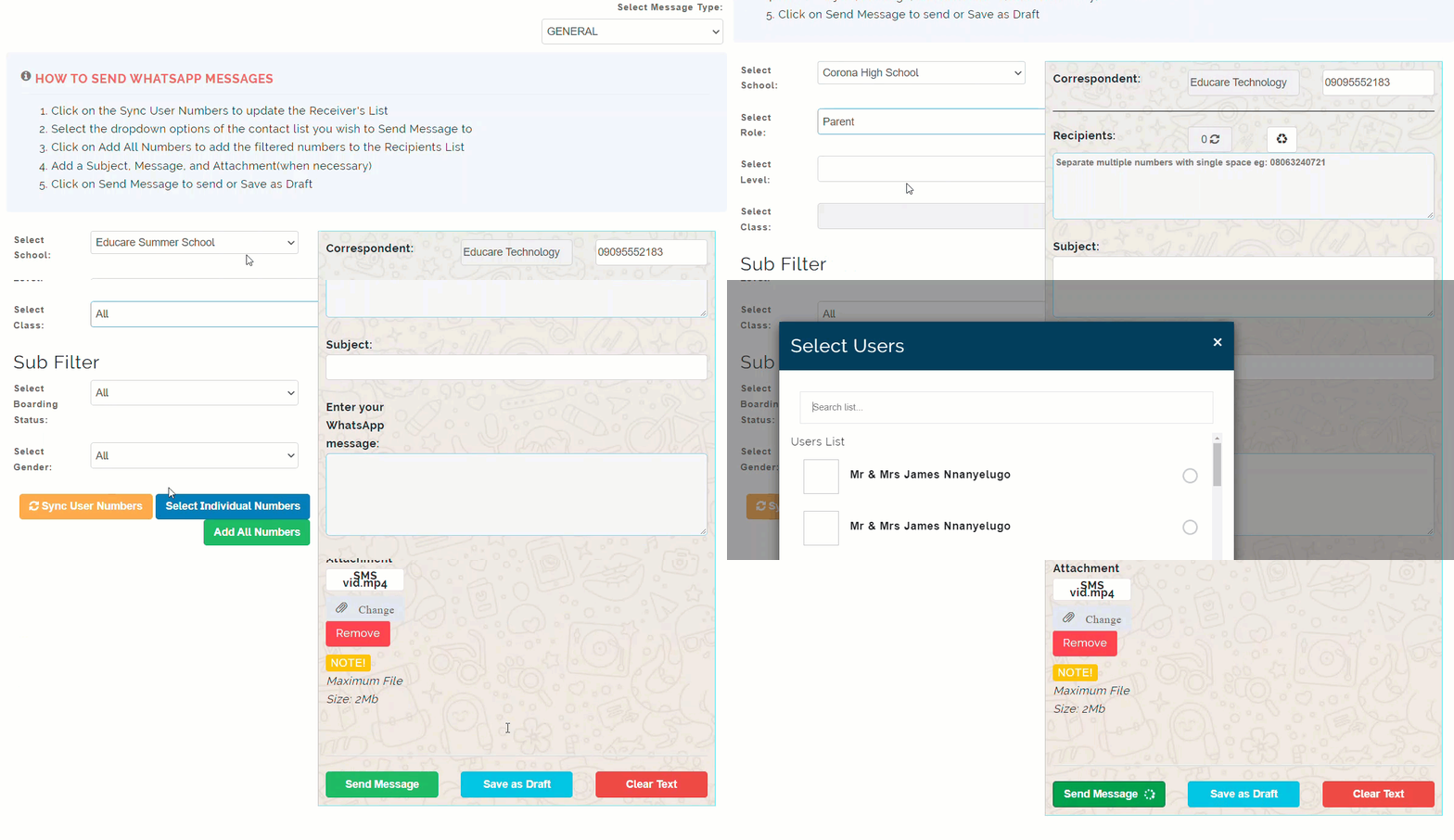
Read and follow the How to send WhatsApp messages instructions written on the page
-
Select school category you wish to send WhatsApp messages to from drop-down list
-
Select the role you wish to send WhatsApp messages to from drop-down list
-
Select Level and Class of the role selected to fetch applicable verified WhatsApp phone numbers
-
Select sub filters if applicable
-
Click on Add numbers to fetch all desired numbers based on your selections. this brings out all the verified WhatsApp phone numbers amongst all your selected user.
-
Type in Subject title of message.
-
Type in desired message in the text box provided
-
Select attachment from your device if desired
-
Click on Save as Draft to save message for future use or click on Send Message to send out WhatsApp messages to selected users.
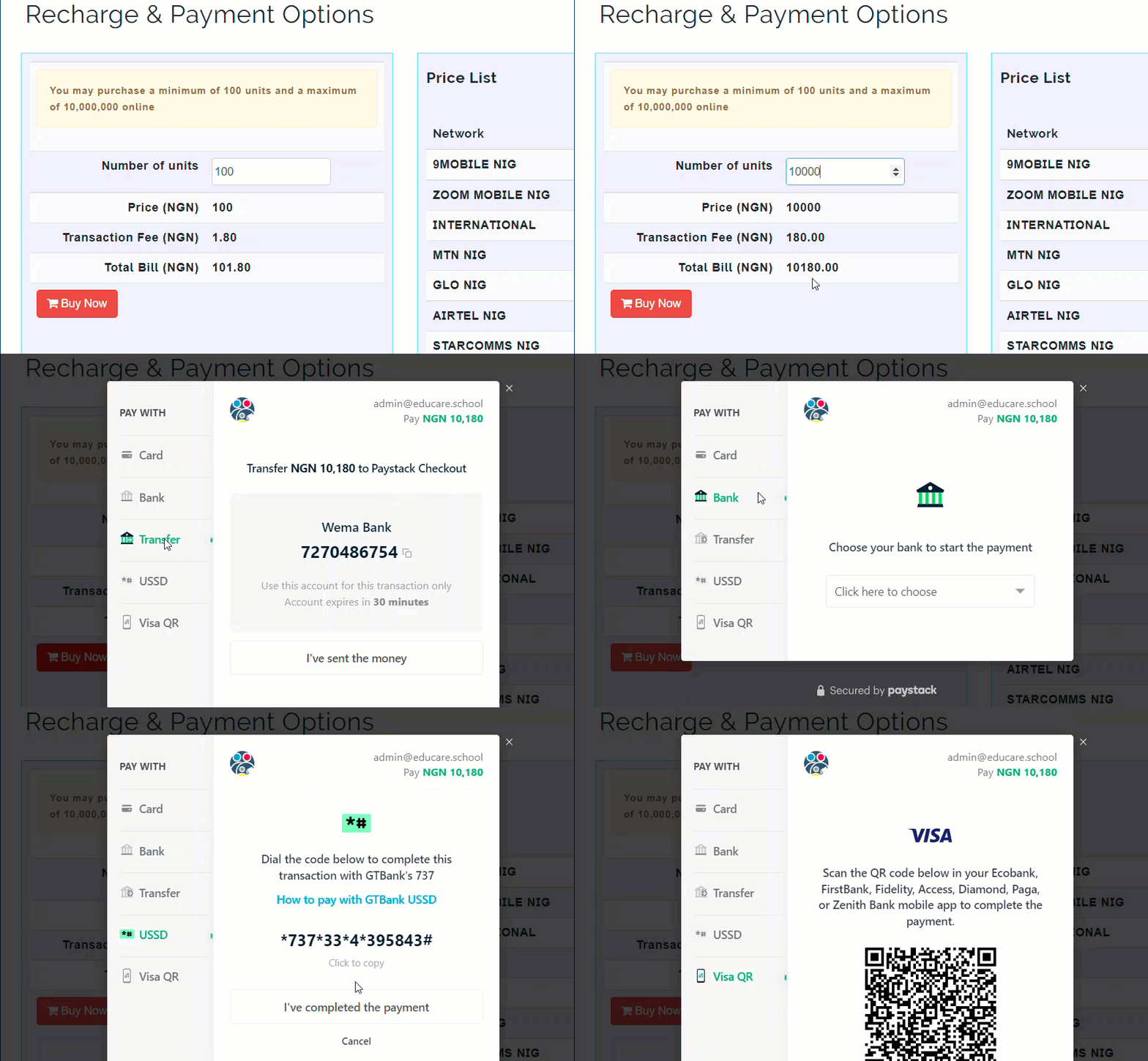
Recharge & Payment Options
Sending WhatsApp messages is not a free service and as such requires that you have credit units available. You can recharge credit units at your convenience with multiple payment options to choose from when buying.
How to Recharge Credit Units
To recharge credit units, follow these steps;
-
Navigate to Recharge/Pricing tab of SMS/WhatsApp module
-
Type in number of units you wish to purchase
-
Click on Buy button to display payment mode page
-
Select desired payment option from array of displayed payment options
-
Follow instructions and process payment successfully
-
Your credit units will be credited to your message page
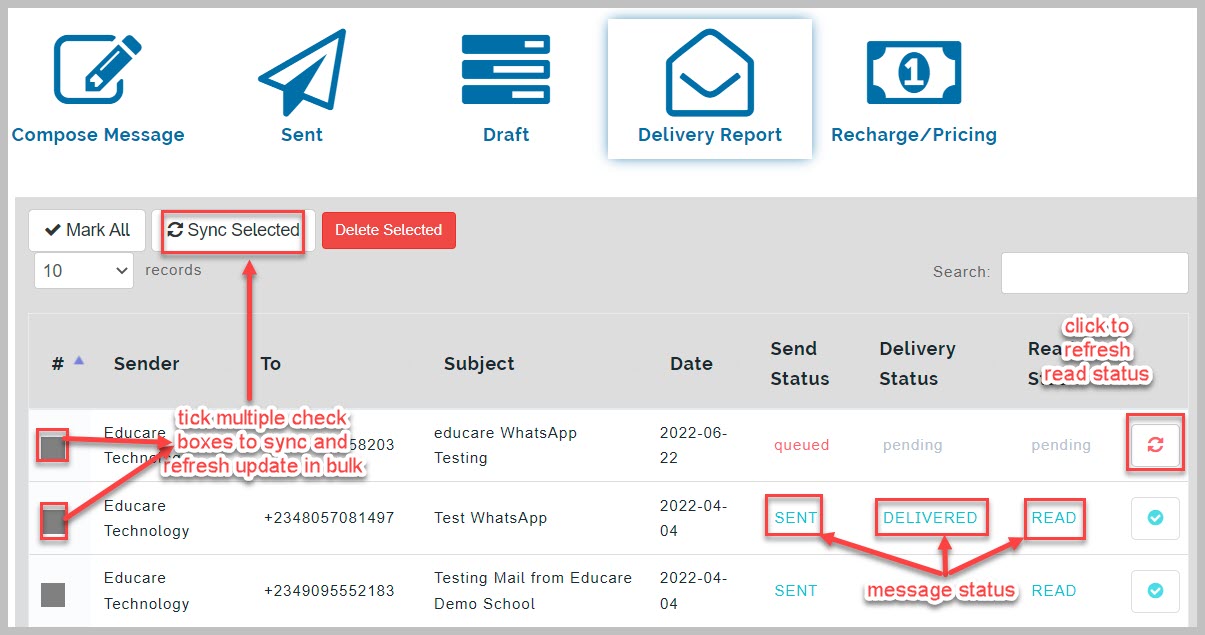
Delivery Reports
educare WhatsApp generates delivery reports from messages sent either in batches or single messages. These delivery reports gives analysis of if the message was delivered or not, when the message was delivered, and in the case of bulk SMS, who has read the message and who has not.