
If your school issue out report termly on pastoral for student overall performance. In this section, pastoral heads can enter remarks for students.
To do this, follow these simple steps:
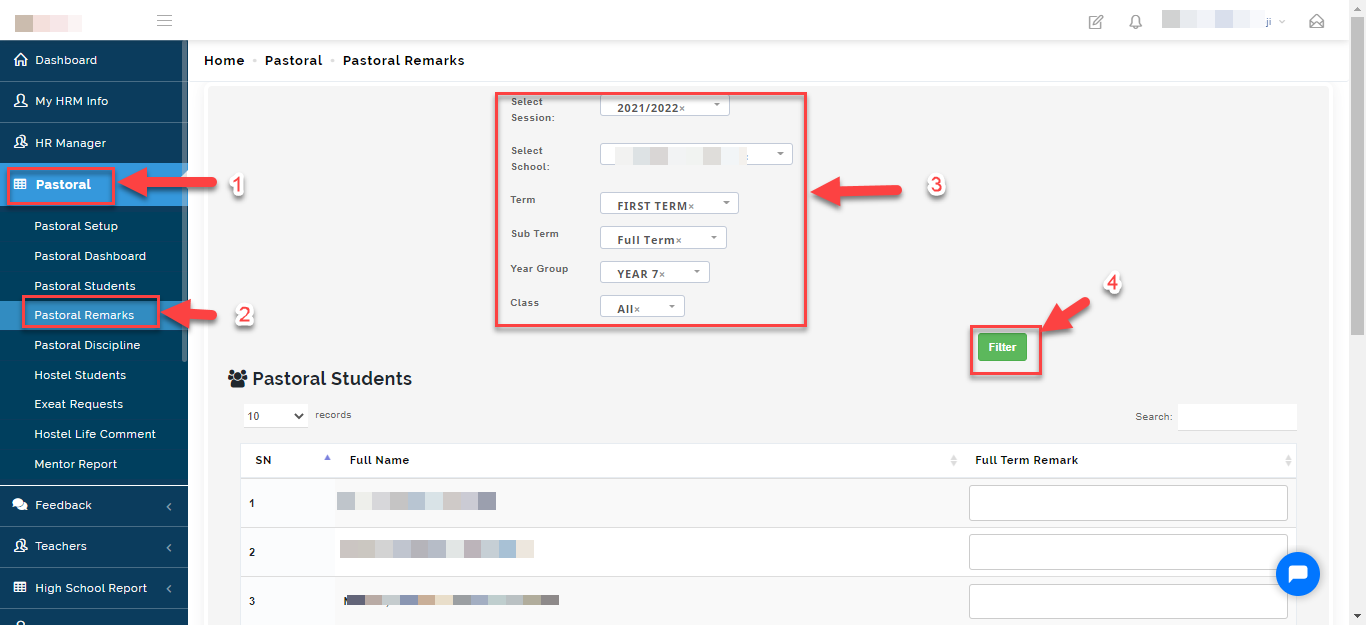
- Click on the pastoral module
- Select Pastoral remarks
- From the options, select session, school, term, sub-term, year group and class.
- Click on filter.
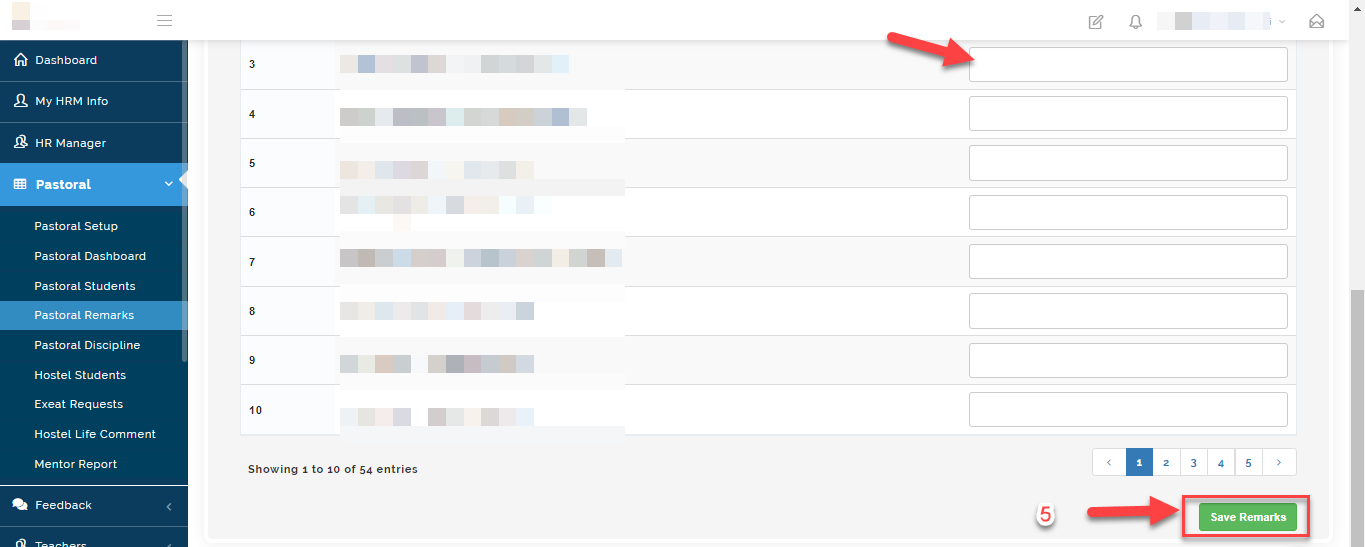
- Enter the remarks in the textbox and click on save remarks.