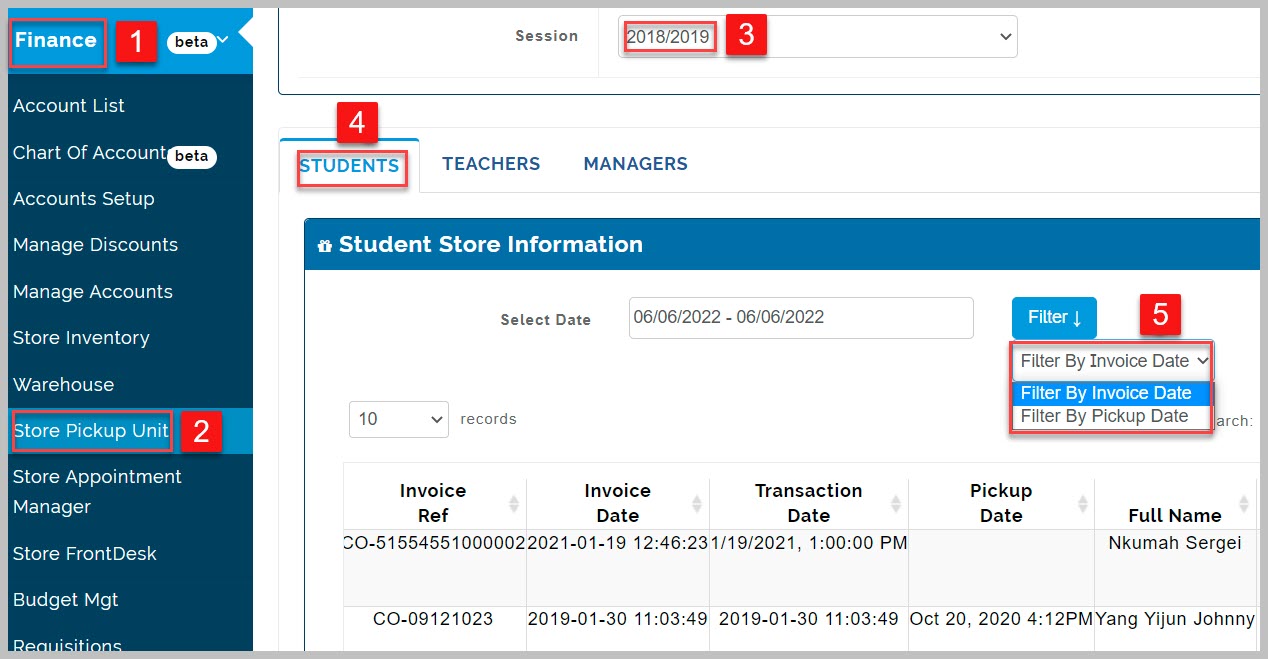
This link enables store manager to allocate items that was ordered by parents to student, teachers or manager
View Store pick up Unit
This table shows a list of users and the items they have ordered, giving a full detail of invoice date and transaction date. Select date and filter either by invoice date( date at which the invoice was generated or by pick up date
Settings
This is where the store manager setup other store managers for handling communications regarding collection and availability of item. There are different settings to be done
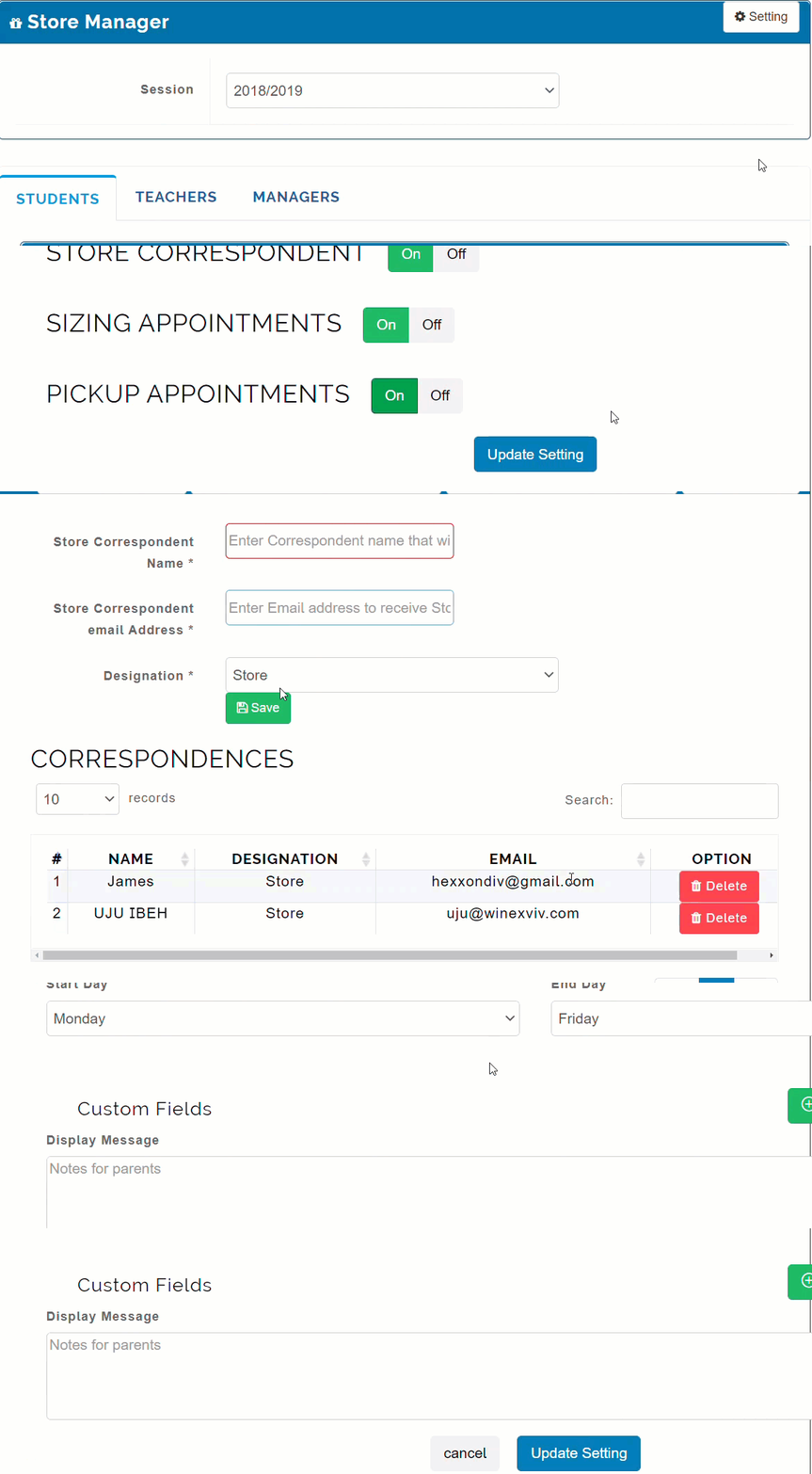
Types of Store Pickup Settings
- General settings
- Store correspondent settings
- Pickup appointment Settings
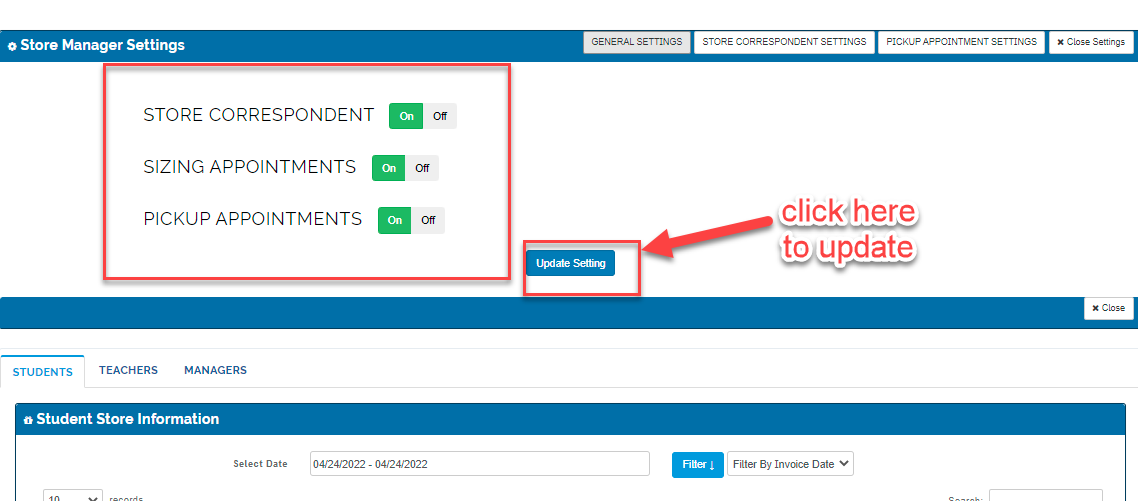
General Settings
The store manager toggle the available buttons ON/OFF below
then click on update settings
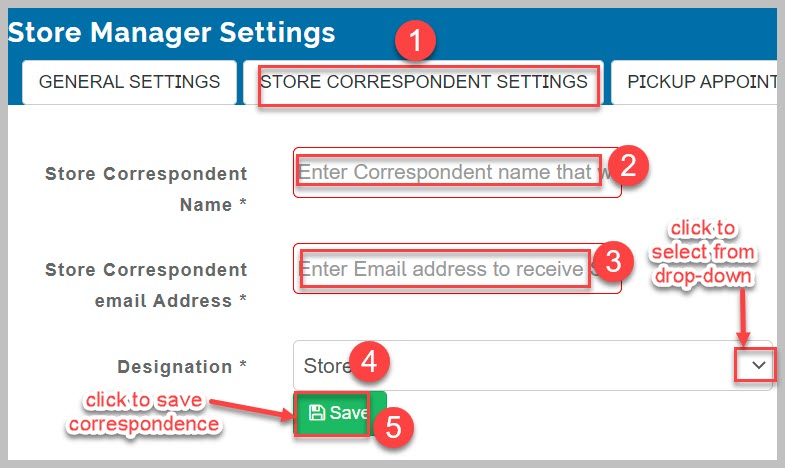
Store Correspondent Settings
Here, you create the name of manager who will receives email, once an order is placed and paid for
How to create correspondent Settings
-
Enter Correspondent name
-
Enter email
-
Select Designation( either store or account)
-
click on Save
Pickup Appointment settings
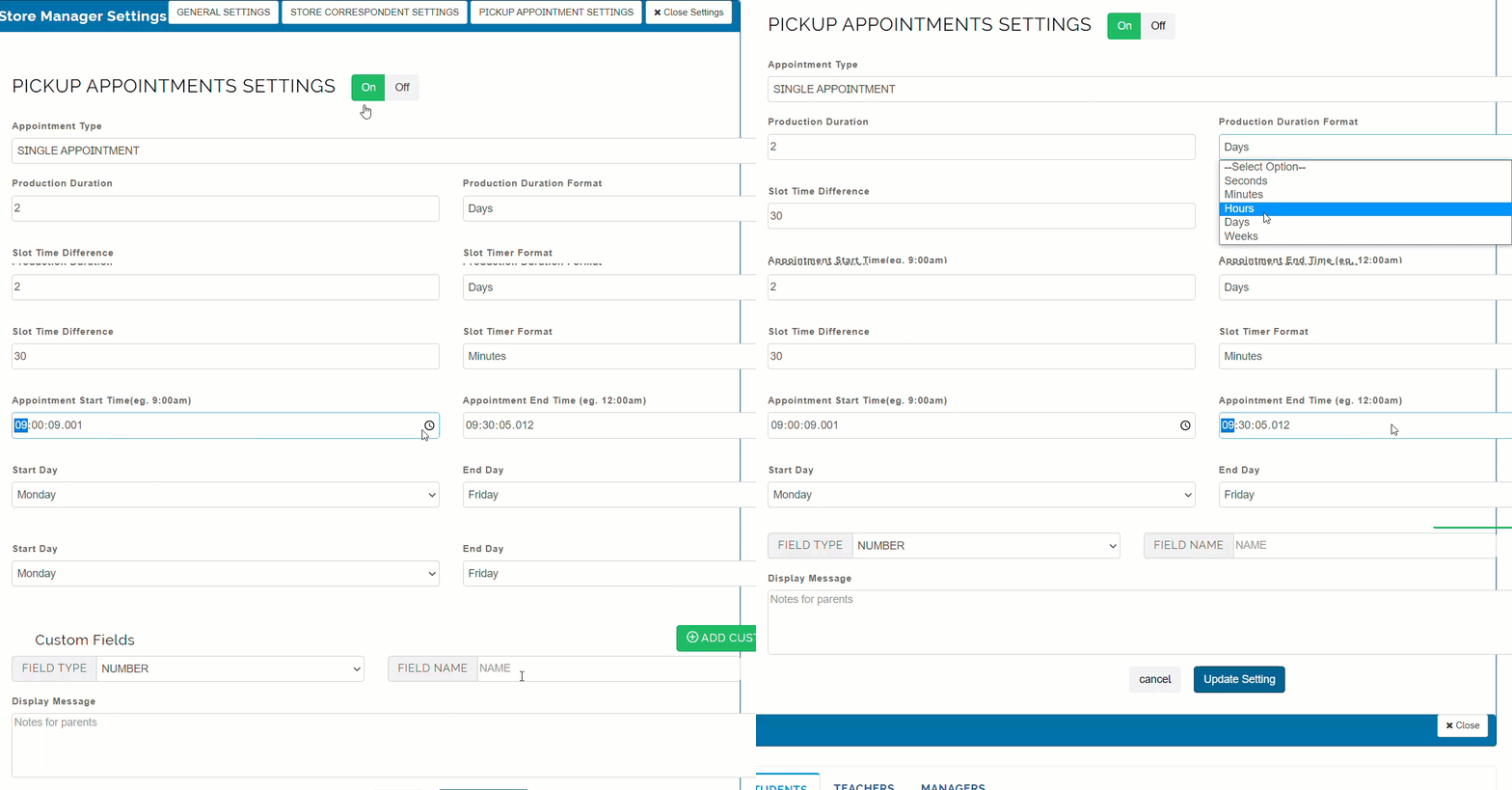
Set appointment type and time duration parents can come in for pickup of items
How to Create Pickup Appointment settings
-
Select appointment type
-
Enter production duration
-
Enter slot time difference
-
enter the number of days
-
Enter display message for parents if any
-
click on Settings update
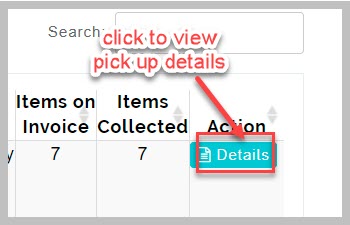
View Pickup details
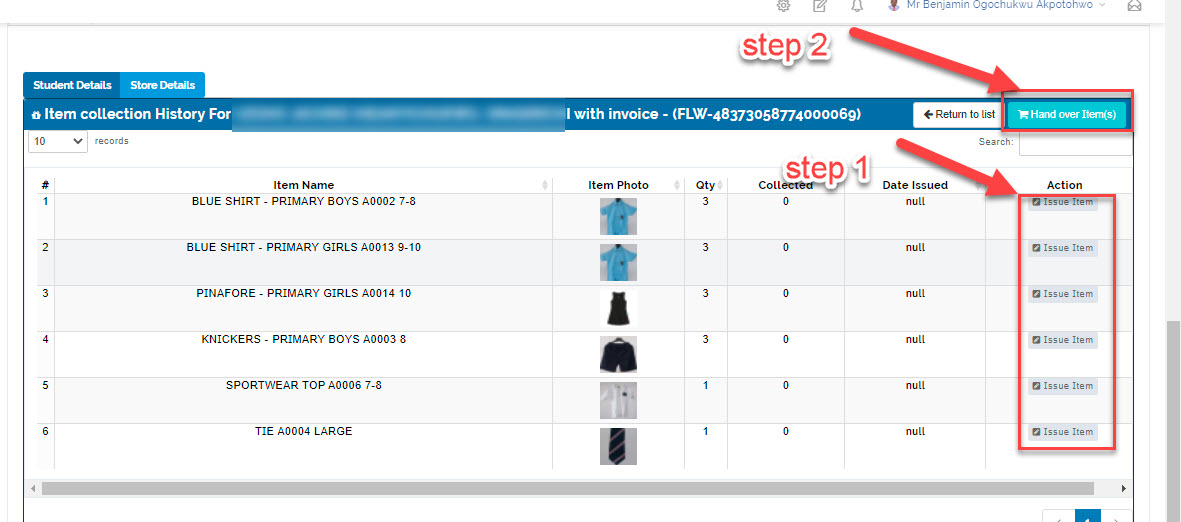
It shows the item collection history of a student order made by his/her parent
Assign Items
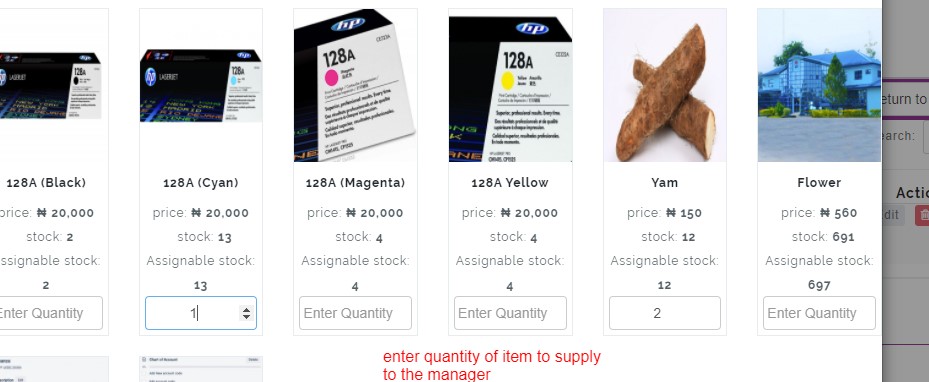
This tab enables the store manager to assign a particular quantity of items in the store to either student, teacher or manager based on the order they made.
How to assign items
- Click on assign item
- Enter the quantity given to them
- then click on Process *
View Teacher's Table
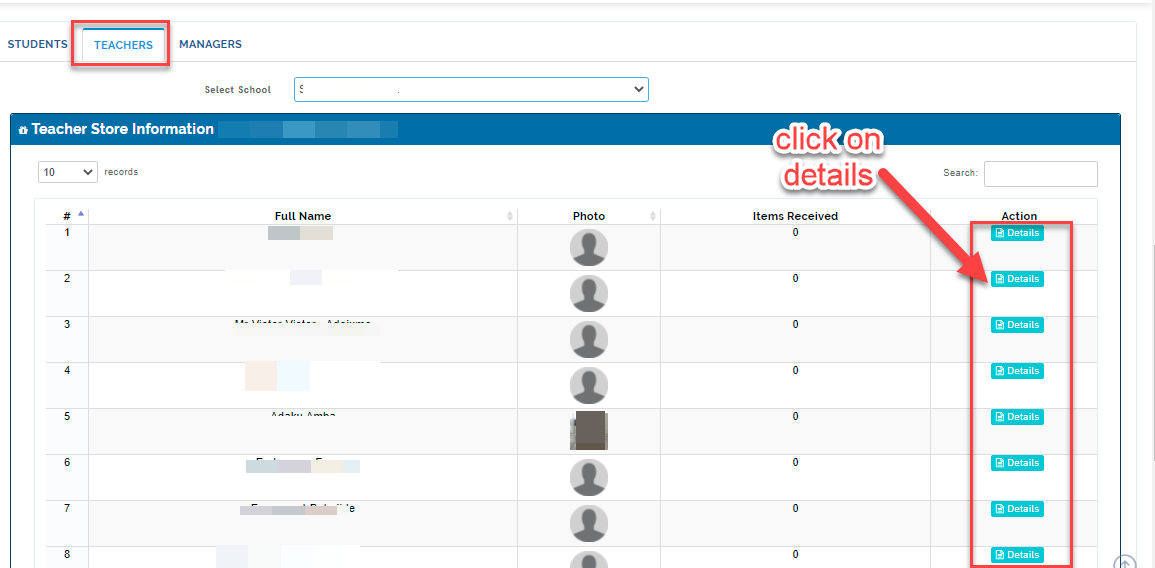
This table shows the list of items ordered made by the teachers of the school from the store
How to view teacher's table
- Clicks on teachers
- Select school category
- It shows teacher’s list and the item received
View Manager's Table
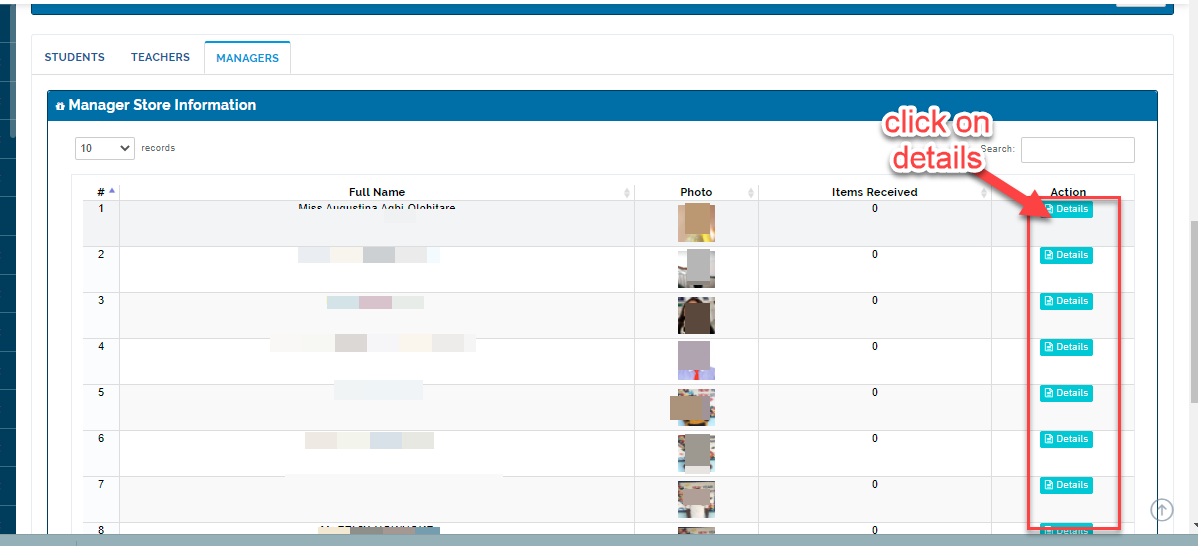
This table shows the list of Details: This button gives the store information of every manager in the school
Details Button:
This button gives the store information of every manager in the school and the items they have ordered and received