This link allows admin/accountant to view all cash order transaction and revert payment on the system
Transaction that was manually cleared on the system
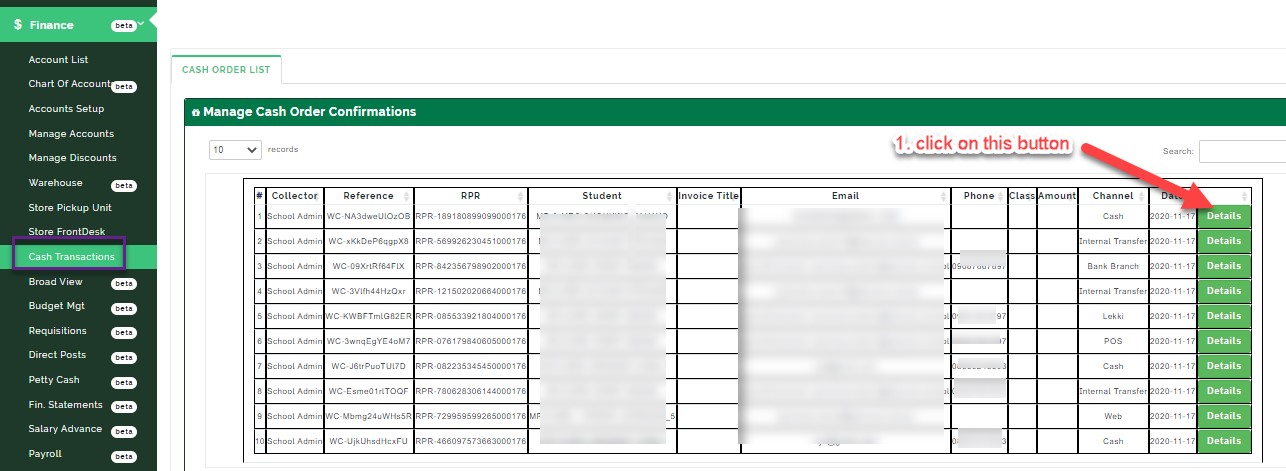
VIEW CASH TRANSACTION TABLE:
This table shows the list of transaction that is manually cleared as paid by the admin in the system
VIEW DETAILS:
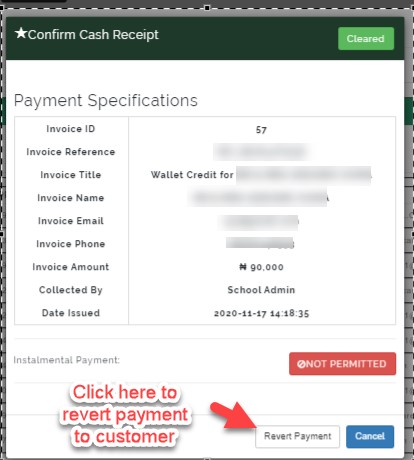
this tab shows the payment specification on that invoices and where to reverse payment from.
HOW TO REVERT A PAYMENT:
This button reverse payment of a paid invoice and return it back to Unpaid invoice.(The customer’s account/ wallet will be credited).
HOW TO MANAGE ACCOUNT, GET THE INVOICE AND DELETE THE INVOICE
When the reverse of payment is successful
click on manage account
select account head, click NEXT
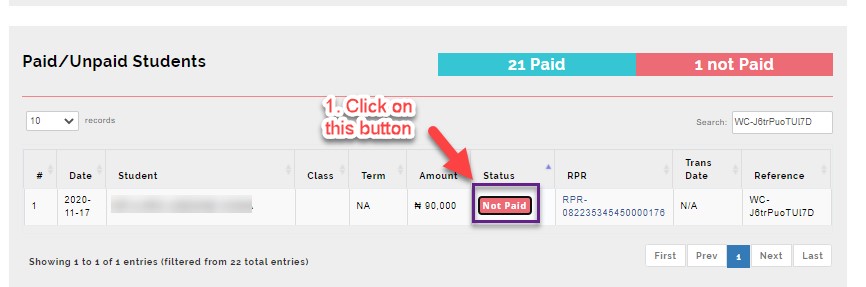
under analysis dashboard; in paid/unpaid student table
search the student name or the invoice number in the search bar, click on NOT PAID status{WC-J6trPuoTUl7D}
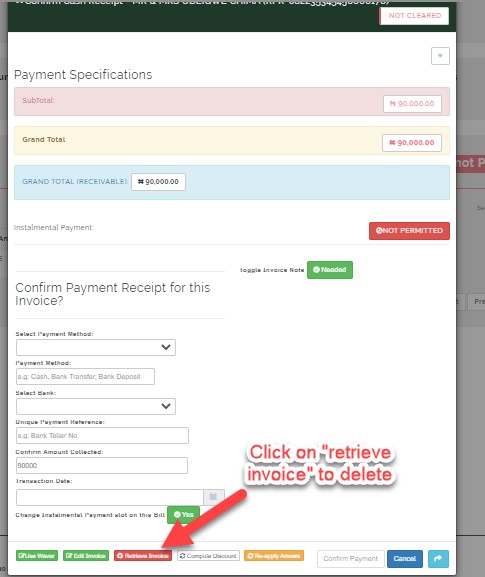
below the modal;
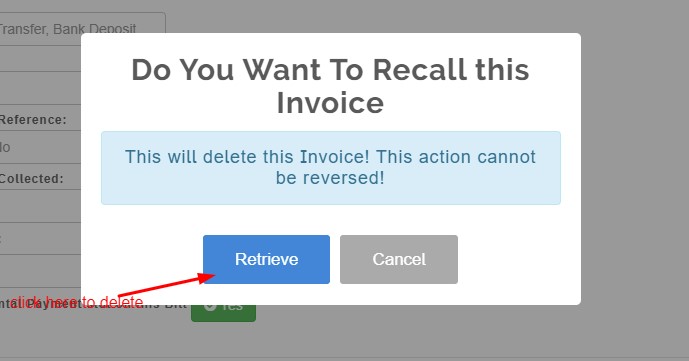
Click on RETRIEVE INVOICE to delete the invoice.