
This is where the admin can setup the teaching weeks for each term.
To set up week Entries, follow these Steps:
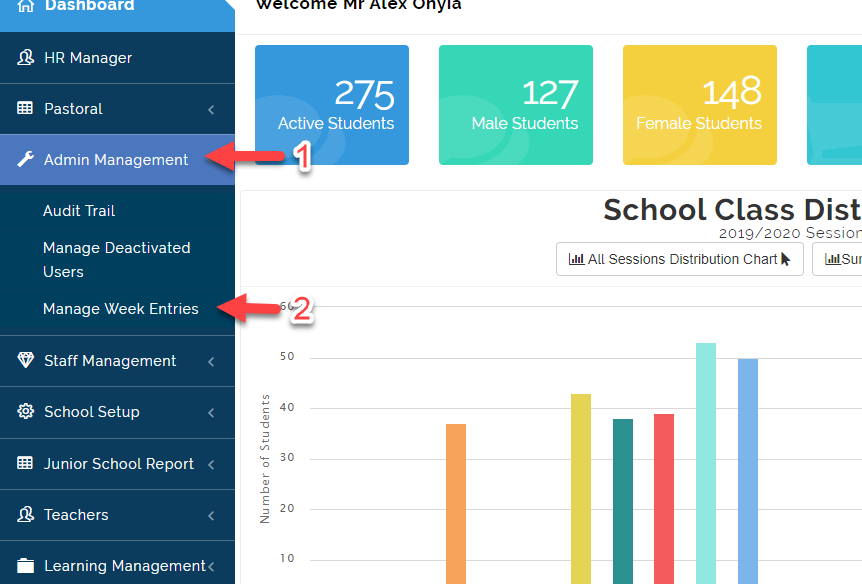
- Click on Admin Management then Select Manage Week Entries.
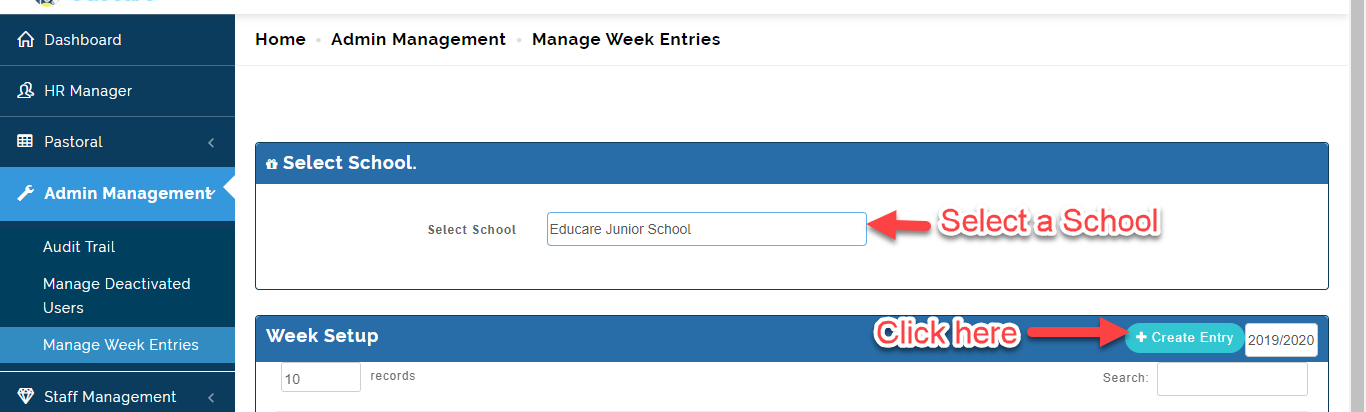
- Select the School type then Click on Create Entry.
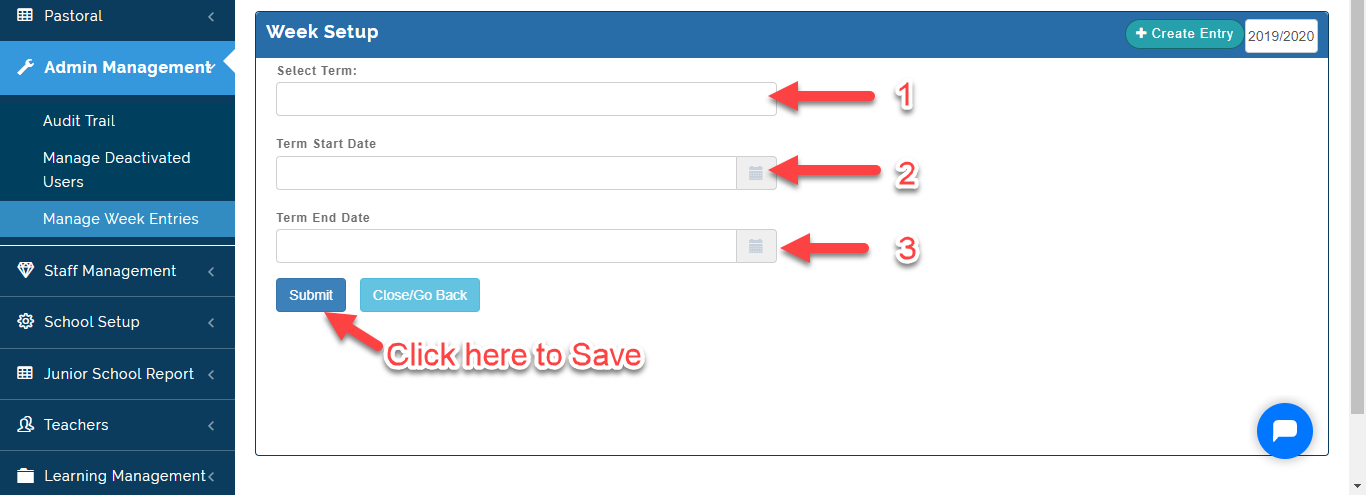
- Select the Term you want to enter weeks for, enter the Term start date/ End date then Click on Submit or Close/Go back to Exit.
- Automatically the system will calculate the number of week for the term you created.
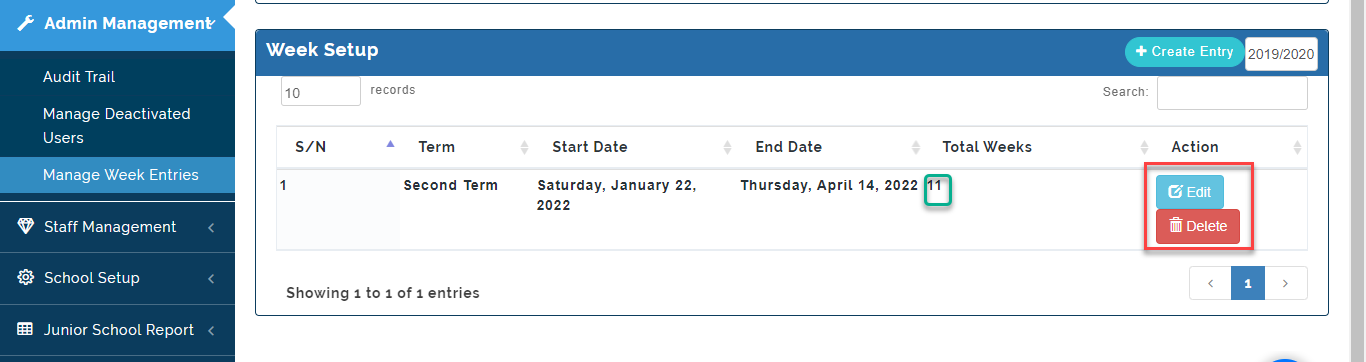
- Click on Delete to remove week entry and Edit to Make changes to the Week entries as indicated above.