Here the admin staff (registrar) or any staff in charge of admitting students into your school can easily create a student profile for your school.
to do that we will take you through the steps.
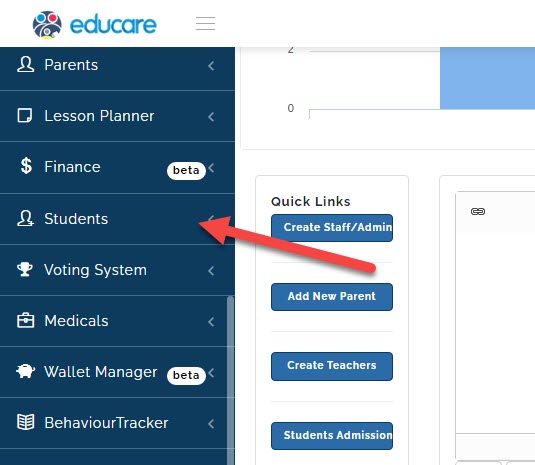
- click on Students
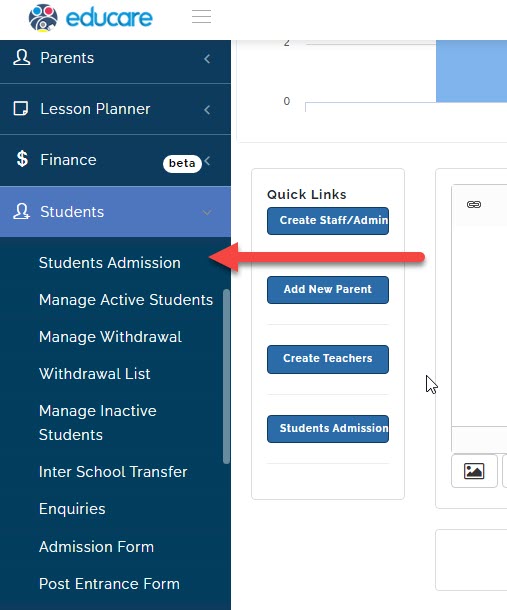
- click on students admission
a new page will open
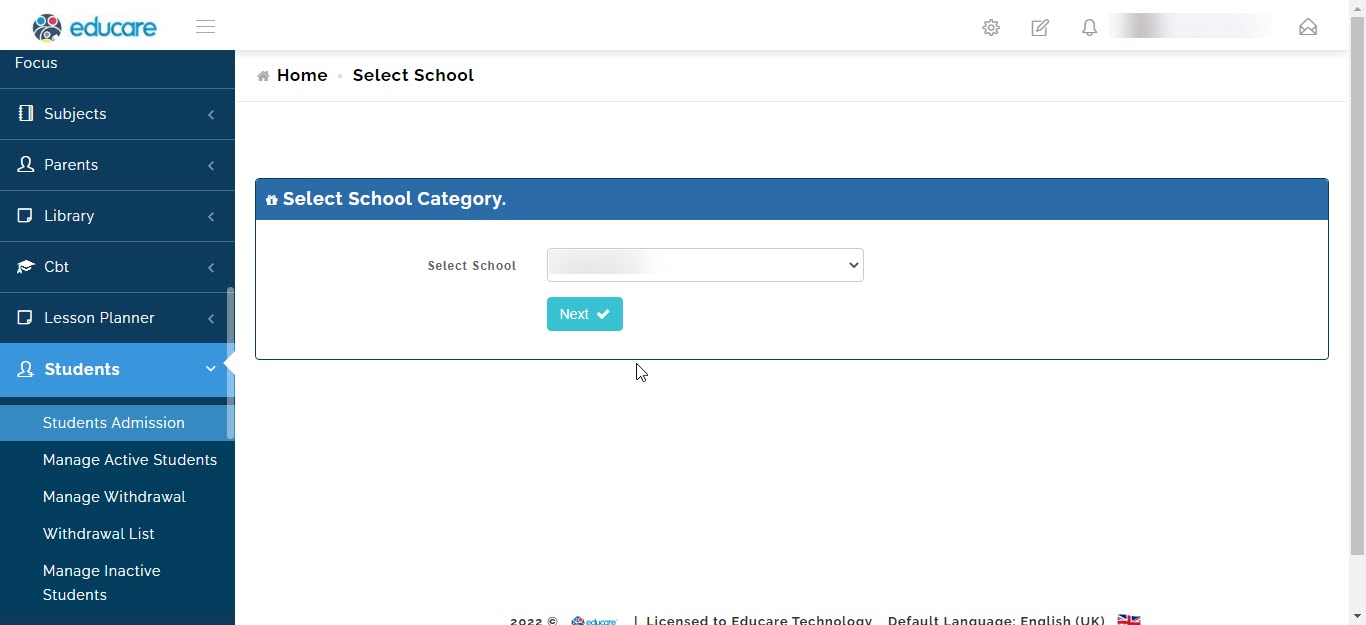
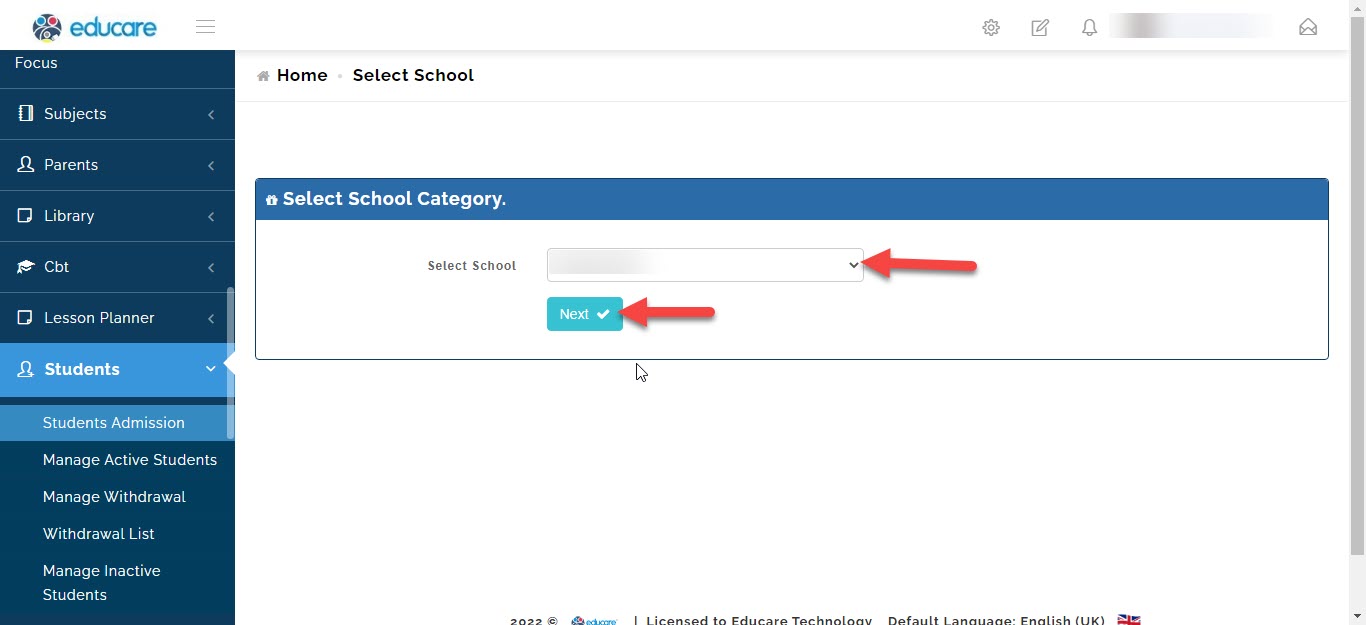
select the school (if your school has different arms like eyfs, junior school or high school) and click next.
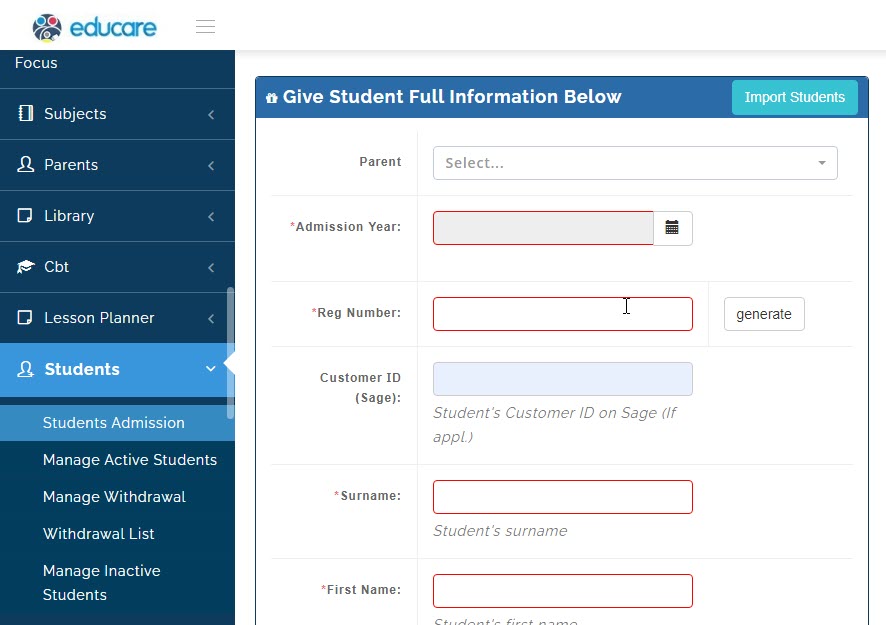
now you will need to filling in the details of the student.
NOTE: 1.as student cannot be created without create their Parent/Guardian first because each student must be tied to a Parent/Guardian.
- areas with the red Asterix must be filled to proceed.
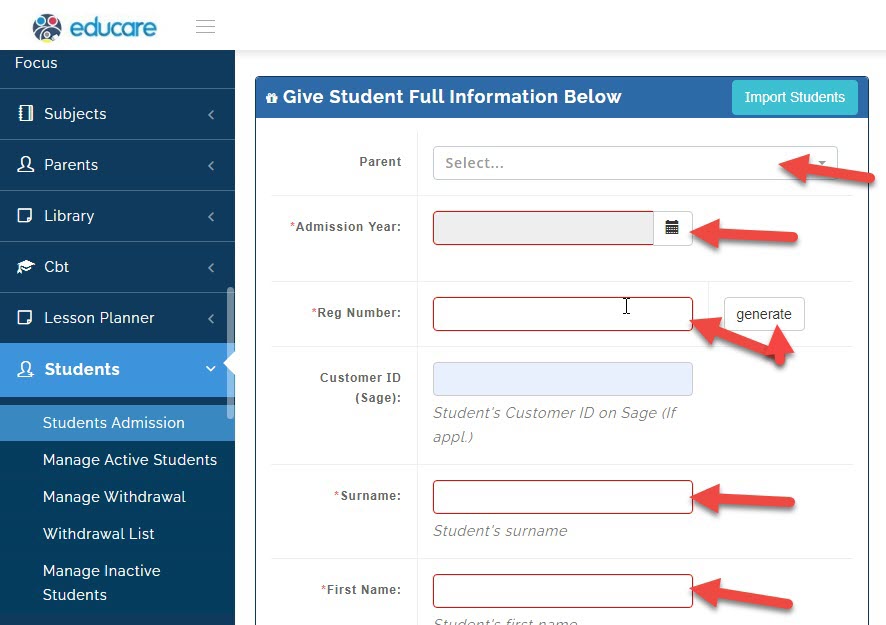
Select the students parent
Select the admission year
Write the students registration number or generate it
Write the students surname
Write the students first name
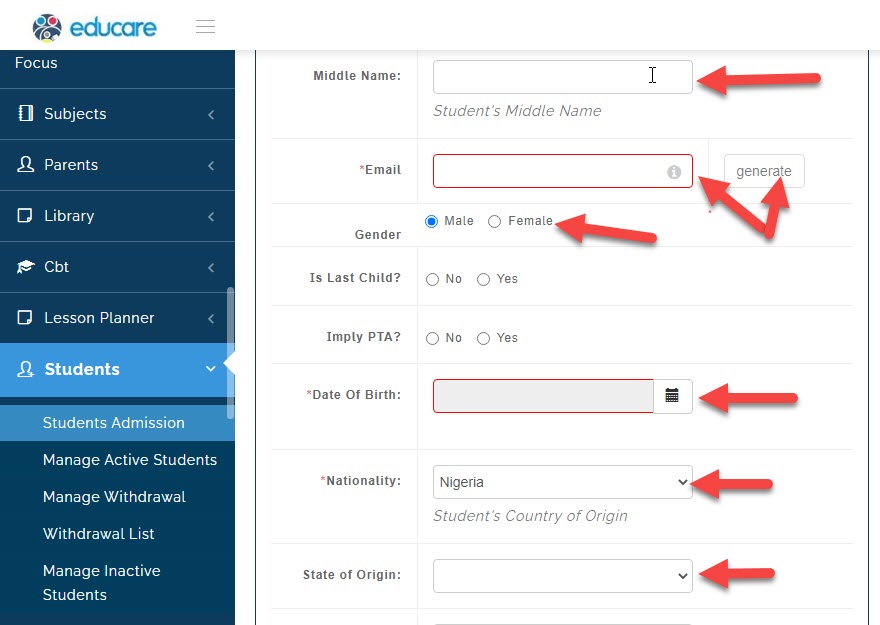
write the students middle name if any
selects the students gender
select the students date of birth
select the students nationality
select the students state of origin
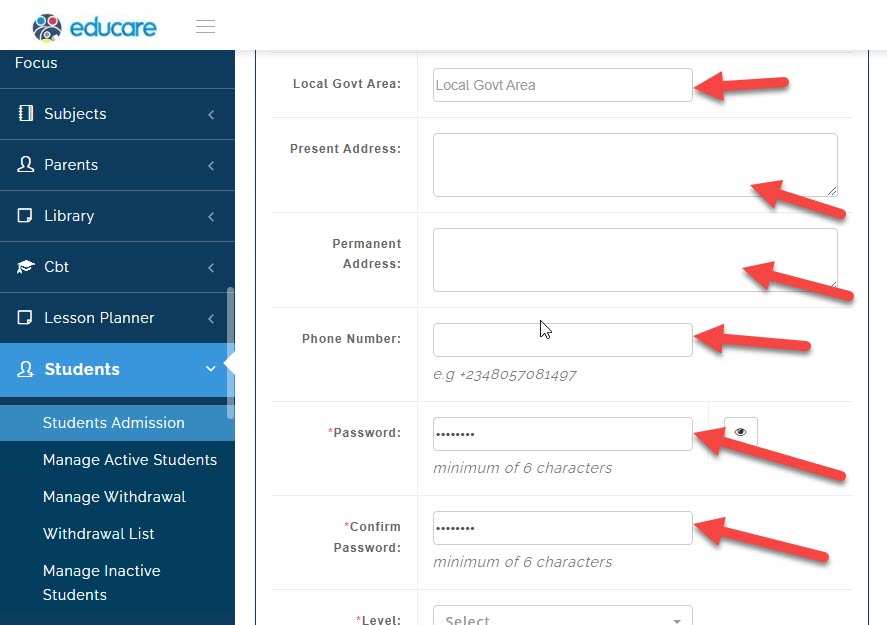
select the students local government area
write the students present address
write the students permanent address
write the students phone number
write a password for the student
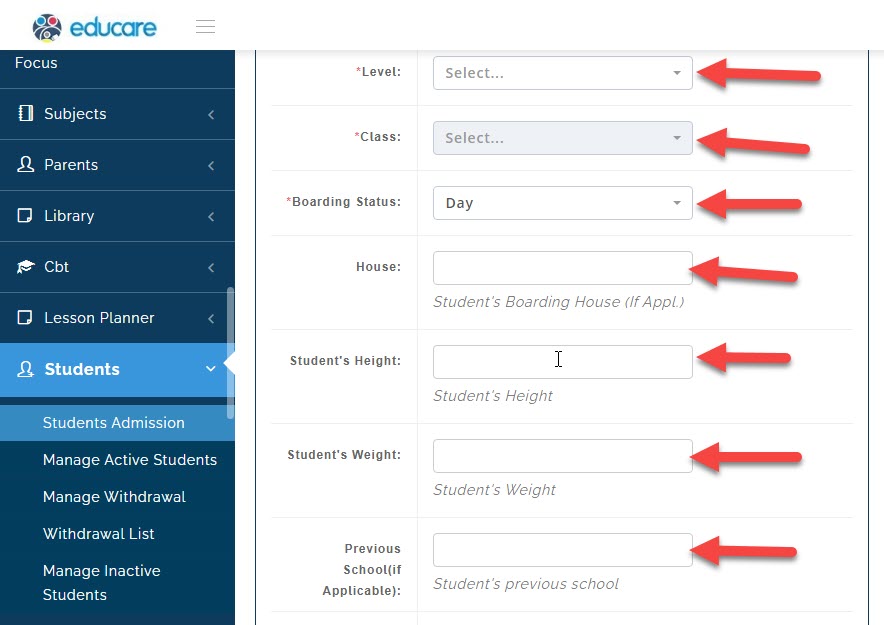
select the students year level
select the students class
select the students boarding status
write the students house if applicable
write the students height
write the students weight
write the students previous school if applicable
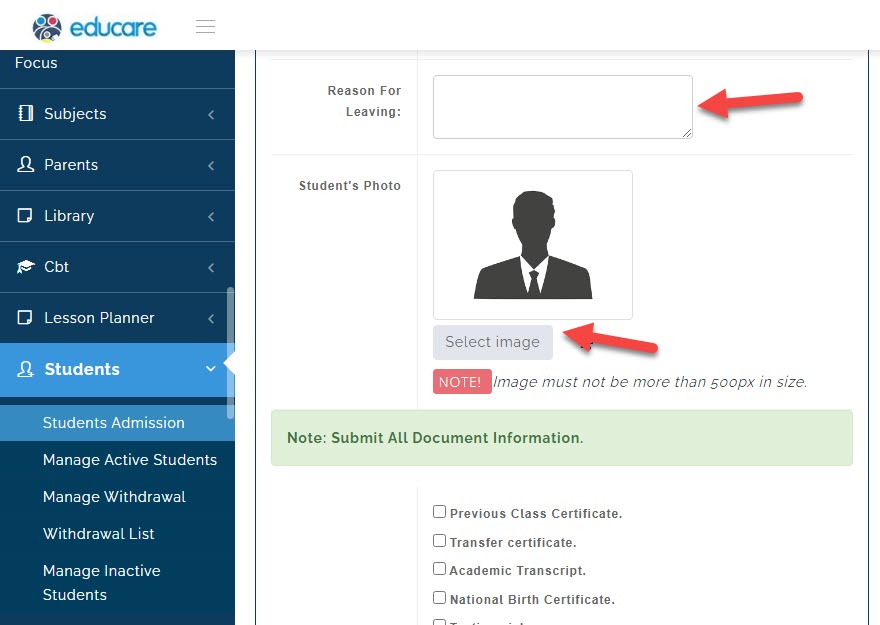
write the students reason for leaving
select the students photo
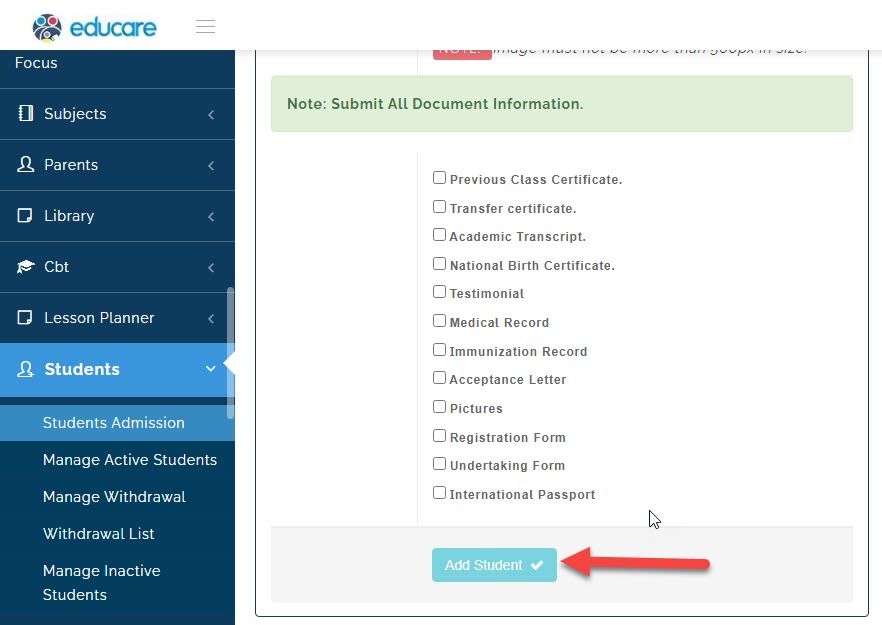
tick all the documents that have been submitted
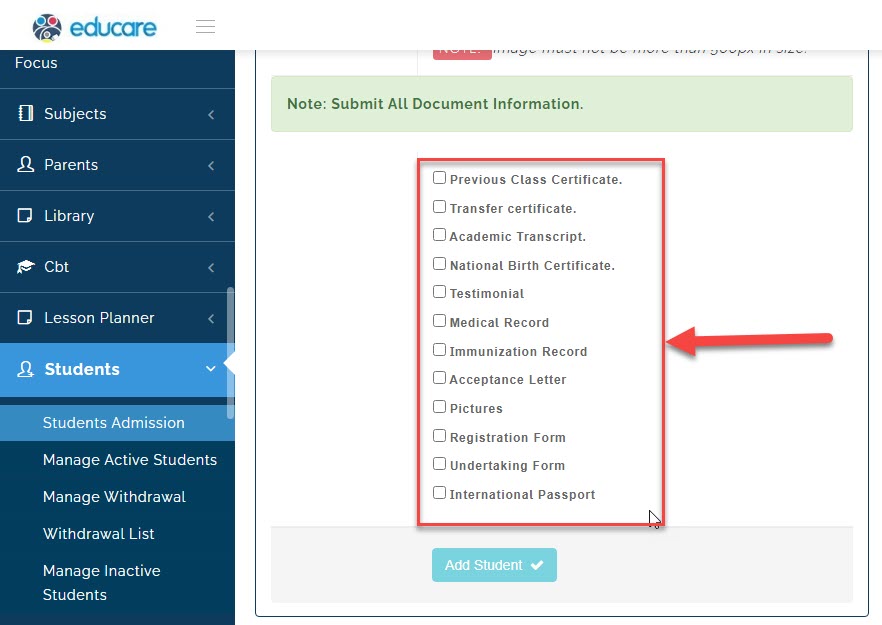
once you are through click on add student and the student admission process will be completed