This is where the School Admin can create the different Year groups active for all School Types: EYFS, Junior and High School.
To do this, Follow these Steps:
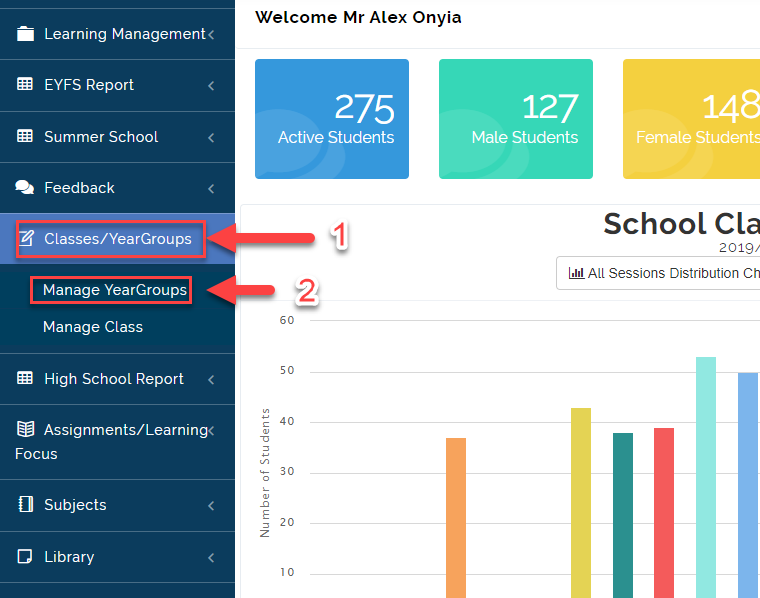
- Click on Classes/Year Group then Select Manage Year Groups.
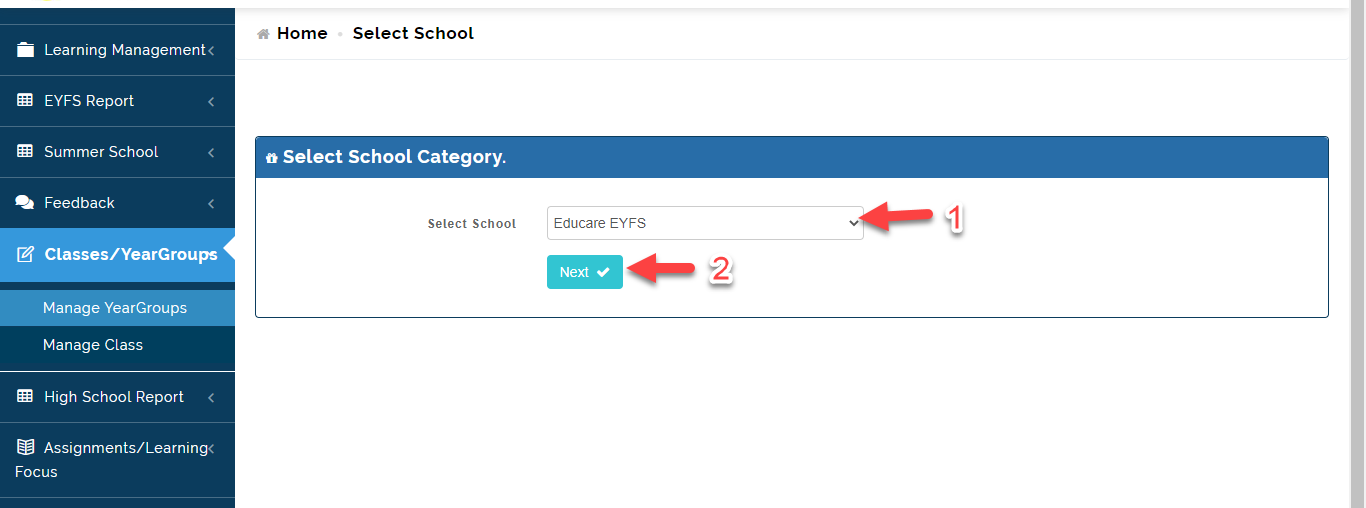
- Select the school you want to Create Year groups for (EYFS, Junior and High School).
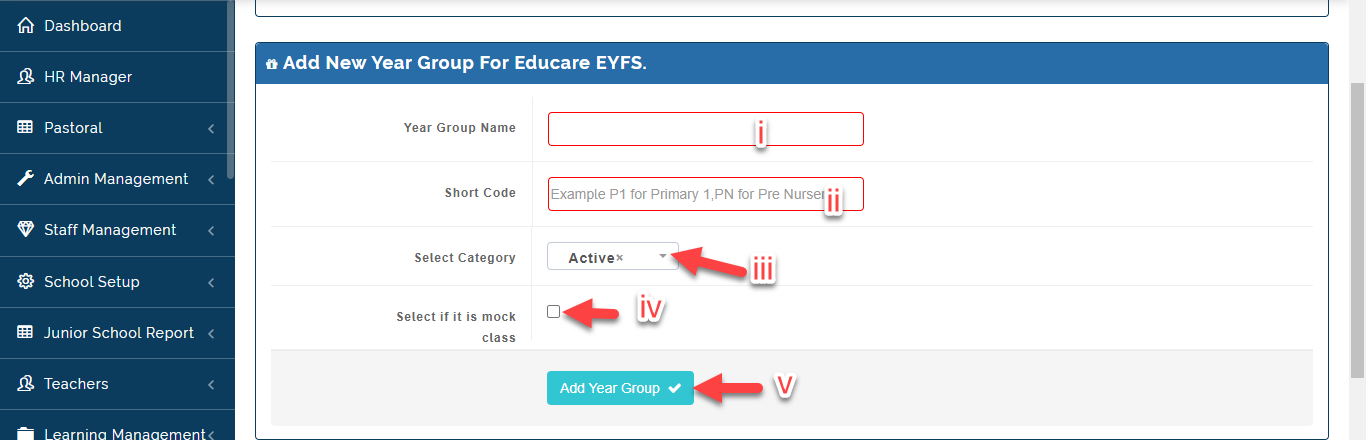
- i. Under Add New Year group Tab.
ii Enter the year group name and a Short code (Eg. Basic 7; B 7).
iii. Select Active for Students who are already admitted into the School, Student who have
graduated from the school should be registered as Alumni and Students who are yet to be
admitted should be registered as Prospective.
iv. If it is a Mock Class, Tick the box (e.g. JSS 3 and SSS 3).
v. Click on Add Year Group.
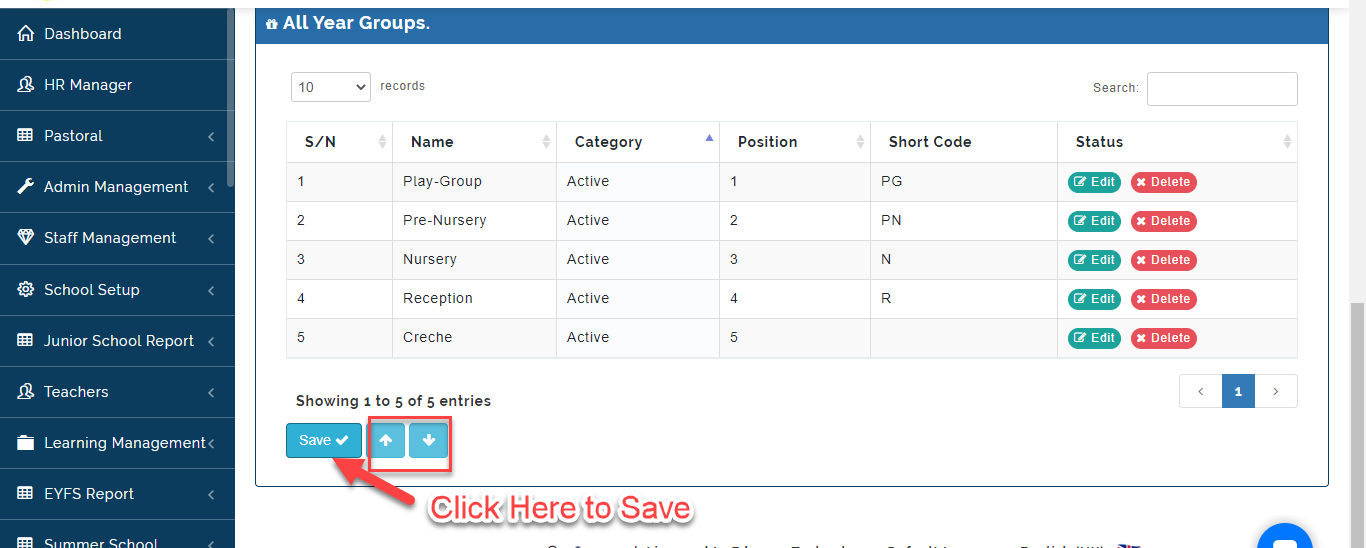
- The Year Group will be listed under All Year groups, Click on the Edit Button to Make Changes to a Year group name and Delete to Remove a Year Group.
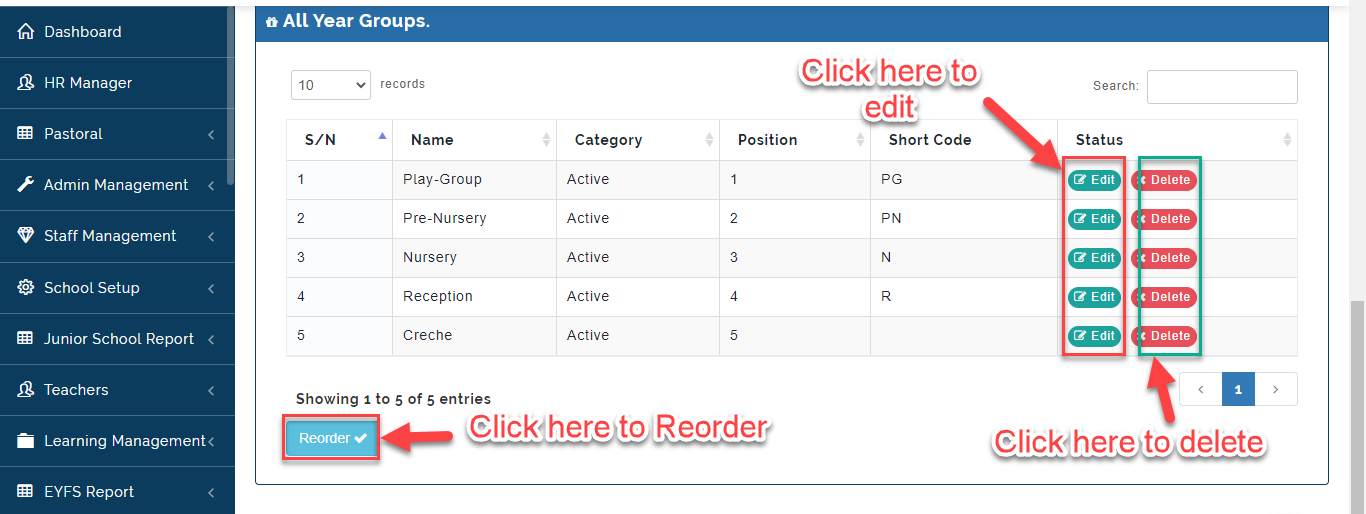
To Re order Year Group, Follow these Steps:
- Click on the Year Group name you want to reorder then using the Arrow Icon move the item to the position of choice either Up or Down. Click on Save to effect changes.