
This is where the School Admin can Create a Profile for Teachers in the School.
To Create a Teacher Profile, Follow these Steps to create a New Teacher Profile:
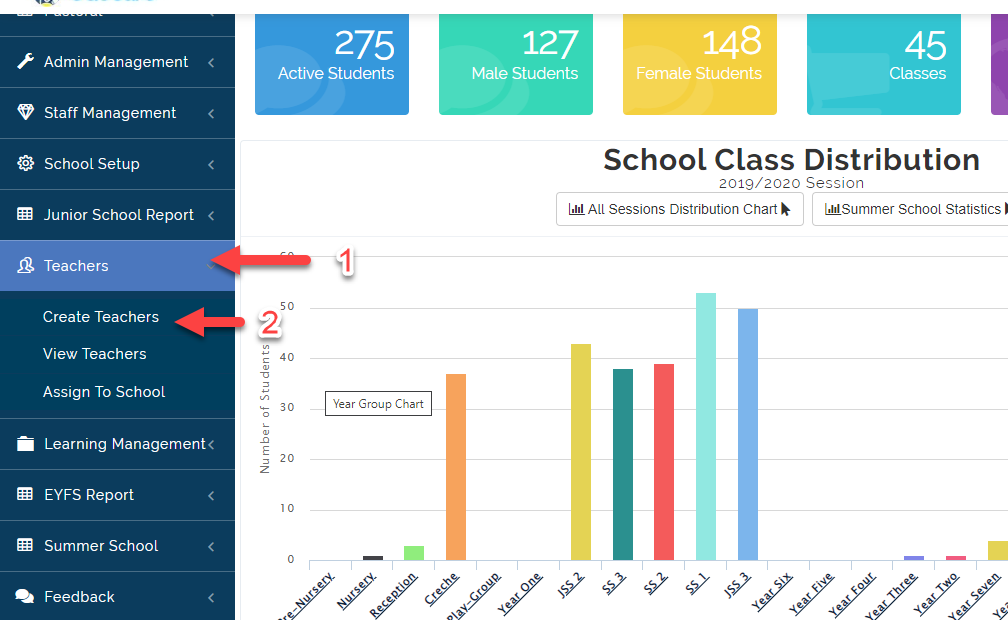
- Click on Teachers then Select Create Teachers.
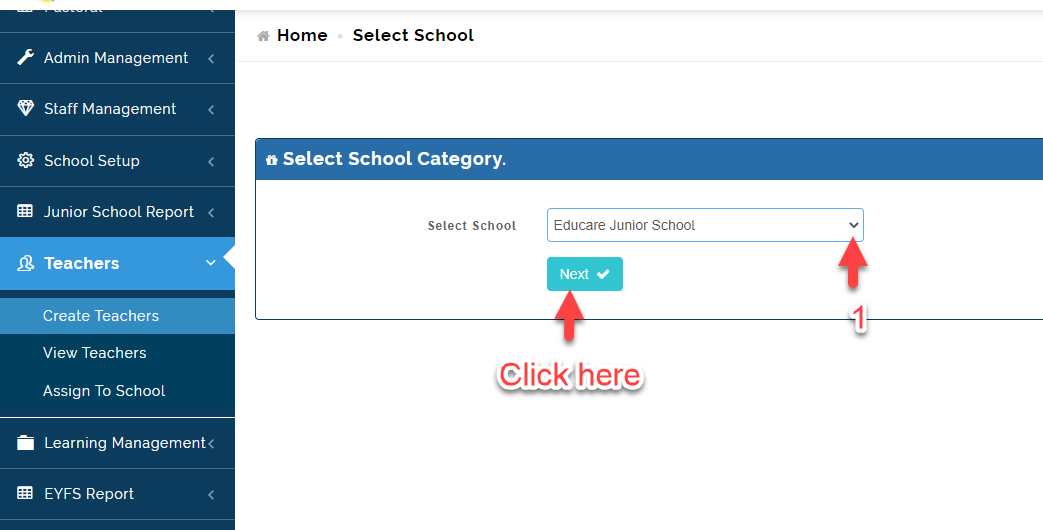
- Select the School you want to Create New Teacher Profile for then Click on Next.
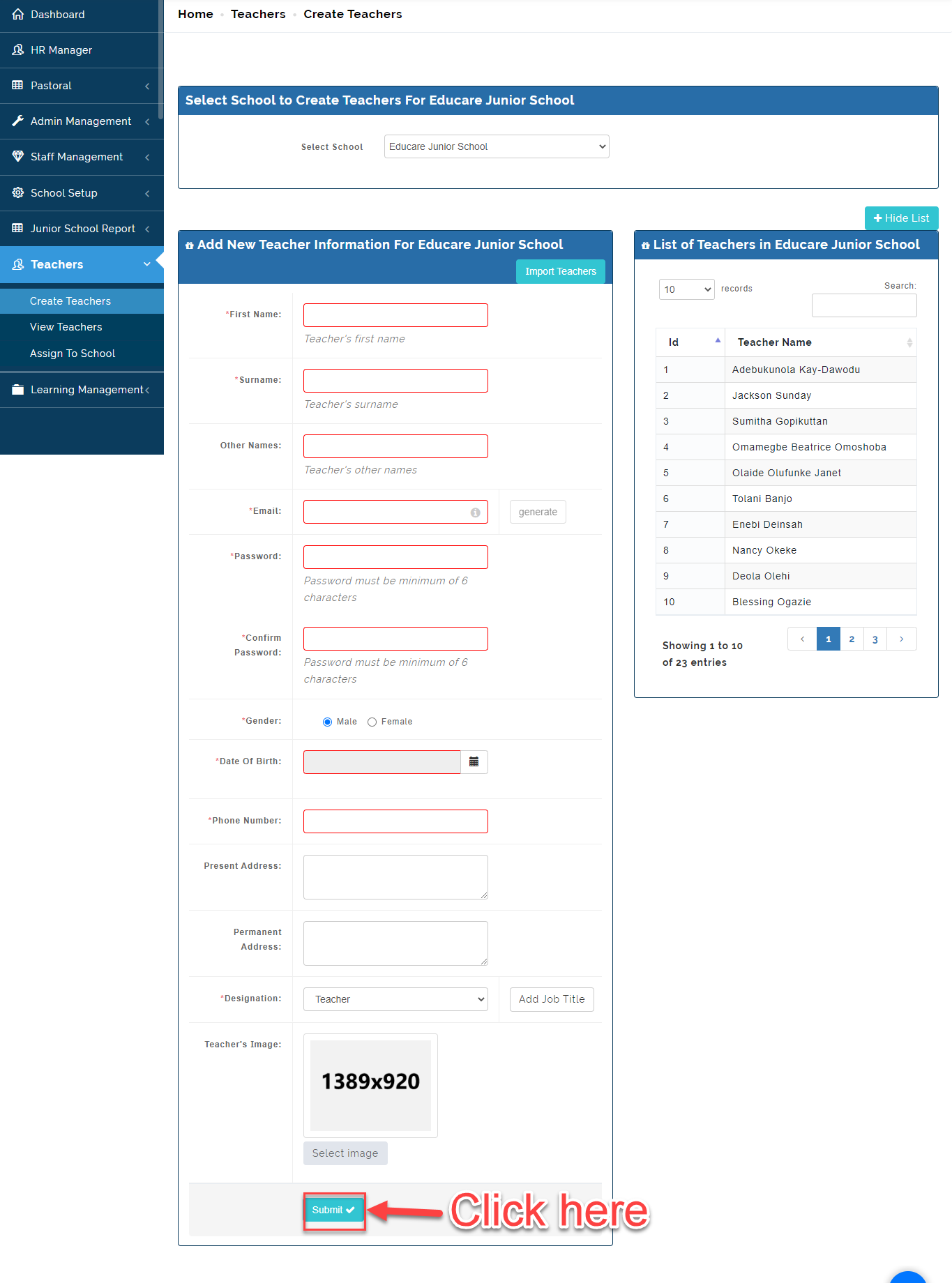
- Fill in the Details of the Teacher. Click on Submit.
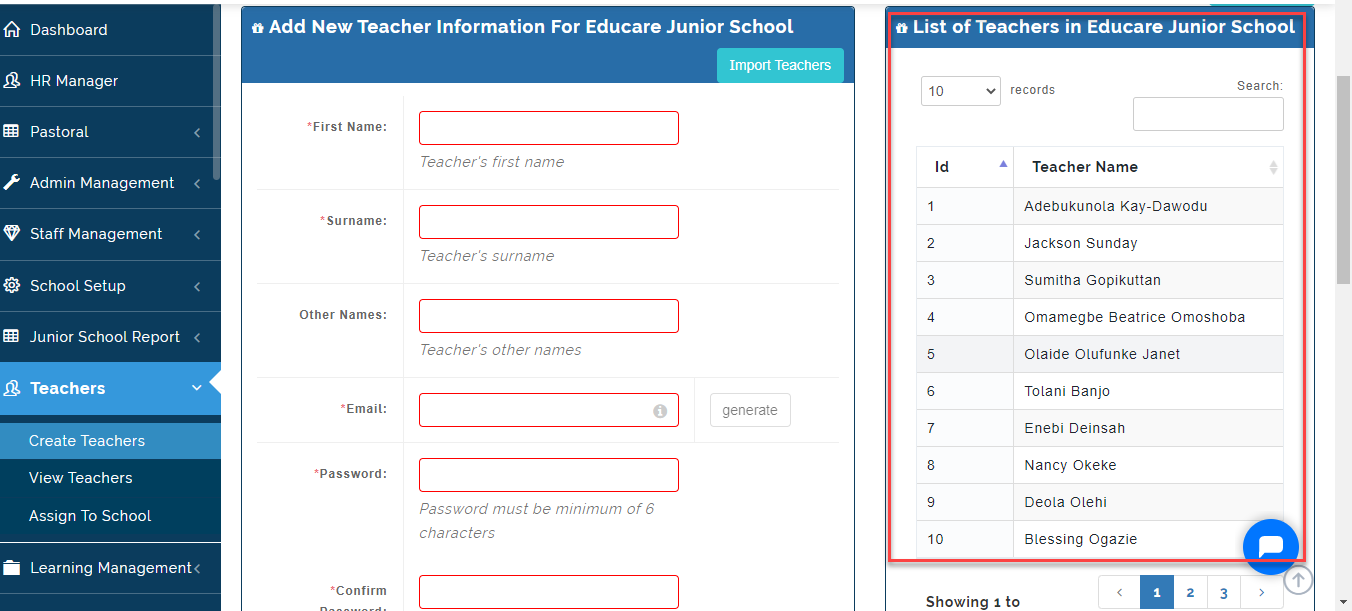
- Once the Teacher Profile is Save, You will see the name appearing under the List of Teachers Table as indicated below.
Note on Create Teachers
If a Teacher is Teaching in Different School Divisions (e.g. EYFS and Junior School). Create an Account for he/she in one school then Follow Steps under ASSIGN TO SCHOOL to extend teaching rights to the Second School.