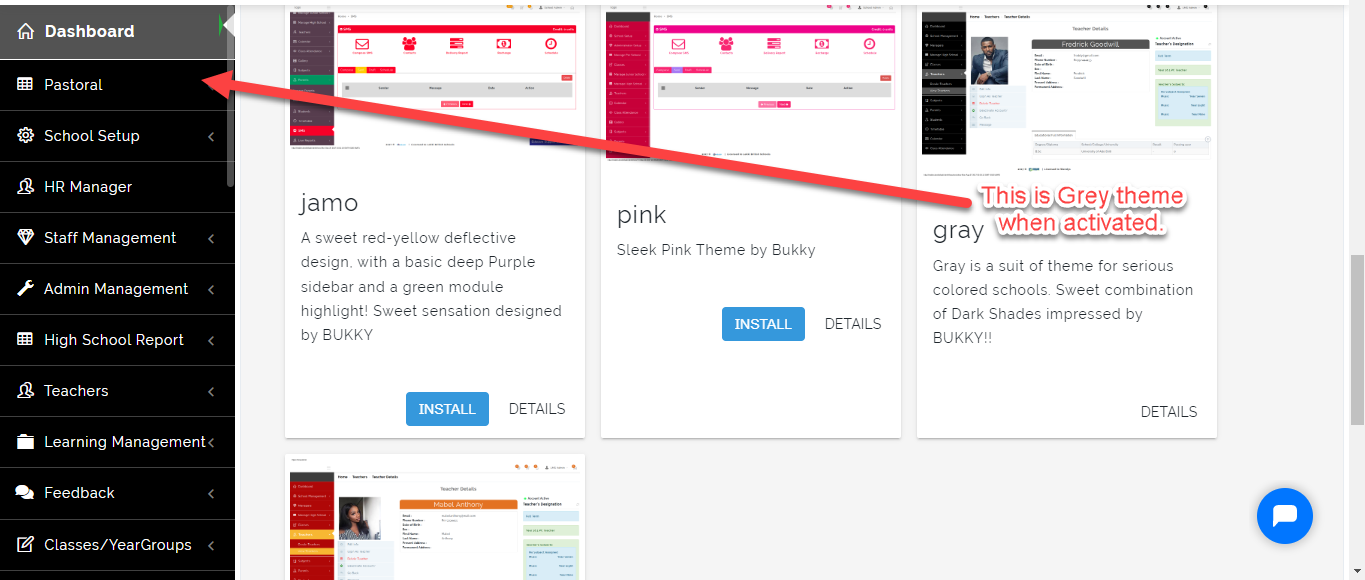
This is where the School Admin can select a Theme to use for the School Portal. In Most Cases we recommend activating a Theme that goes with the School Logo.
To Select Theme, Follow these Steps:
- From Settings, Select Themes.
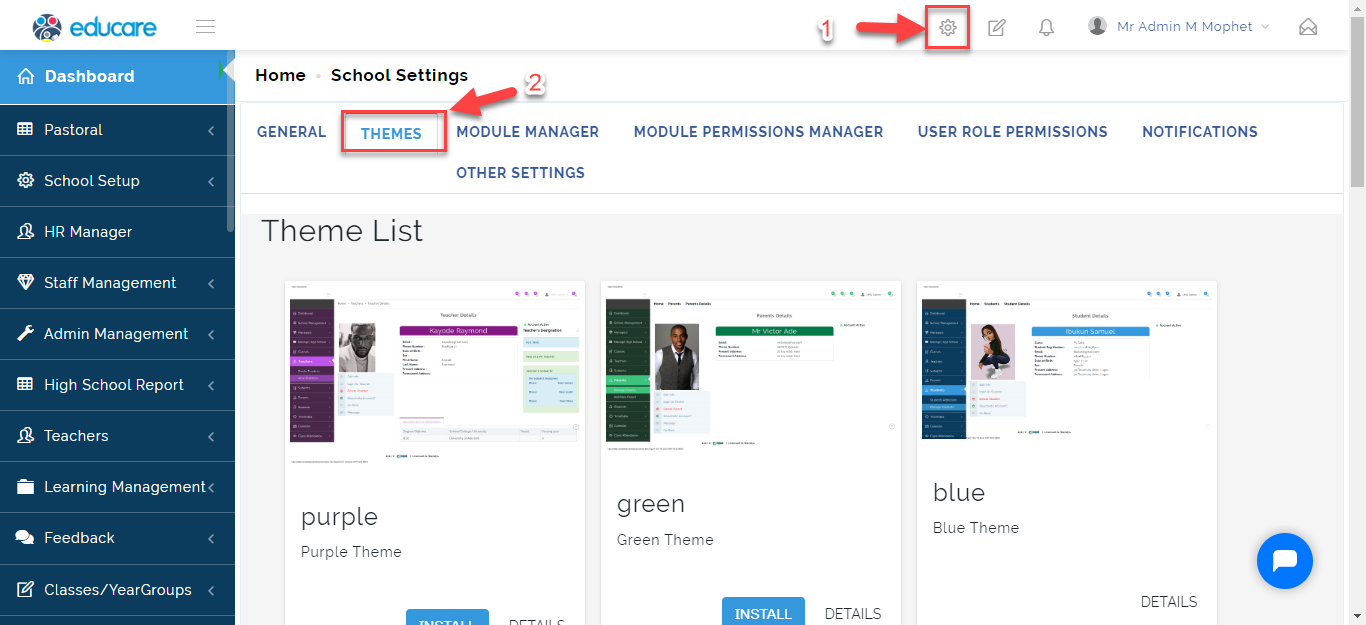
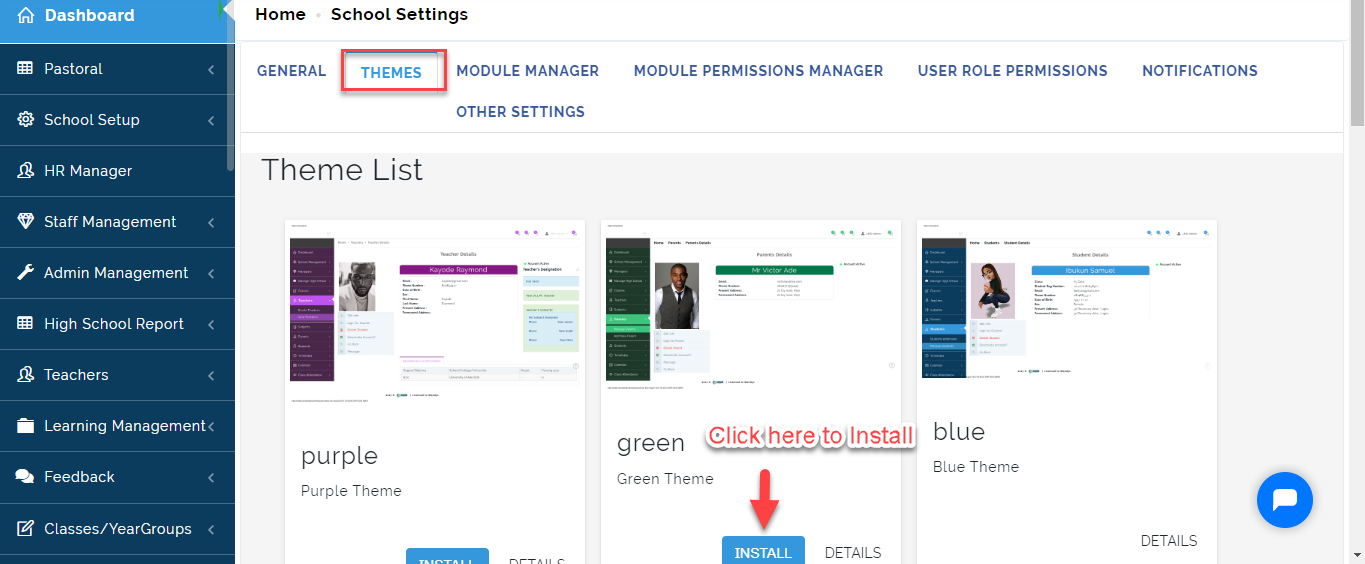
- This will list out the Different Themes you can install. Click on Install to prompt Activate button.
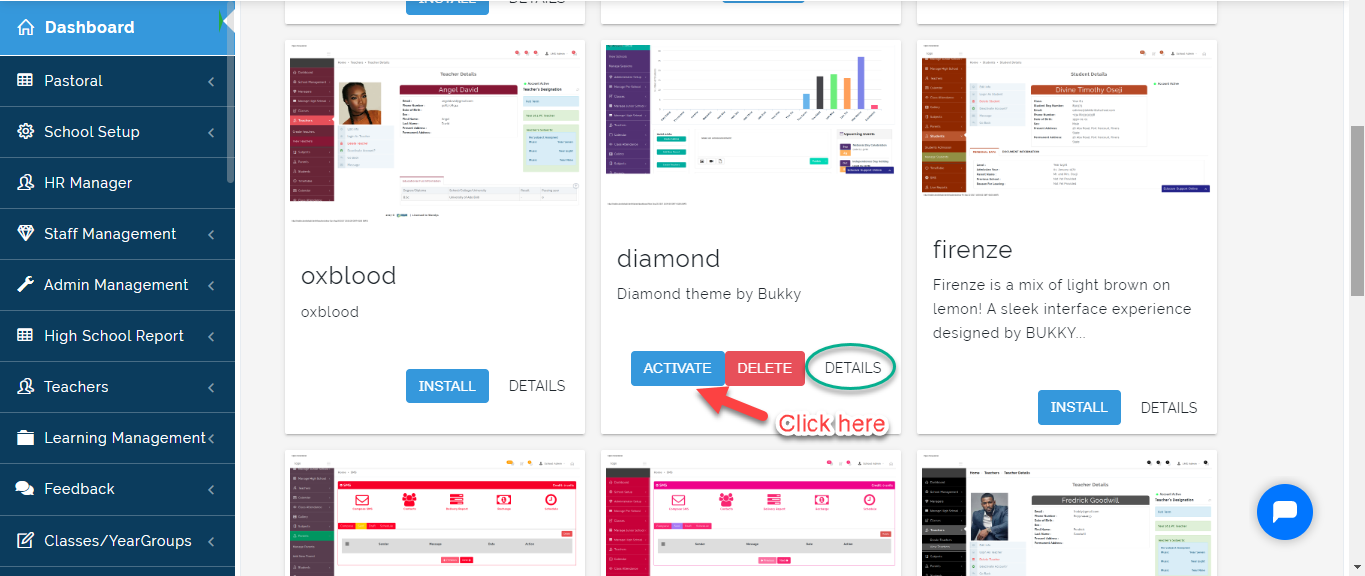
- Click on the Activate button to effect theme, Details to Preview the Theme.
Once you Activate the theme of your choice, it will be effected automatically