This is the transfer of fund between school accounts within the system, either from a bank or petty cash
Direct Transfer Table
This table shows a list of transaction done using direct transfer both pending, approved and rejected
View Details
This button shows a detailed analysis of each transfer under all transfer table
Pending Transfer Table
This tables shows list of direct transfer that have not be approved by admin or who has the permission to approve the transaction.
Approve Transfer
This button enables admin to approve a pending transfer and the amount credit the account balance of that bank.
click on the approve button
Direct transfer Note:
When a transfer is approved it cannot be reversed
Delete Transfer
This button enables an admin to remove a created transfer in the system without submitting it
Rejected Transfer Table
This table shows a list of transfer that were rejected.
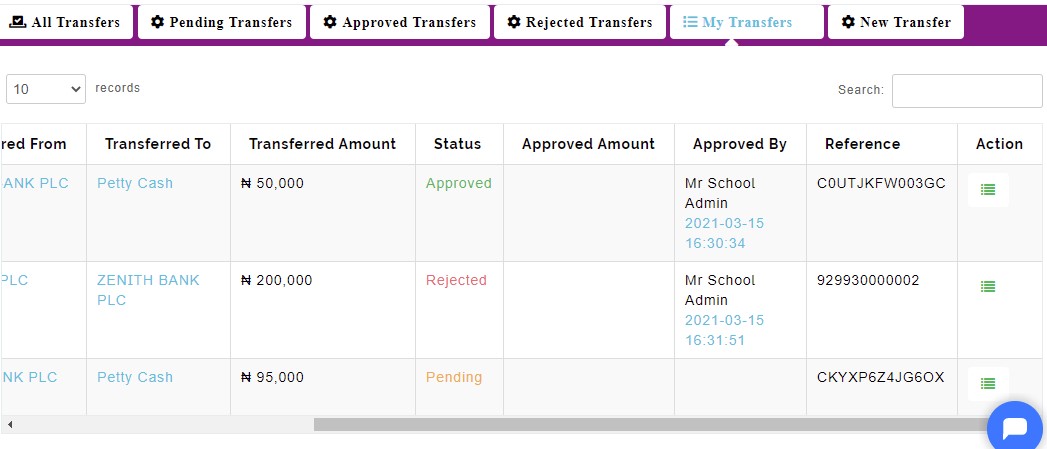
My Transfer Table
This table shows a list of transfer done by individuals, showing if approved, pending or rejected.
How to create new Transfer
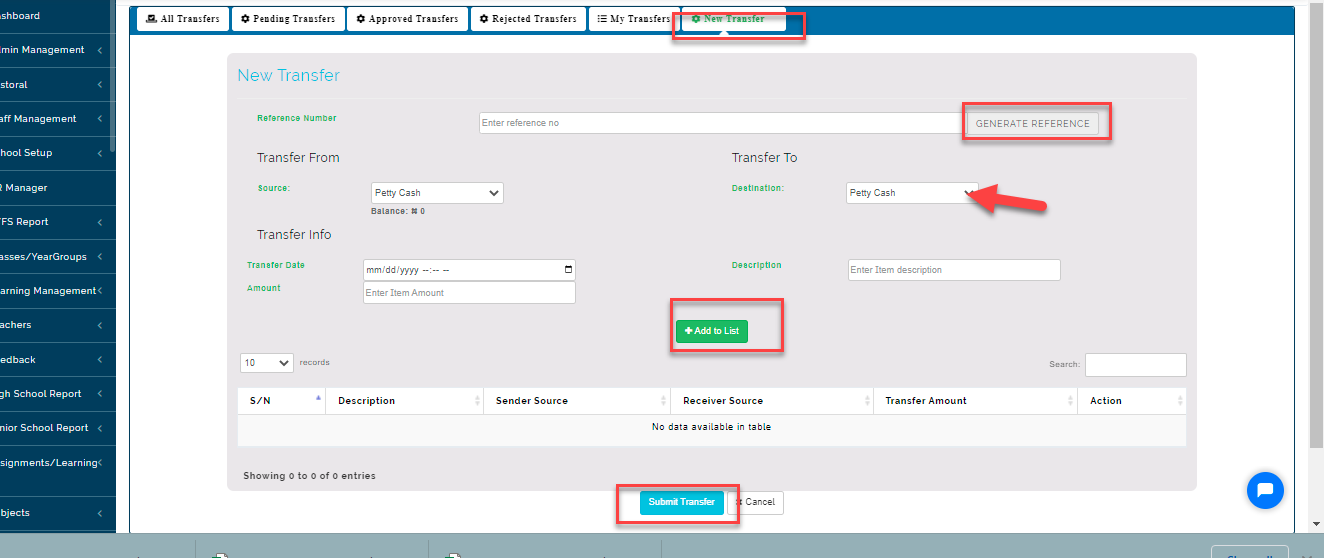
This tab enables admin to create a new transfer
-
Click on new transfer
-
Enter reference number or generate a reference number using the system
-
Select transfer source from one source to another source
-
Enter transfer info (description)
-
Enter amount that wants to be transferred
-
Select transfer date
-
Click on submit button to add the transfer to pending table
New Transfer Note:
Any source selected the system will fetch the balance on that source