Here admin can List out documents that should be provided during Student admission. Some documents are compulsory.
How to Add Documents to the List
To add documents, follow these steps:
Step 1:
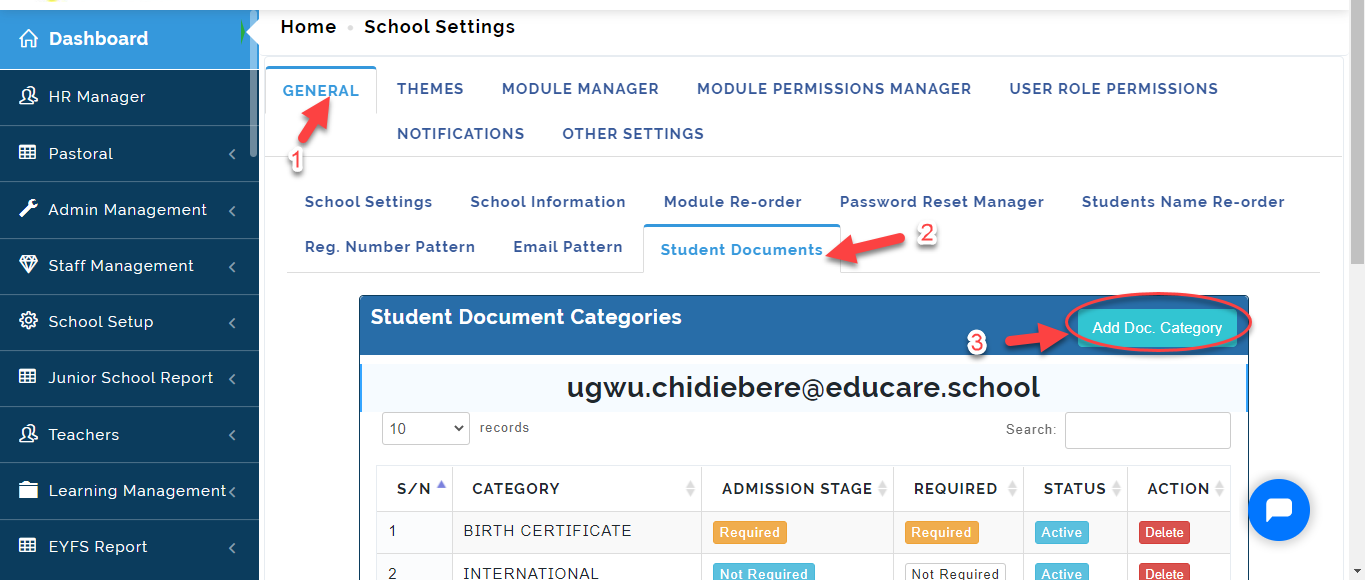
- From General Settings, Click on Students Documents
- Click on Add Doc.Category.
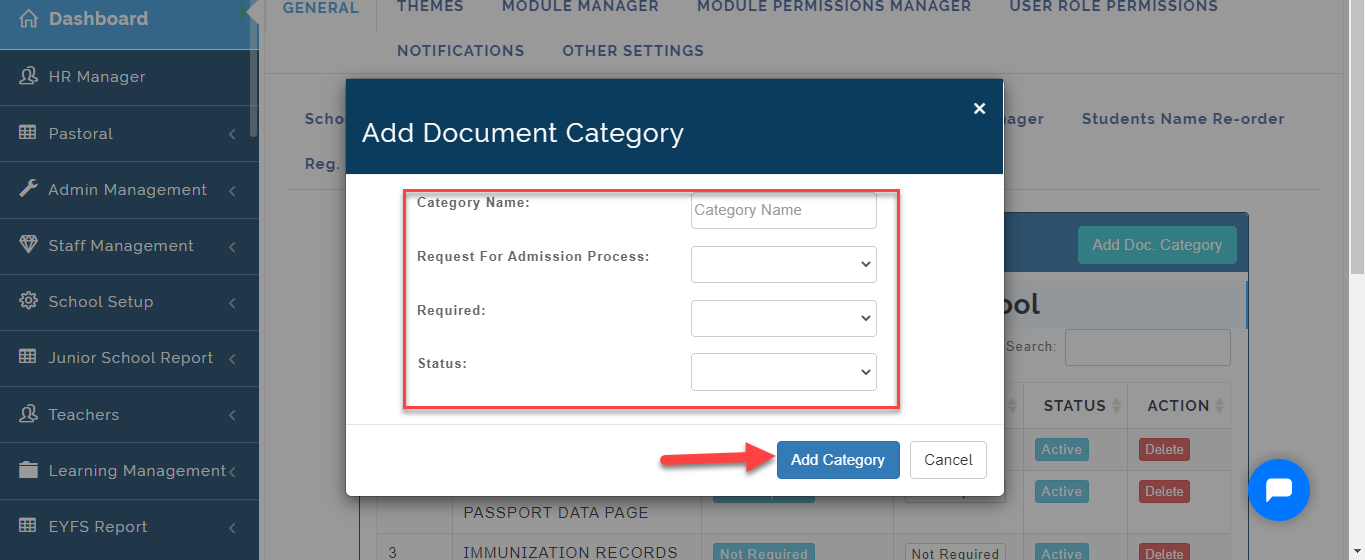
Step 2: Fill in the Form with the relevant information.
i. Enter the Category name in the text box.
ii. Select YES/NO if it is a Request For Admission Process
iii. Select YES/NO if document is required
iv Select ACTIVE if this should appear on the list for user and INACTIVE if it is not
v. Click on Add Category when you are done.
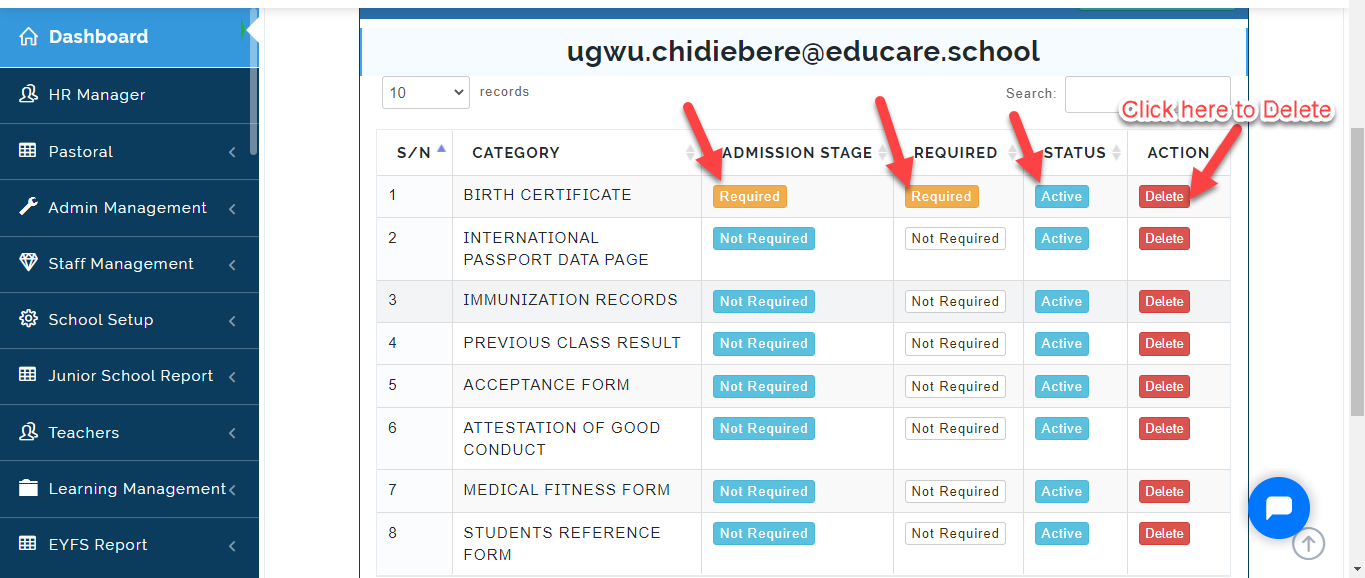
To Manually categorize documents as required during Admission Stage, Required, Change Status and Delete; Click on the Icon as indicated below.
How to Upload Document as a Parent.
To Upload required Documents to the portal, follow these Steps:
-
Login tp the school Portal as a Parent using your Email and Password issued by the School Admin.
-
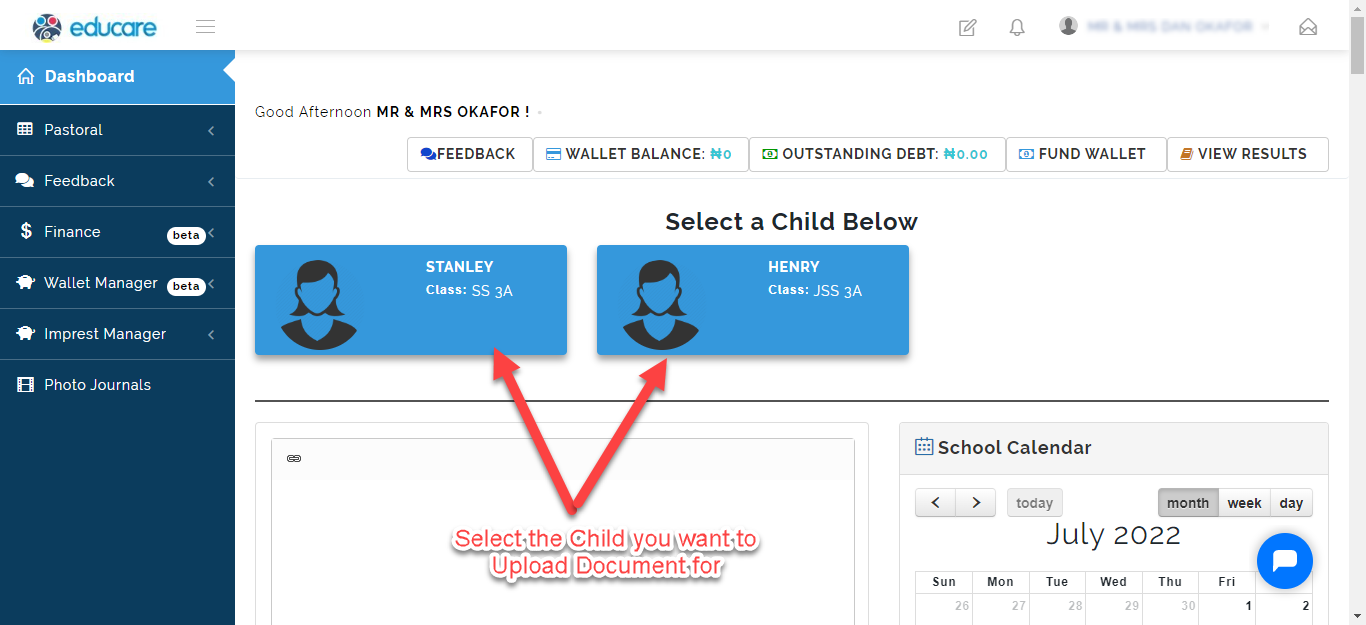
Select the Child you want to Upload document for (if you have more then one Child in the school).
- From the Dashboard Select Documents .
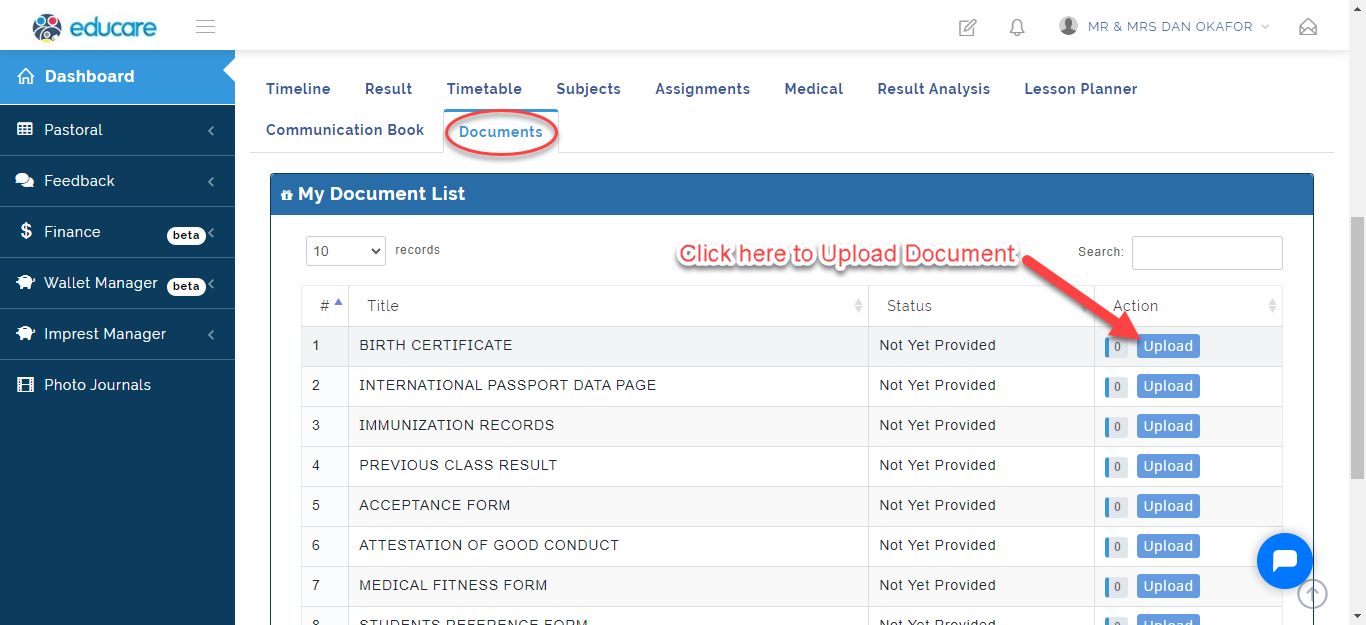
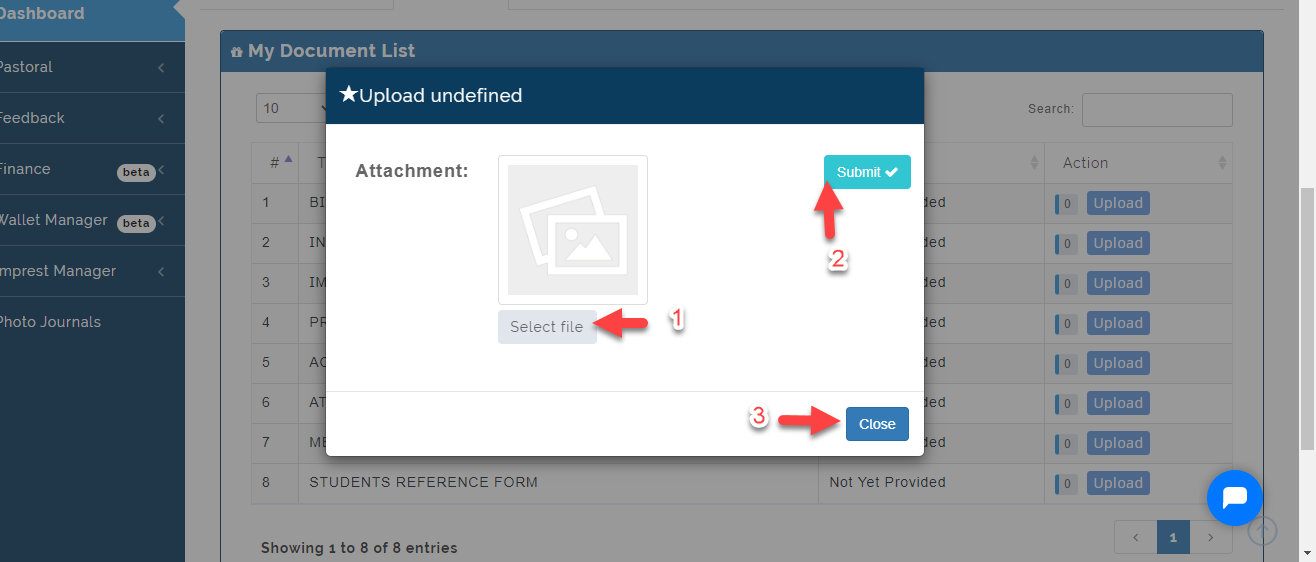
A Modal will appear, Click on the Select File to Upload the document from you PC then Click on Submit. Click on Close to Ignore.