In cases of network failure, the admin test remark shows the different attempts marked by the system and the admin can select one of the attempts to be used as the final score for the student.
FOLLOW THE SIMPLE STEPS BELOW TO USE THE ADMIN TEST REMARK.
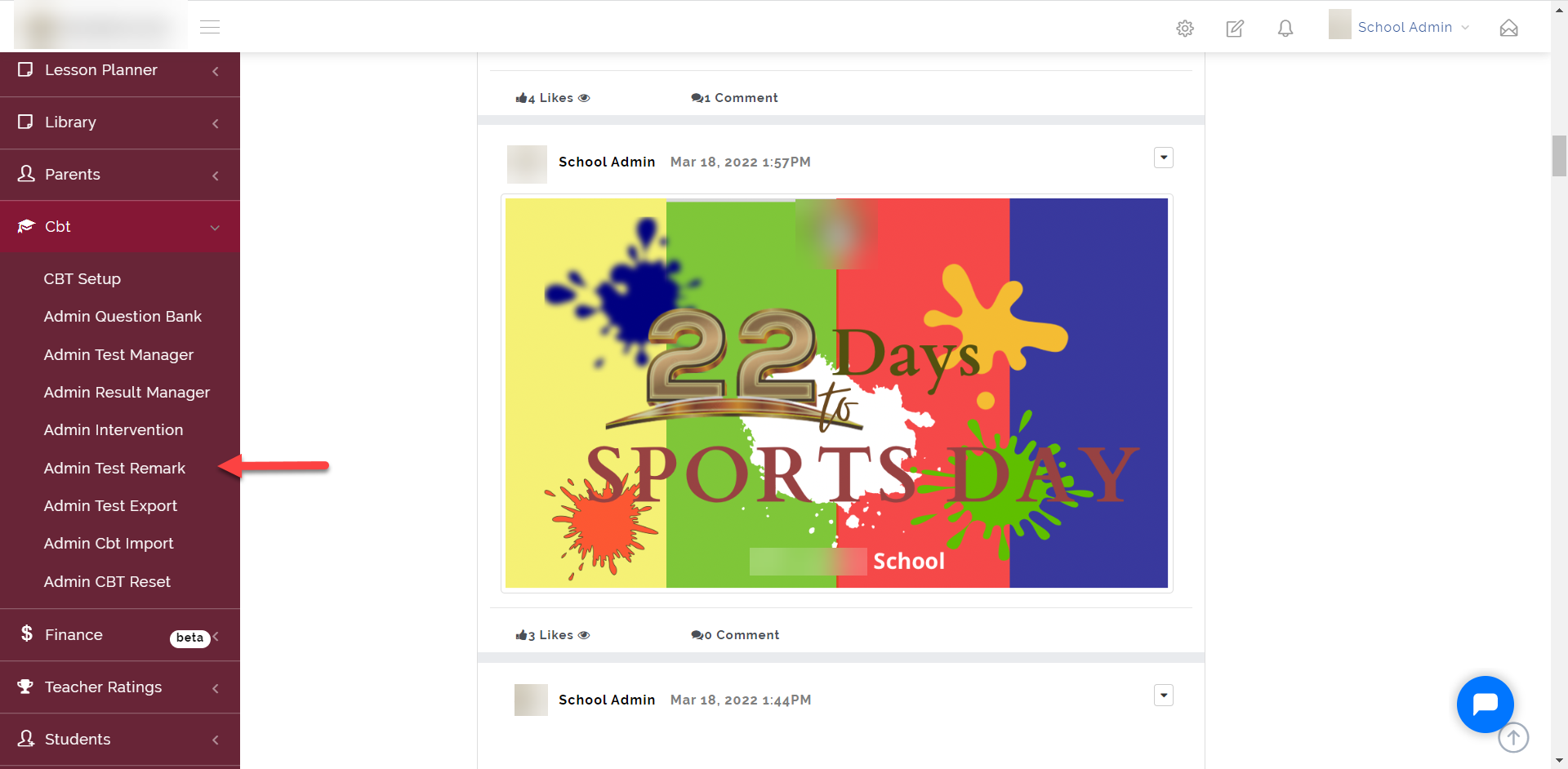
Step 1:
As indicated in the picture below, click on the “CBT” dropdown then select “Admin Rest Remark”
Step 2:
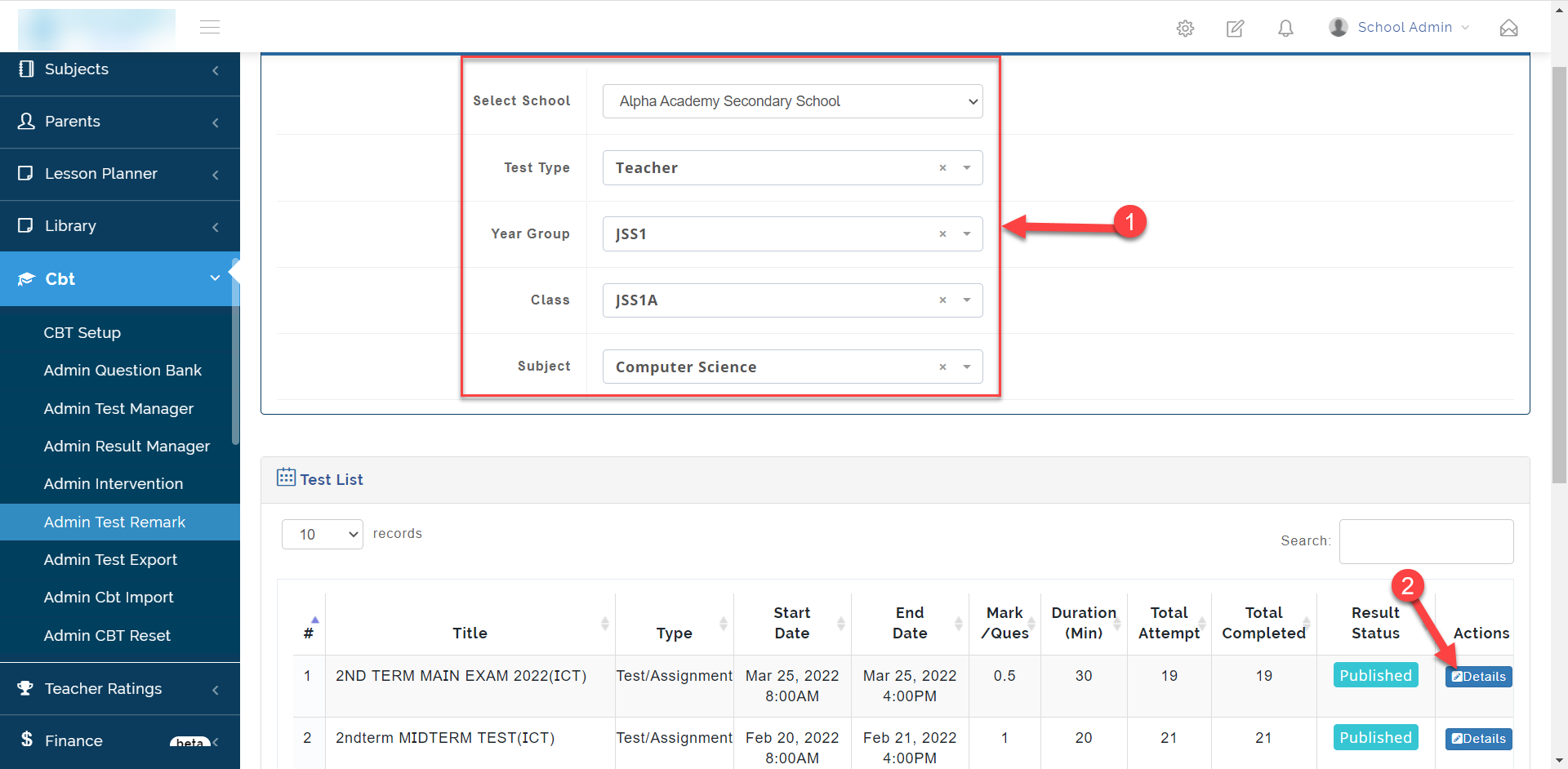
- Select the School, Test Code, Year Group, Class and Subject of the test you want to export.
- Click on Details to view the student list that took the test then select the test to remark.
Step 3:
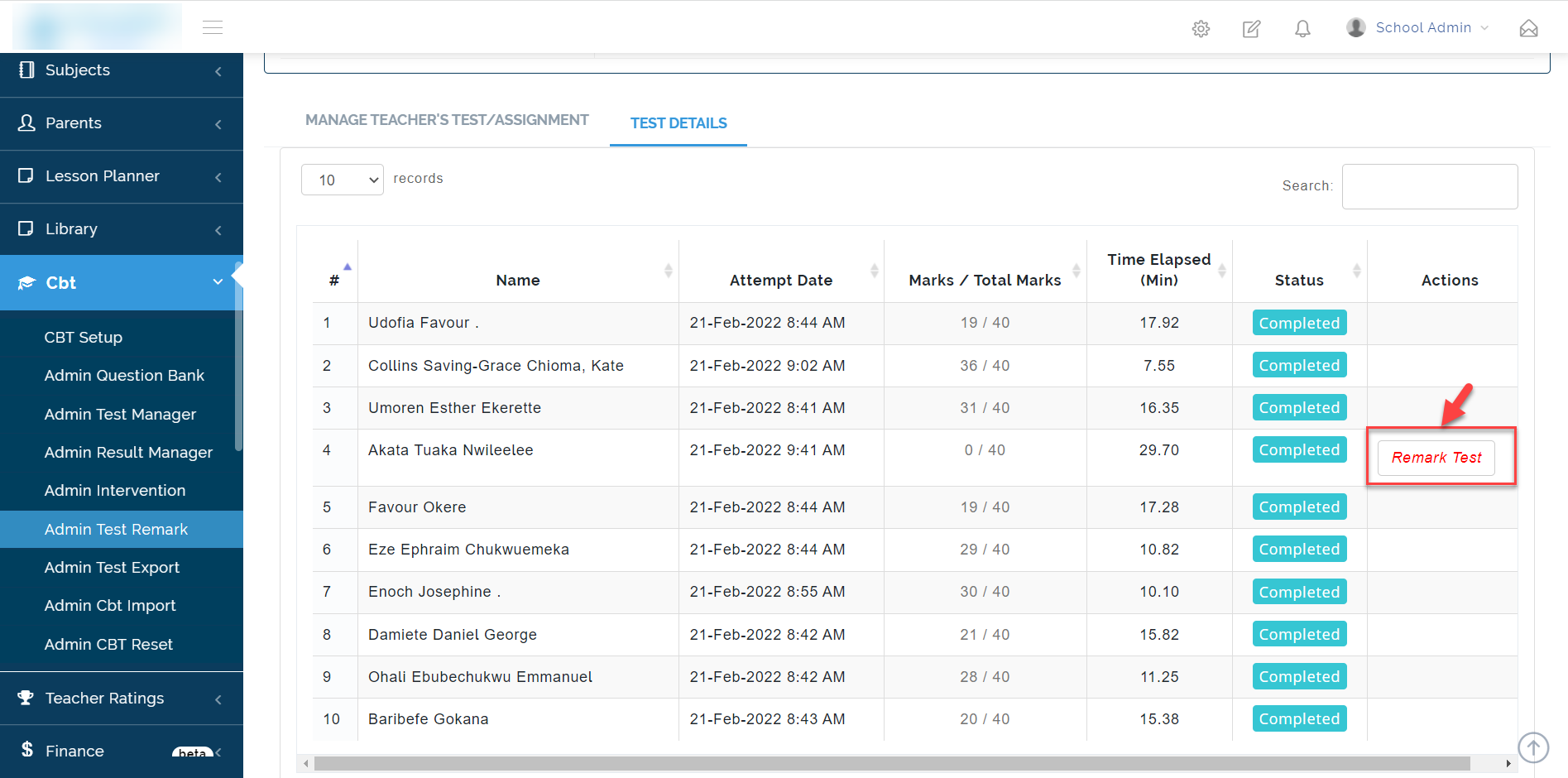
The Remark Test shows up on students that have different attempts marked by the system.
Step 4:
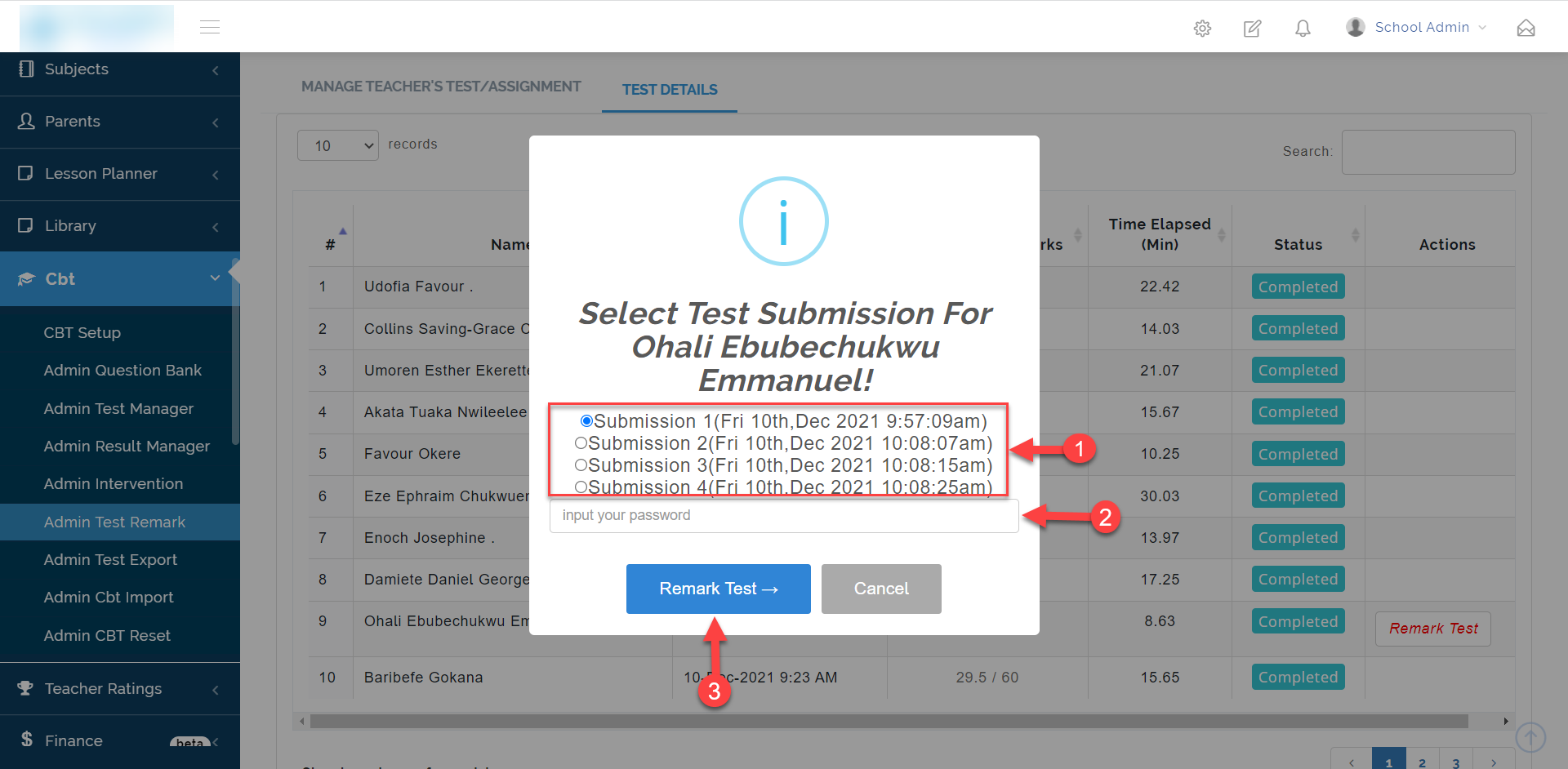
- Here you select the Submission you wish to use for the Remark
- Input the Admin password
- Click on the Remark Test button to save the selection.