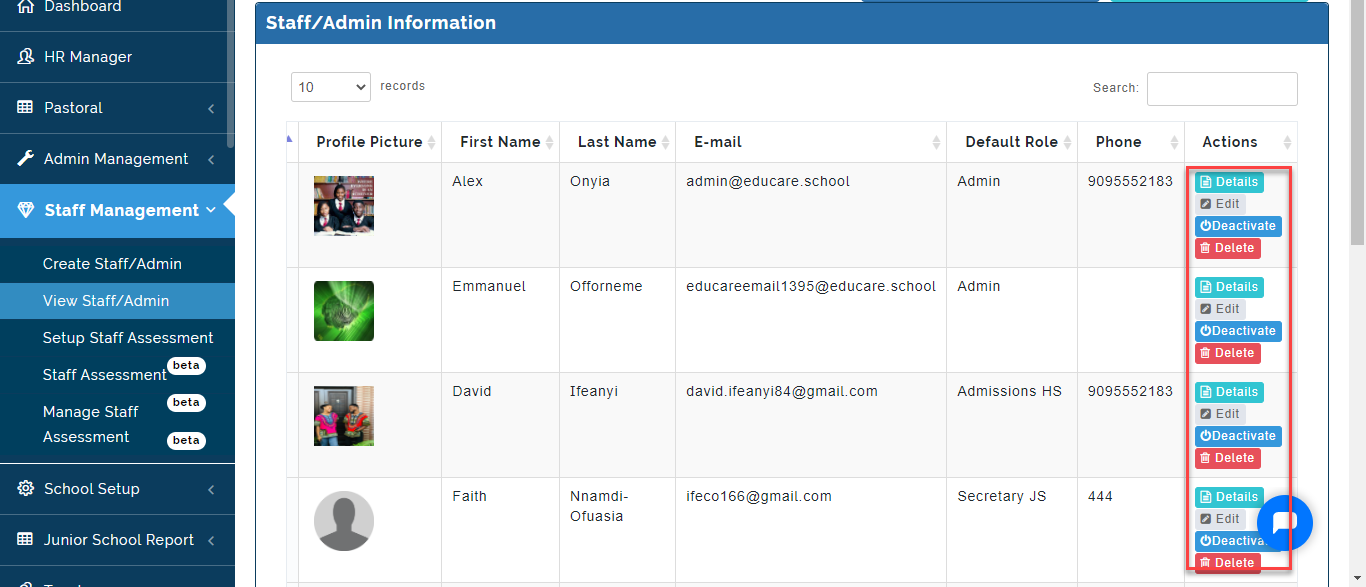
This is where the School Admin can view the List of Staff/Admin and make changes to the Account.
To view Staff/Admin information, Follow these Steps:
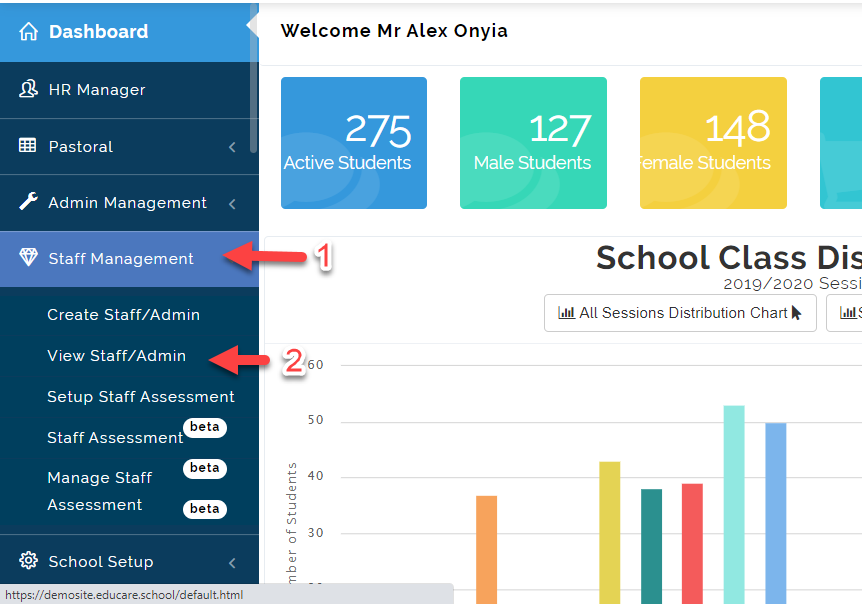
- Click on Staff Management then Select View Staff/admin.
- The names of all the members of staff/admin will appear along with their personal details and photos attached to it.
i. Details: It shows a page containing the full Staff/Admin information
ii. Edit: It leads the user to an editable Form which enables correction or update to any of the staff/admin profiles.
iii. Deactivate: This is where you can deny Login Access to a Staff/Admin.
iv. Delete: This is where you remove a Staff/Admin Profile (Please do not delete any staff/user).