This is where the visitor registers his/her information by typing in all the required details while visiting anyone within the school's premises.
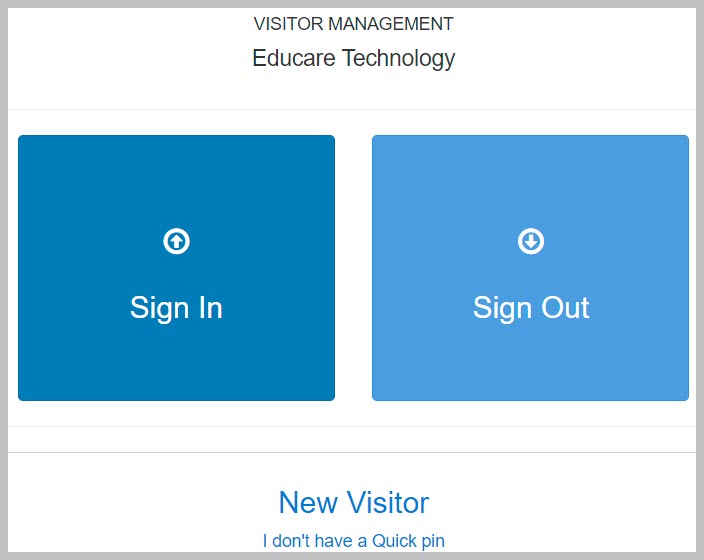
How to Sign In/Sign Out
To sign in as a visitor, follow these steps;
-
From the displayed visitor's form, click on sign in button if you have visited the school before
-
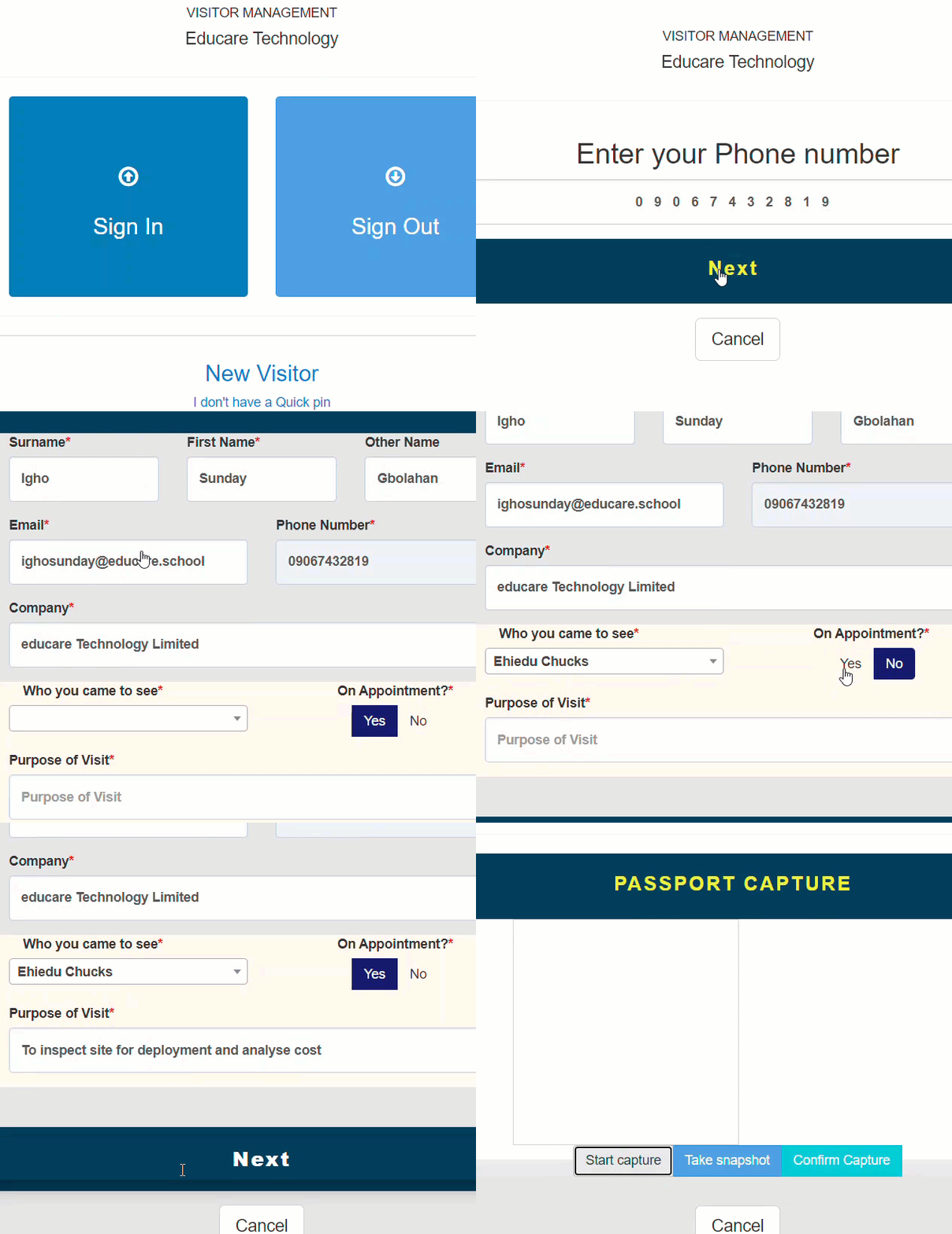
For new visitors, click on New Visitor button
-
Enter your phone number and click next
-
Provide your name, surname and other name
-
Provide your email address and company name
-
Select the name of who you came to visit from a drop-down list of names
-
Tick whether you have an appointment or not
-
Type in the purpose of your visit in box provided and click on next
-
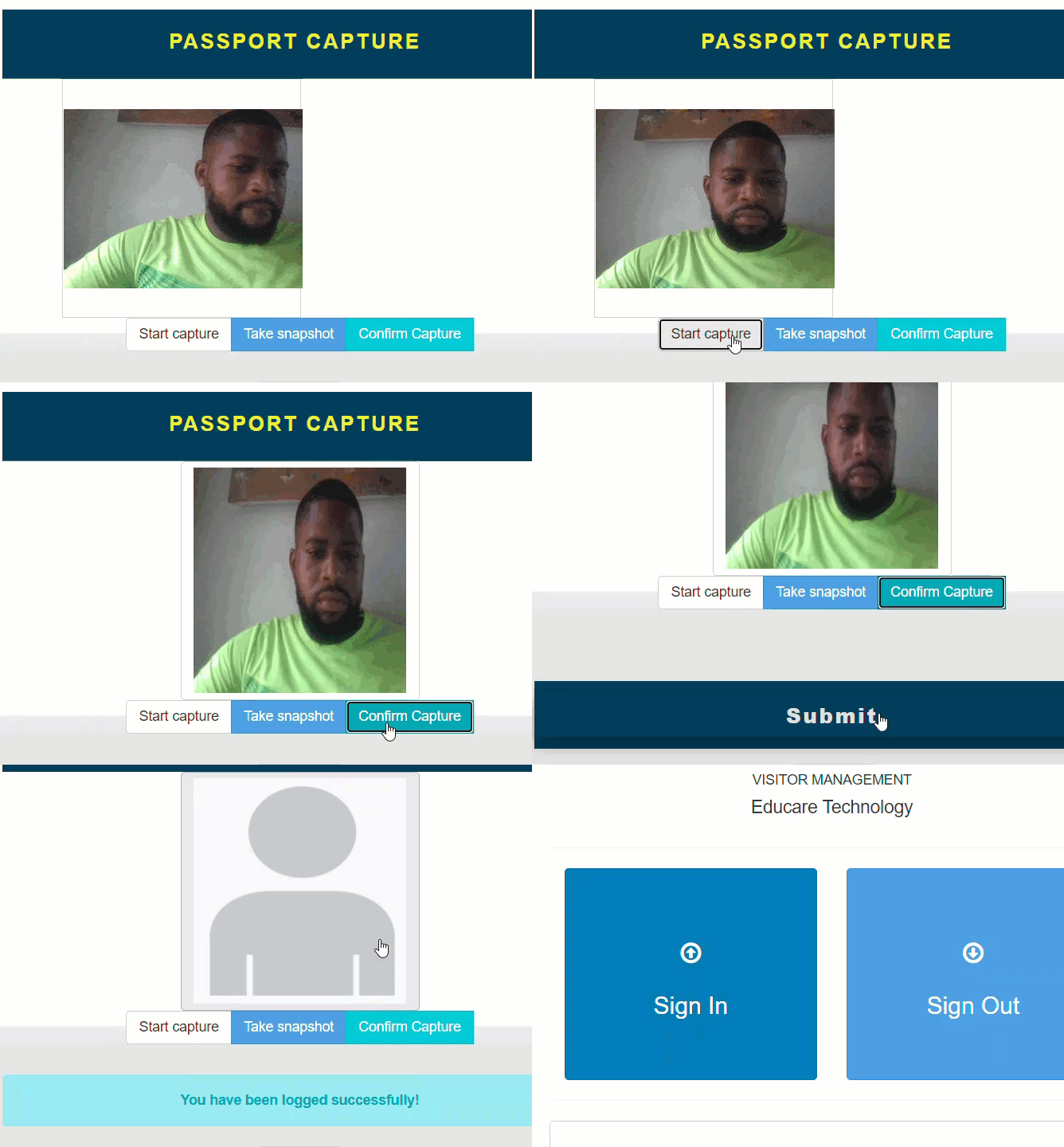
Click on Start Capture button and position yourself properly to capture your image
-
Click on Take Snapshot button to capture your image
-
Click on Confirm Capture button then click on Submit button to complete sign in
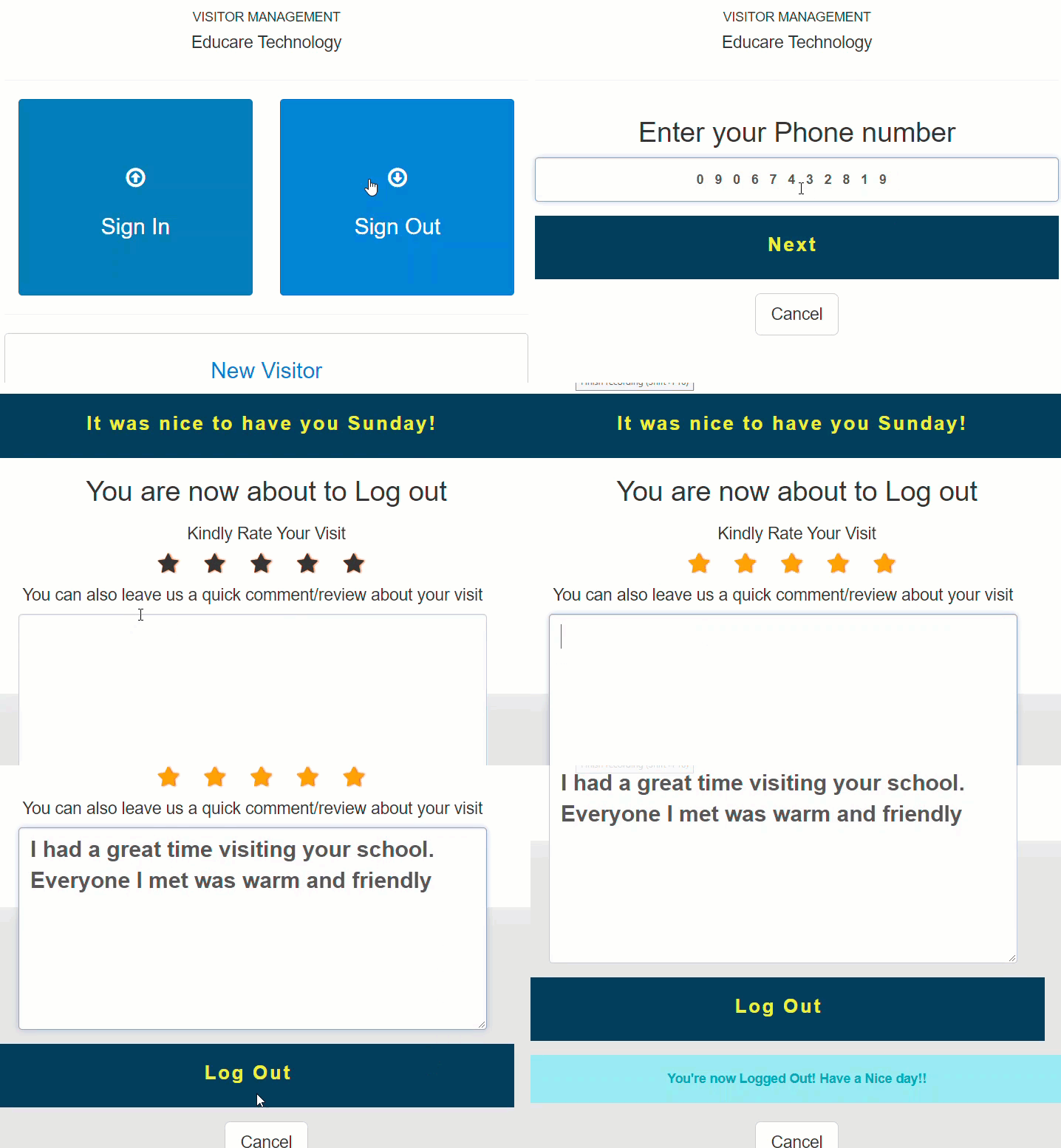
To Sign Out, follow these steps;
-
From the visitor's form page, click on Sign Out button
-
Provide phone number you used in signing in
-
Rate your visit to the school by click the number of stars you think the visit deserves
-
Leave a comment/review stating about your visit
-
Click on log out button to sign out