This includes additional important setup and updates offered to Parents namely; Inbox Mail Settings, Parents Resources Download and Parents Mobile App.
Inbox Mail Settings
Here, the School Admin can setup the Mail box module on educare using the School Profile detail.
To Setup Inbox Mail Settings, Follow these Steps:
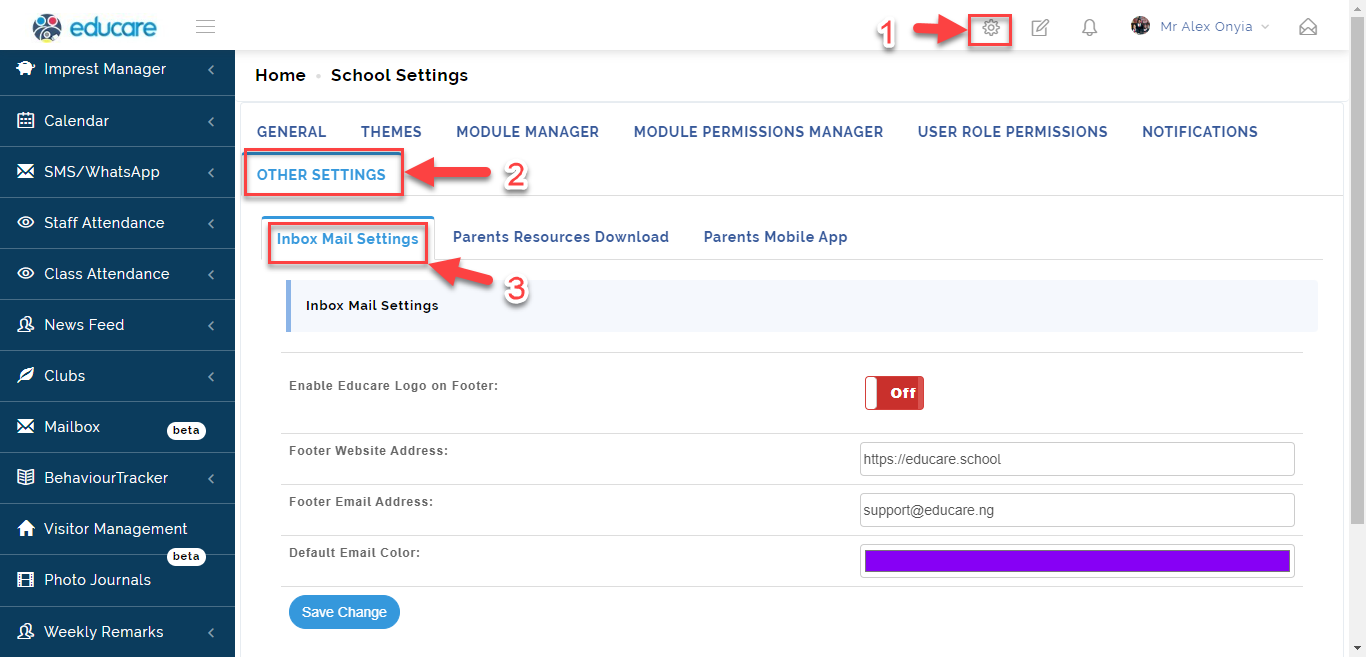
- From the Settings Icon, Click on Other Settings then Select Inbox Mail Settings.
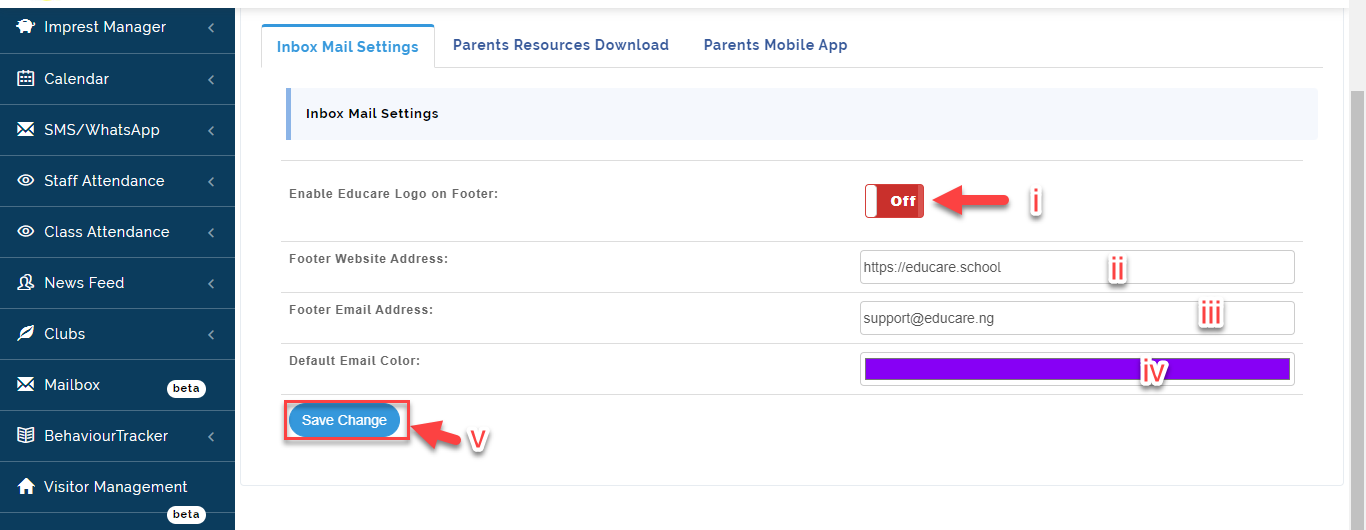
- i. Toggle button ON/OFF to enable educare Logo on the Email Footer.
ii. Input your School Website address in the text box if you want to add this to appear on the Email Footer.
iii. Input your School Email address in the text box if you want to add this to appear on the Email Footer.
iv. Click here to select a Default **Email Color.
v. Click on Save Change**.
Parents Resources Download
Here, the School Admin can upload important documents for Parents on the portal. To do this follow these Steps:
- From the Settings Icon, Click on Other Settings then Select Parents Resources Download.
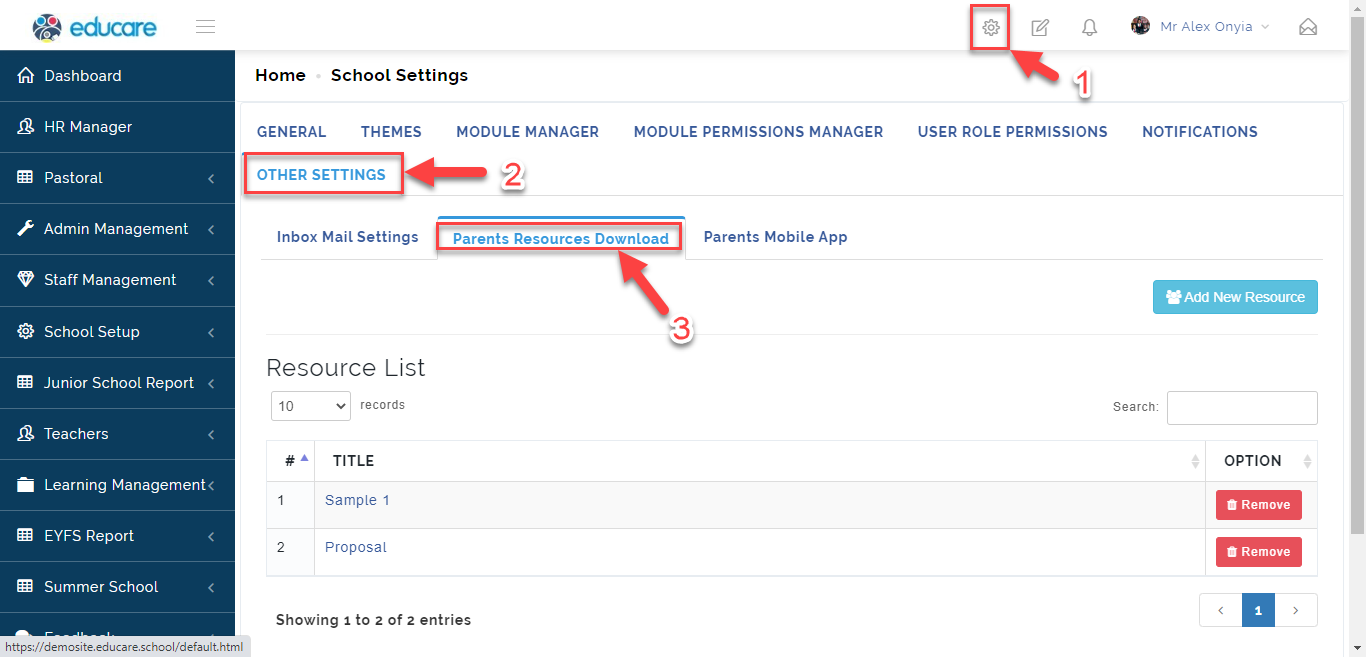
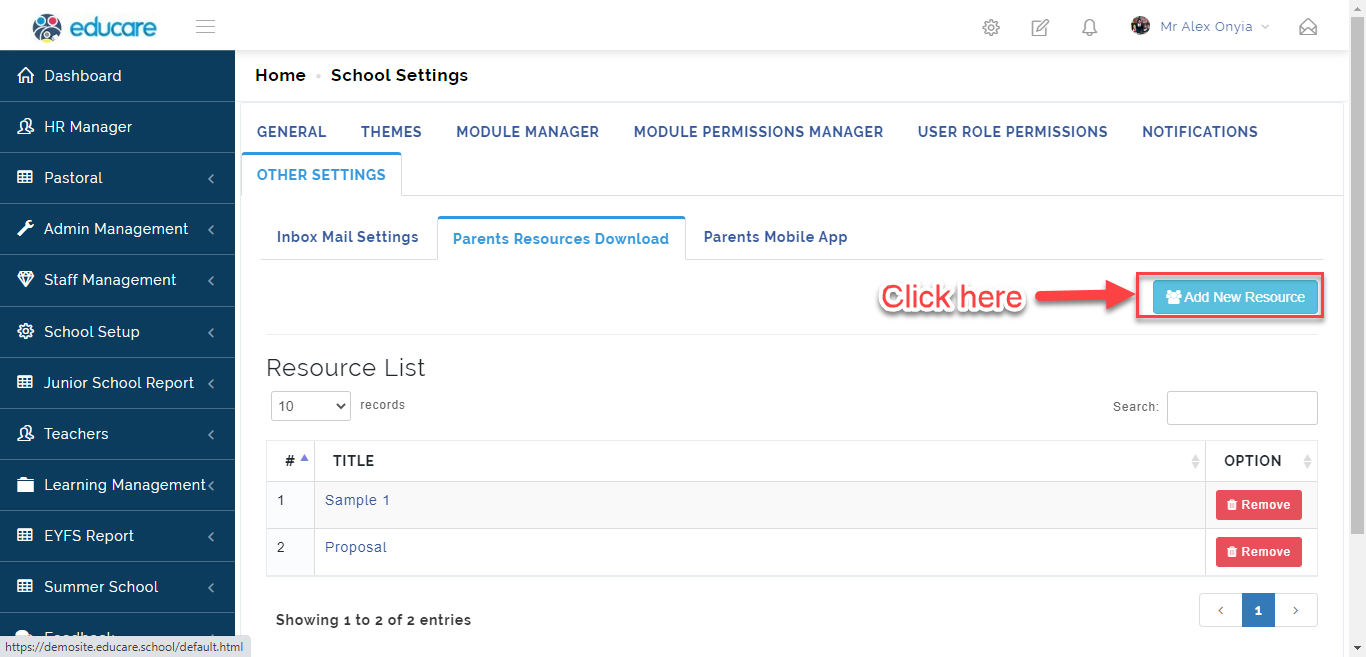
- A Resource List table will appear, click on Add New Resource .
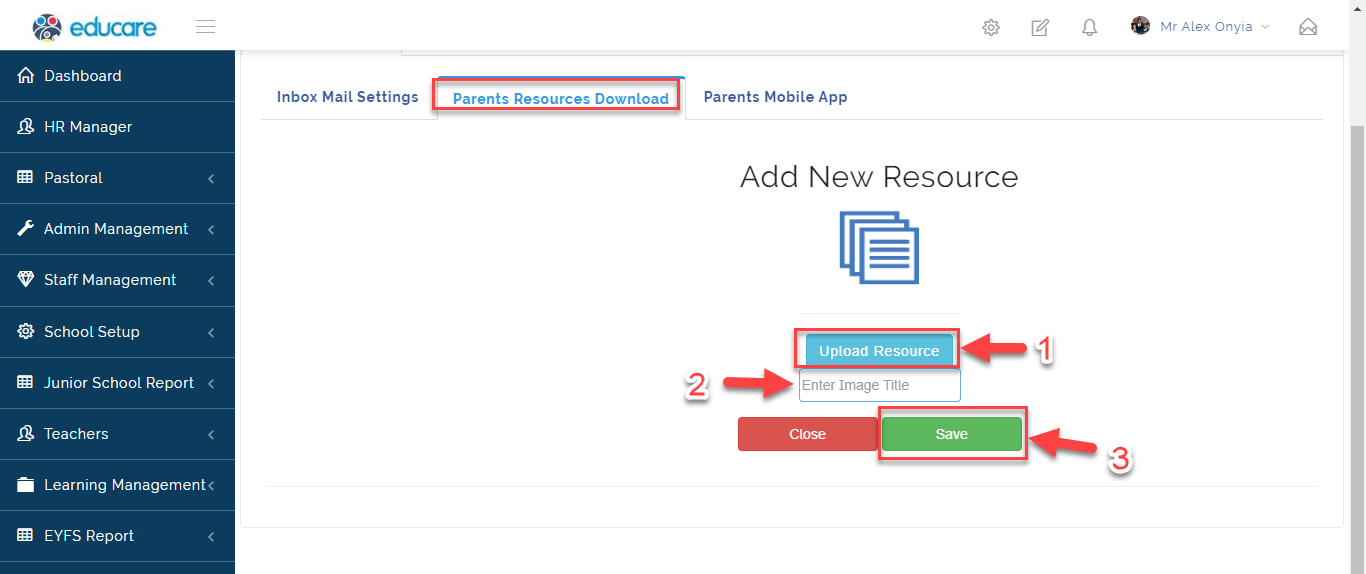
- Click on Upload Resource to insert the document then Enter the image title of the document in the text box. Click on Save when done and Close to Exit.
Parents Mobile App
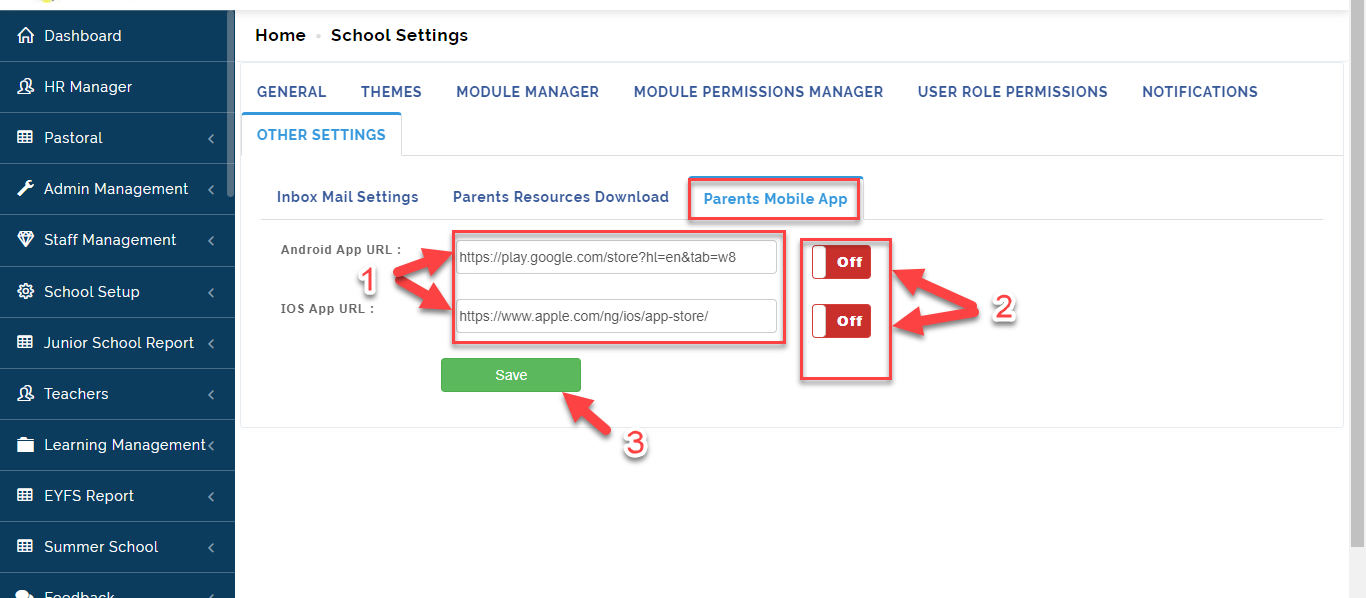
This is where the URL for Parents Mobile App on Android and IOS is saved and Activated. To Insert and Save the Parents Mobile App URL, Follow these Steps:
- From the Settings Icon, Click on Other Settings then Select Parents Mobile **App**.
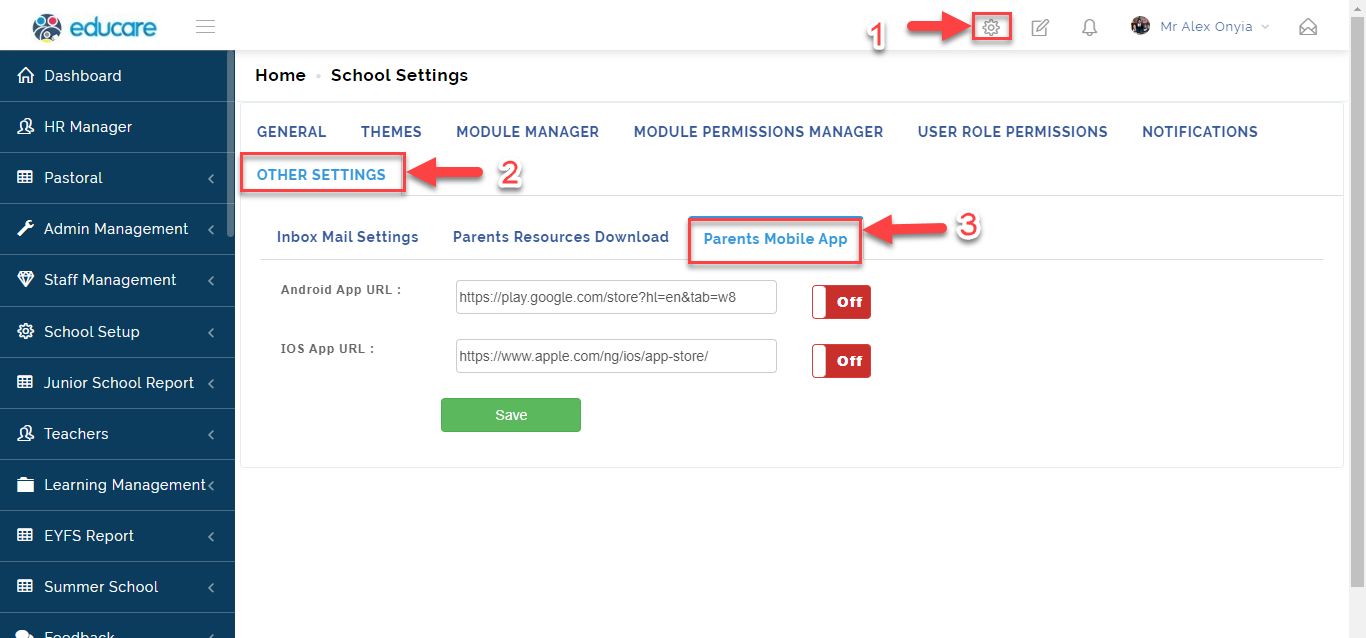
- Insert the URL for Both Android and IOS in the textbox then Toggle button ON**/**OFF to Activate the App for use. Click on Save when done.