
Import hostel student data
In this section, Schools who have Day and Boarding schools can import students who are boarders into the system.
To do this, the admin can simply follow these steps:
- Select Session, School and hostel the students belongs in then click on "Import Students".
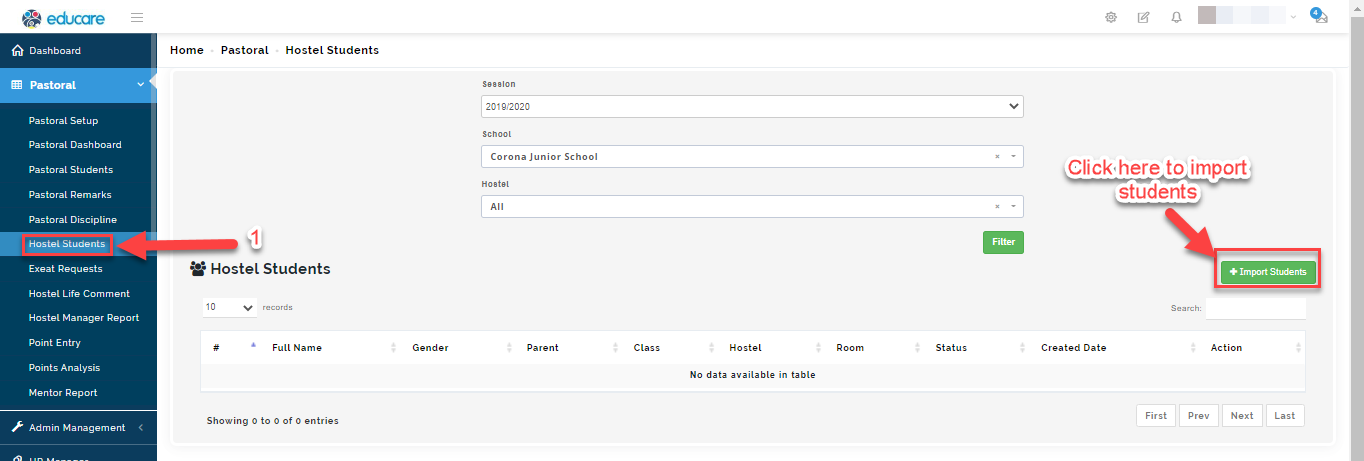
- A modal will appear, Select the hostel the students reside in
- Under select users, select level, class and gender then click on filter.
- The system will filter out the student based on your selection, search/select the student(s) who belong to the hostel you have chosen
- Click on "Import"
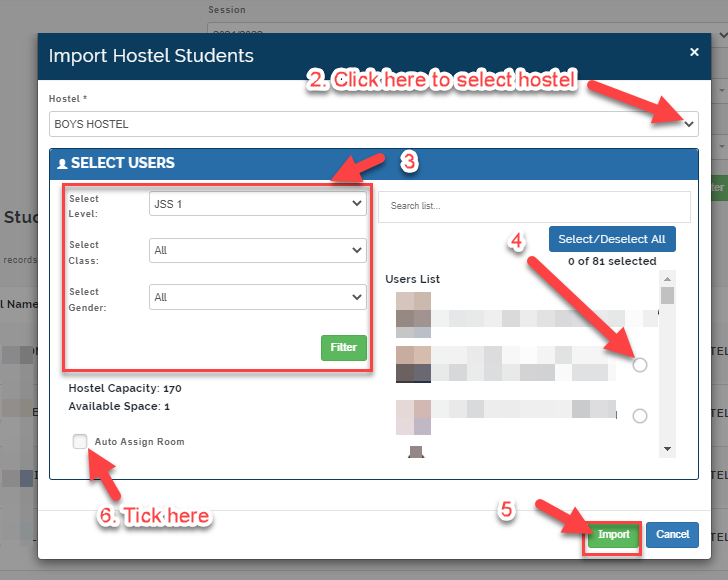
- Tick the "Auto assign room" sign to allow the system to assign students to rooms at random or you can assign manually by clicking on the edit button to add student(s) to room individually (see picture below)
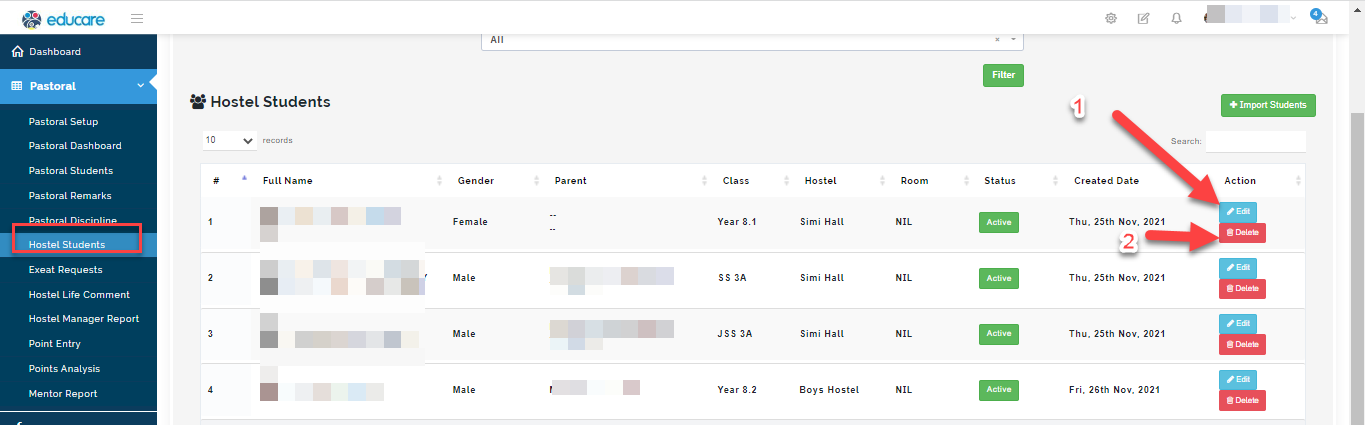
- Click on edit button to a student's Hostel information
- Click on the Deleteto remove student from the list.