This is where the School Admin can keep track of all affairs on the portal. it consist of evidence of the sequence of activities carried out in the portal at each events daily.
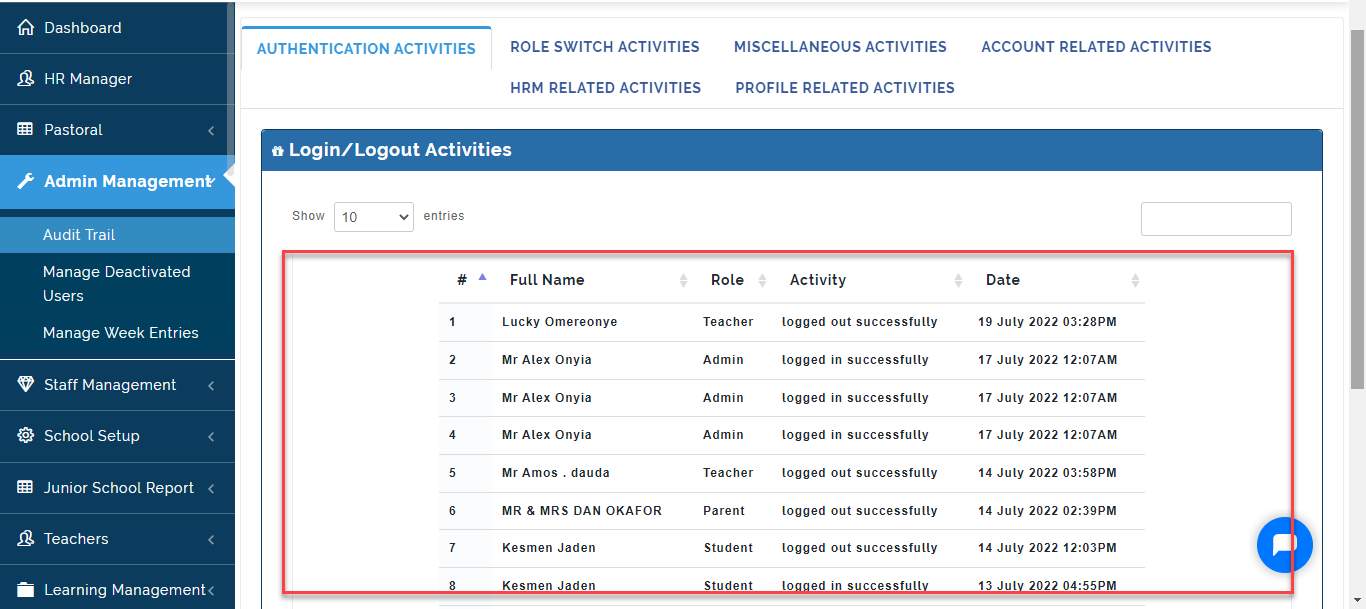
Authentication Activities
This Tab shows the School Admin the time and date users logged into the portal on the daily basis.
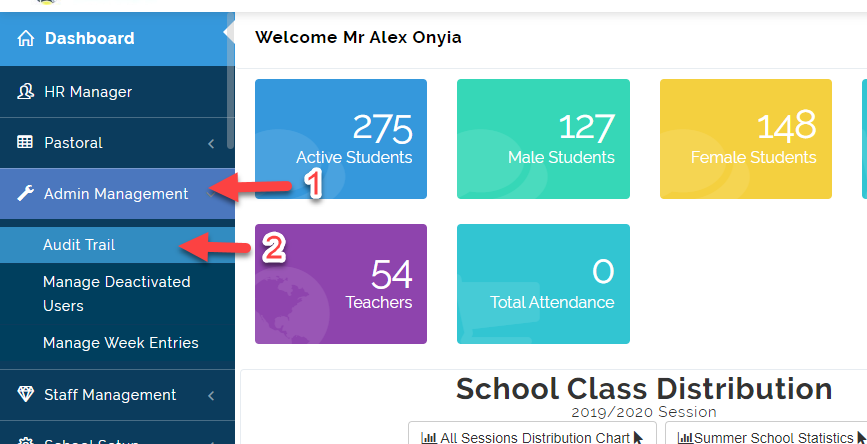
To Check Login and Logout Activities Follow these Steps:
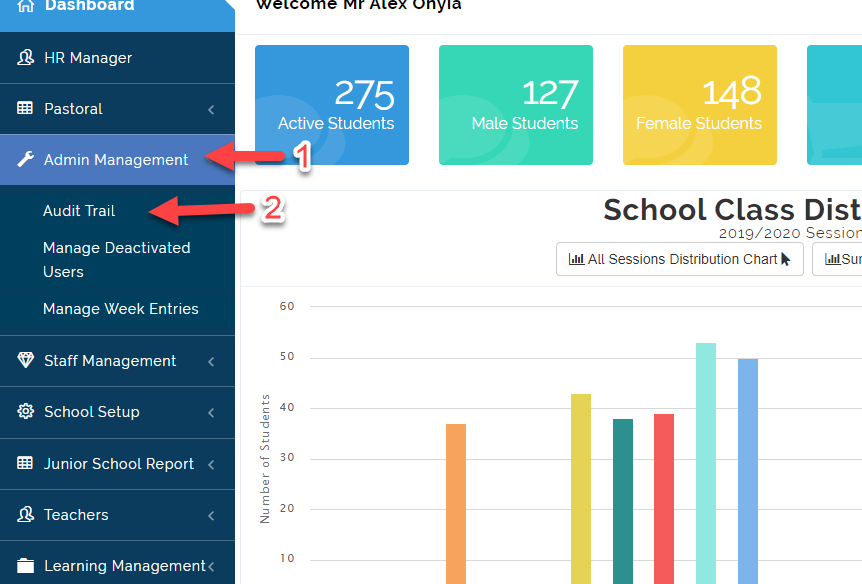
- Click on Admin Management then Select Audit Trail.
- Click on Authentication Activities, This will bring up a list of all the Users that have Logged in and Out on a Daily Basis.
Role Switch Activities
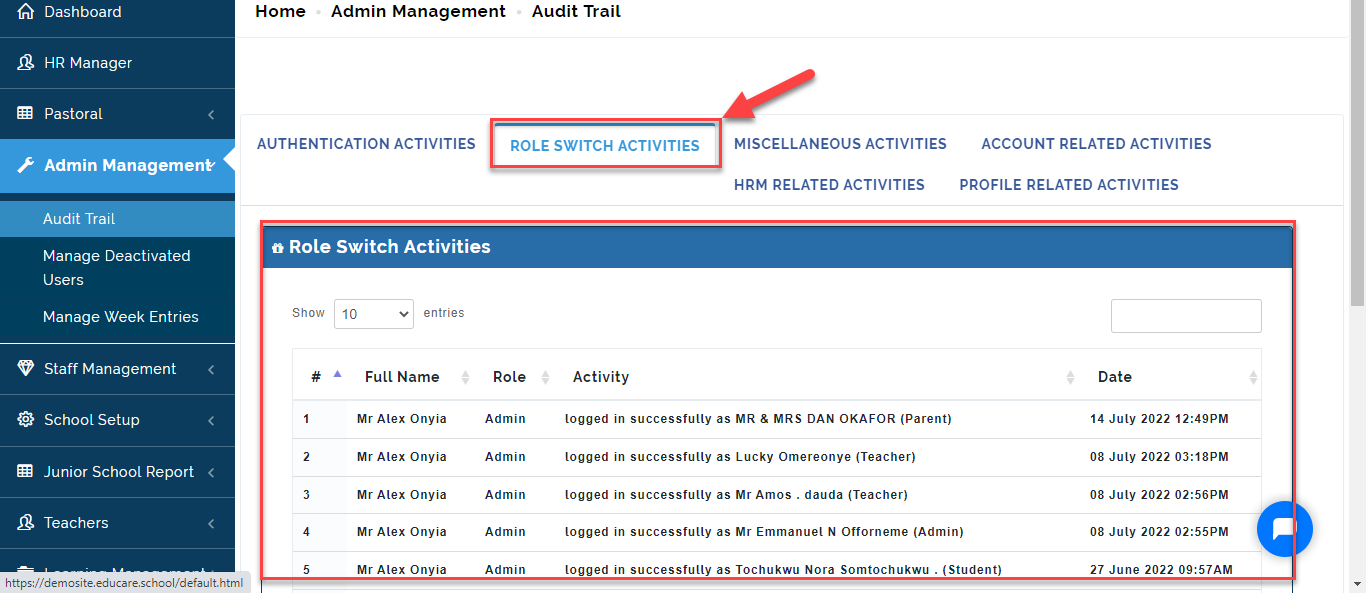
Here the Admin can view users who have logged on to the portal as a different User to carry out different activities. The date and time they logged as indicated in the picture below.
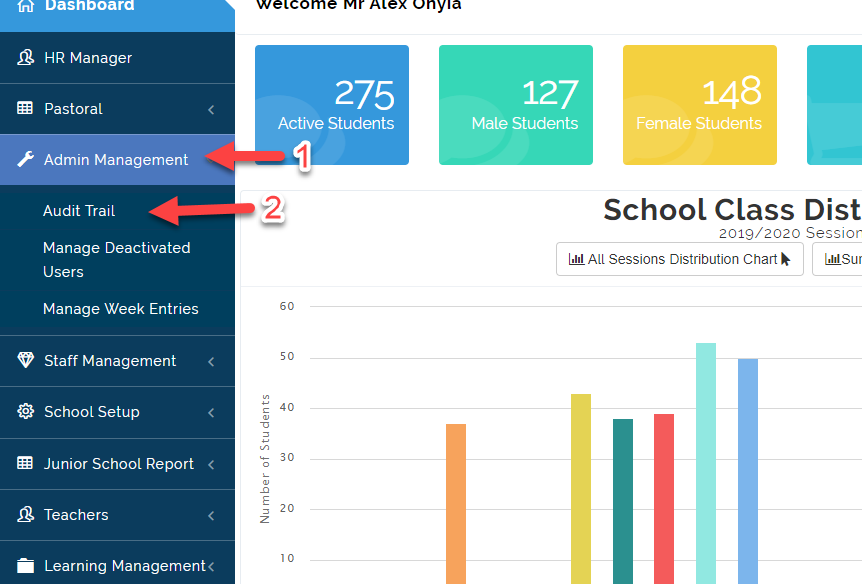
To view user that have switched roles, follow these steps:
- Click on Admin Management then Select Audit Trail.
- Click on Role Switch Activities to view users who have logged on to the portal as a different User to carry out different activities.
Miscellaneous Activities
To Check Miscellaneous Activities, follow these Steps:
- Click on Admin Management then Select Audit Trail.
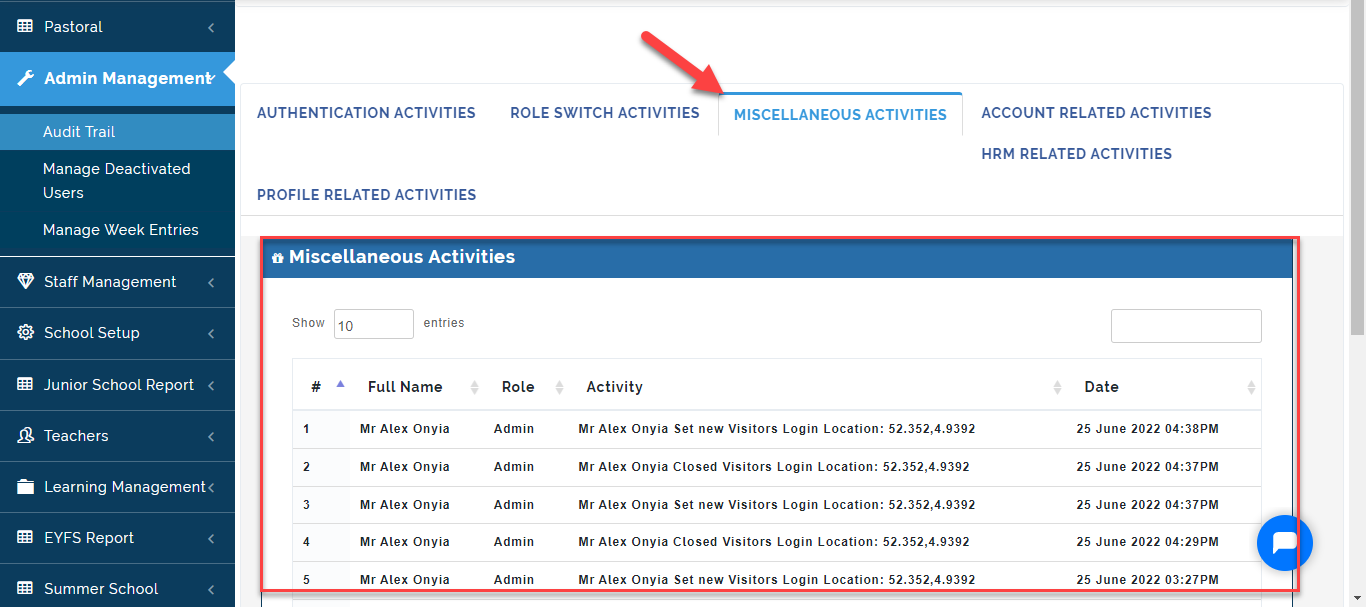
- Click on Miscellaneous Activities to view all Miscellaneous Activities, The Date and Time action was carried out.
Account Related Activities
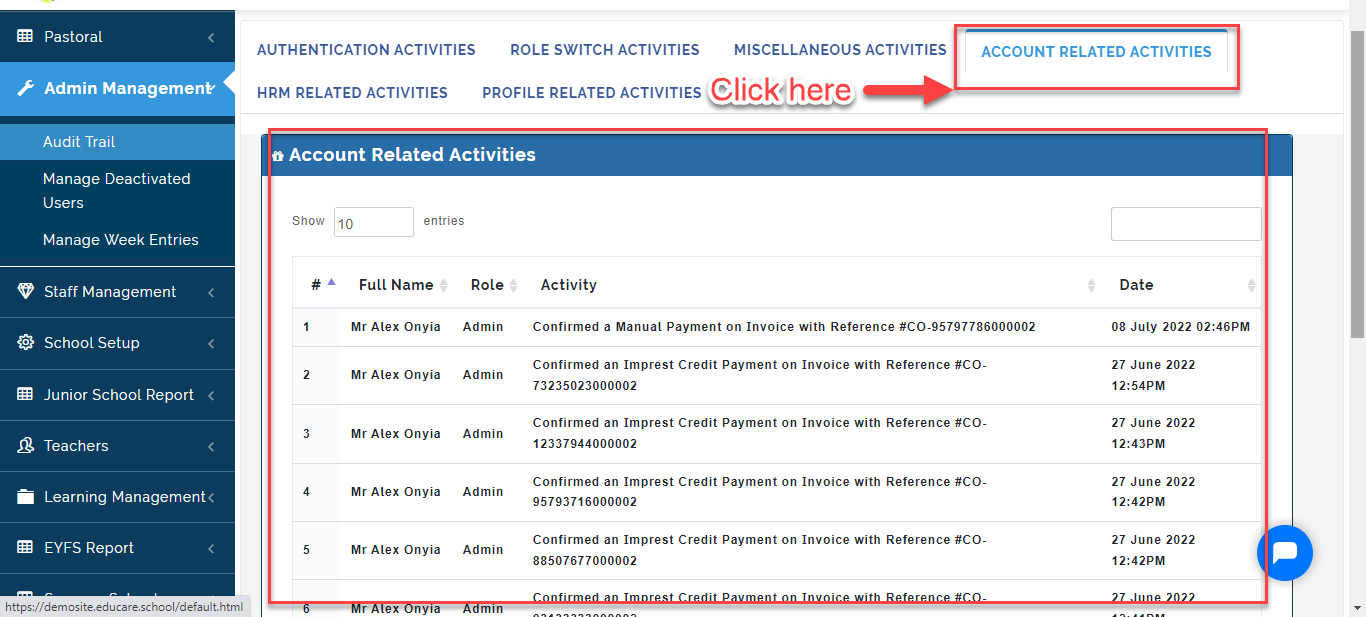
Here, the School Admin can view the list of Staff who carried out account-related activities, action taken with the date and time . Follow these Steps to do this:
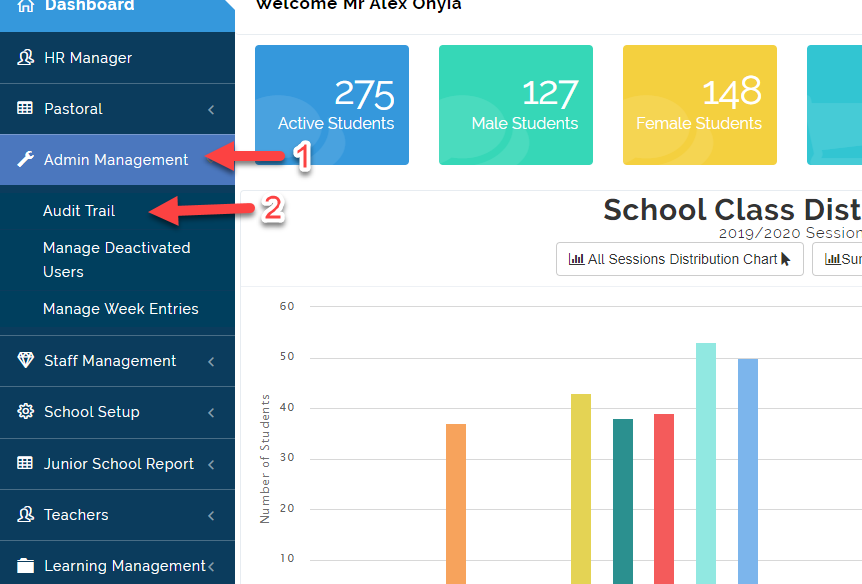
- Click on Admin Management then Select Audit Trail.
- Click on Account Related Activities Tab to view the list of Staff who carried out account-related activities, action taken with the date and time.
HRM Related Activities
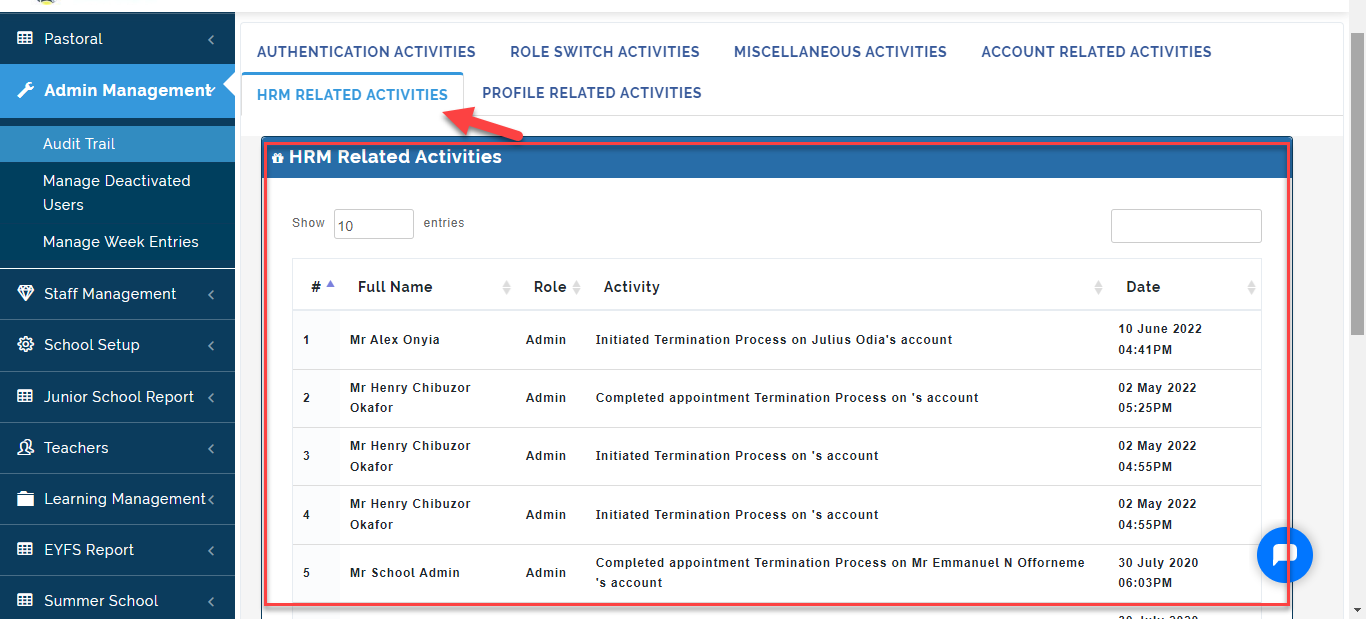
Here The School Admin can view Users who carried out HRM related activities, the action taken on the portal with the date and time . Follow these steps to do this:
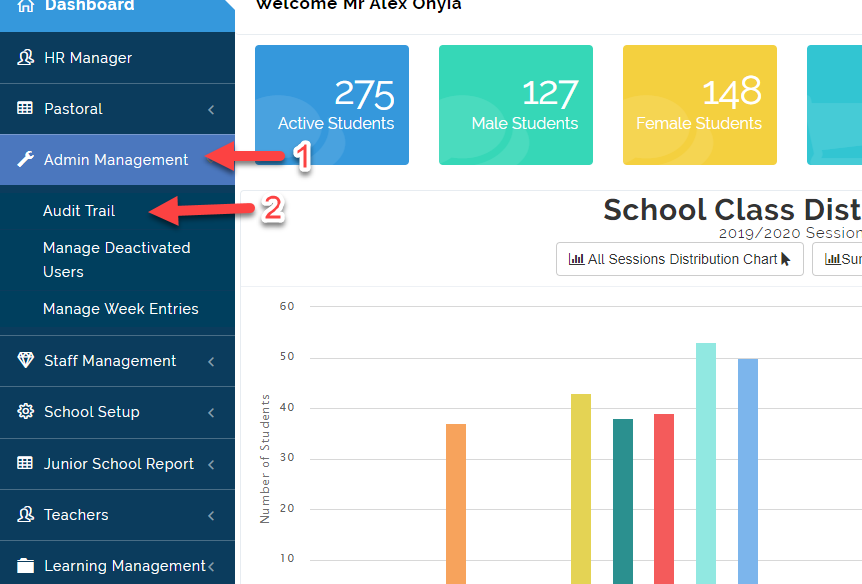
- Click on Admin Management then Select Audit Trail.
- Click on HRM Related Activities Tab to view the list of Staff who carried out HRM-related activities, action taken with the date and time.
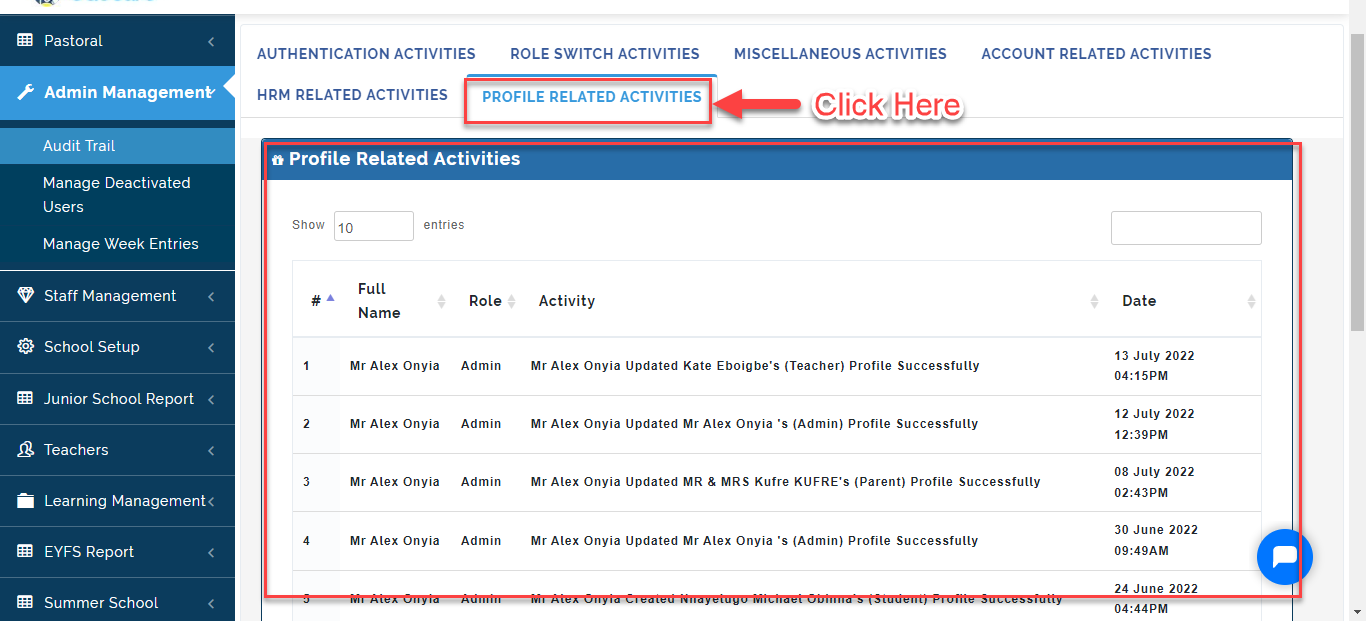
Profile Related Activities
Here, The School Admin can view Users who made changes to their Profile Details, the action taken on the portal with the date and time . Follow these steps to do this:
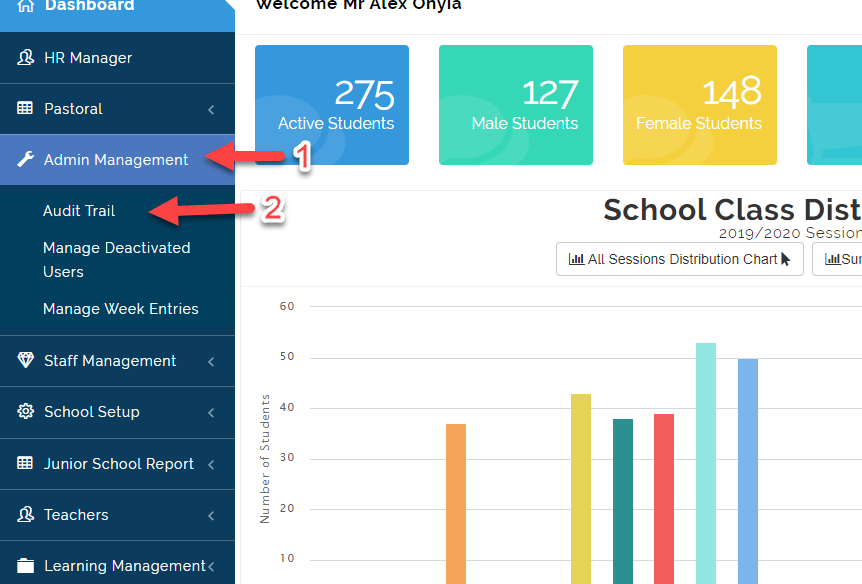
- Click on Admin Management then Select Audit Trail.
- Click on Profile Related Activities Tab to view the list of Staff who carried out Profile related activities, action taken with the date and time.