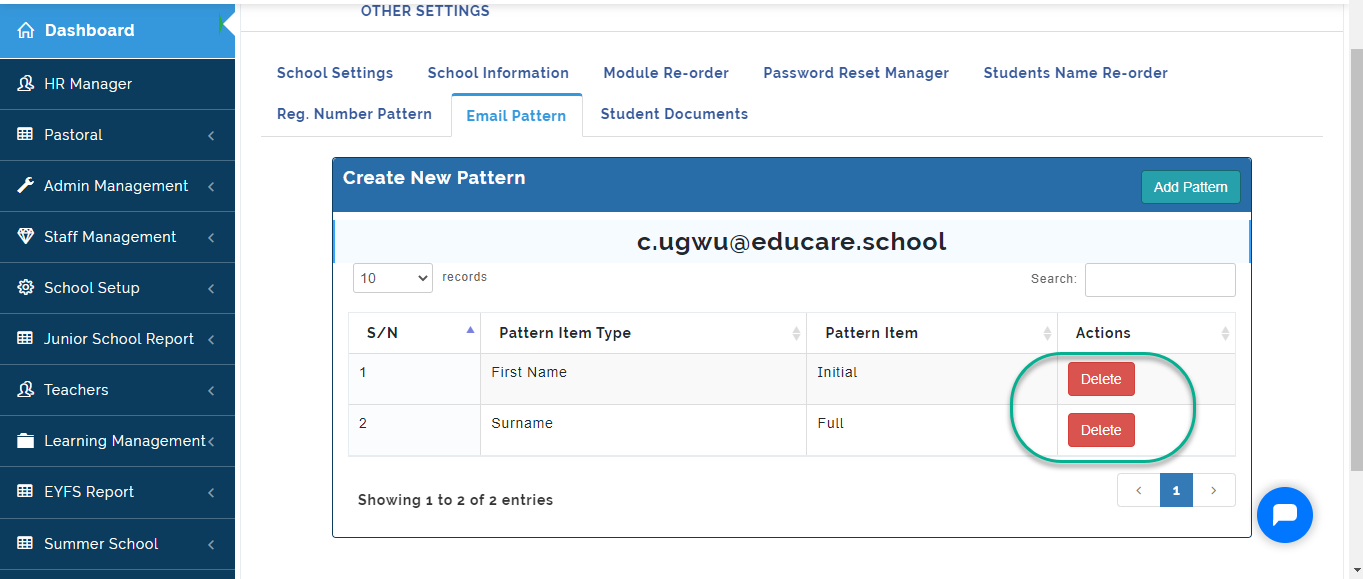
Here, Admin can setup the email pattern for emails generated from the portal
To Setup Email Pattern, follow these steps:
- From General Settings, Click on Email Pattern.
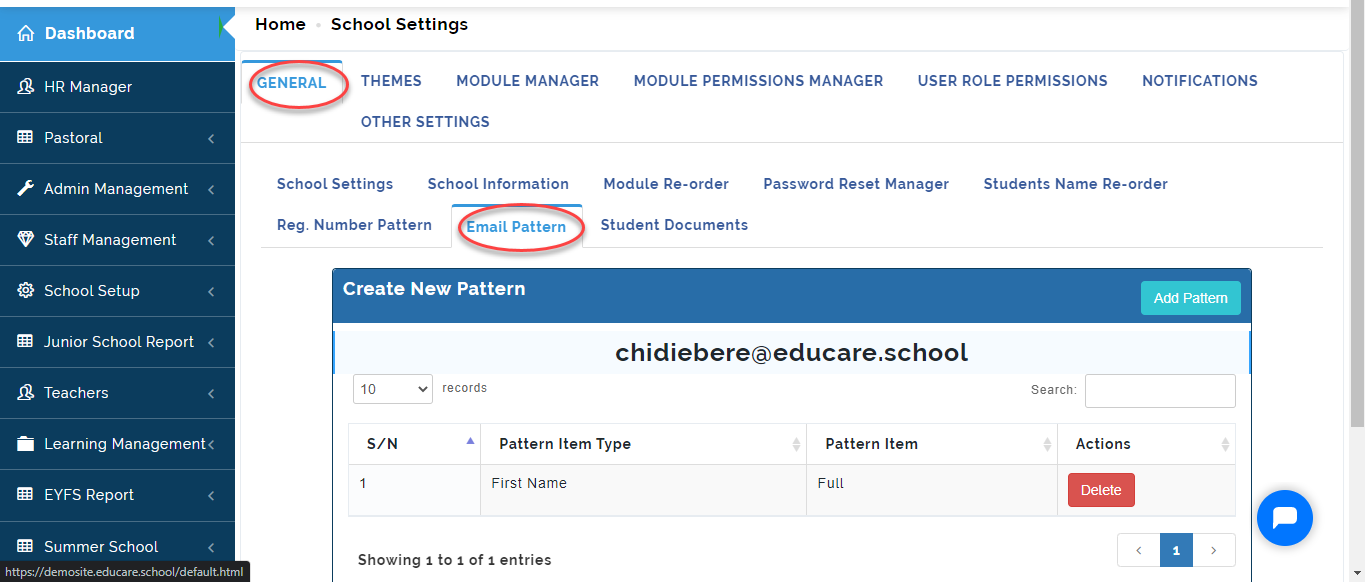
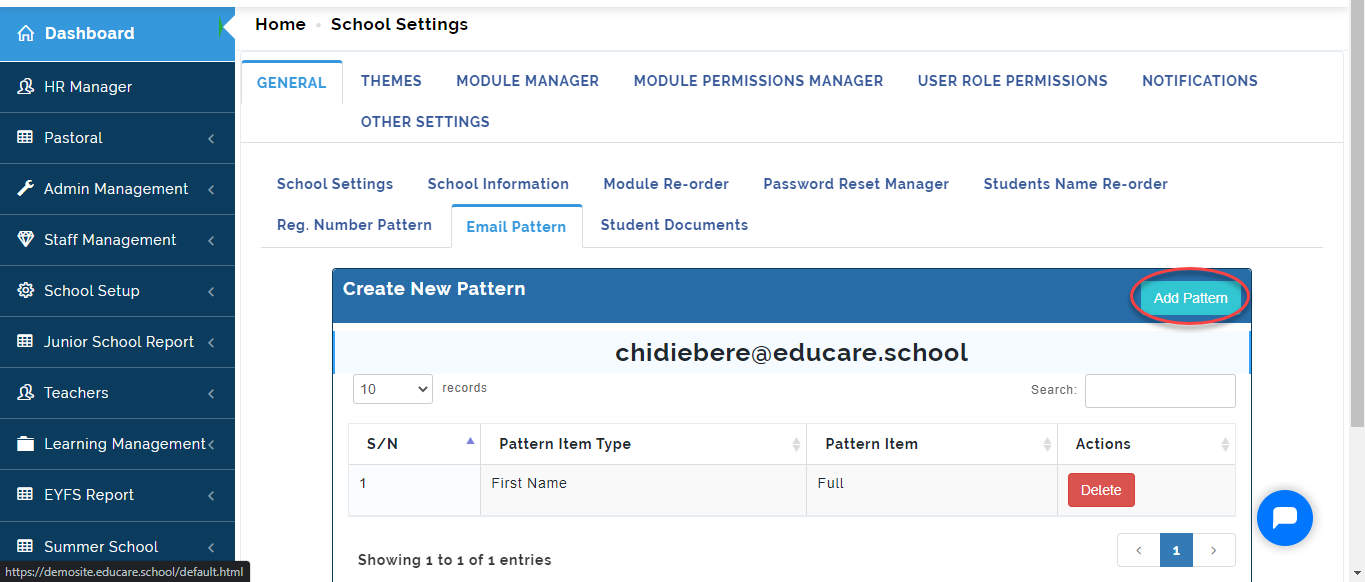
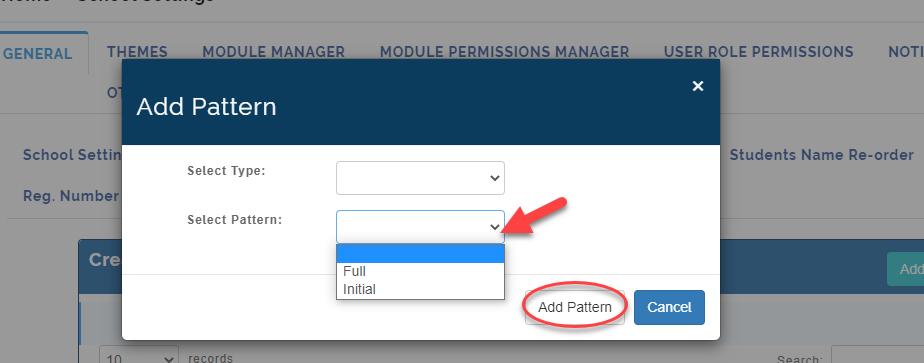
- Click on Add Pattern.
- Select the Name type you want to come first (i.e. Full name, Surname or Other name)
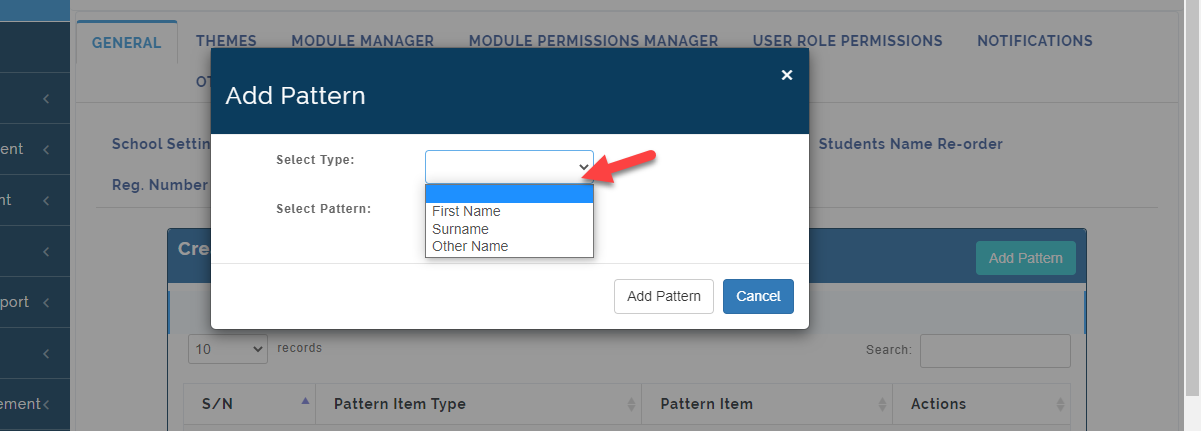
- Select the Pattern type and Click on Add Pattern or Cancel to ignore.
Once you save the Pattern, it will show you a Sample using the Format you have selected.
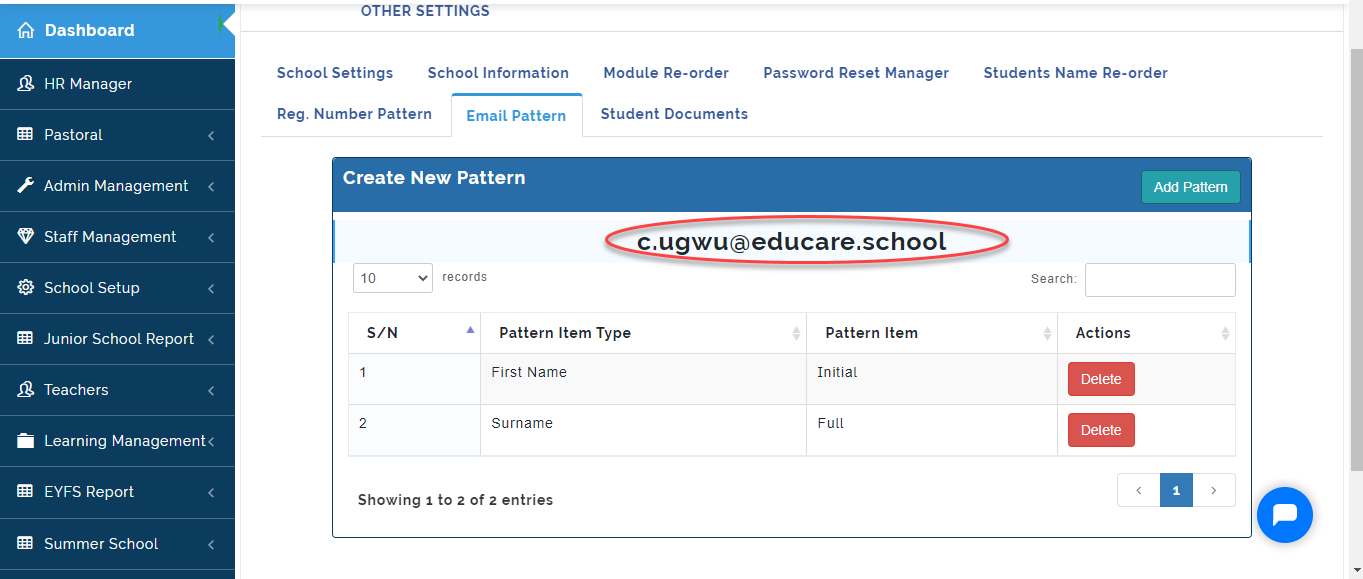
To Delete a pattern, Click on the Delete icon.