The Medical Setup is where you can add different medical diagnosis which are based on frequent occurrences among students in the school . The diagnosis is what the system use to generate the medical analysis for the school
To add a medical diagnosis follow these steps;
Step 1:
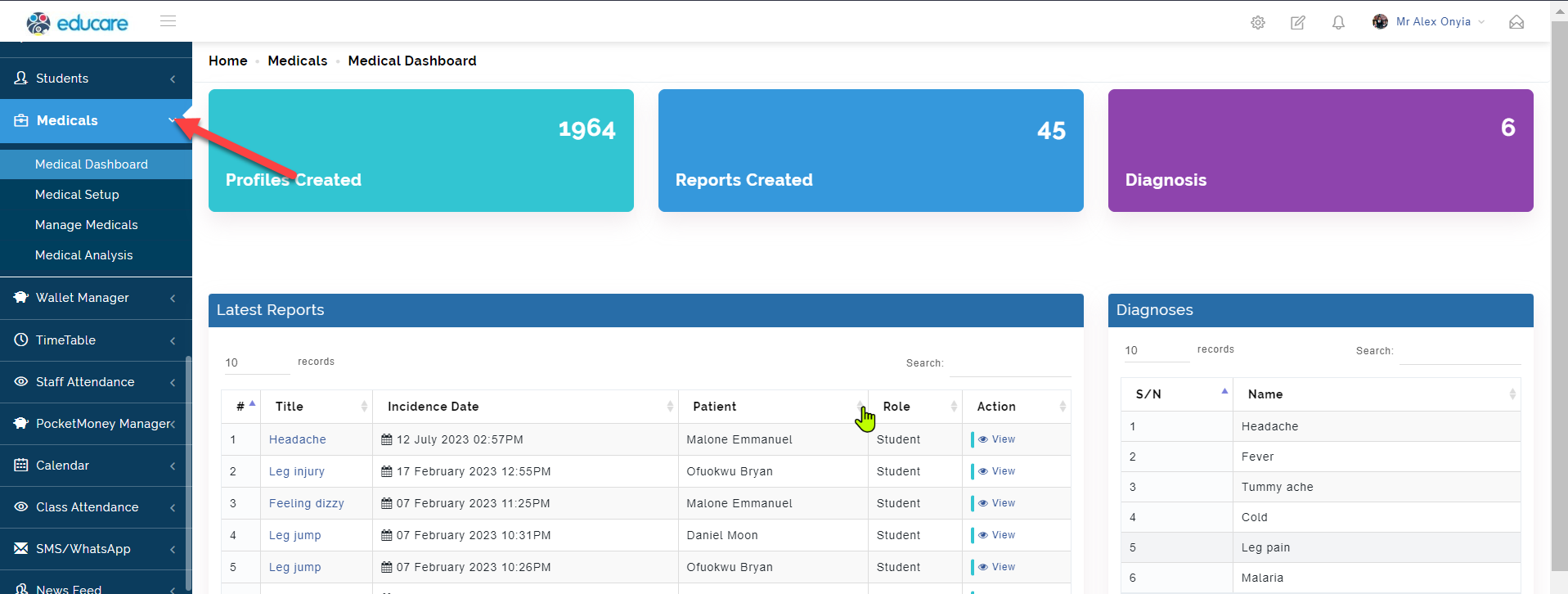
Click on Medical as indicated in the picture below
Step 2:
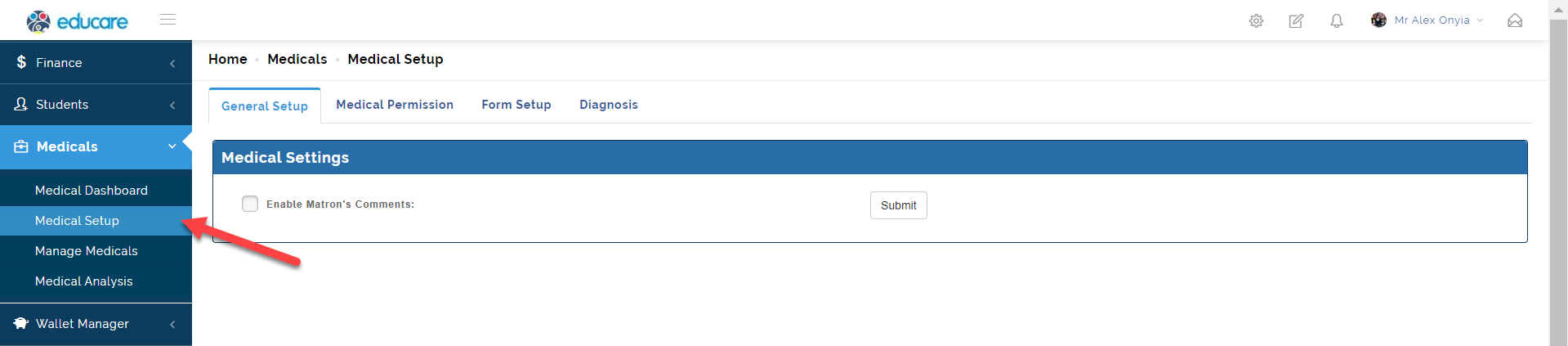
Select Medical Setup , this opens up the page where you can add or view existing medical analysis
Step 3:
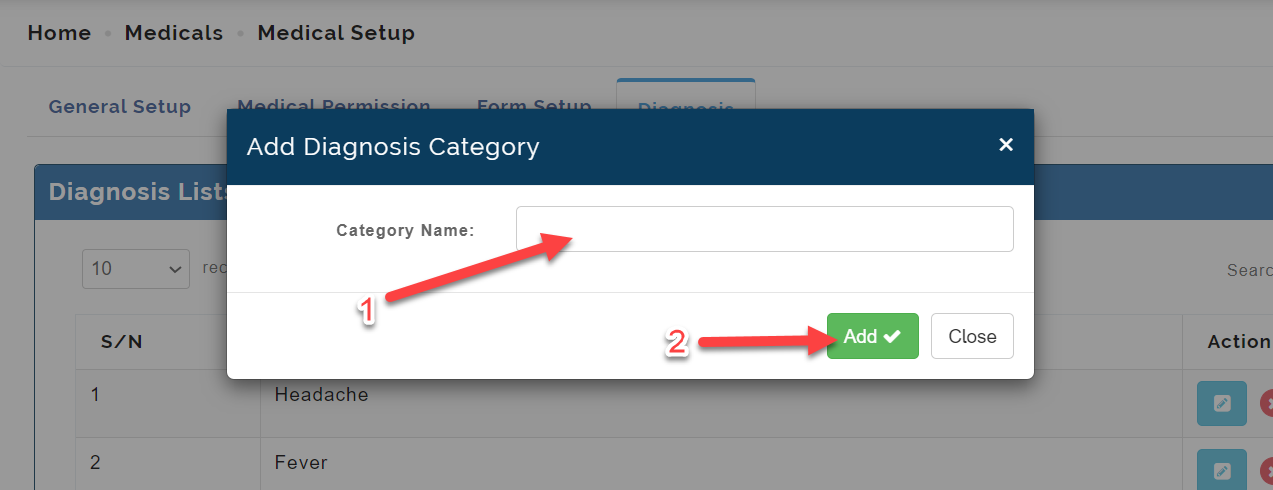
To add a medical diagnosis, click on the Add Diagnosis button.
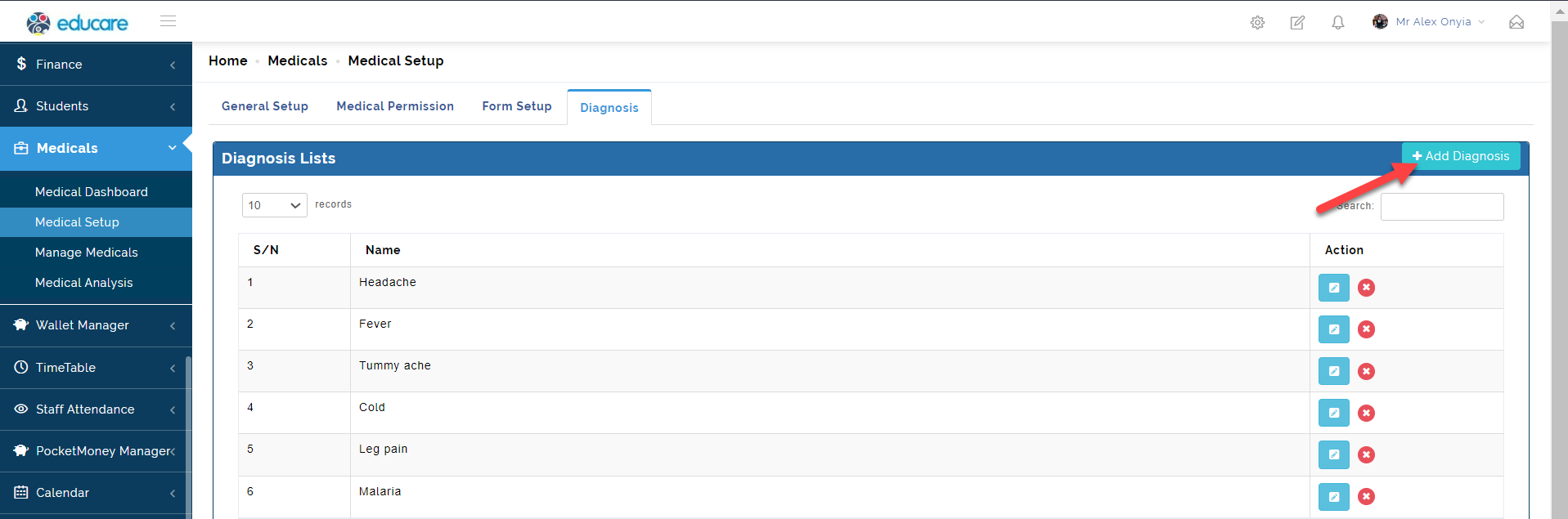
Enter the category name in the textbox and click Add to save
The other areas are; medical permission and form setup
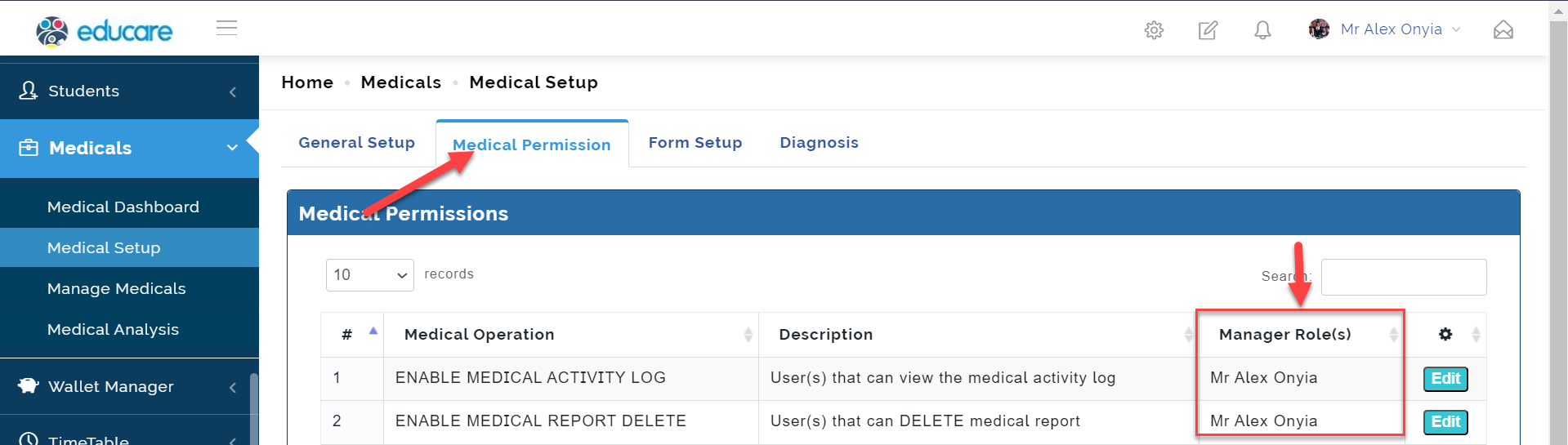
Medical Permission is the area where authorization is given to a manager role(s).
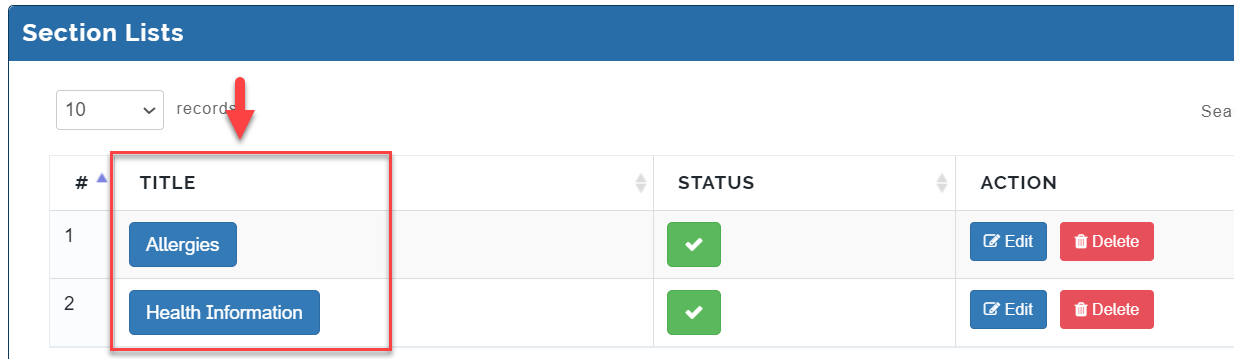
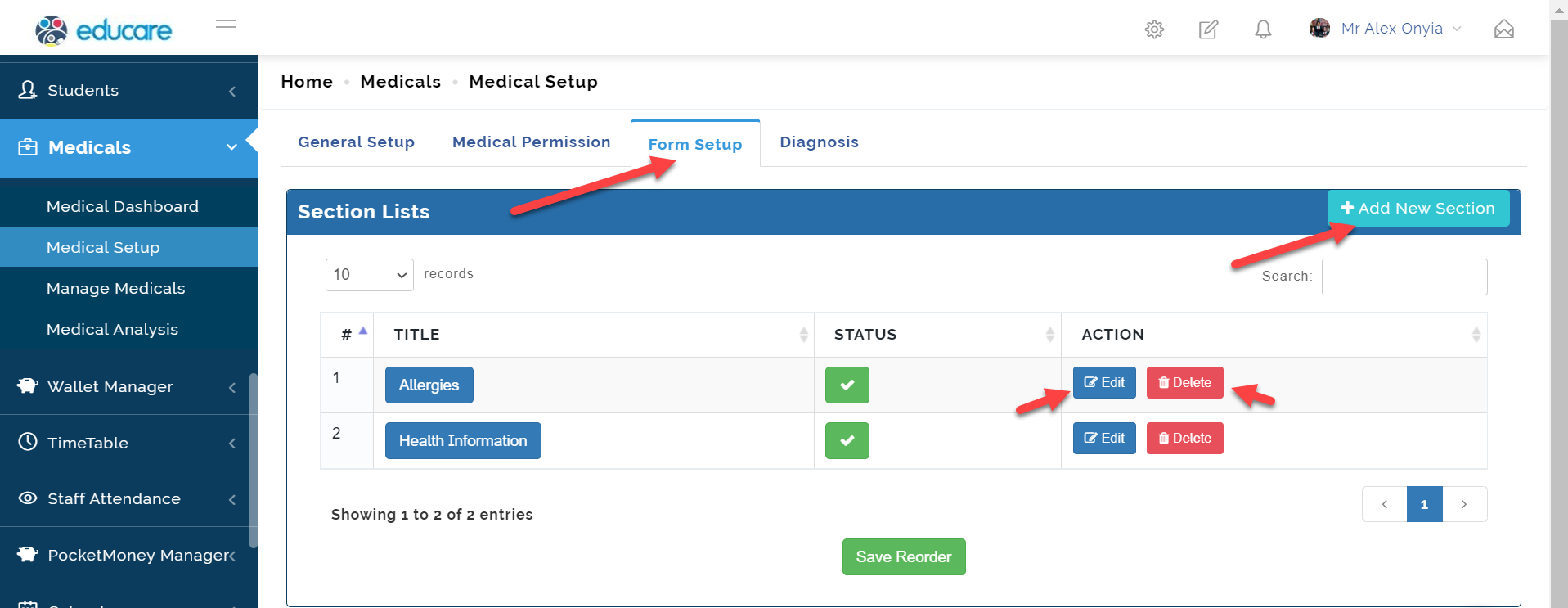
Form Setup is the area where information on patients are created as sections. Click add new section to add a new section. It can also be edited and deleted.
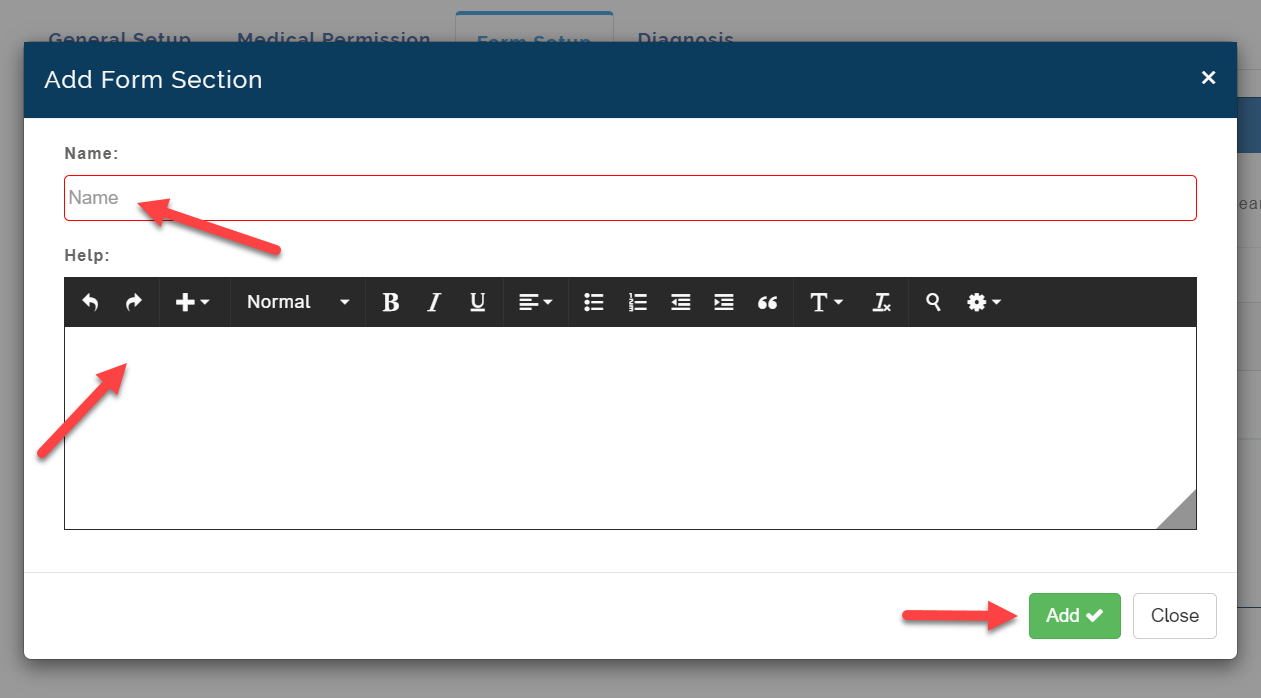
Enter the title in the name field. Then input the information of concern.
Then click add which will look like this below;