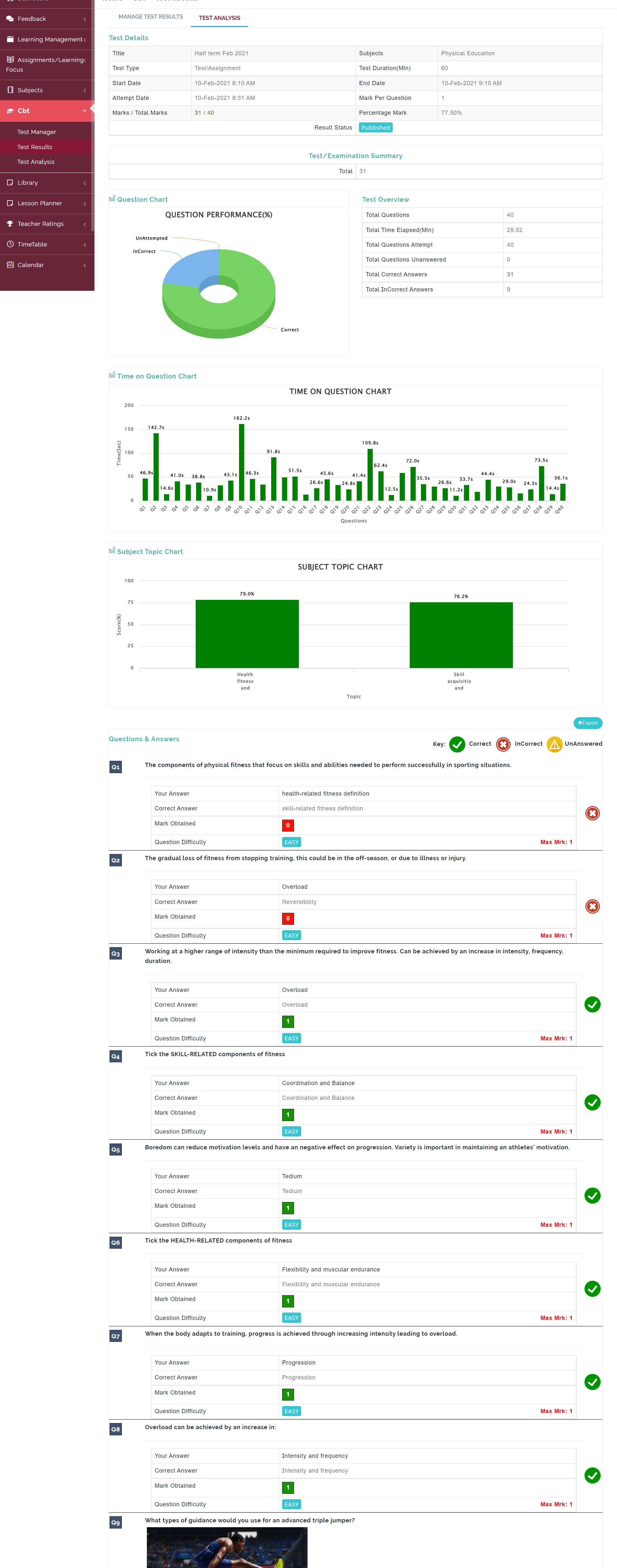
This is where students see result of all test they've taken
FOLLOW THE SIMPLE STEPS BELOW TO TAKE A TEST
Step 1:
As indicated in the picture below, click on the “CBT” dropdown then select “Result Manager”
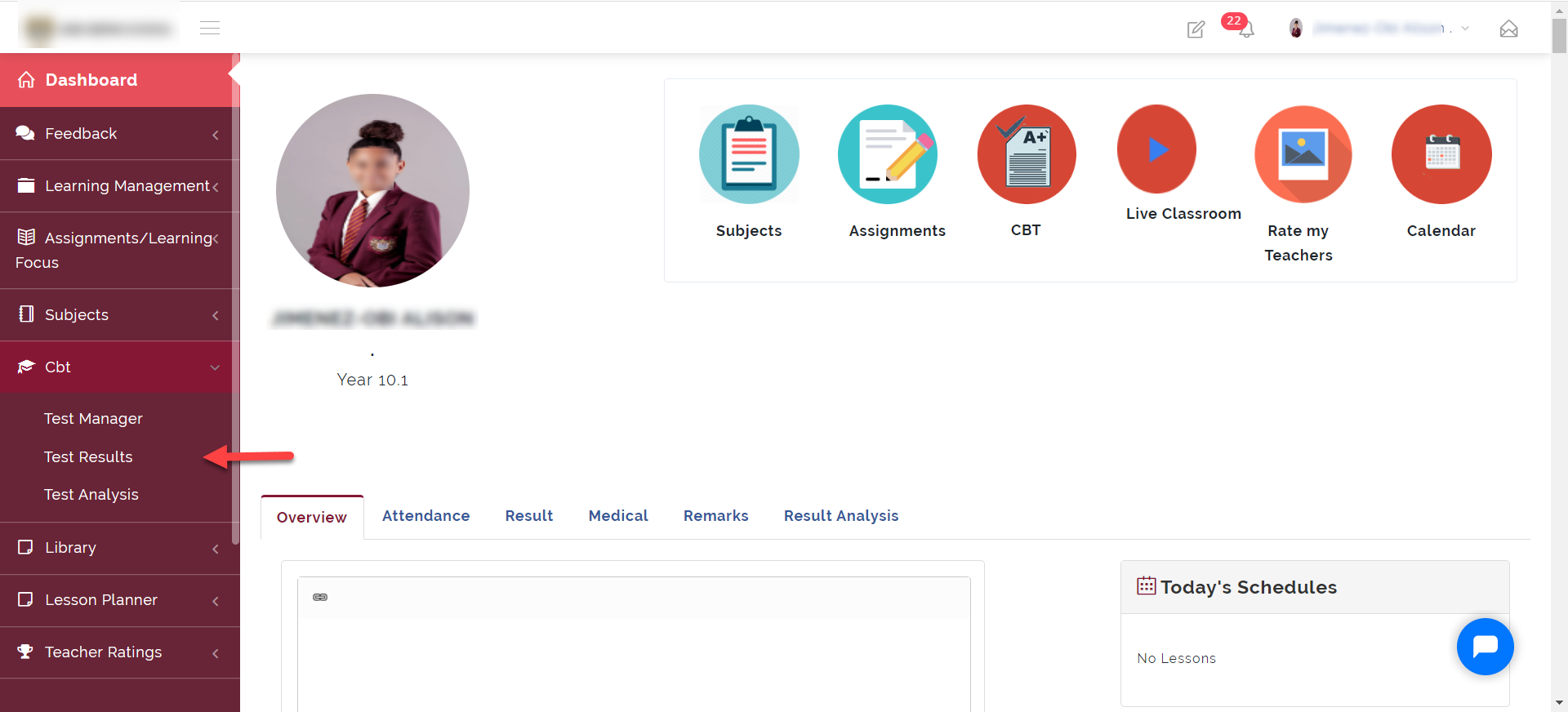
Step 2:
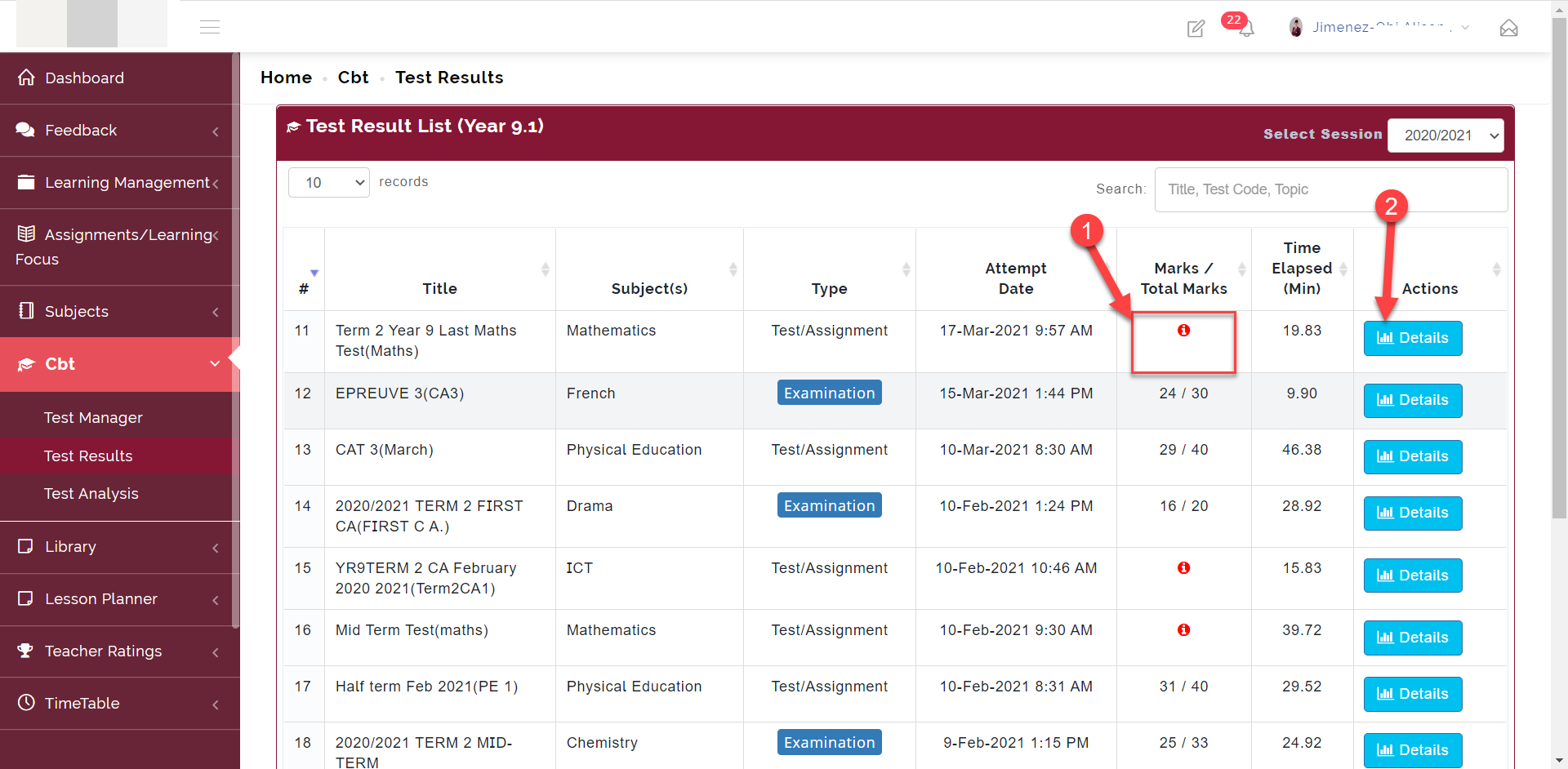
Here you can see all test the student has taken.
- The information icon labelled 1 in the picture below indicates that the teacher disabled students from viewing their score after the test.
- To view the details of a test, click on the Details button labelled 2 in the picture below
Step 3:
The detail button opens up the analysis into the report.
Here the student can see their score and also analysis into the student's performance