
The Admin Question Bank is where the admin have a pool of all questions for different subjects and for different classes. Here, the admin can view questions or add new questions.
FOLLOW THESE SIMPLE STEPS BELOW TO ADD A QUESTION IN THE QUESTION BANK
STEP 1:
As indicated in the picture below, click on the “CBT” dropdown then select “Admin Question Bank”
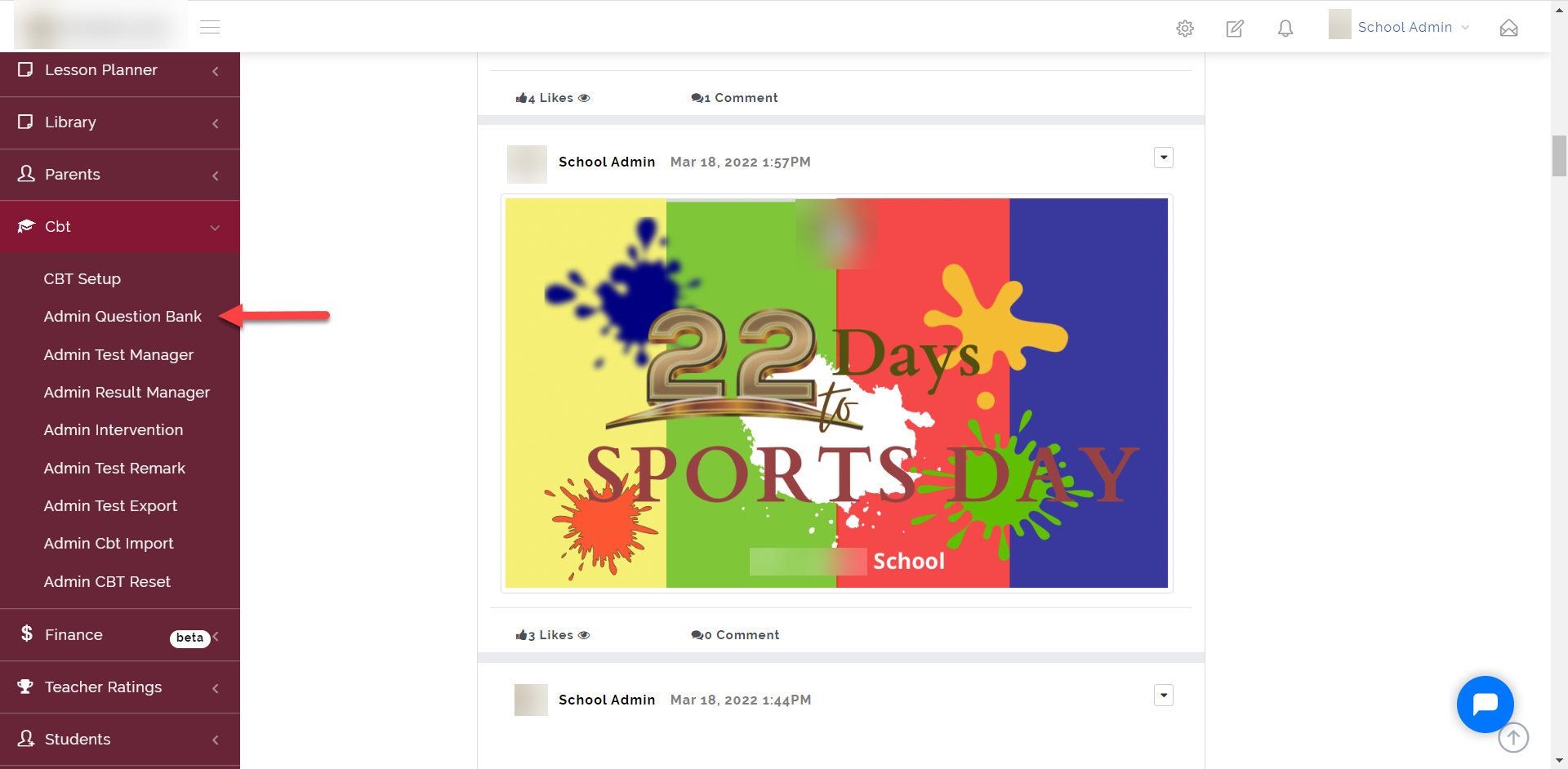
Step 2:
- Select School, Year Group and Subject
- Click on the “+ New Question” button to add a question to the question bank.
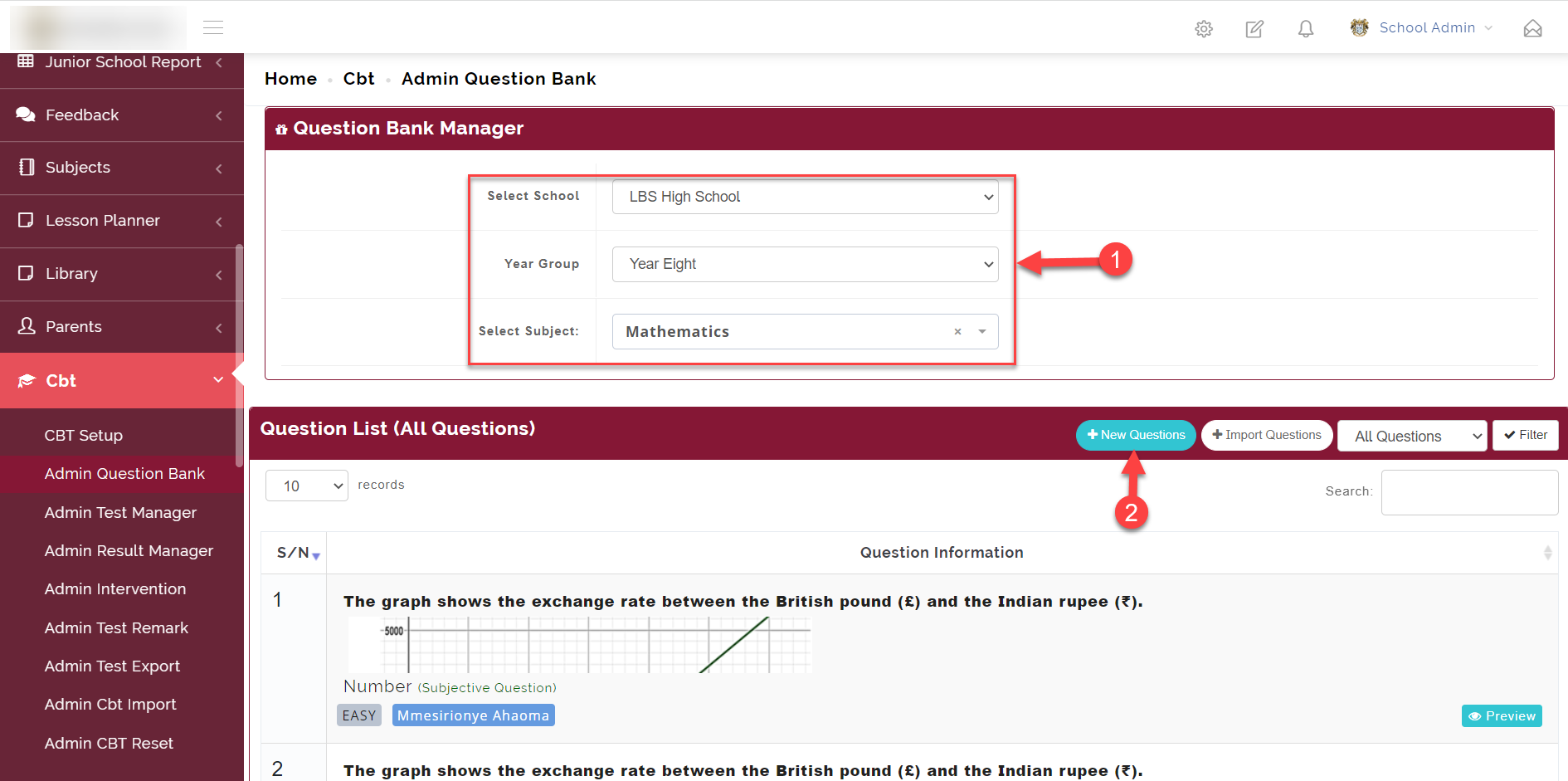
Step 3:
Follow the guide on the picture below to successfully add a question.
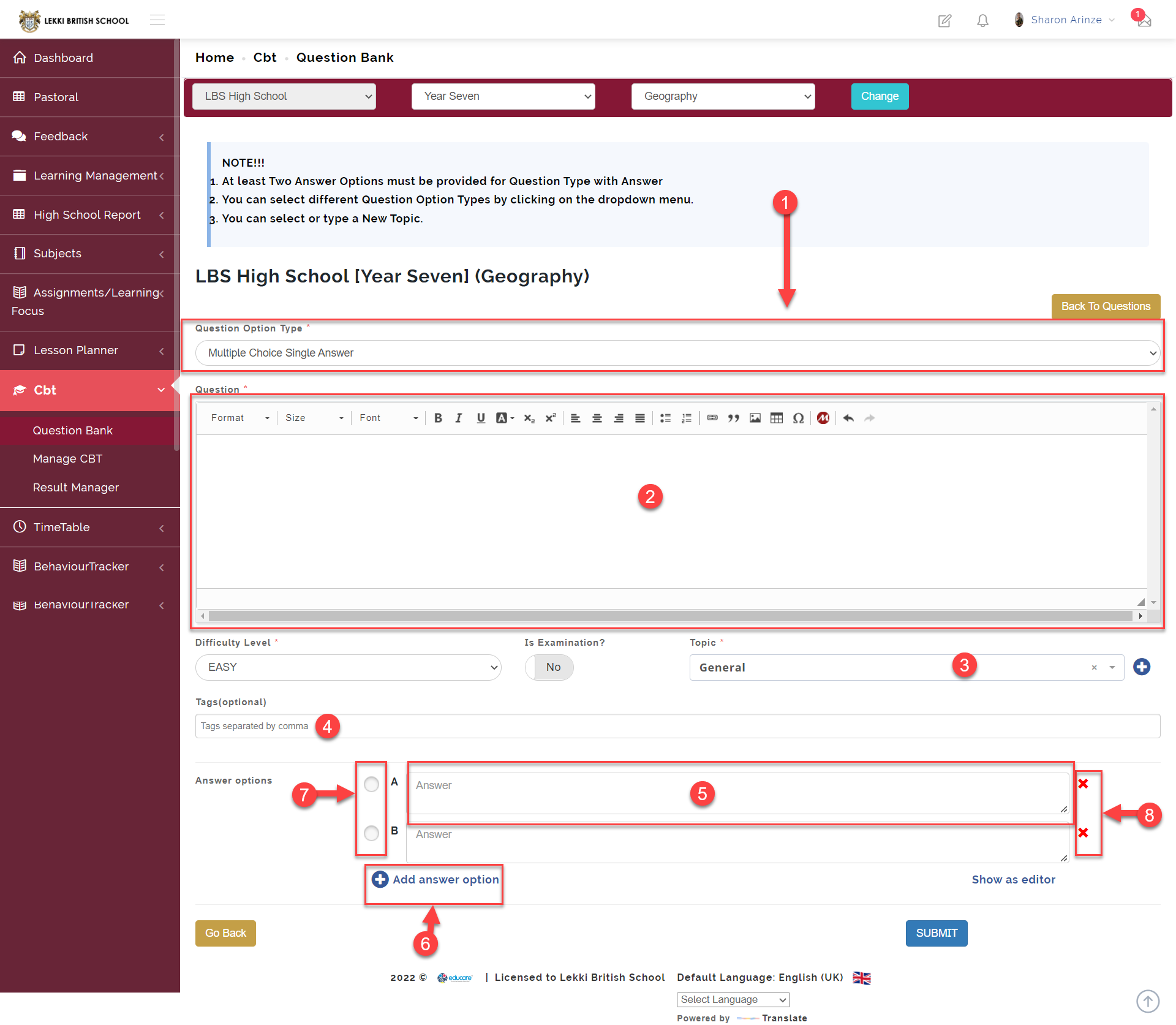
1 Here you select the type of question you wish to create
We currently have 4 different question types
- Multiple Choice Single Answer
- Multiple Selection
- Subjective Question
- Comprehension Question
- Here is where you enter the question
- Link a question to a topic
Here you can link a question to a topic by clicking on the add button by the side and typing the name of the topic associated with the question
- Enter a tag for a here question to easily call it up
Tagging questions allows teachers to easily call them up using the tag they created it with.
- Here is where you enter the question options
- Here you can add more question options
- Select the correct option by clicking on the radio button
- You can delete an option by clicking this button
Click on SUBMIT to save.