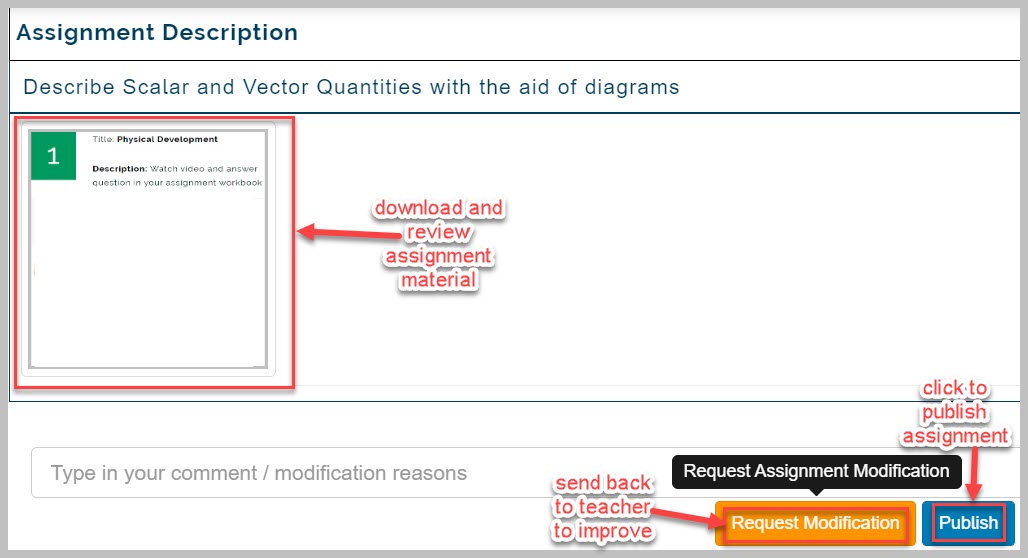
This feature only used when automatic publishing is not engaged. It enables admin to review assignments created by teachers before publishes it.
How to approve and publish assignment
Admins view submitted assignments from teachers for all subjects before publishing to ensure they meet required standards and quality set by school.
To publish assignment, follow these steps;
-
Navigate to Publish Assignment sub-link
-
Select school category, Session, Year group, Class
-
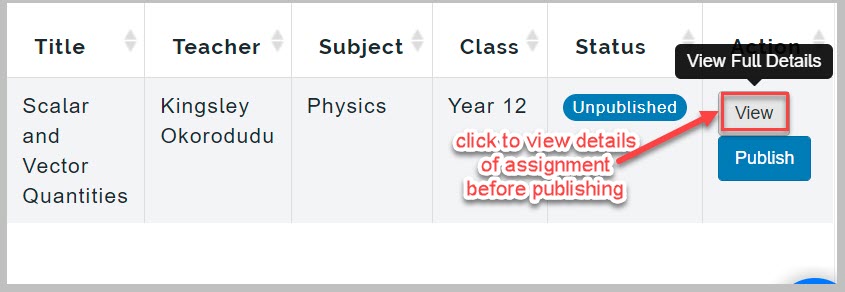
Locate assignment you wish to publish and click on View button
-
Download and review the attached material before publishing
-
If the assignment doesn't meet set standards or has mistakes in it, click on Request modification button to send it back to the teacher for review and adjustments.