Communication book is an activity book used to send updates to Parents on their Wards Personal Care and Academic Progress. Mostly Schools who have Early Years and Junior make use of this Module.
Communication Categories
Here, The School Admin can set up the Communication book by replicating the Sections on the Communication book used by the School. To Set up Communication book, Follow these Steps:
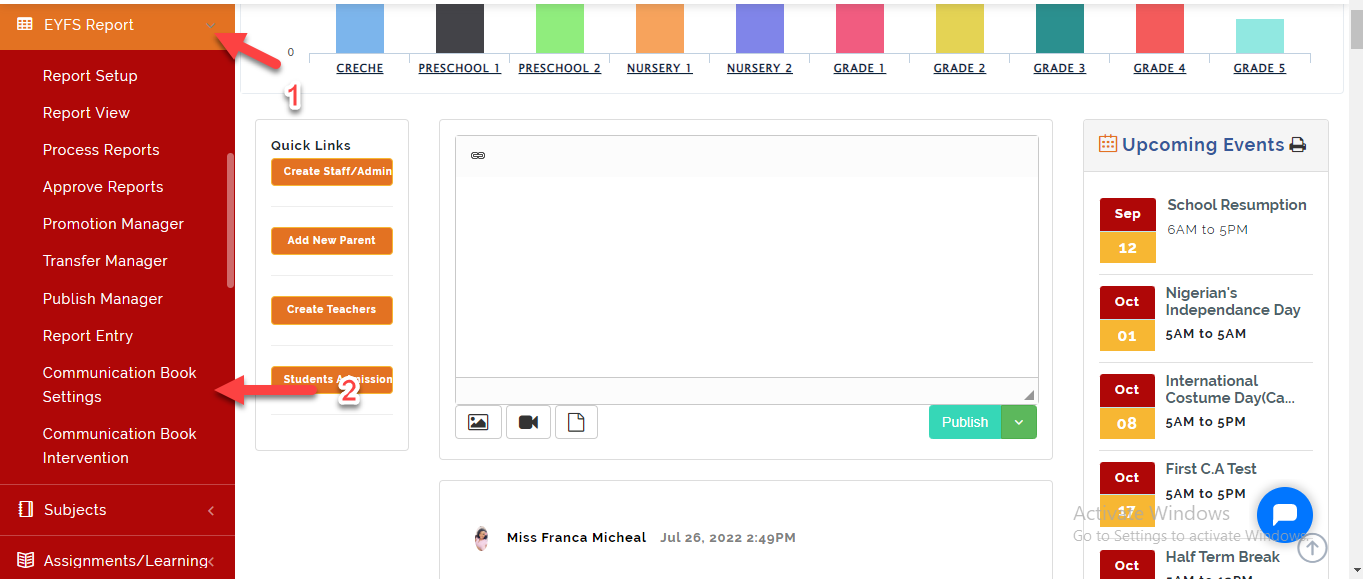
- Go to EYFS Report then Select Communication **Book **Setting
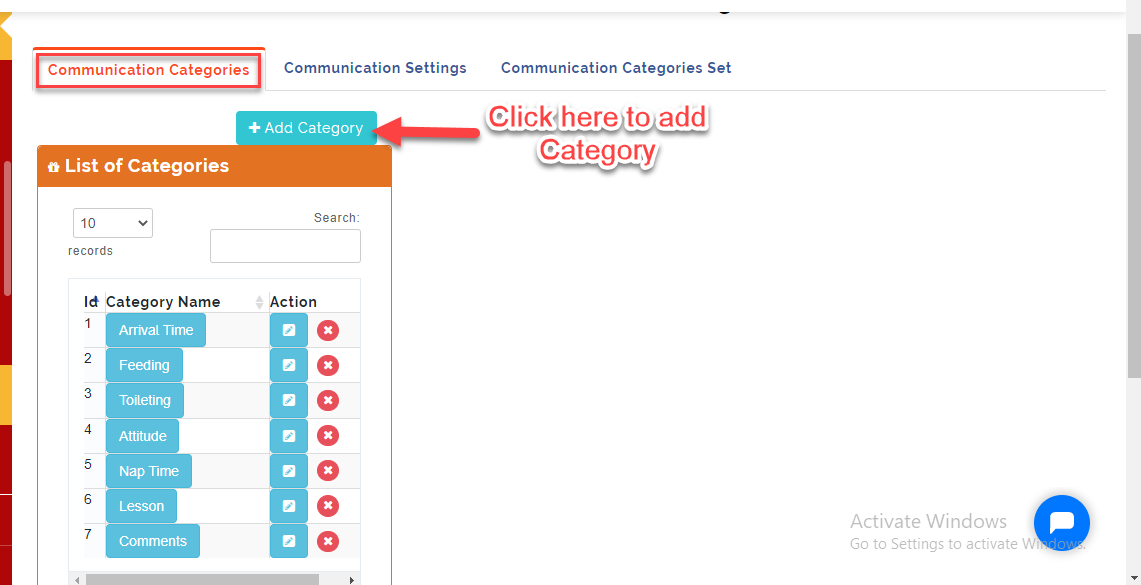
- Under the Communication Categories, Create the Headings you have on your template. Click on +Add **Category **to make entry.
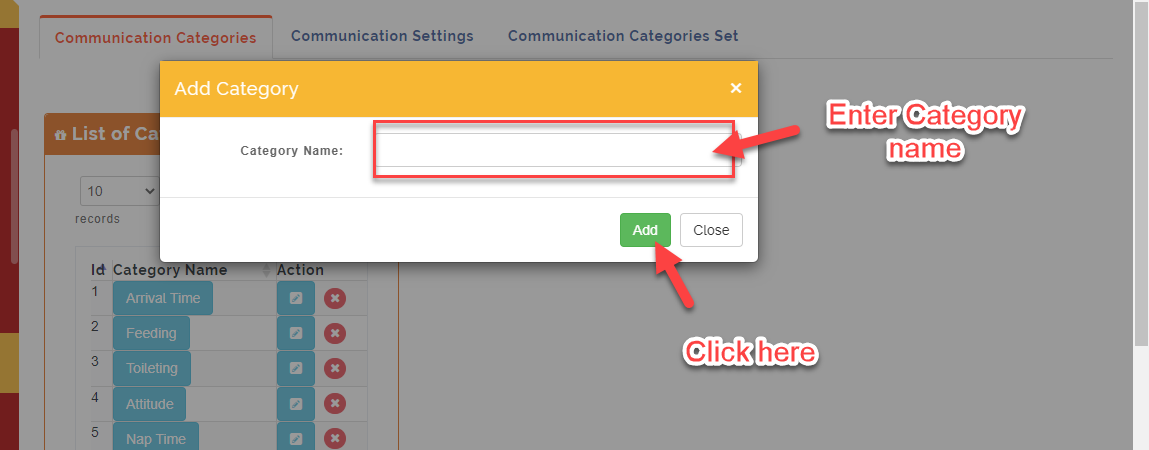
- Enter the Category name and Click on Add or Close to Ignore (example Time)
- Click on the Category you created to enter the properties under Attributes. Click on +Add Attribute
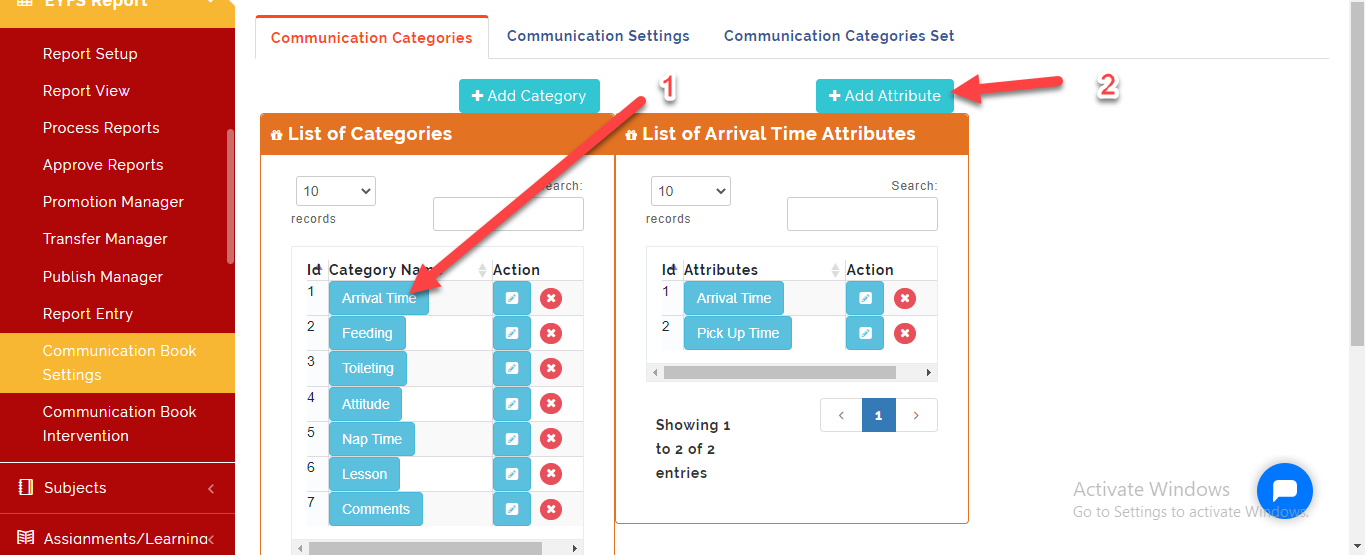
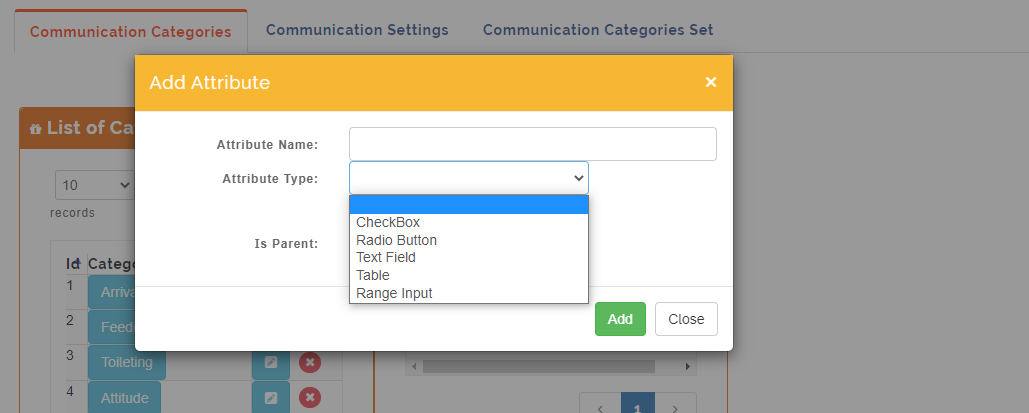
- Click on Attribute Name and then Select attribute Type depending on the entry style for the category you are Creating.
i. Check **box: Select this option if teacher has to tick multiple options for the category you created.
ii. Radio **button: Select this option if teacher has to tick one option for the category you created.
iii. Text box: Select this option if teacher has to input the information for the category you created.
iv. Table: Select this option if the format of the category you created is in a tabular form.
v: Range **Input: Select this option if the format of the category you created is in variation (Time From..... to ......)
vi: Is **Parent: Tick this button if the category you are creating is field by a Parent.
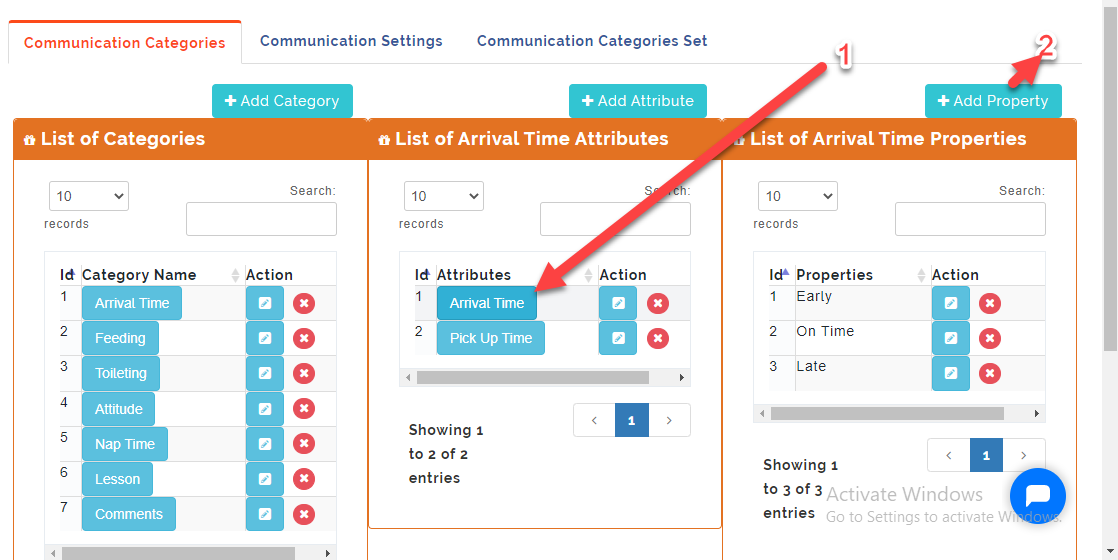
- For Attributes type with Radio **Button, Check** Box and Table; Click on the Attribute **name to enter the Property** name. For instance; if the Category name is Time and the Attribute name is Arrival Time with options Early, On time and Late (These options should be created differently under +Add Property).
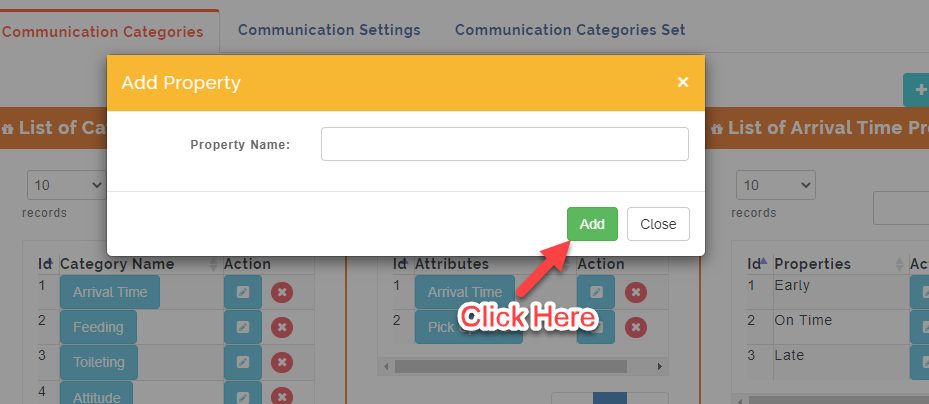
- Enter the Property name in the space provided and click on Add or Close to ignore.
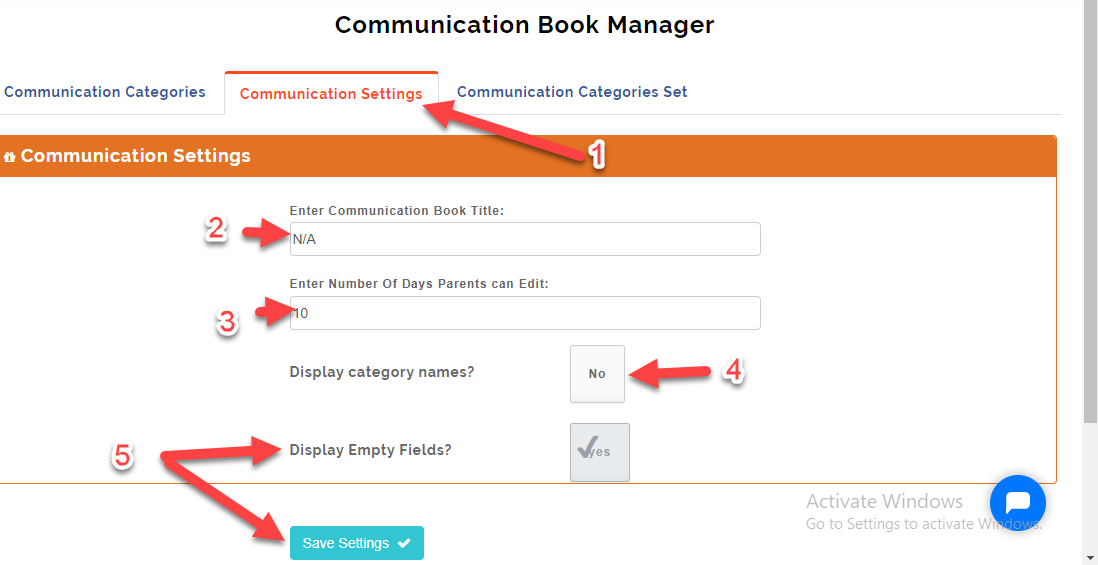
Communication Settings
-
Click on the Communication Settings Tab. This will open up a form to setup communication book.
-
Enter the Title of the Communication Book under the Communication Book Title
-
Enter the number of Days Parents can write and edit feedback on the Communication Book.
-
Toggle button to Yes/No to Display or not Display Category Name
-
Toggle button on/off to enable or disable the display of empty fields. Click on Save Settings
Communication Settings Set
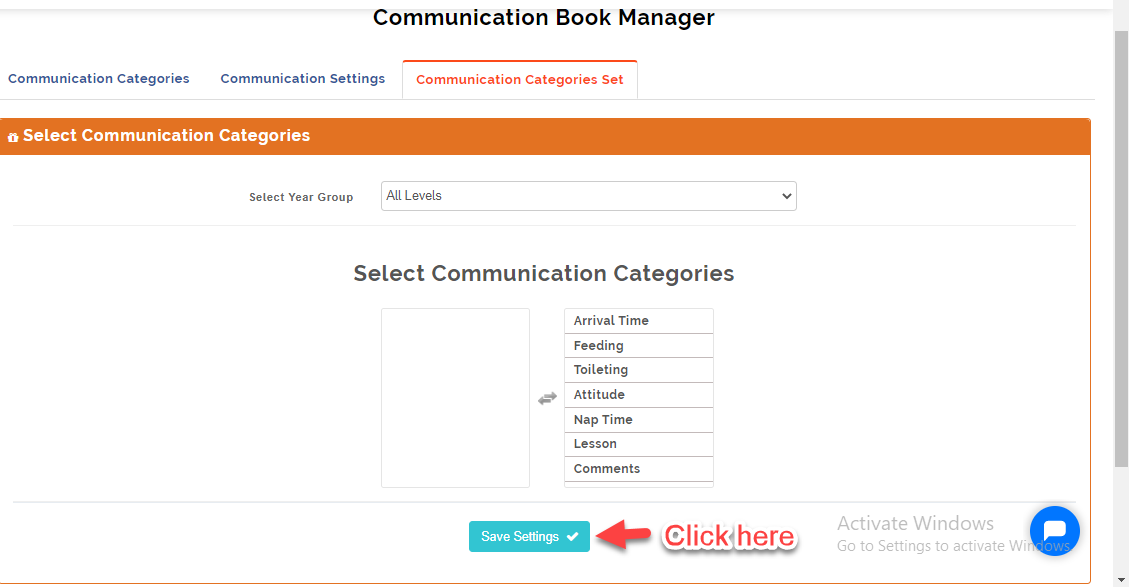
This is where the School Admin can assign Communication Book to the different levels.
- Under Select **Year** Group, Click on the drop down Menu to Select the level then Move the Categories for each level from Left Column to right column. Then Click on Save Settings.