
This is where the admin can edit questions and question options
For example; if a teacher mistakenly select the wrong option as the right one and the students has finished taking an test and was failed in that question, the admin can come to the intervention to correct the question option and then save.
The system will automatically remark that question for all students.
FOLLOW THE SIMPLE STEPS BELOW TO ACCESS THE ADMIN INTERVENTION
Step 1:
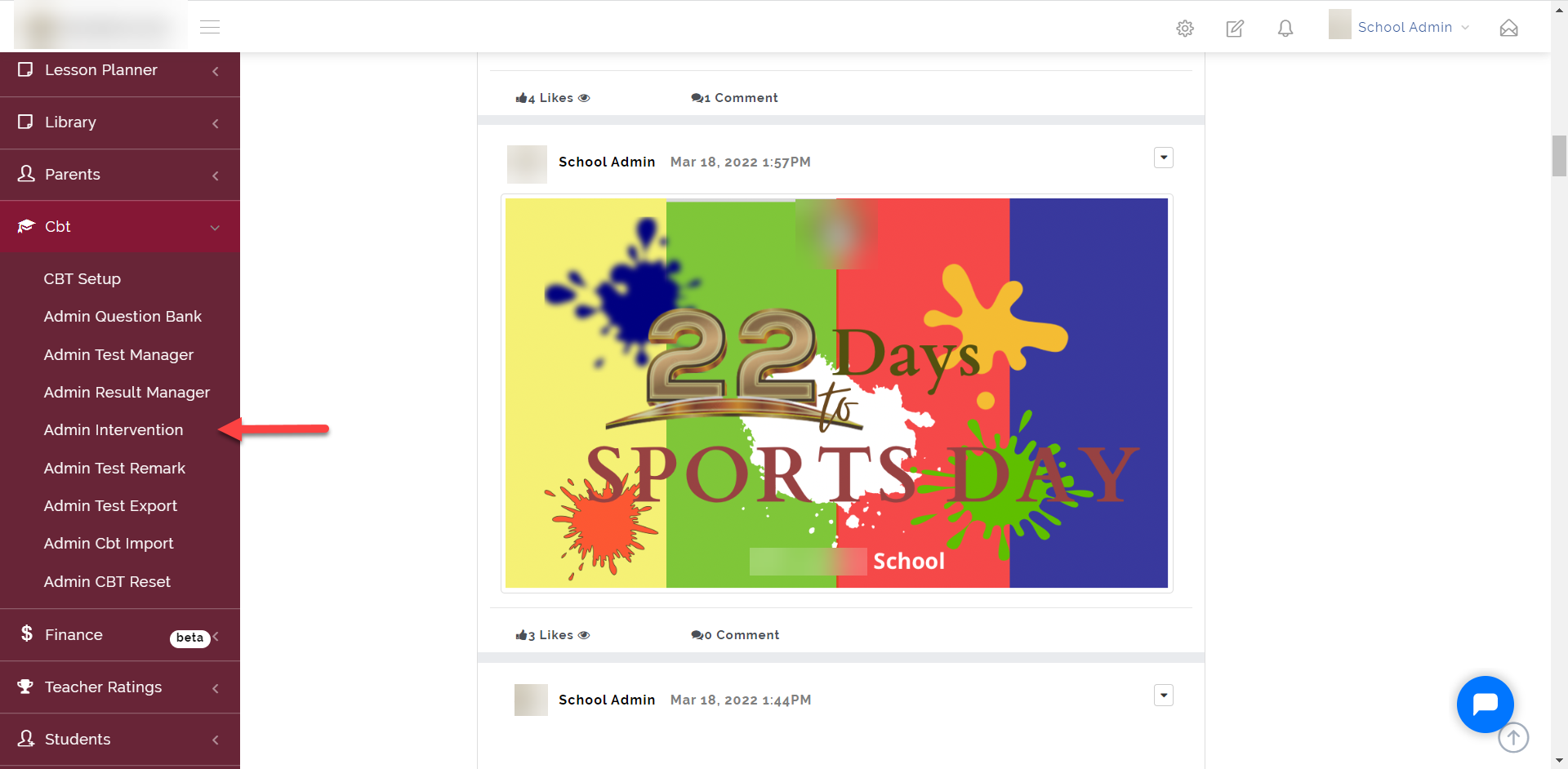
As indicated in the picture below, click on the “CBT” dropdown then select “Admin Intervention”
Step 2:
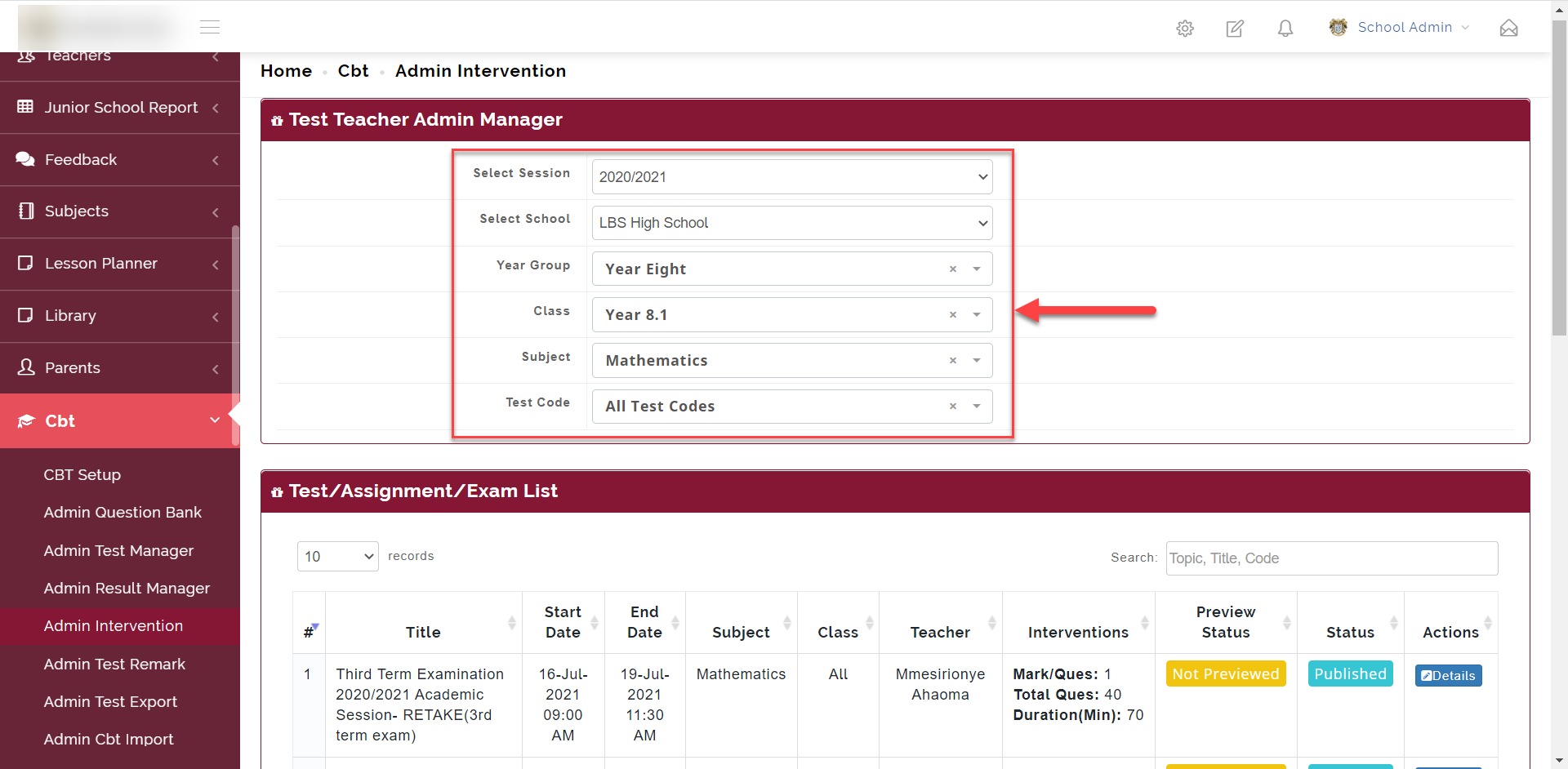
- Select the Session, School, Year Group, Class, Subject and Test Code of the test you want to view.
Step 3:
After going through Step 2, all test based on the filter selected shows up as seen below
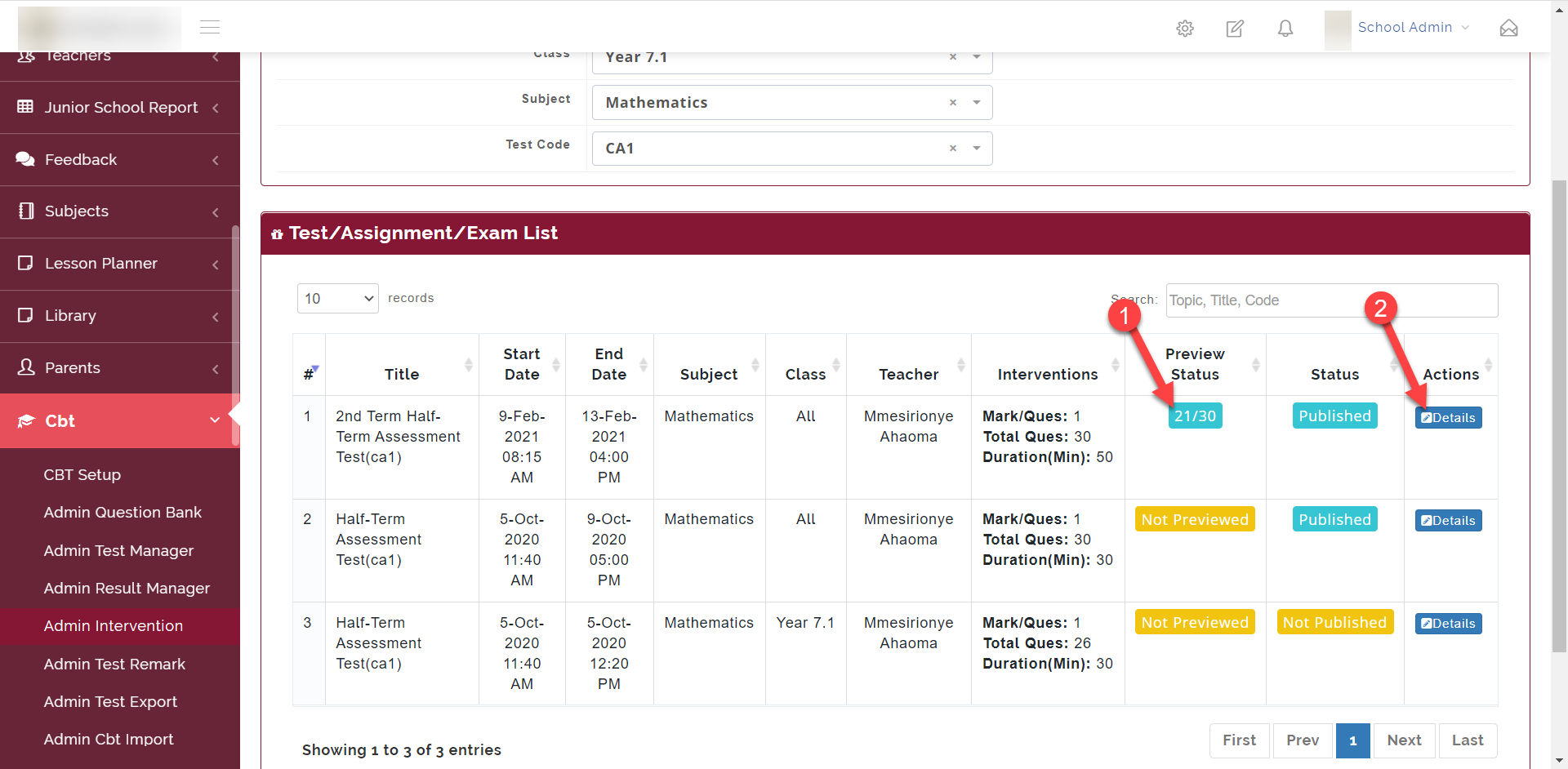
Preview Status: This shows the score the teachers got when they preview test and take it themselves.
Details: This opens up all the questions in this test so the admin can edit the question and the question options.
Step 4:
Clicking on the Details opens the Test Details as seen below.
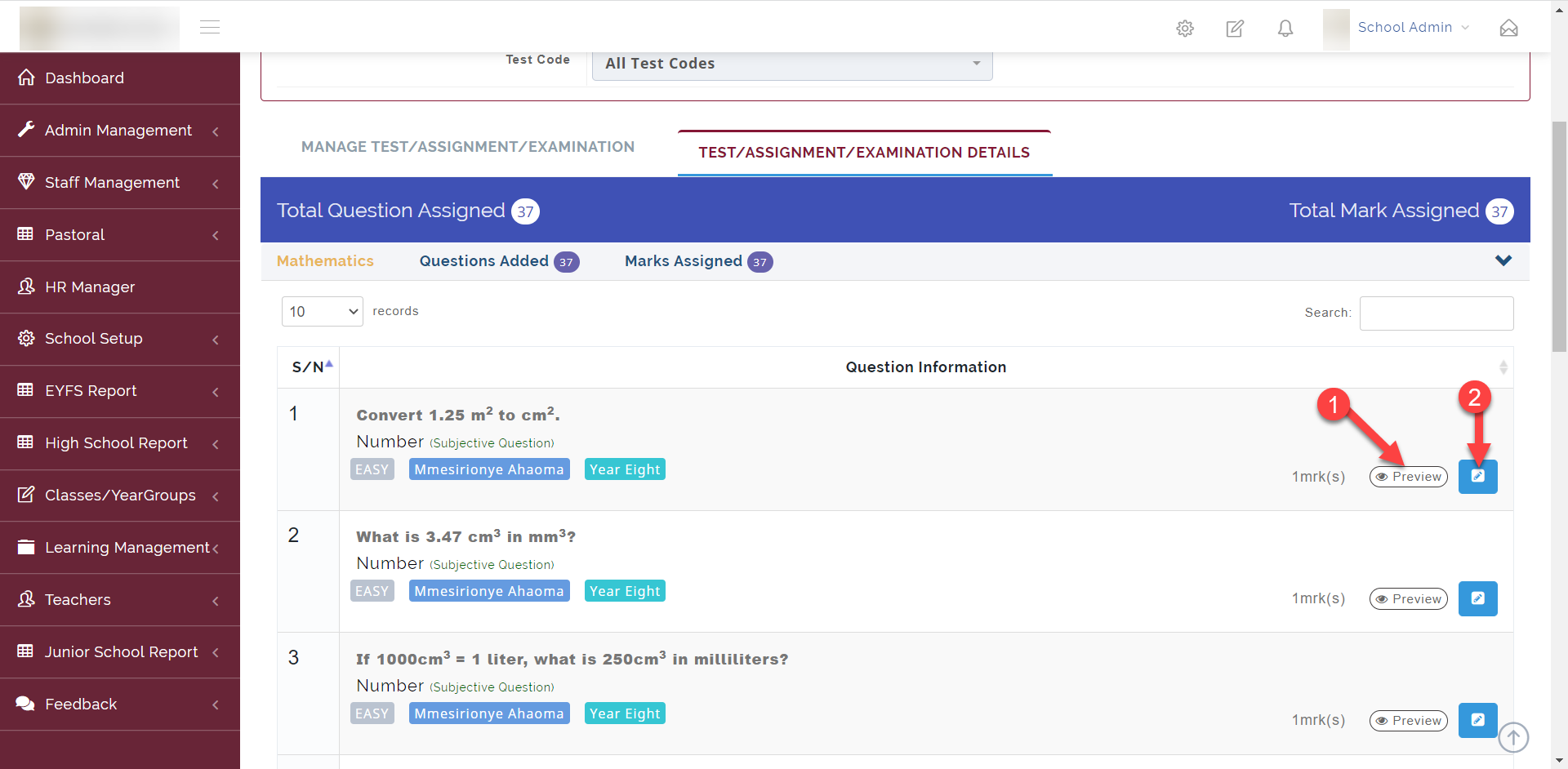
1. Preview: Opens up a preview of the question
2. Edit: Allows you to edit the question and the answer options