Here is an alternative module used to transfer/graduate students from one school to another (e.g transferring a pupil from Junior School to High School). It is only useful to institutions with more than one school where students graduate from a particular school to a higher one or vice versa (from EYFS - Junior School - High School)
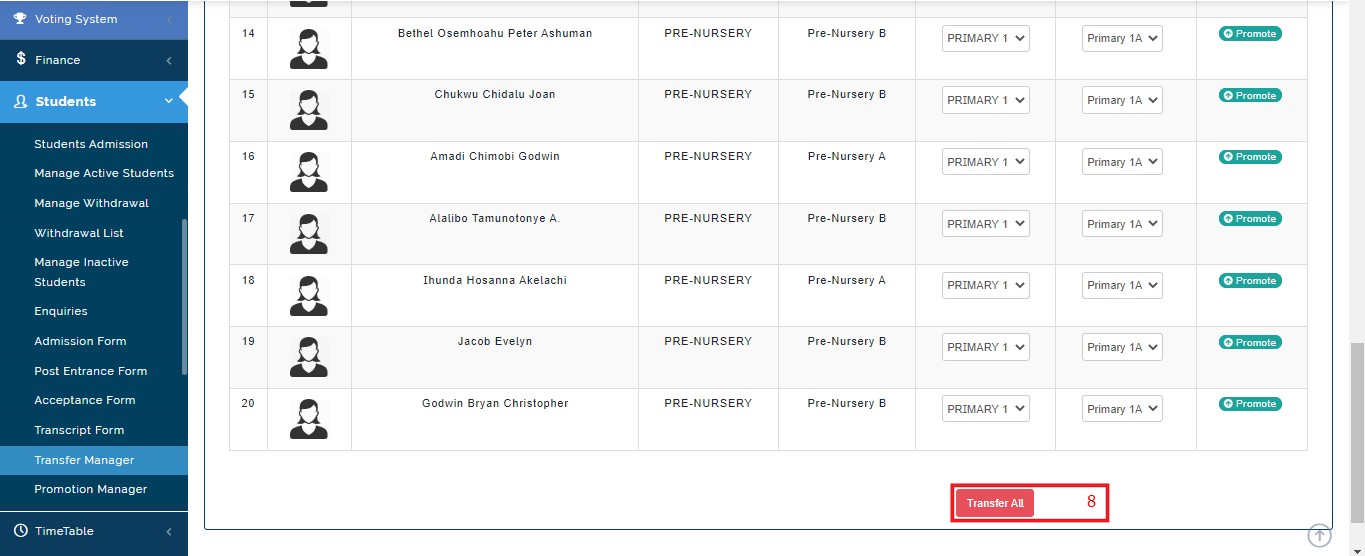
This feature permits bulk transfer with the aid of a "Transfer All" button located on the button of the page and still gives you the option of individual/single transfer using the "Promote" button seen under the "Action" title
If you are transferring a set of students who graduated from a school to a higher one, take note of the following:
- create a new session and make it the active as the current session
- it is ideal to begin the transfer with the highest school and move the outgoing students to the alumni class
- Use the promotion feature to promote students to higher levels accordingly in other to empty the first level of the school you want to transfer students to
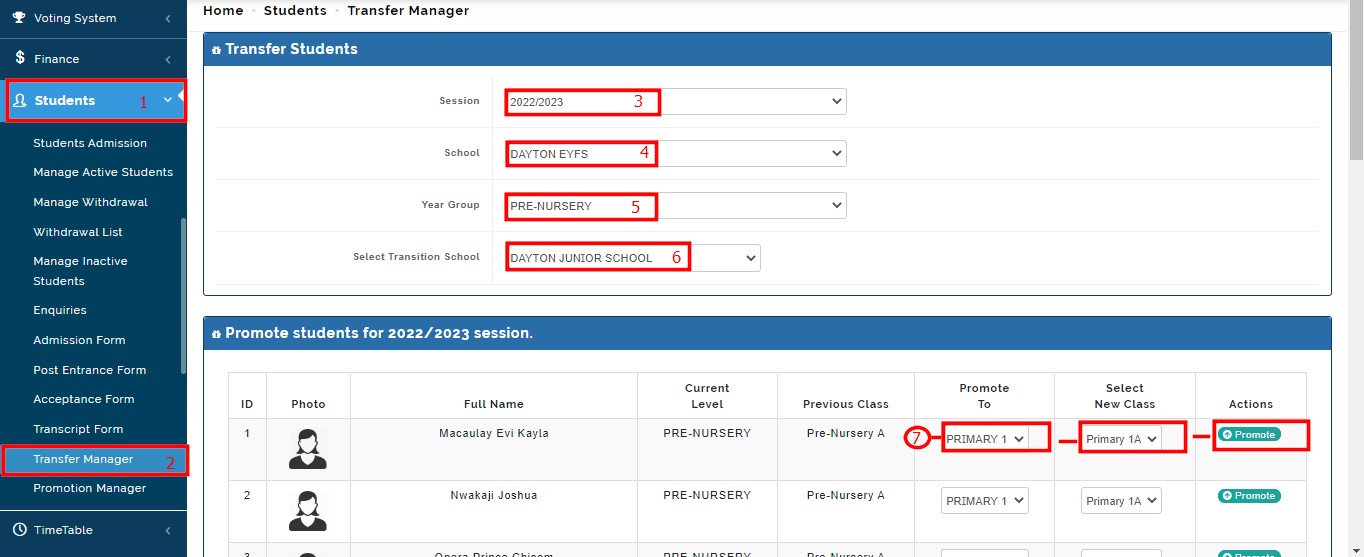
Take the following steps to transfer students in bulk from one school to another using "Transfer Manager"
- Click on the "Student" module in the module menu section
- Select and click on the dropdown module "Transfer Manager"
- Select the session you want to carry out the transfer in
- Select the current school of the student(s) you want to transfer
- Select the Year Group/Current Level of the students
- Select the school you want to transfer students to
- Set your desired parameter on the student list (Placement of students in their new levels and arms where applicable)
To complete the class placement, take the following steps:
- On the student list, click on the "Promote To" section to select the Level you are promoting/transferring the pupil/student to
- Click on the "Select New Class" area to select the Class Arm of the pupil/student where applicable
- Apply to all pupils/students
- Use the "Promote" button to promote them individually but the idea is to transfer them all at the same time
- Use the "Transfer All" button at the base of the page to complete the operation.
Below is the pictorial illustration of the steps involved in the Bulk Transfer of pupils/students from one school to another