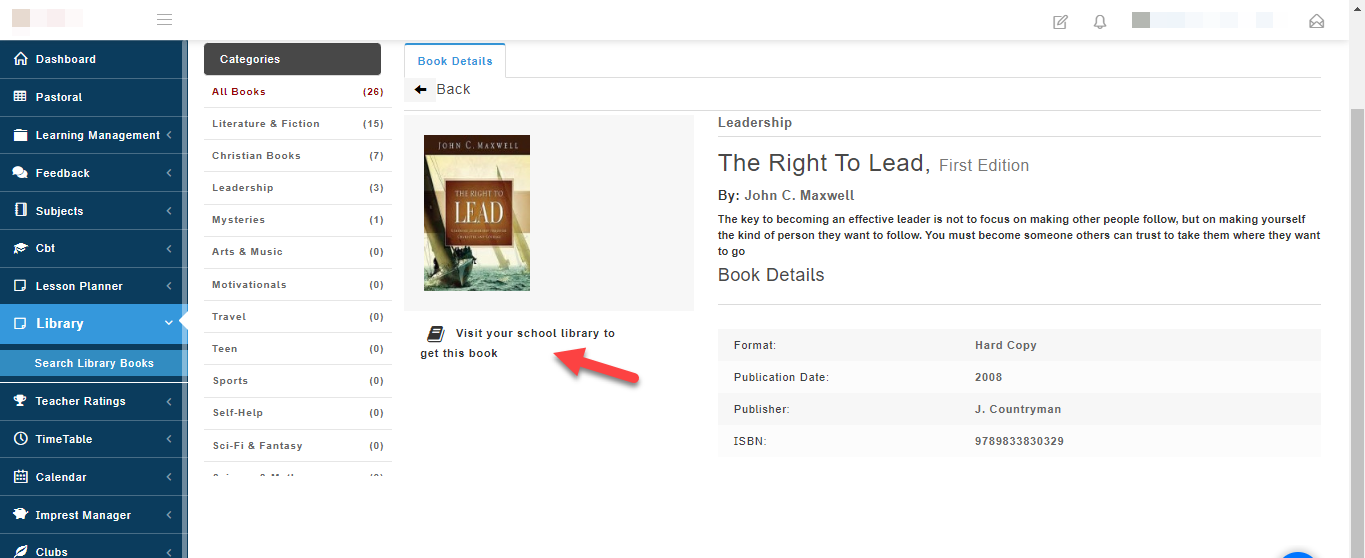
Students can access library resources online and from the school Library.
To access an eBook follow these simple steps:
- Go to the Library module when you login to your school portal.
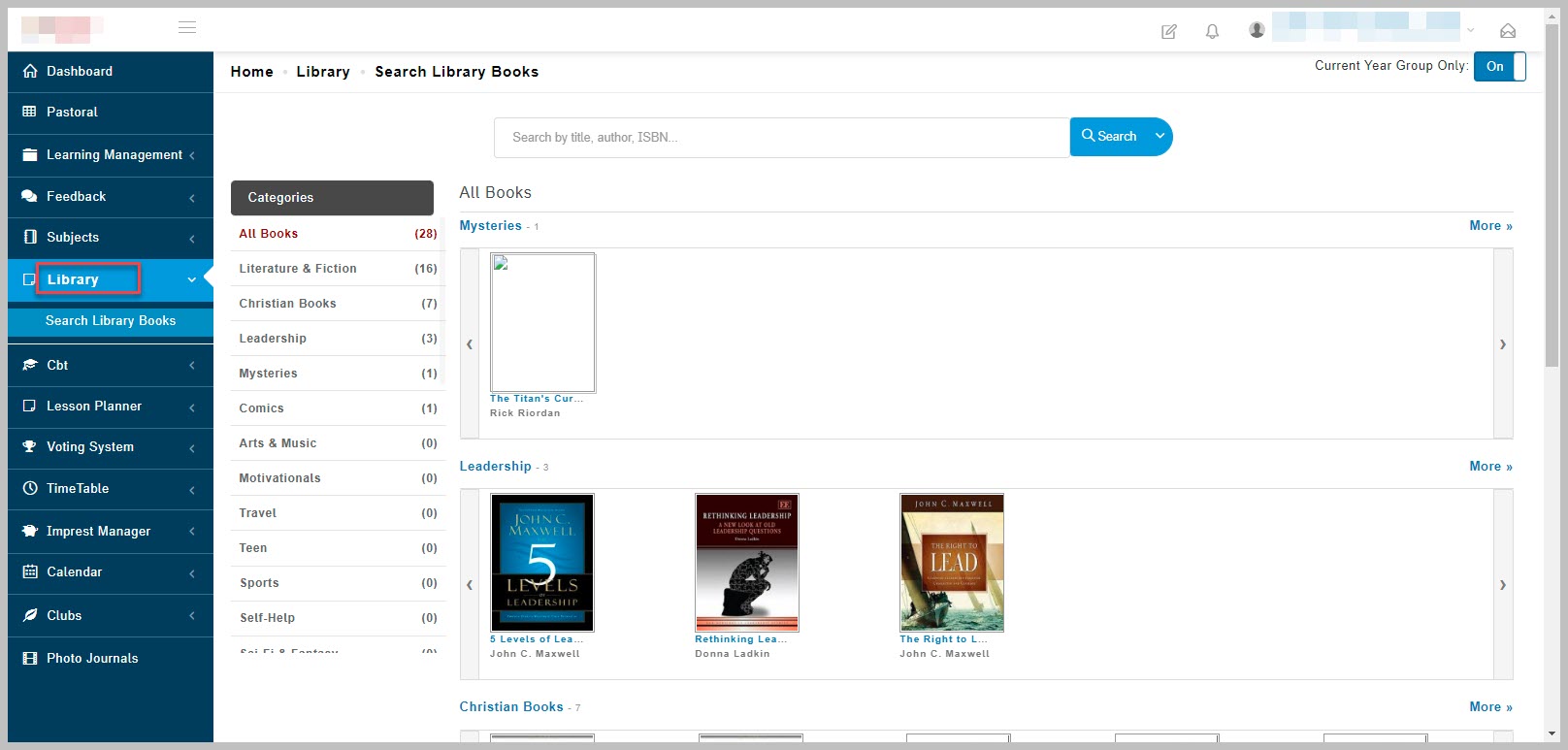
- Select Search library books
A list of all Available learning materials will appear.
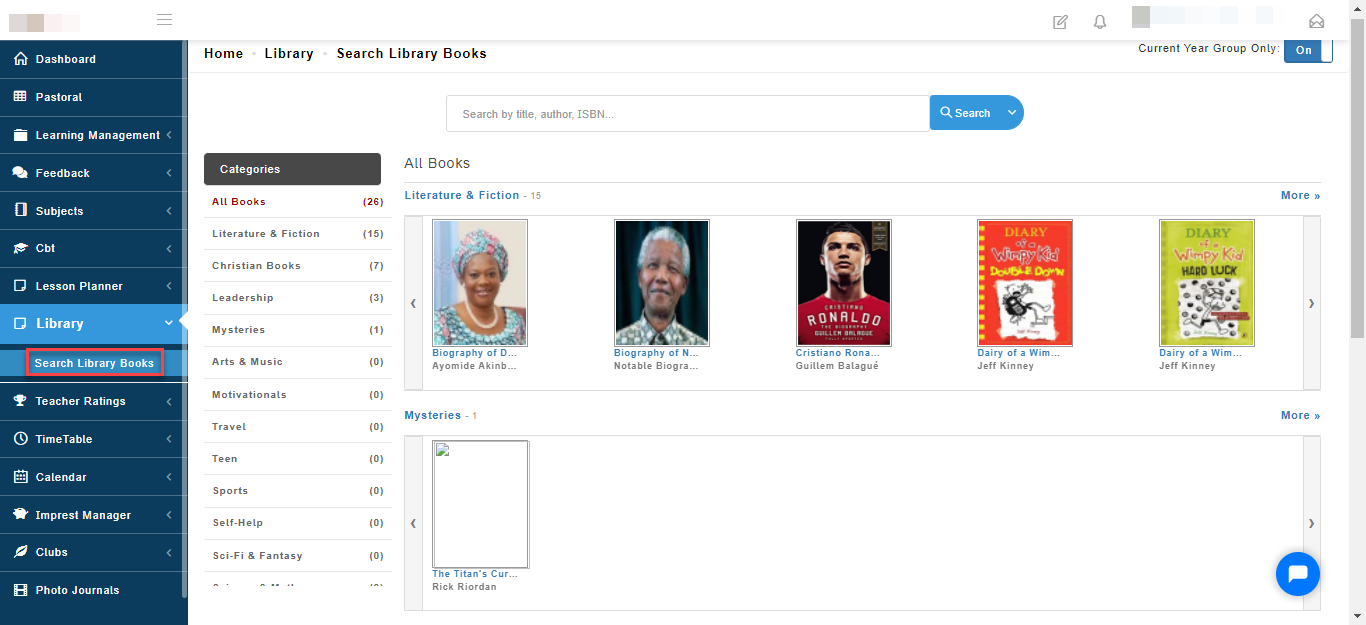
- Search for the book you want to read by typing the title of the book in the search bar and click search.
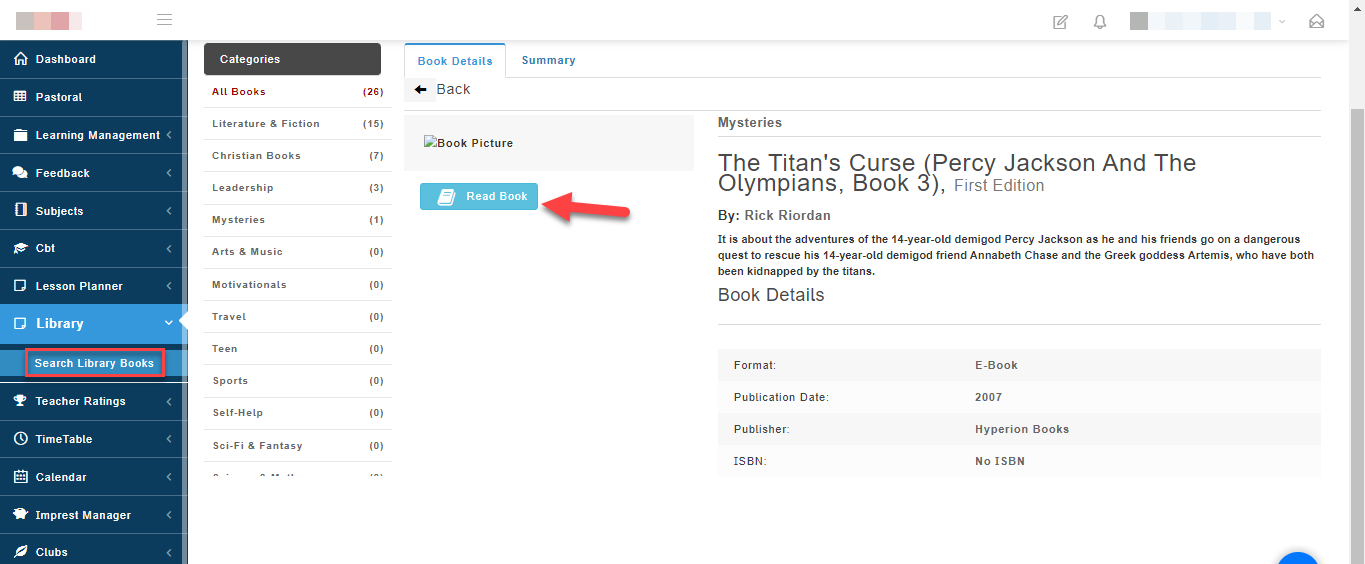
The system will bring up the book, click on Read Book to read the book online.
How to write new words and summary of a book you have read
After you have selected an eBook you want to read, you can make notes of new words you have learnt and also enter comments or lesson you've learnt after reading the book.
To write new words and summary follow these simple steps:
- To write new words, click on Summary.
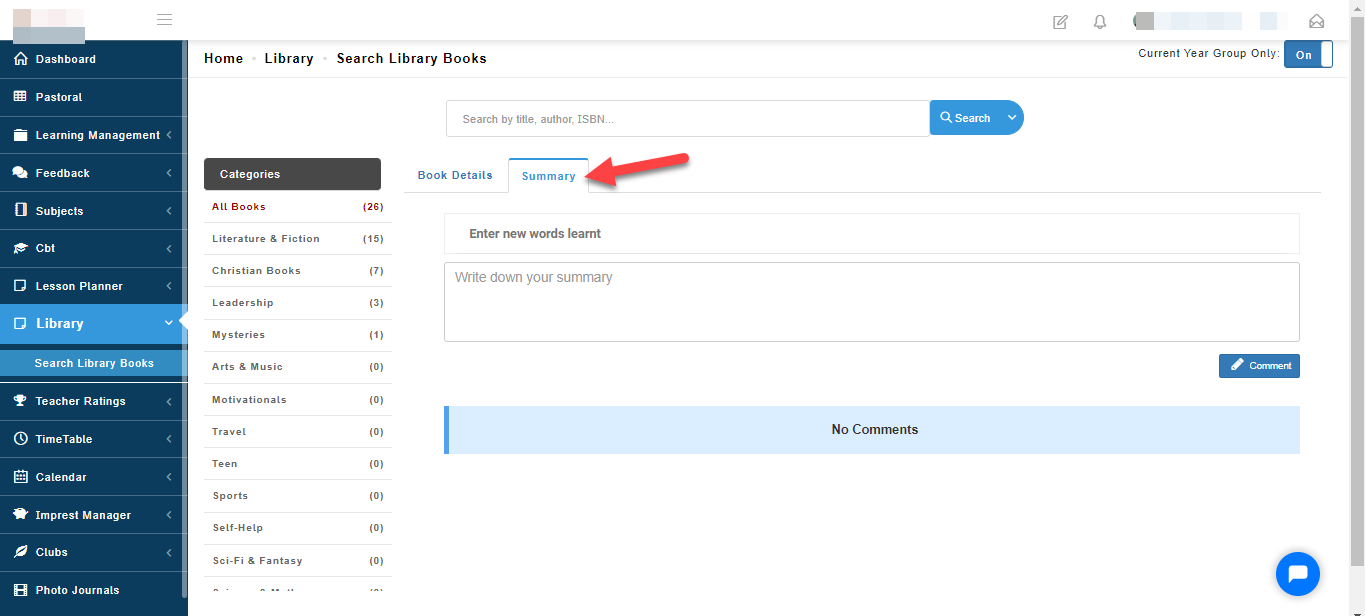
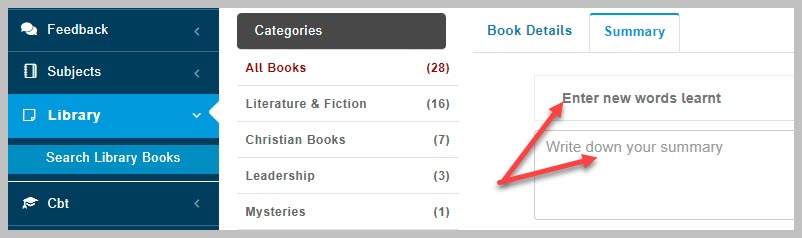
- Go ahead to write the new words you have discovered and summary or lesson you have learnt after reading the book.
- For a Hard copy book, you will be advised to access the book from your school library.