Teacher can create behavioural incident report on students disorderly conduct and also Award students good behaviour. to do that we will take you through the steps;
Creating a Behaviour Tracker
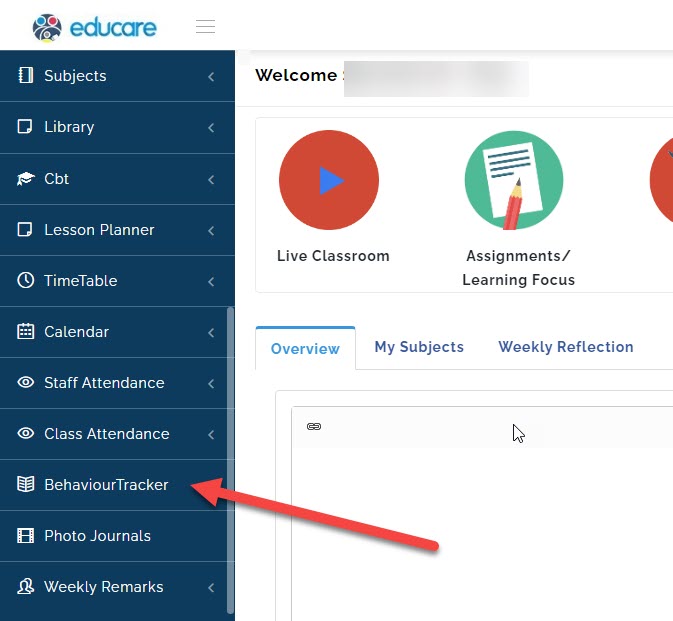
- Go to Behaviour Tracker
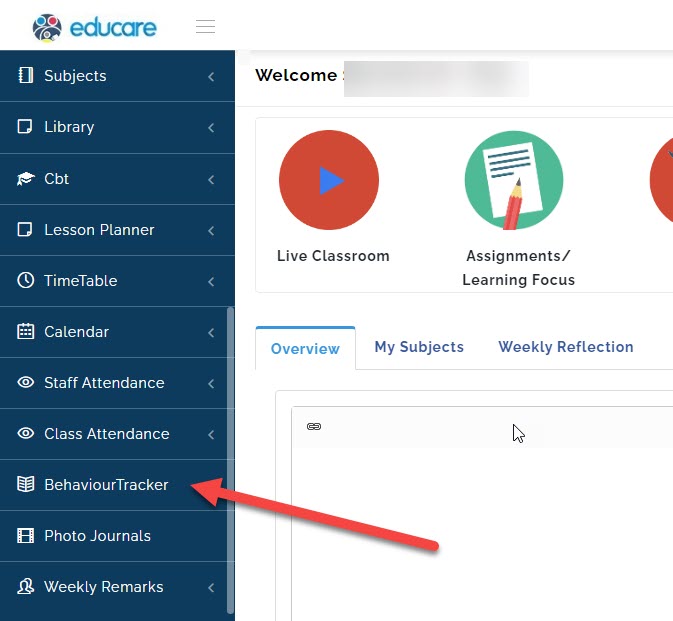
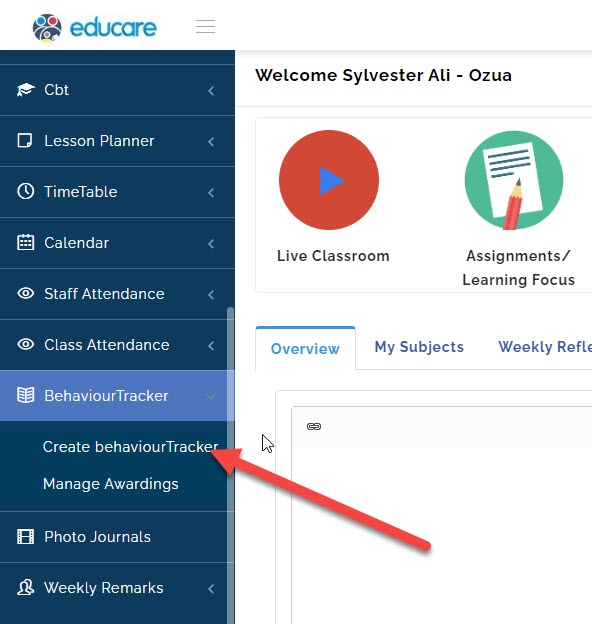
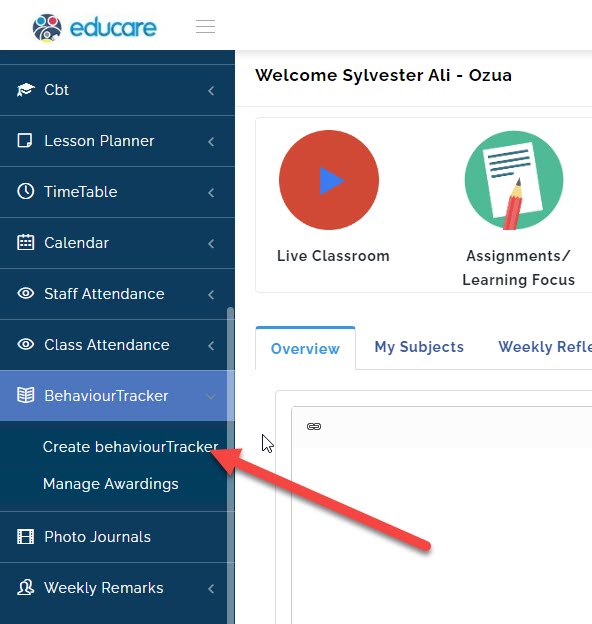
- Select Create Behaviour Tracker
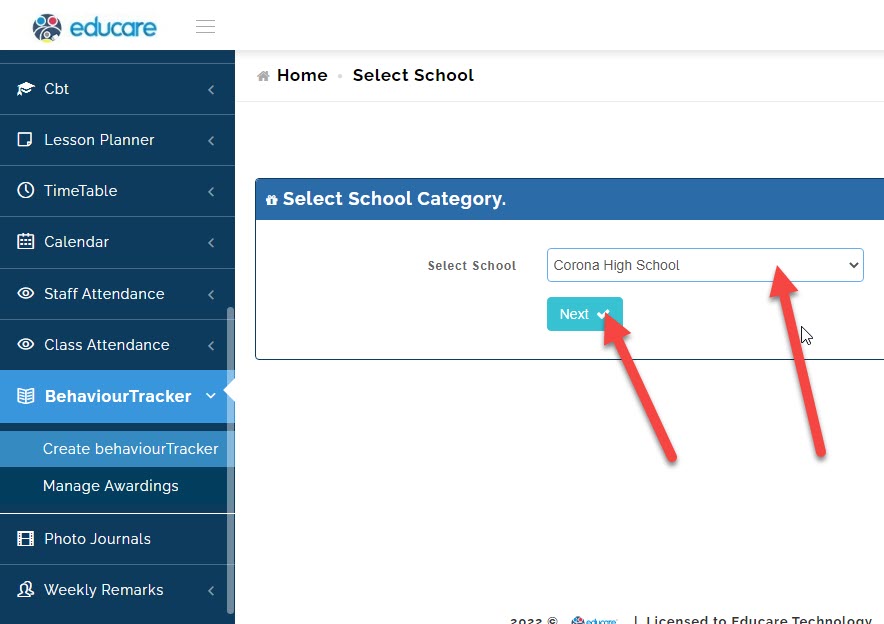
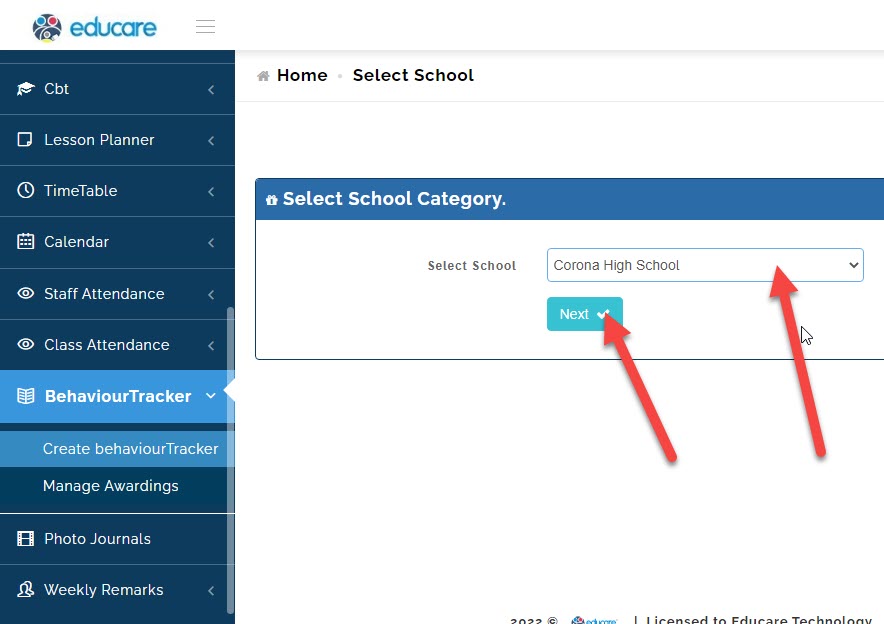
- Select the school (if you school have different arm like Eyfs, Junior school and High school) you want to create the report for and click on next.
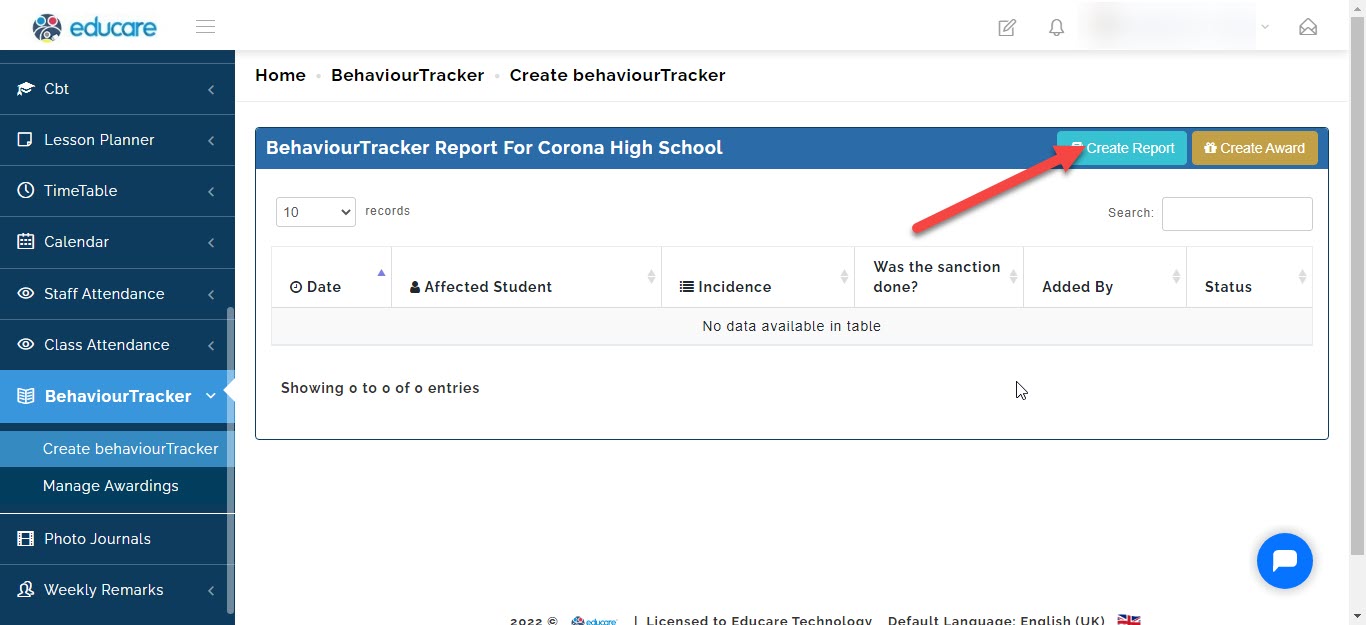
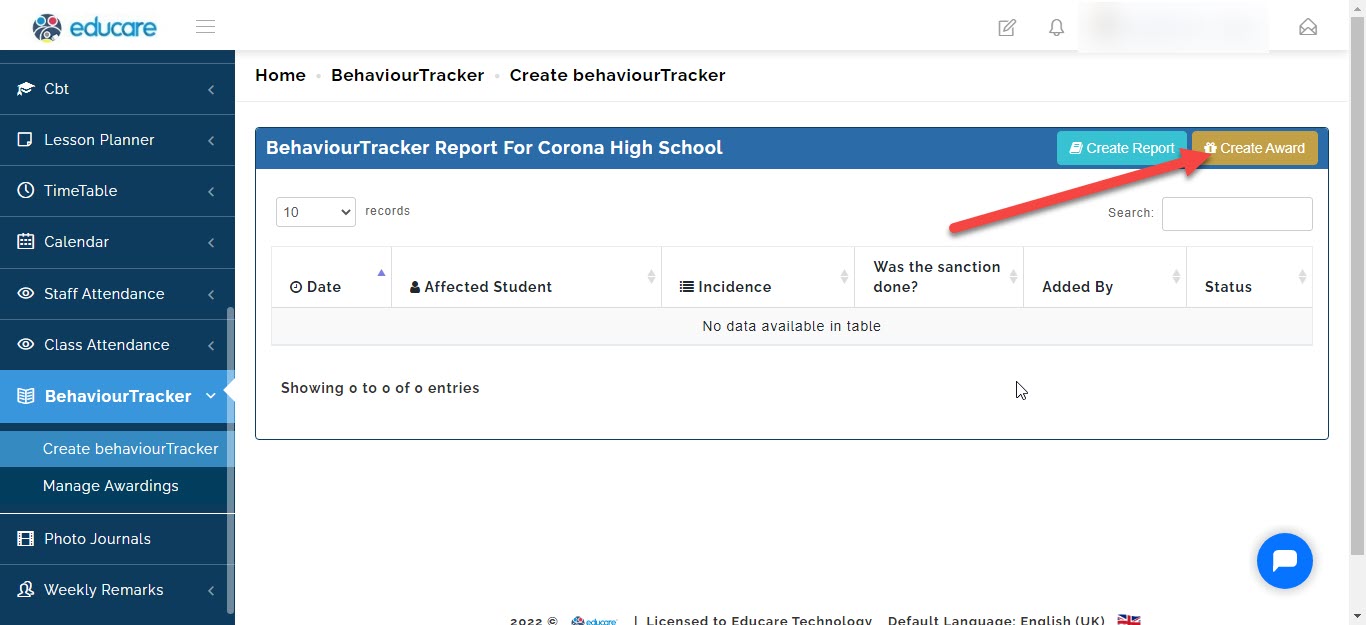
- Click on create report
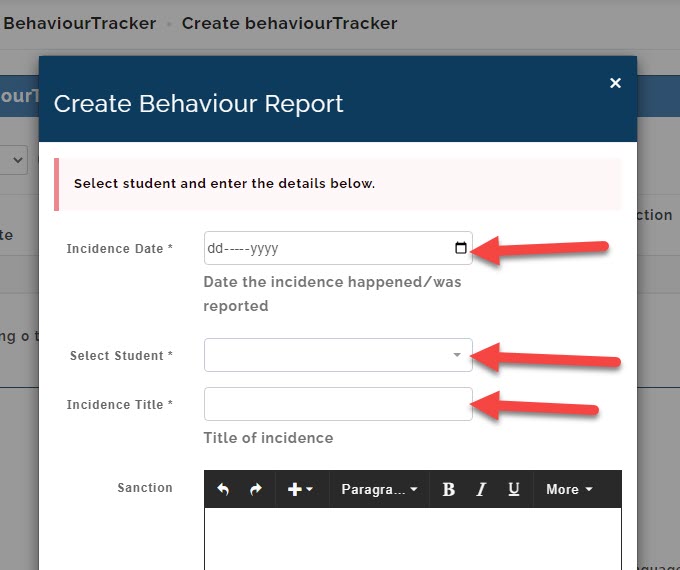
A new window will pop up. here you will have to fill in the details of the incident like
writing the Incidence Date
Selecting the Student
*writing the Incidence Title
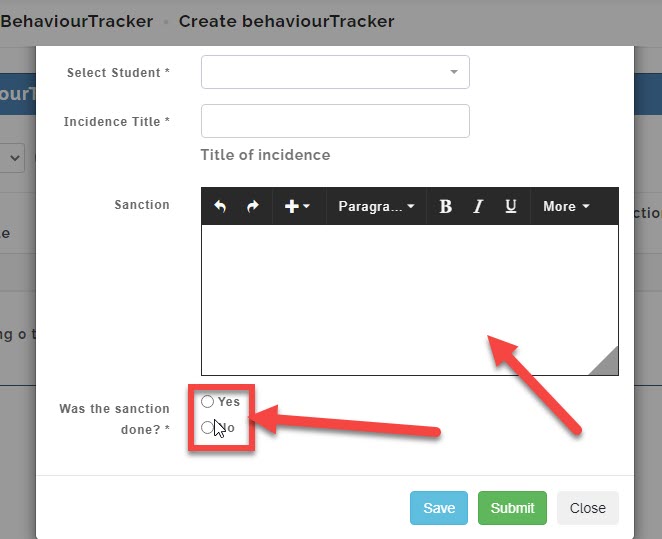
*writing the Sanction the teacher asked the student to perform.
then you select whether the sanction was performed by the student or not
Query Note:
If you select no, the query will be pushed to the necessary personnel in charge of discipline for students.
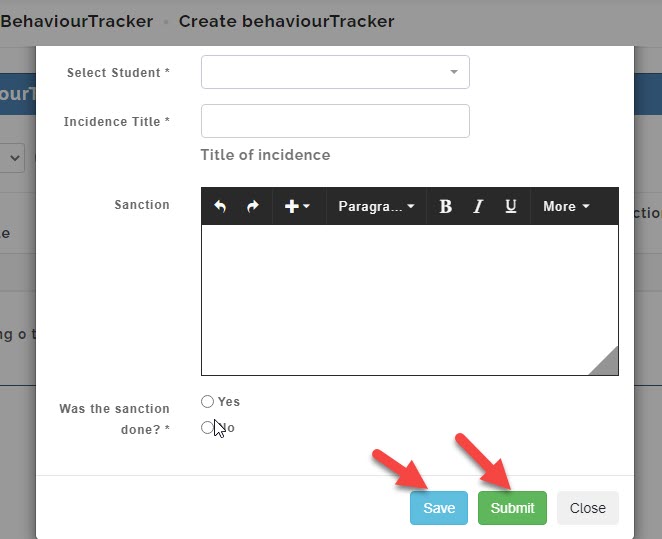
Now the save button will not submit final but save for further editing later
but the submit button submits the report finally
After all the above processes, you have successfully created a behavioural report for a student.
Create Award
- Go to Behaviour **Tracker**
- Select Create Behaviour **Tracker**
- Select the School (if you school have different arm like Eyfs, Junior school and High school) you want to create the report for and click on Next.
- Click on create Award
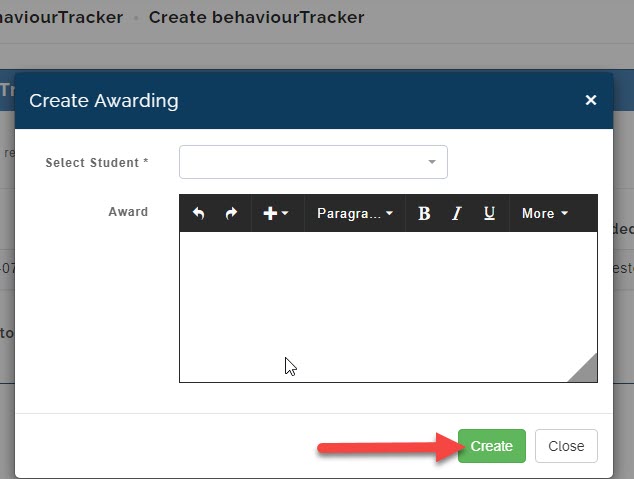
A new window will pop up. here you will have to fill in the details of the award
- Selecting the Student
- Write reason for the Award
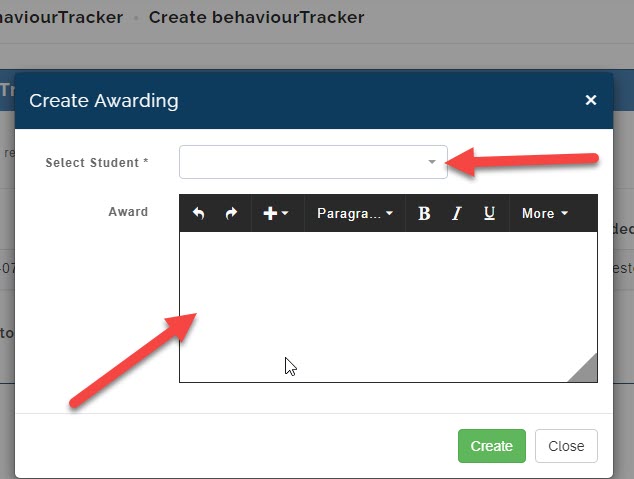
Now click create button to create the award for the child