
In this Section, The School Admin can create the arms under each Year Group for all School Types.
To Create a Class, Follow these Steps:
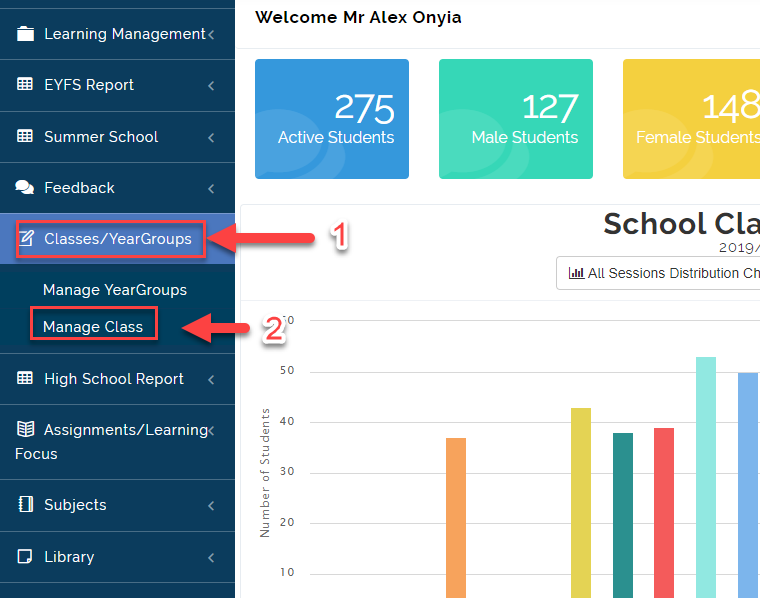
- Click on Classes/ Year Group then Select Manage Class
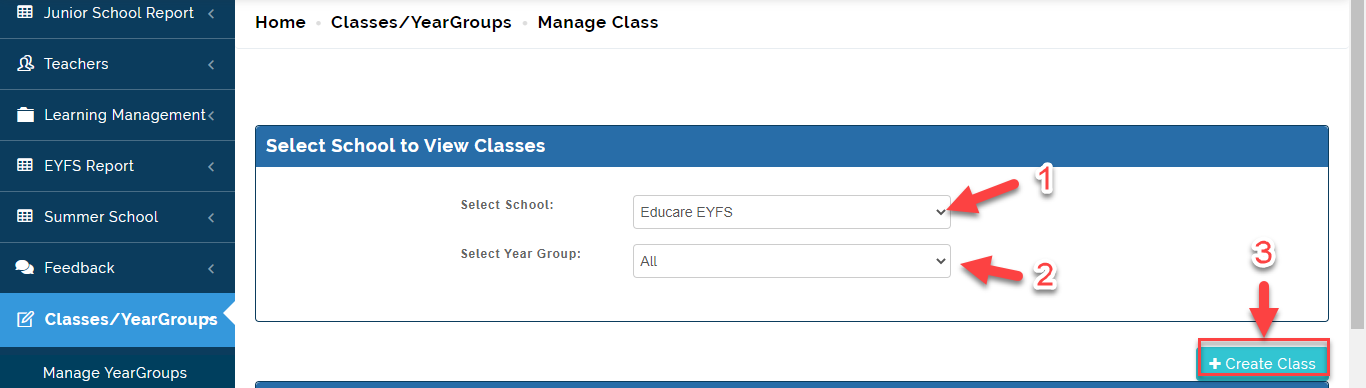
- Select the School Type (EYFS, Junior or High School) then Click on Next. Select the Year Group. Click on Create Class.
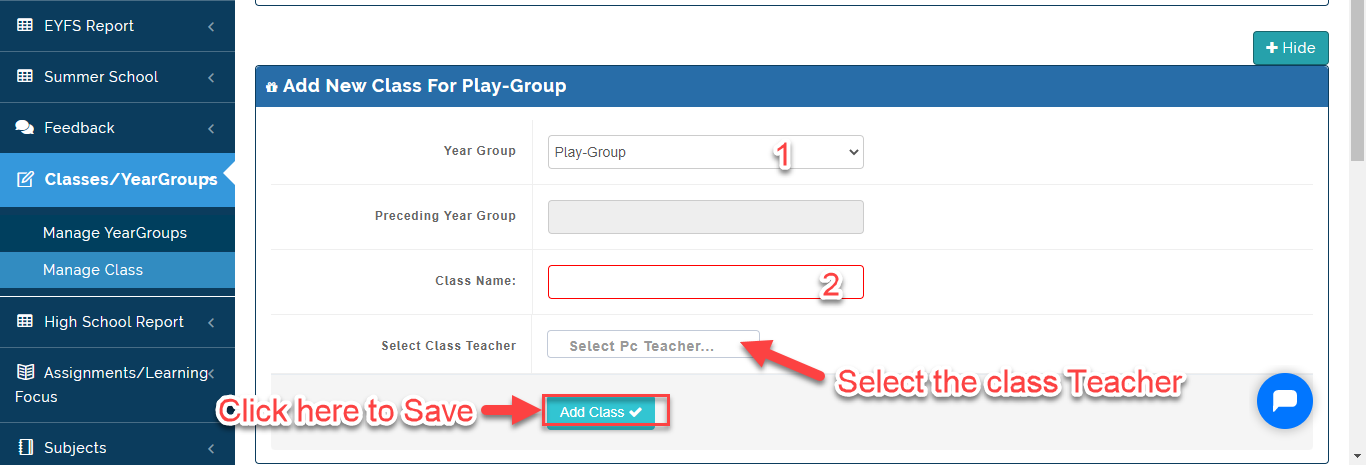
- Under the Add Class For Tab, Select the Year Group you want to Create Class for, Select the Class Teacher then Click on Add Class.
How To Add A Class Teacher
To Add a Class Teacher, Follow these Steps:
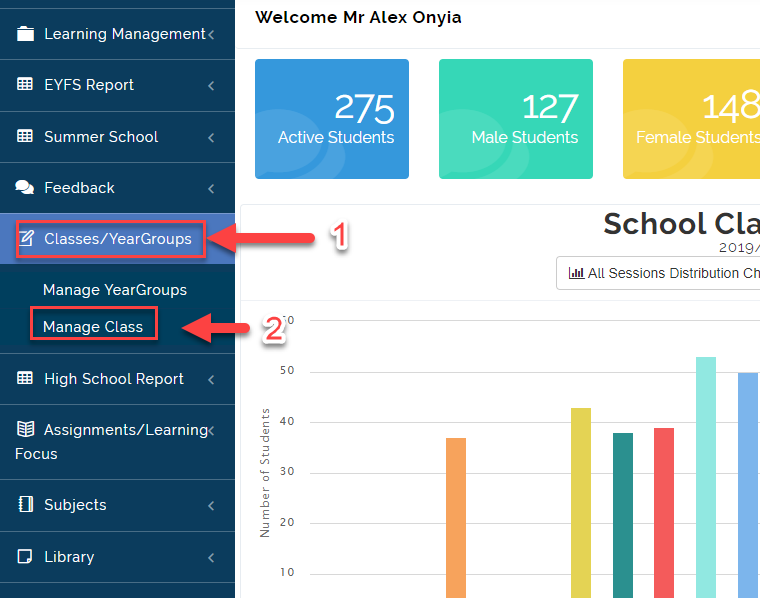
- Click on Classes/ Year Group then Select Manage Class
- Select the School Type (EYFS, Junior or High School) then Click on Next. This will bring up the list of all the Classes registered on the Portal.
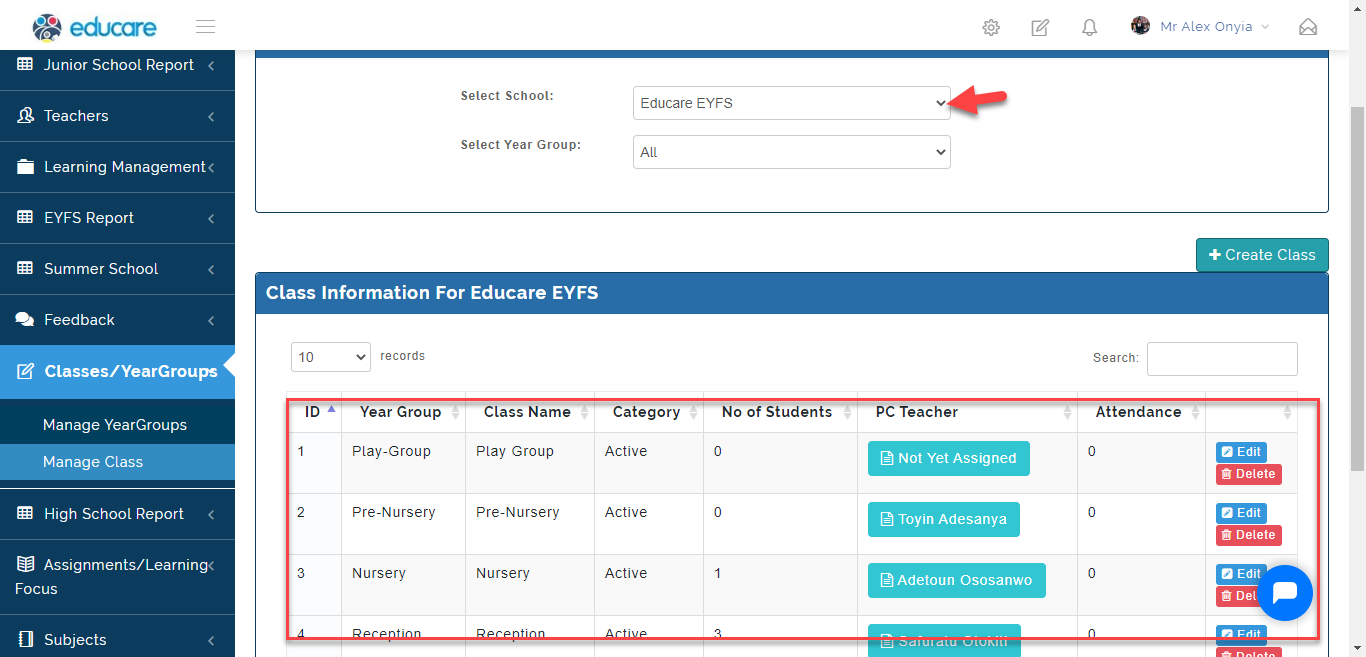
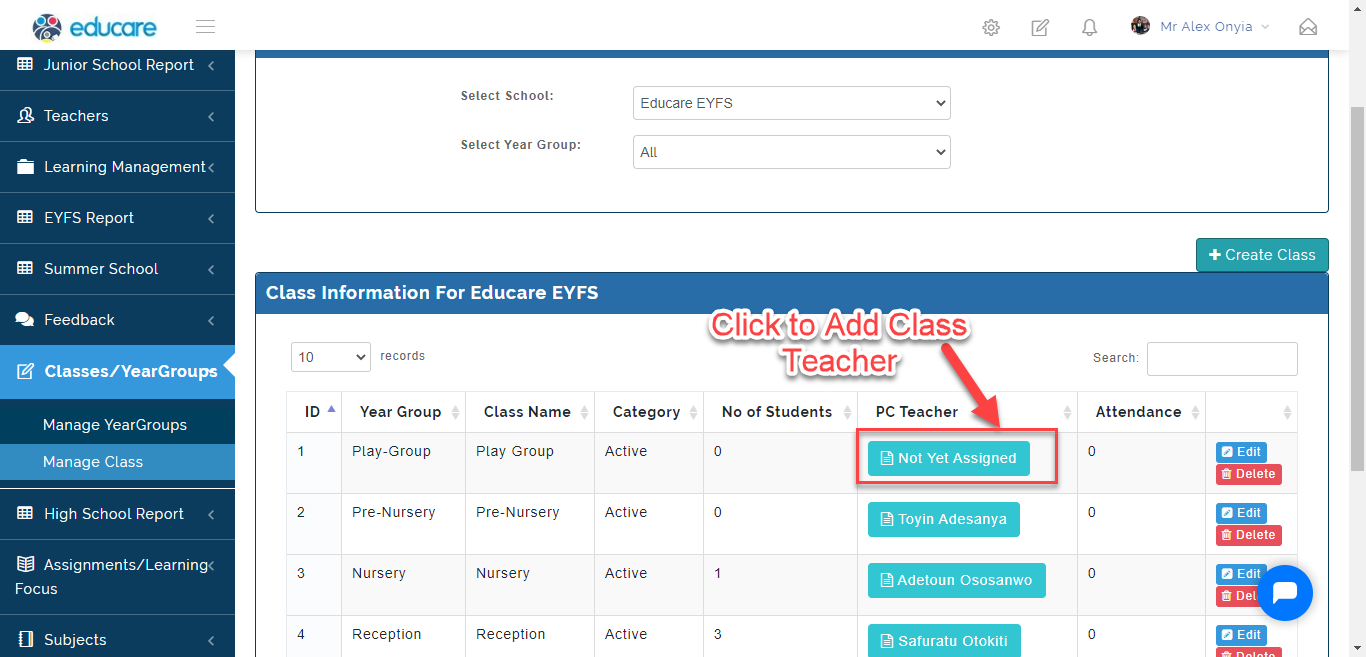
- Under the PC teacher Tab, Click on NOT YET ASSIGNED if there is no Class Teacher previously entered.
- Click on Select Class Teacher to add the Class Teacher's name. Click on Update Class or Cancel Update to Ignore.
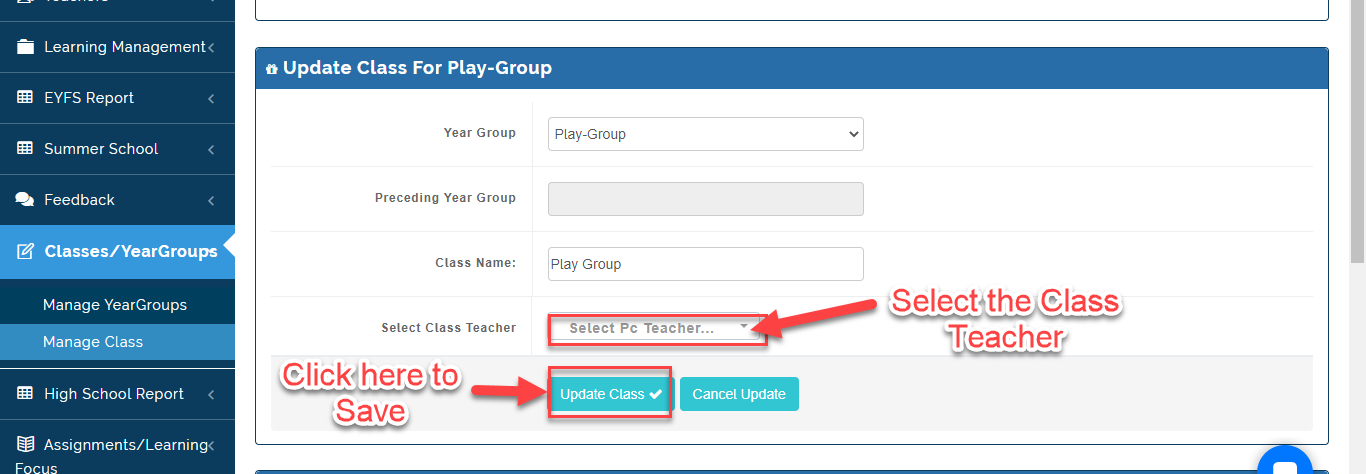
Note on How to add a Class Teacher
If you need to change assign another teacher as the class teacher, Click on Edit for the Class you want to Change Class Teacher for. Select the name on the Teacher under Select Class Teacher then Click on Update Class.
You can Login as a Class Teacher by Clicking on the name of the Class Teacher you want to Log in as under PC Teacher. The Teachers Profile will Appear, Click on Login as Teacher.