This link allows parent or student to make direct purchase of items from the store of the store manager in the school premises.
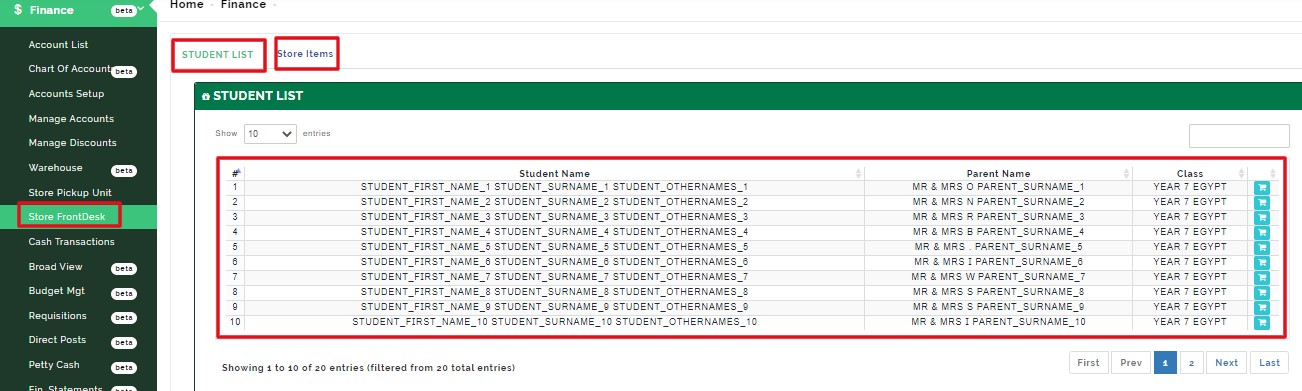
VIEW STORE FRONTDESK TABLE:
This table shows the list of all the active students in the school, parent name and class.
VIEW DETAILS:
This button enables store manager to view store items
HOW TO SELL AN ITEM AND CHECKOUT FOR A STUDENT:
Click on the cart icon to view details of each student
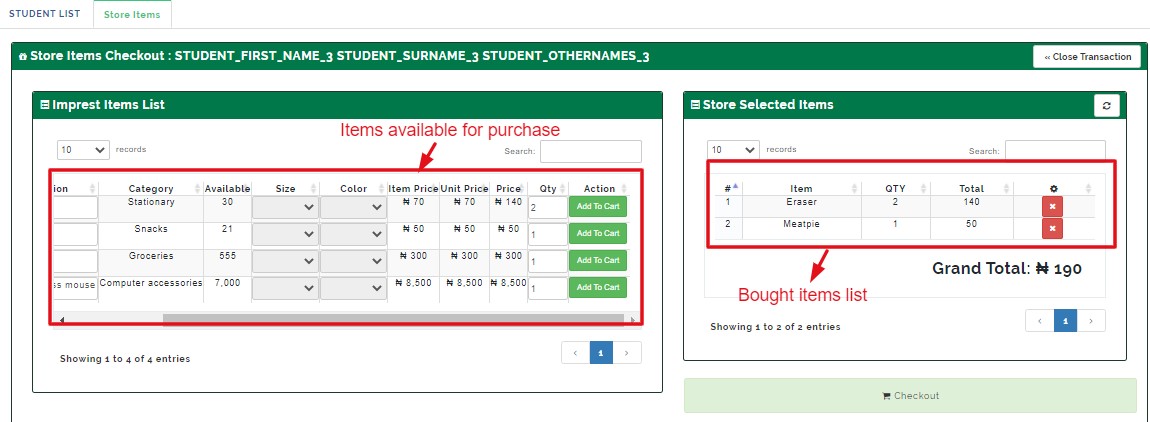
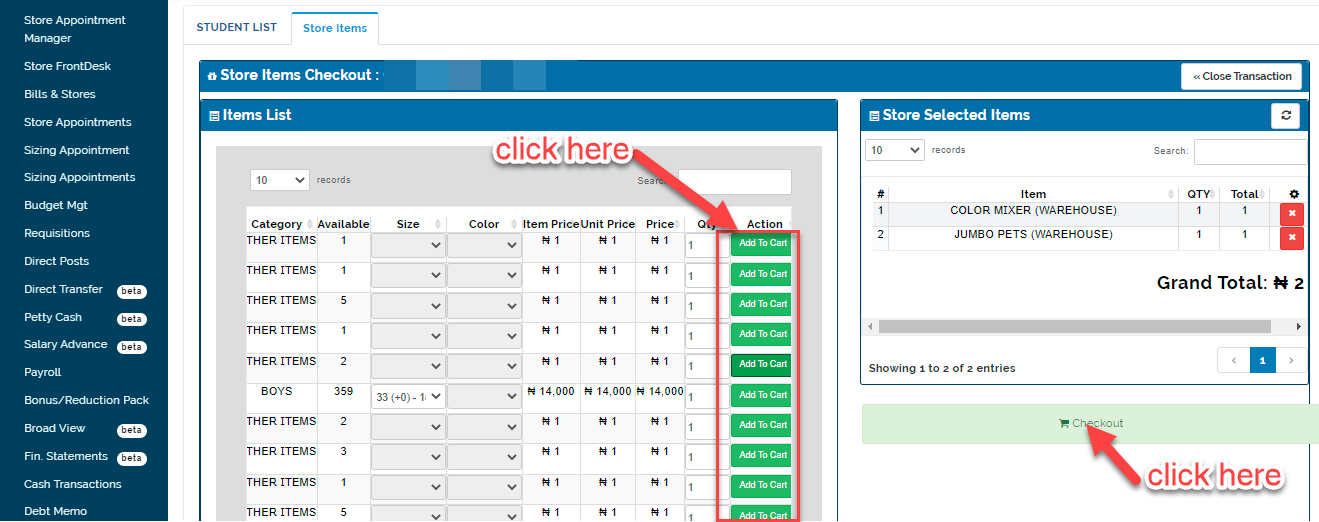
From the imprest item list select size and color of the item
Enter the quantity of each item the parent requested for (quantity per item, size, color)
click add to cart
The item moves to store selected items with the grand total
Click on CHECKOUT to proceed to payment
NB:
the quantity affect the price of the item
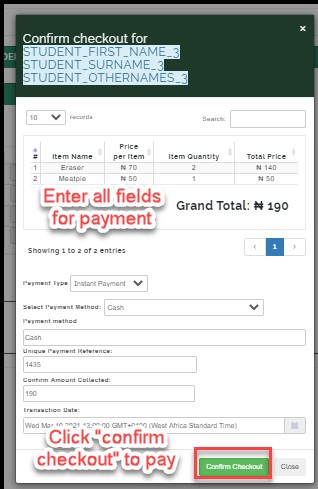
Select payment type;
Counter payment
Instant payment
Counter payment;
the parent is asked to go the cashier for payment or issued an invoice to make payment
Instant payment;
the parent makes payment immediately to the store manager either cash or transfer
HOW TO MAKE INSTANT PAYMENT
Select payment method
Enter unique payment reference
Confirm amount collected
Enter transaction date and time
Click on confirm checkout.
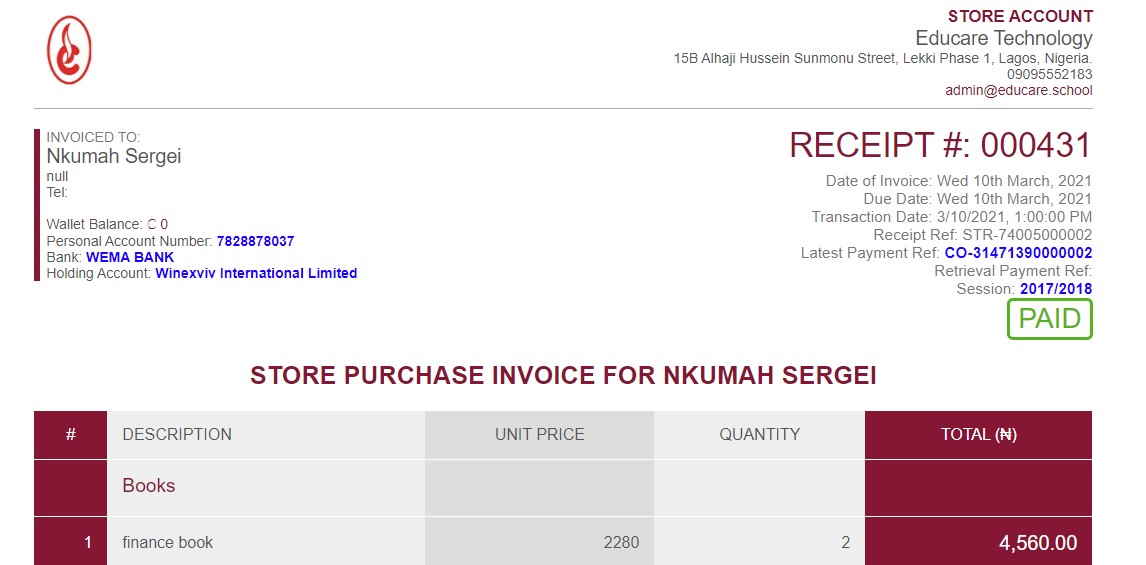
The system automatically generate invoice and clears it as paid