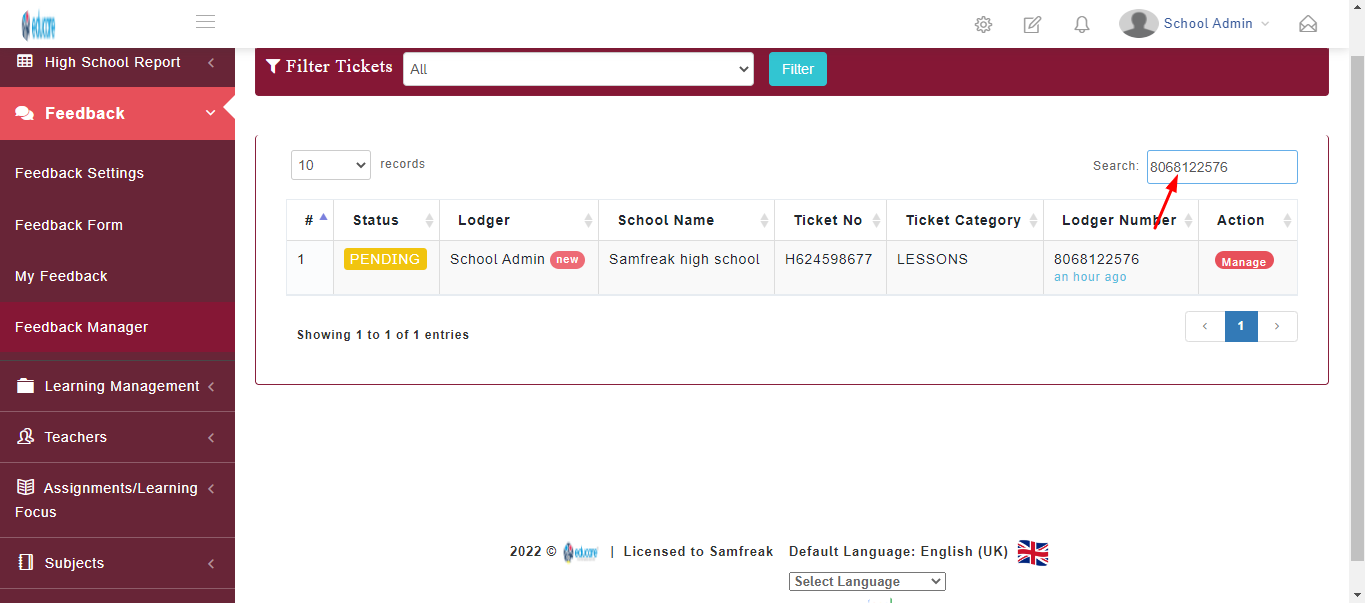
This module is used to manage the feedback from filtering of ticket, to assigning ticket to a user
Assigning ticket to user
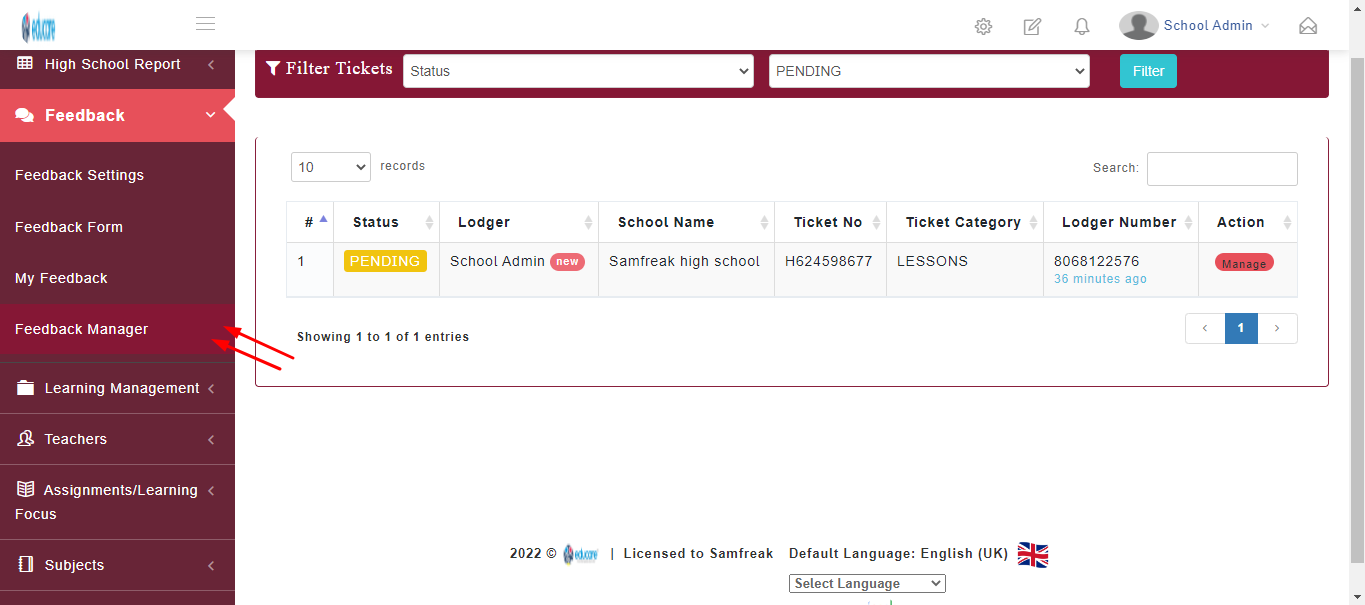
Step 1
click on feedback manager as shown below
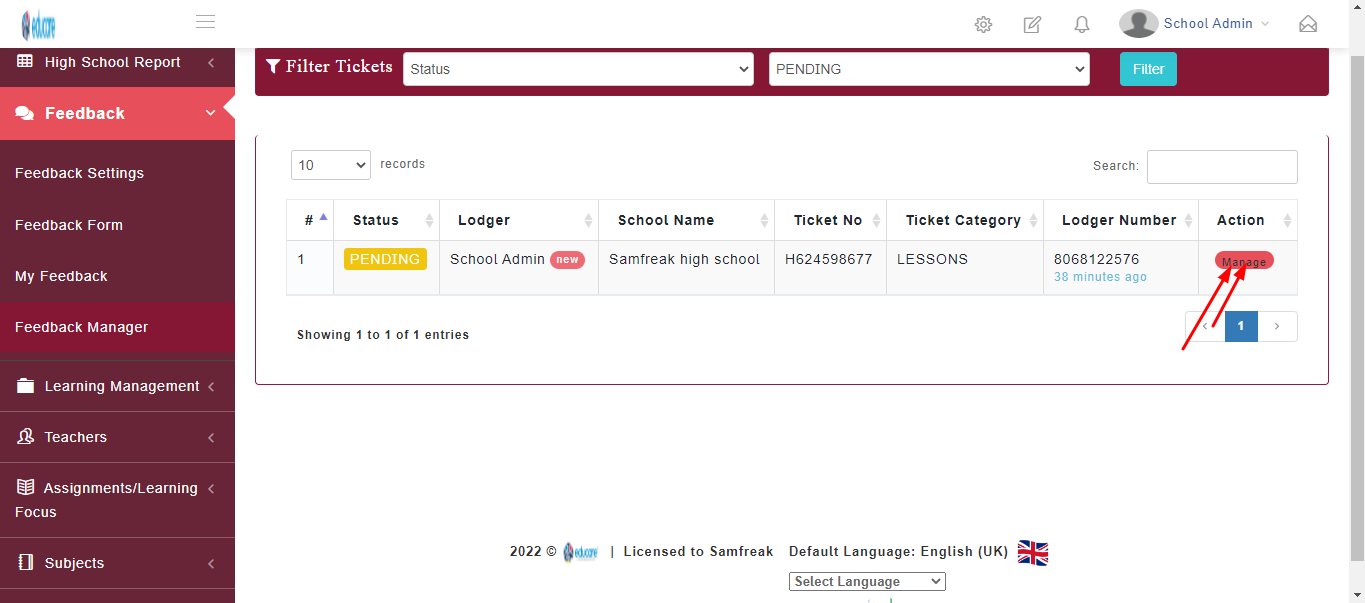
Step 2
click on manage as shown below
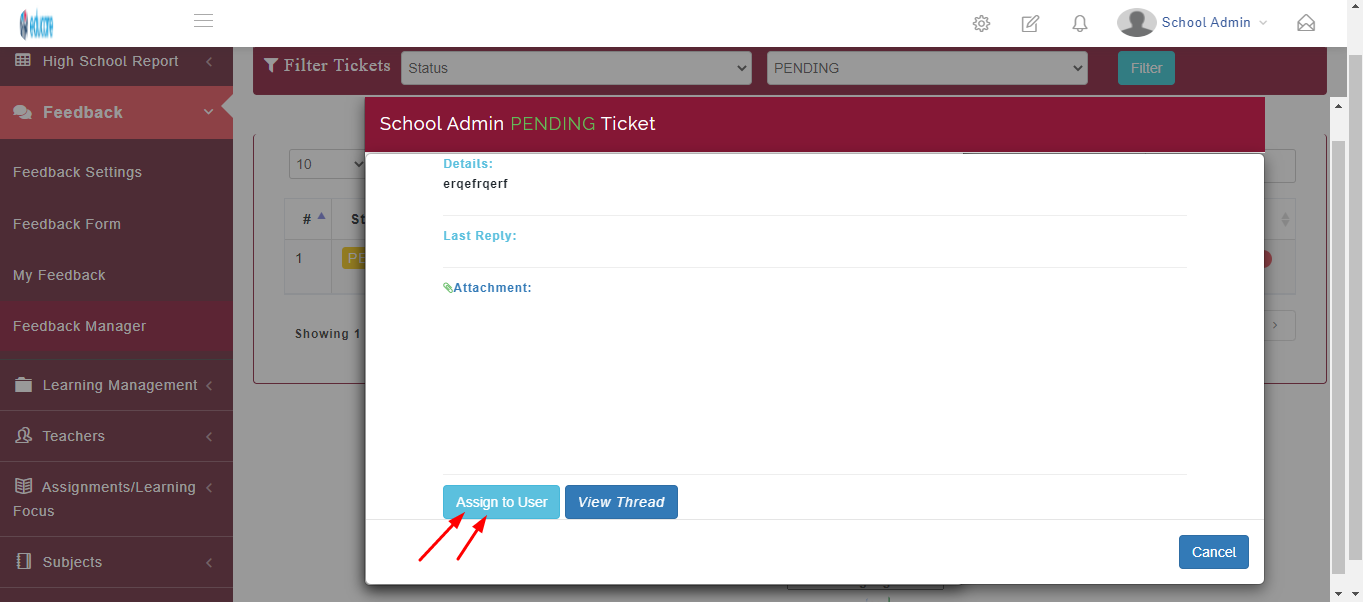
Step 3
click on Assign to user to assign user
Step 4
select user to assign,
Note: list of users available are generated from the users created
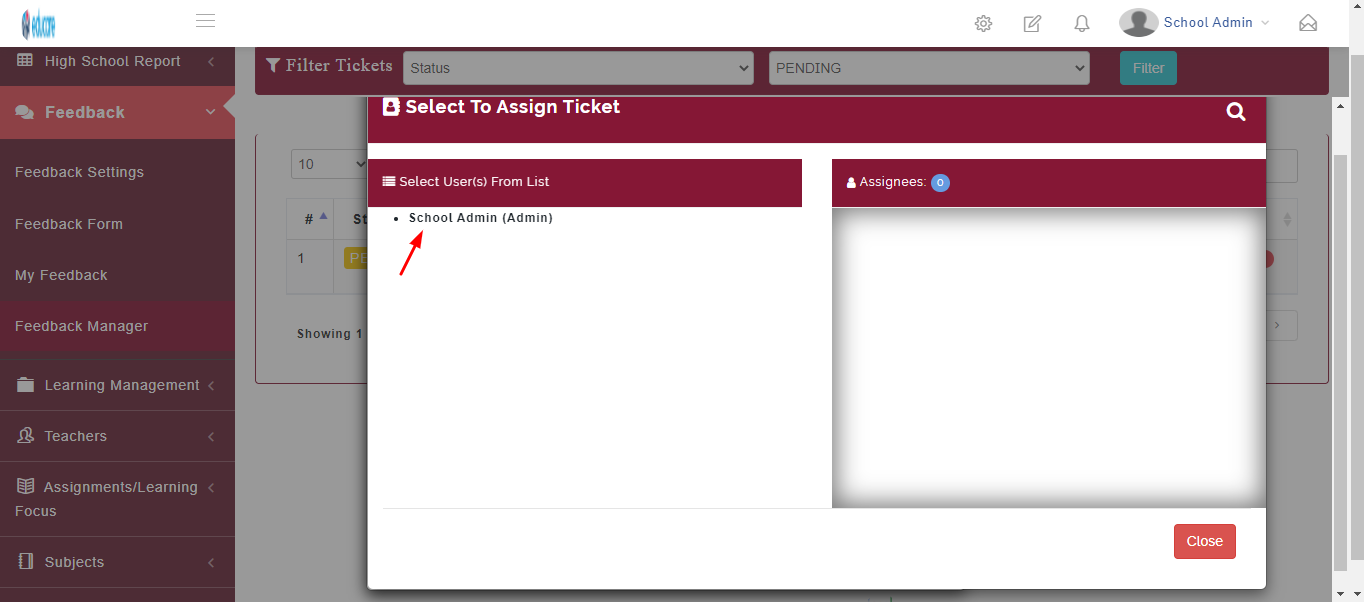
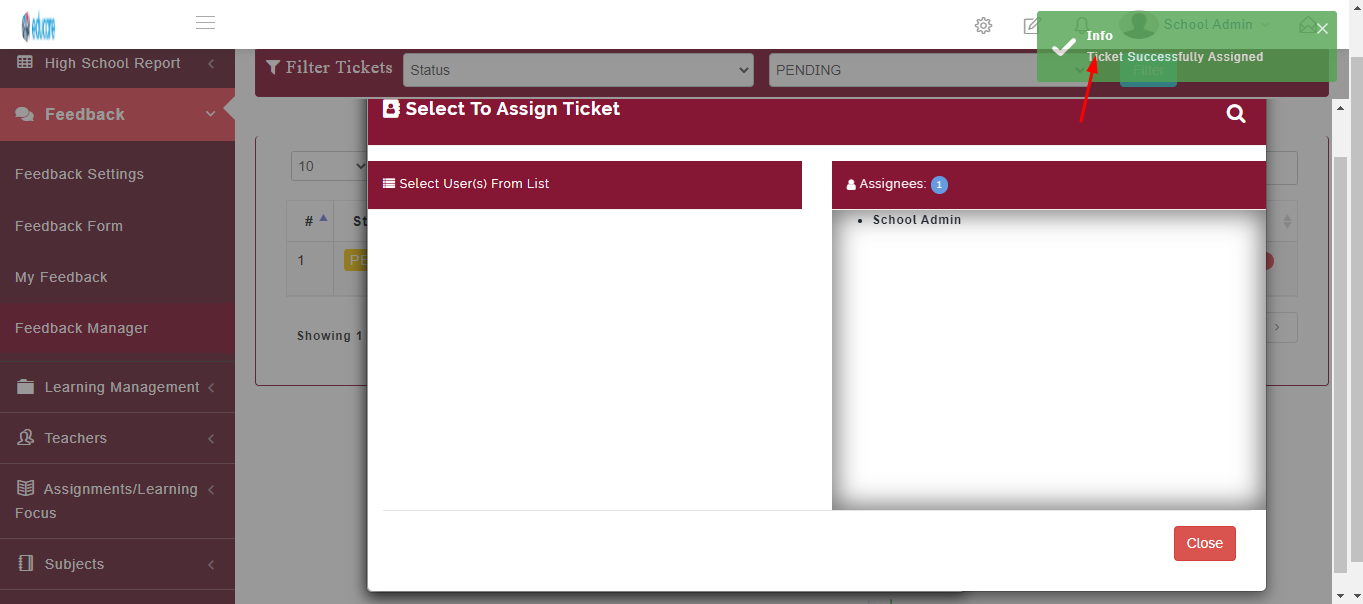
As shown below the user has been assigned to the feedback ticked
To Filter Ticket
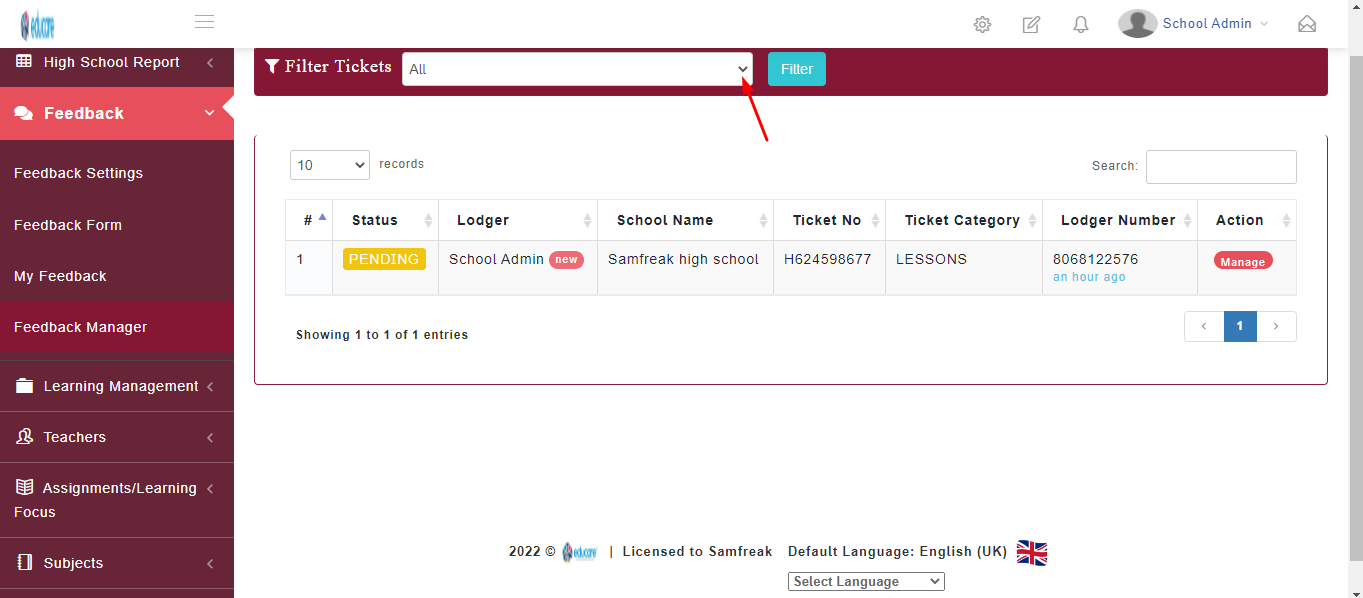
this feature is used to filter tickets from either all, pending or specific status
Step 1
click on the arrow bellow to select category of ticket
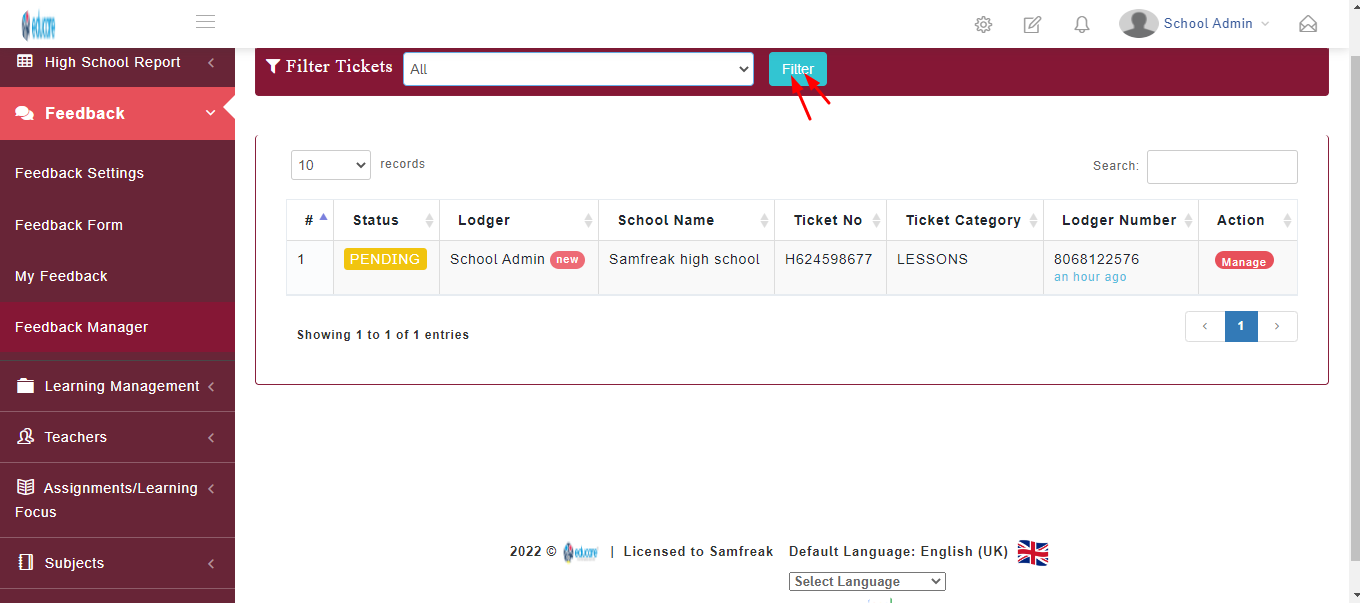
Step 2
click on filter to filter the tickets as shown below
Searching for ticket
Ticket can be searched using the search bar