In this Section, The Class Teacher takes the attendance of student(s) in the class on a daily basis.
Class Attendance
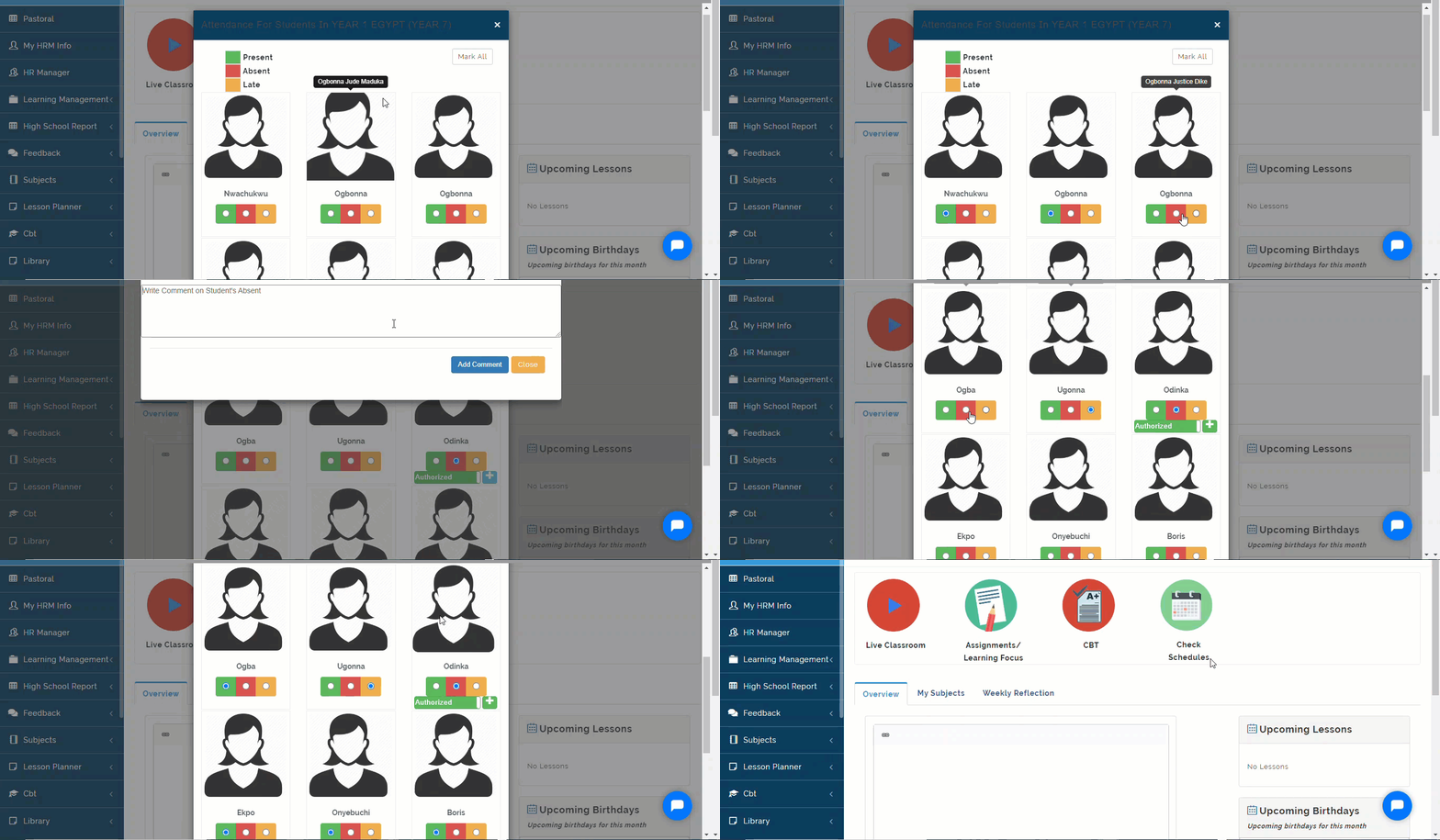
In educare, Class attendance is taken by the Class Teachers only. To Take Class Attendance, follow these Steps:
- When you log in as Class Teacher, A notification button for taking attendance will appear continuously. Click on it to "Take Class Attendance" for the Day.

- A Modal showing the students enrolled into your class will appear, Follow the key as indicated below to take Class Attendance. Click on Submit Attendance button to Save and Close to ignore
How To Mark Attendance Twice
Class Attendance Note
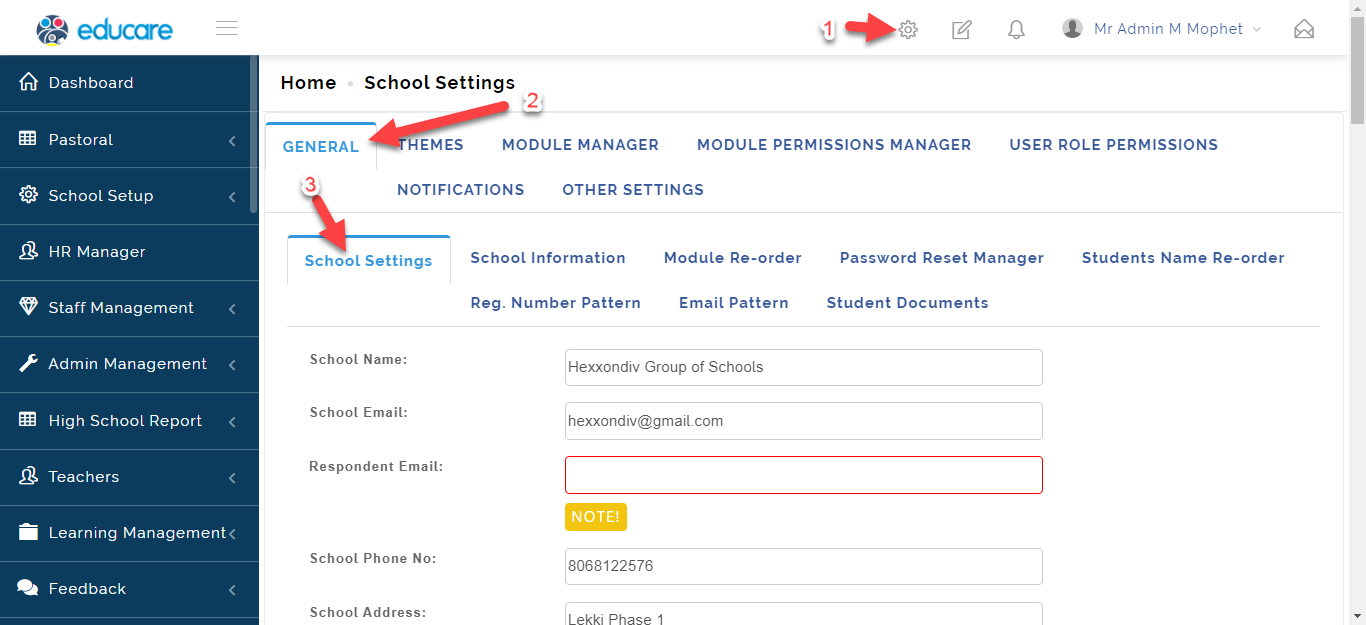
Before you can mark Attendance twice a day, the admin needs to Enable Attendance Periods from Setting.
If Students Attendance is taken twice a day in the school, follow these Steps to Mark Attendance:
- Once Attendance Period is enabled; Click on Take Class Attendance.

- A Modal showing the students enrolled into your class will appear, Follow the key as indicated below to take Class Attendance in the Morning.
Switch to Afternoon and do the same thing. Click on Submit Attendance button to Save and Close to ignore

How To Back date Class Attendance Entry
Follow Steps Below to take previous attendance:
Note on Class Attendance
The Admin needs to activate the Mark Previous Attendance Button (Toggle button on) from settings to allow Class Teachers to back date students attendance.
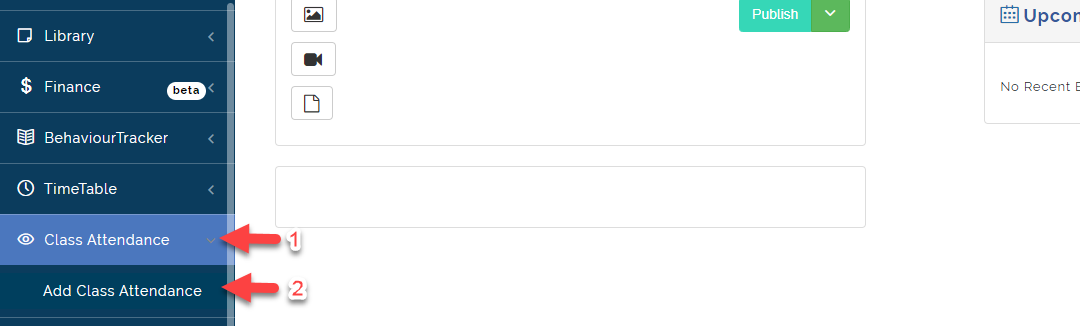
- Click on Class Attendance then Select Add Class Attendance
- Once this button is active, the class teacher can go ahead to Mark Previous Attendance.
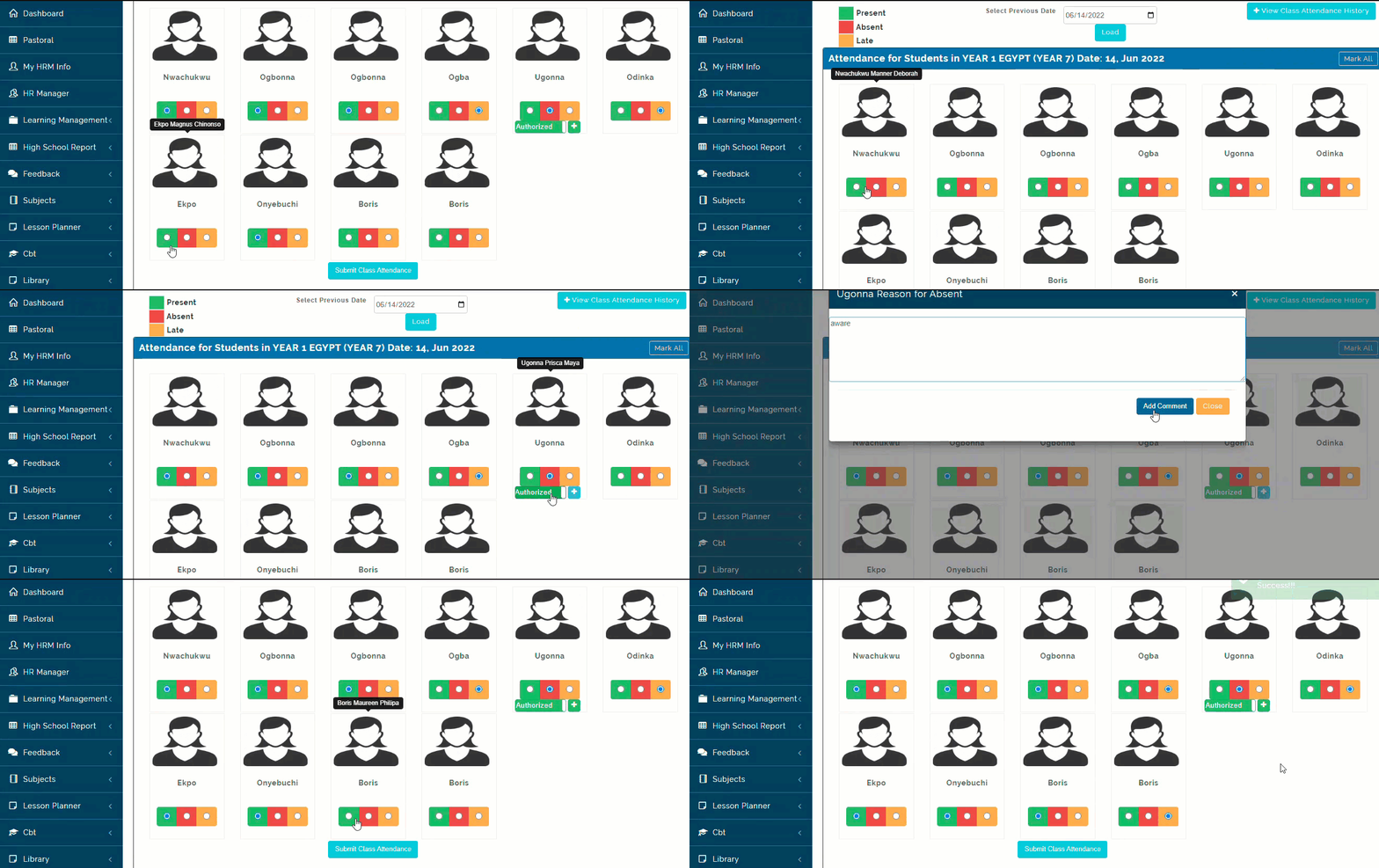
- Using the Calendar Bar, Select Previous Date you want to Mark Attendance For and Click on Load
- The List of Students will appear, Mark Attendance using the Key (Present, Absent and Late=Green, Red and Yellow).
- Click on Submit Class Attendance when done.
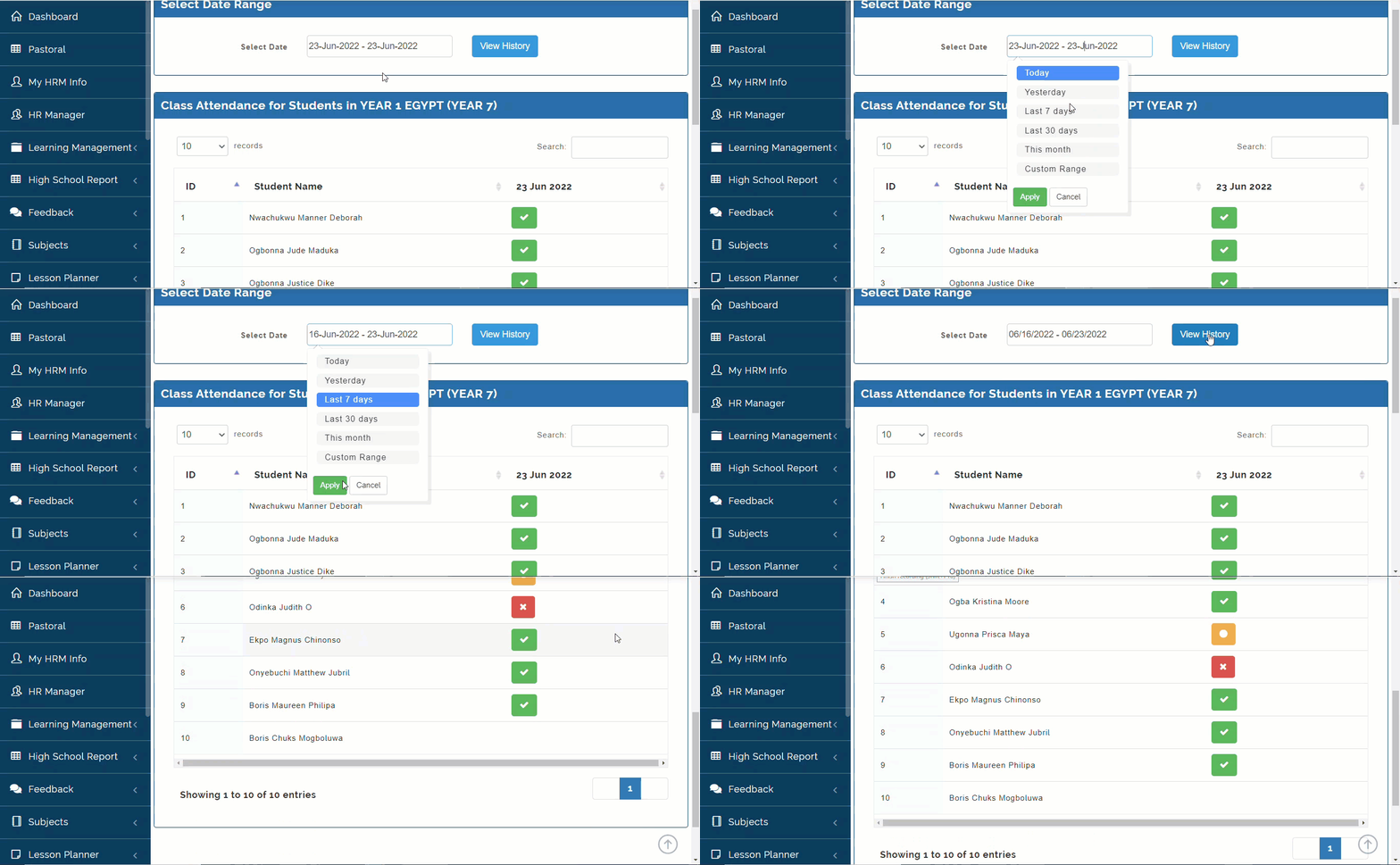
How to View Class Attendance History
To View Class Attendance History, Follow these steps:
- Click on View Class Attendance History.
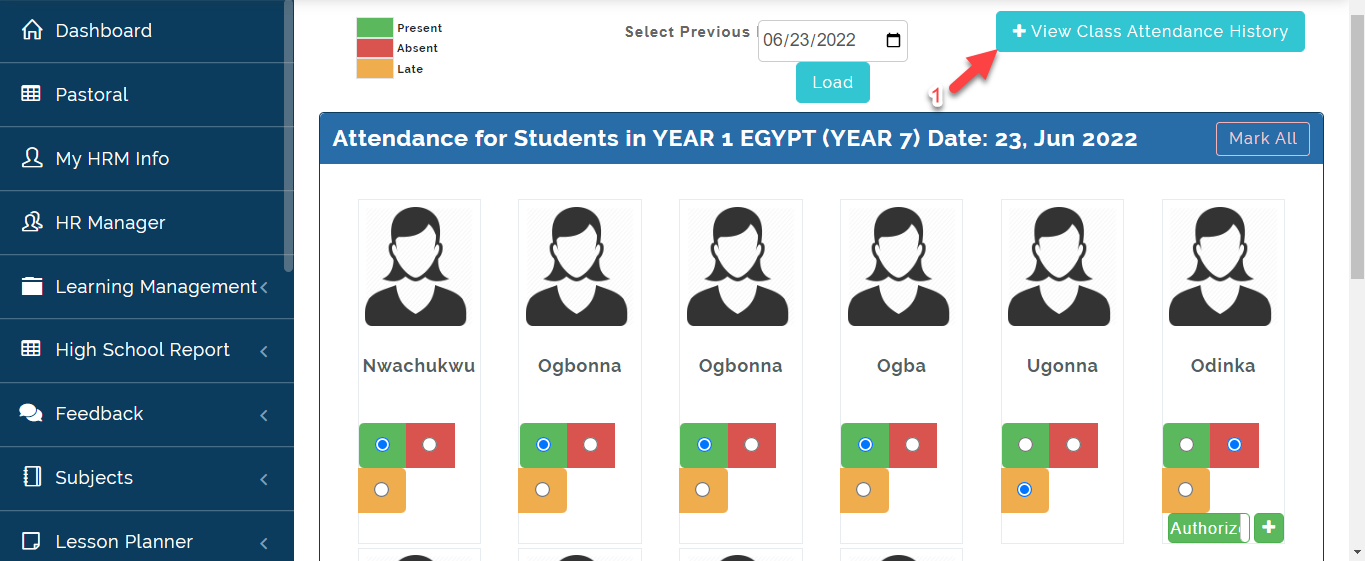
- Select the Date you want to View Attendance for then Apply; Click on View History.