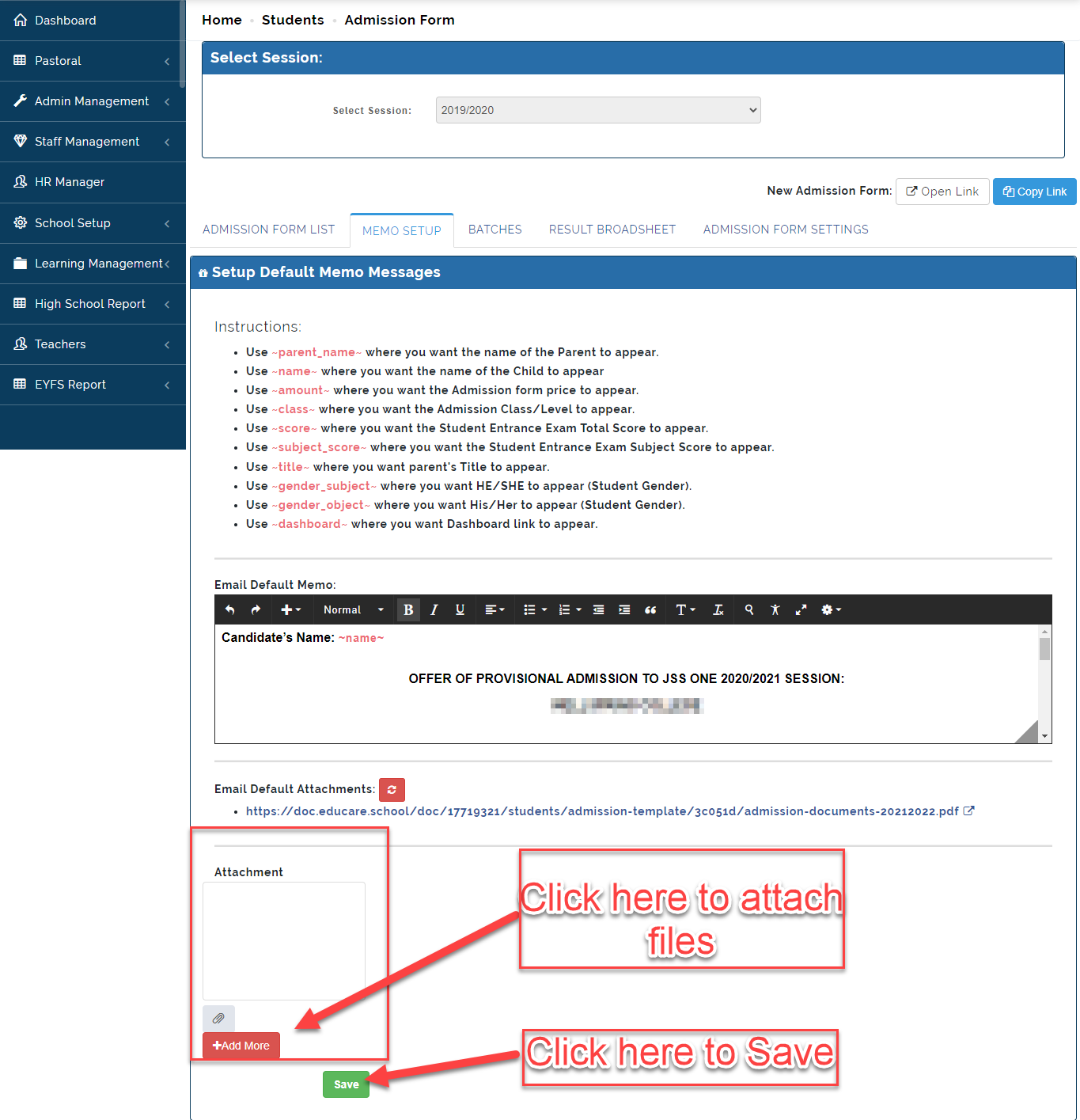
This is where the School Admin can Setup the emails to to be sent out to Candidate. Example; Entrance Exam Score, Admission Letter etc.
To Set up Memo Setup, Follow these Steps:
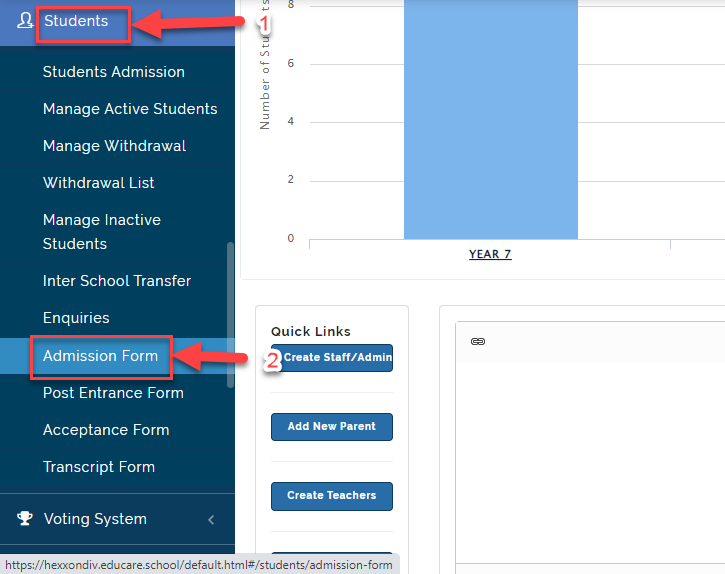
- Click on Students then Select Admission Form.
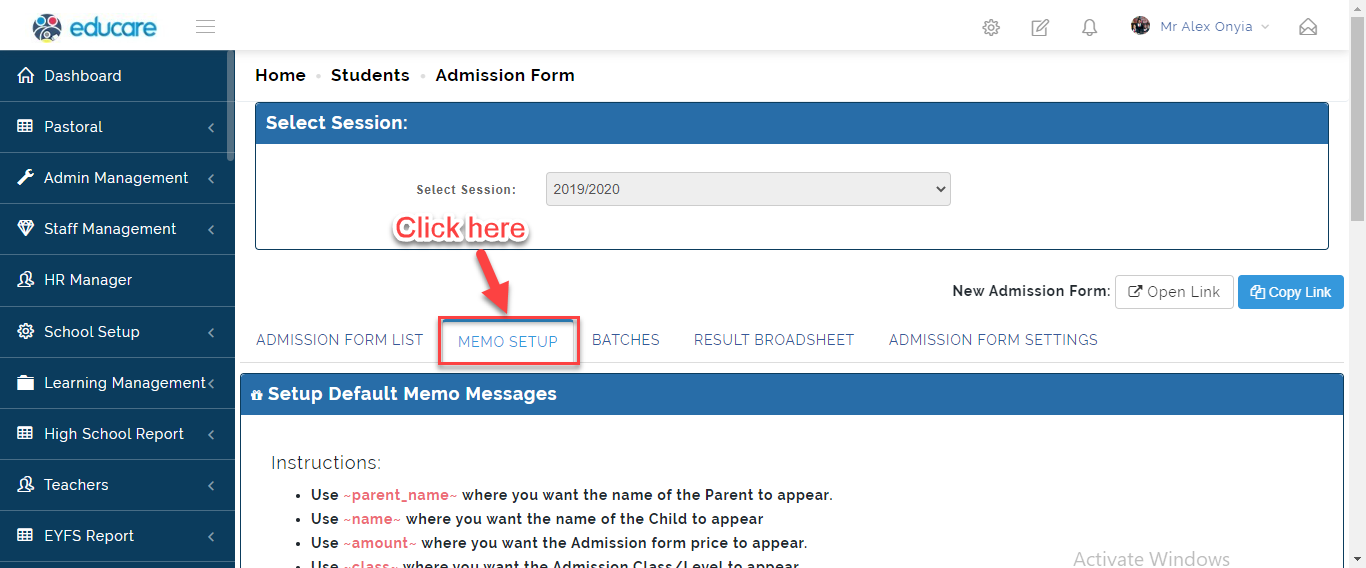
- Click on Memo Setup, this will Bring on the Template for Creating the Memo.
- Using the Place holder, Create the email you wish to send out and include attachment by Clicking on the icon indicated below. Click on Save when done.