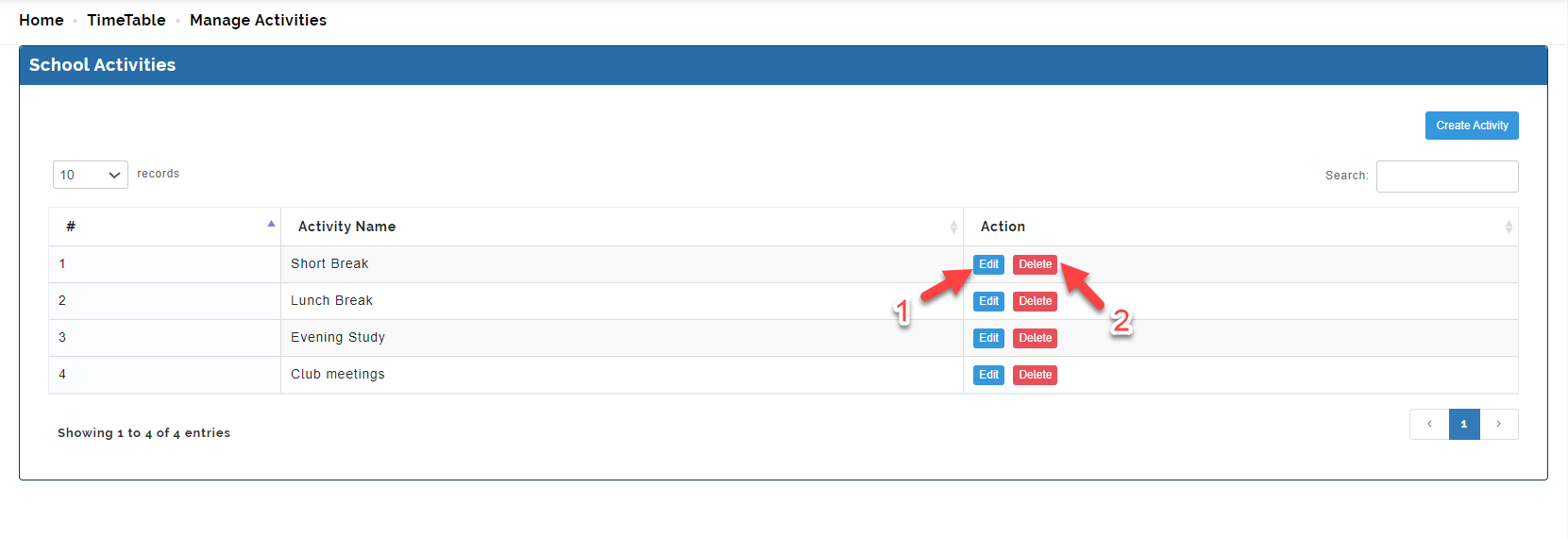
This is where activities in the school ( breaks, club, lunch break) is created. Activities created here can be added to the time table when necessary.
Follow these steps to Manage Activities
Step 1
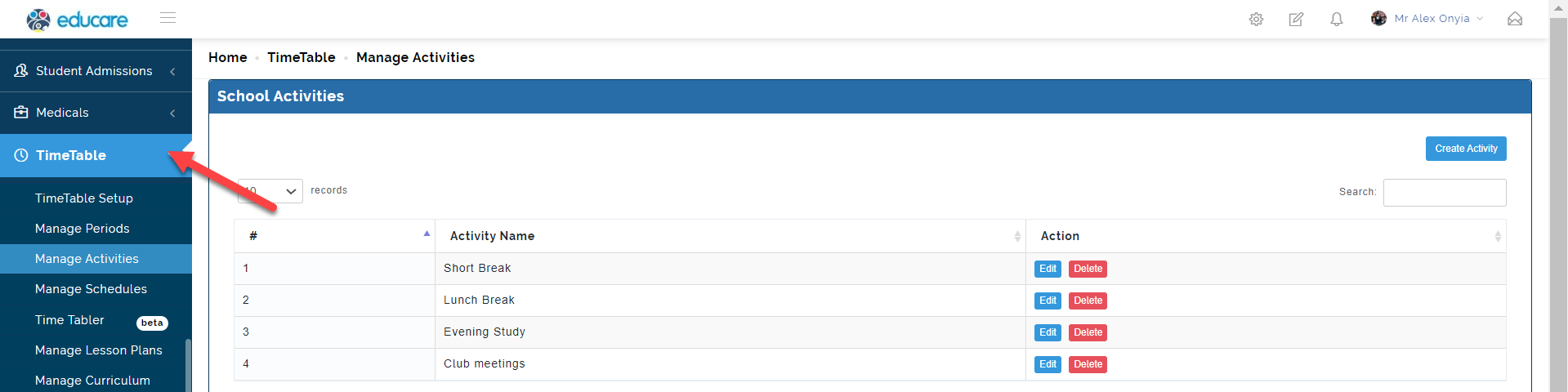
Click on time table as indicated below
Step 2
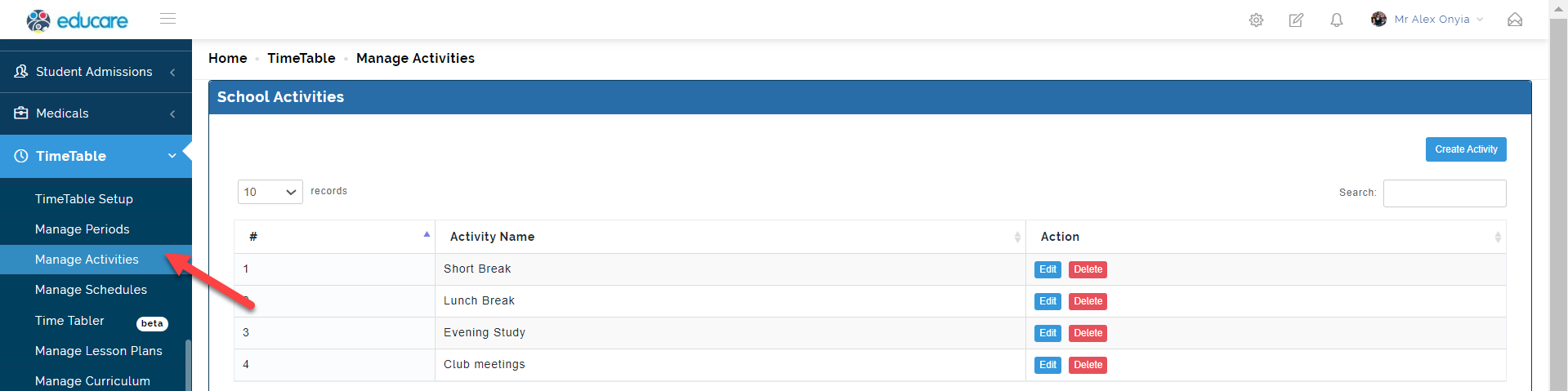
Select manage activities. this will open up the page where you will create activities.
Step 3
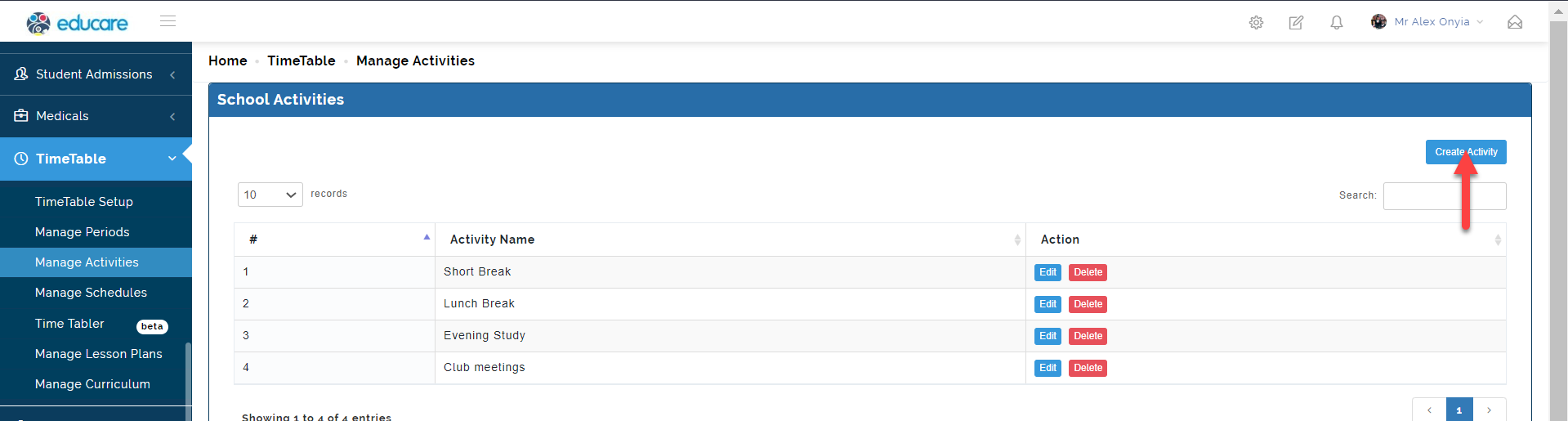
Click on create activity as indicated below. This will open the modal where you are to add the activity name.
Step 4
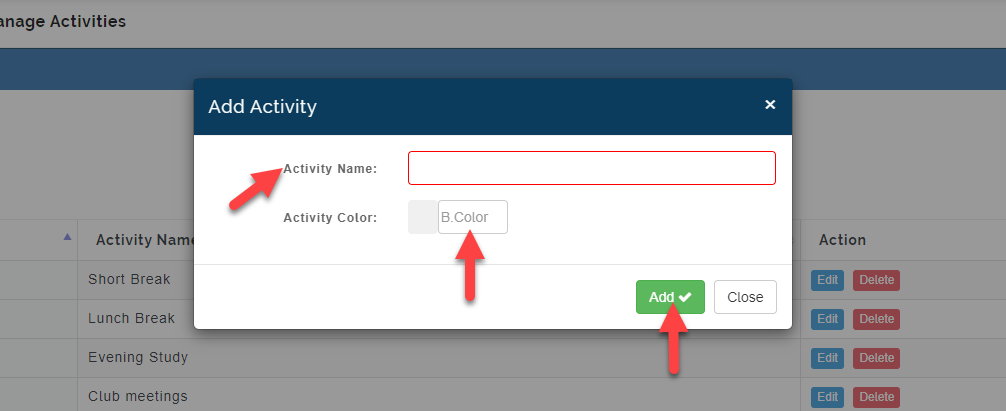
Input the activity name as indicated. Also select activity color so as to show a look and feel to difference between activities created, then click add
Step 5
Below is the list of activities added under the activity name
You can either
1 edit or 2 delete an activity as indicated below.