This Shows all the list of Parents who has Students in the Portal. The School Admin can manage Parents Profile from here.
To View List of all Parents on the Portal, Follow these Steps:
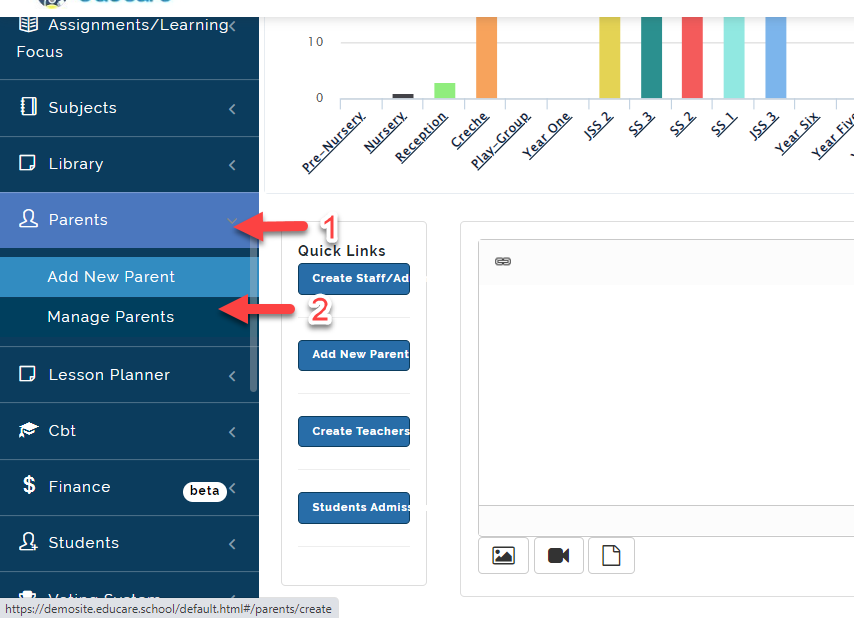
- Click on Admin Management then Select Manage Parents.
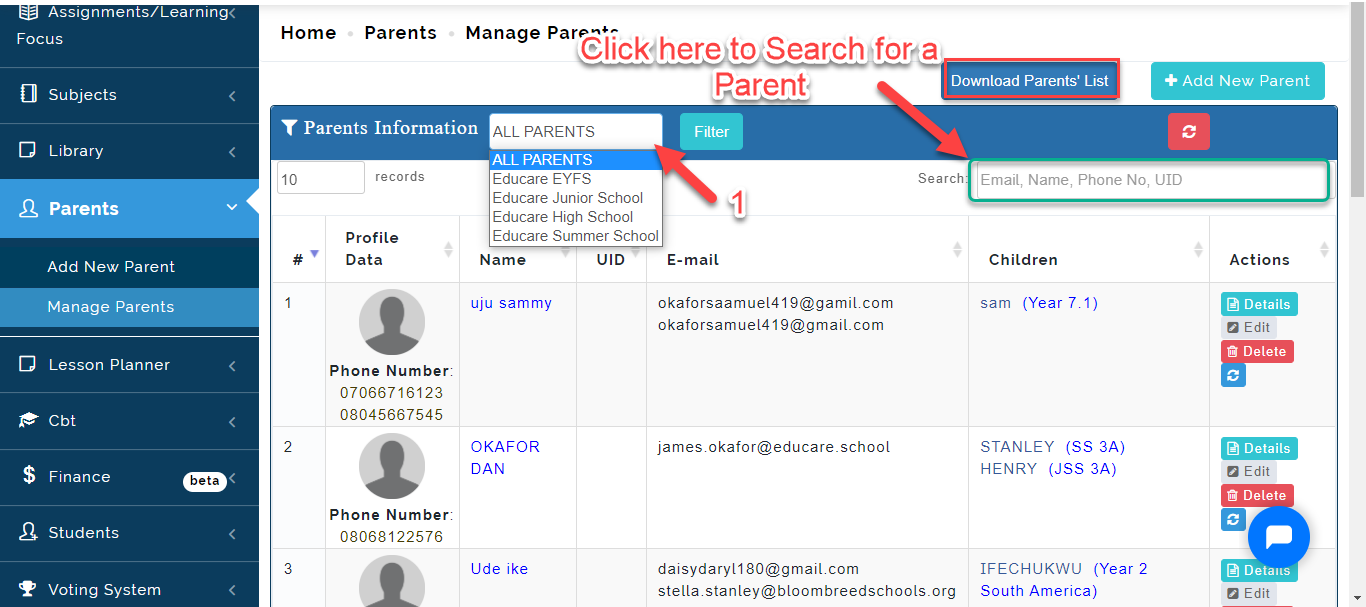
- This will bring up the list of all Parents registered on the portal. Select the School the parents Child is in then click on filter or Search for the name of the parent using the search bar indicated below.
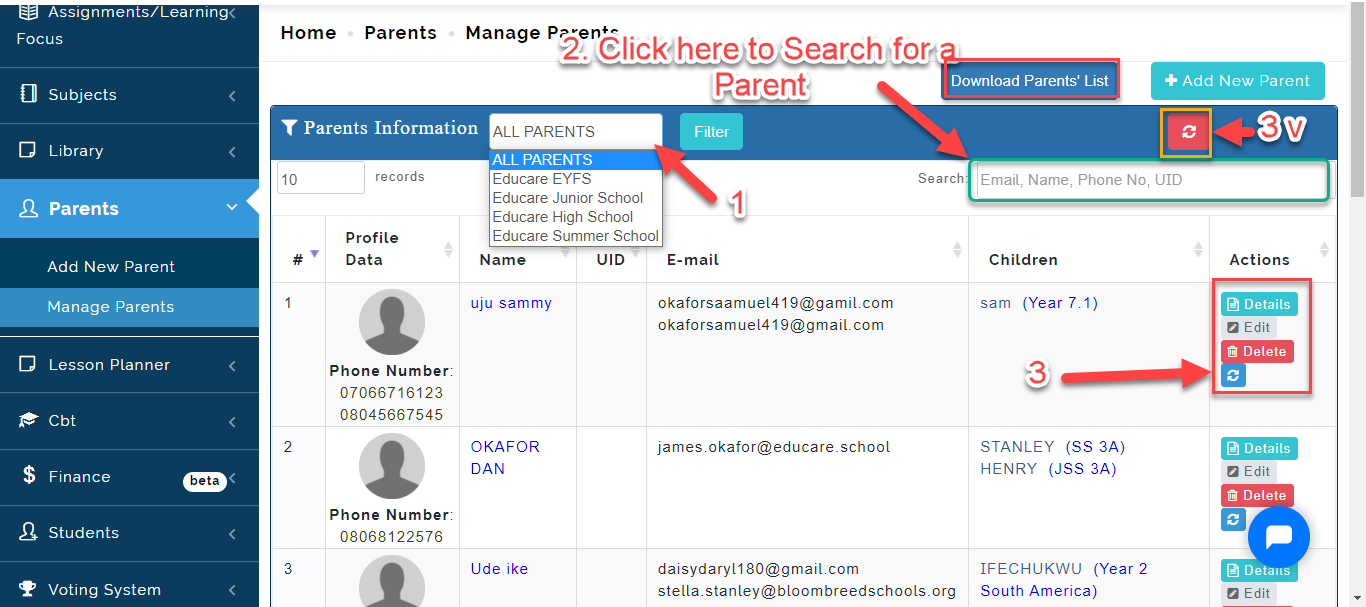
3 i. Click on Details to view Parents Info
ii. Click on Edit to Make changes to parents details
iii. Click on Delete to remove a Parent profile
iv. Click on the Sync icon to reset parent password a particular parent
v. Click on Sync Icon to reset password for all parents at once.
How to Attach a New Child to a Parent
To assign a New Child to an Existing Parent account, Follow these Steps:
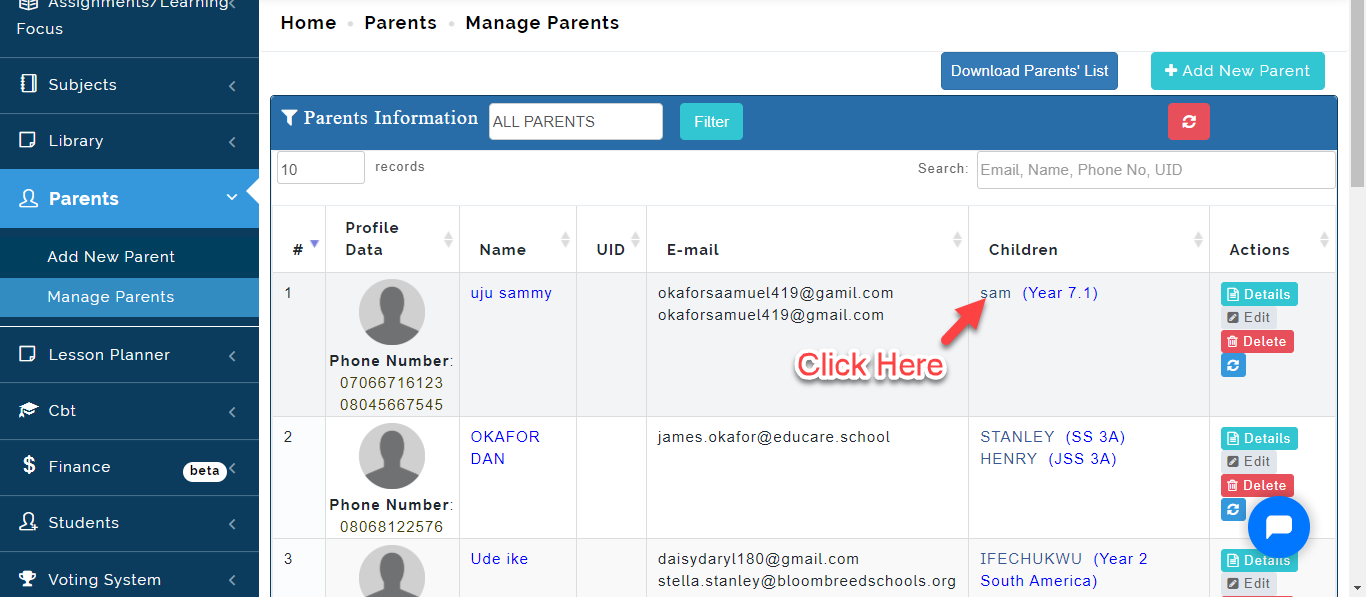
- Click on The Child's name under Children Column.
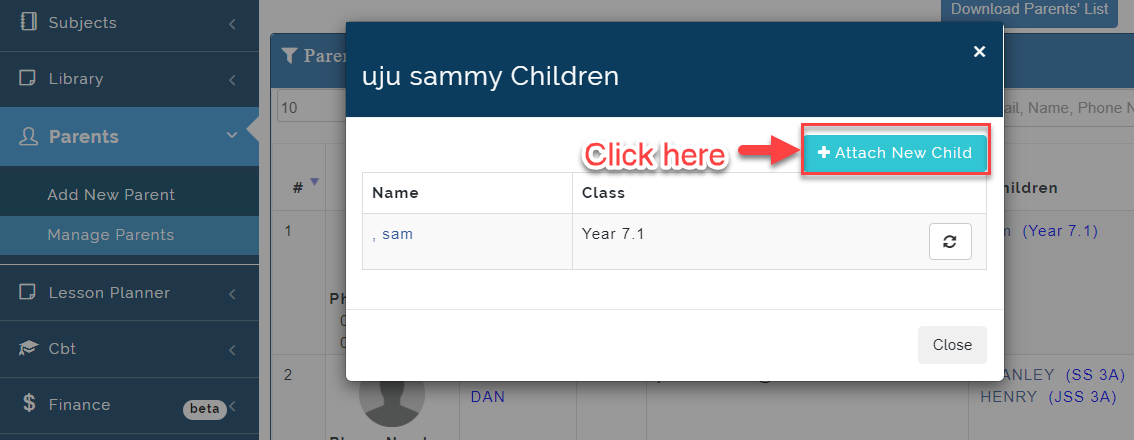
- A Modal will appear, Click on Attach New Child.
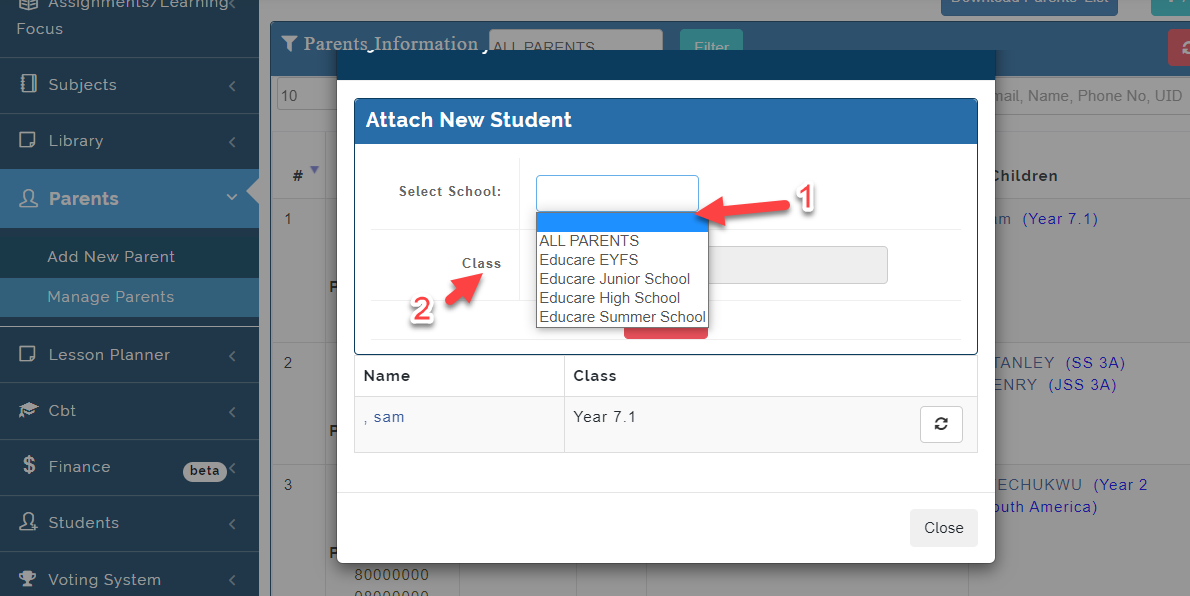
- Select the school the student is in, the class
How To Change a Parent
- Search for the Child's Name using the Surname of the Child then Click on the name of the Child under Children Column.
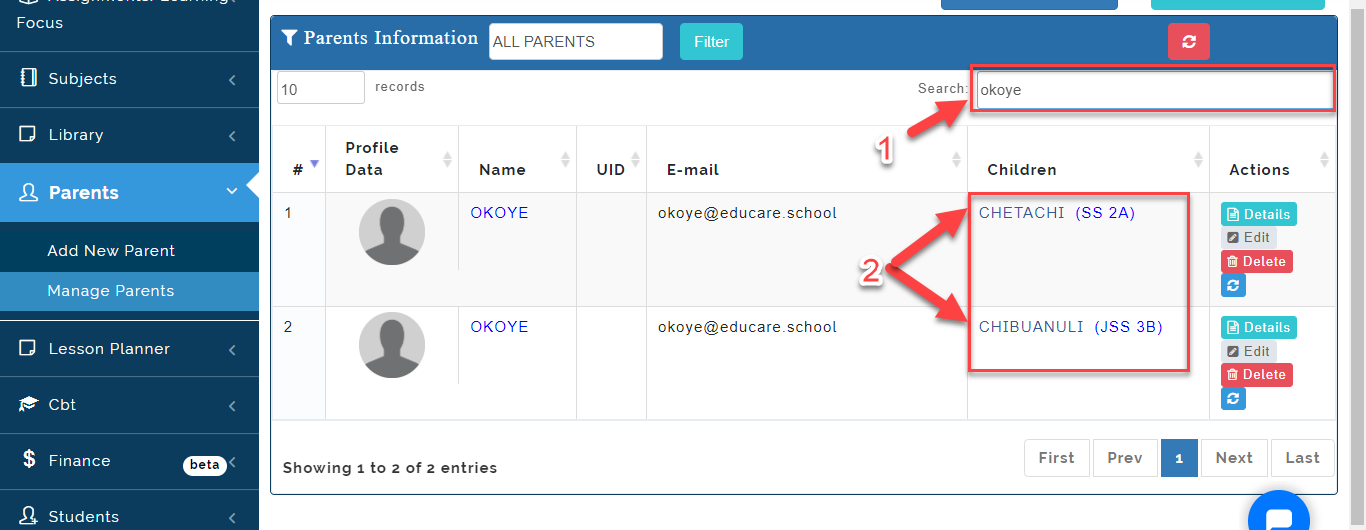
- Click on the Sync icon as indicated below.
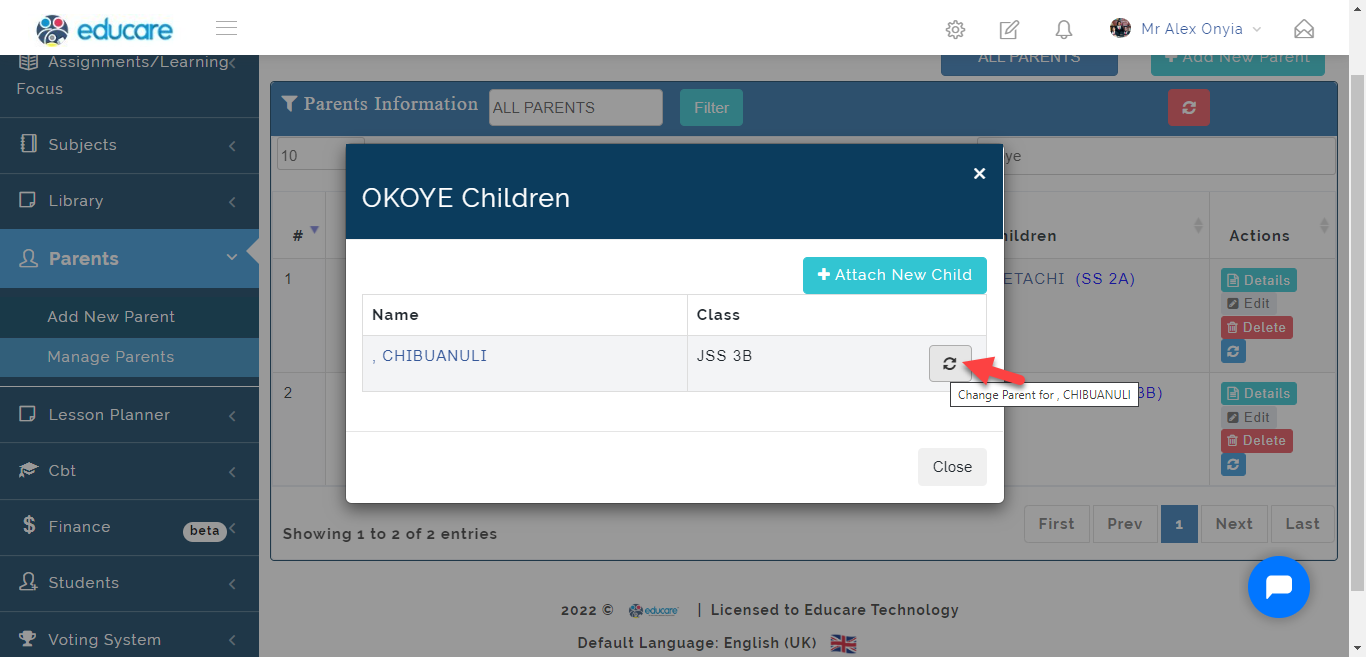
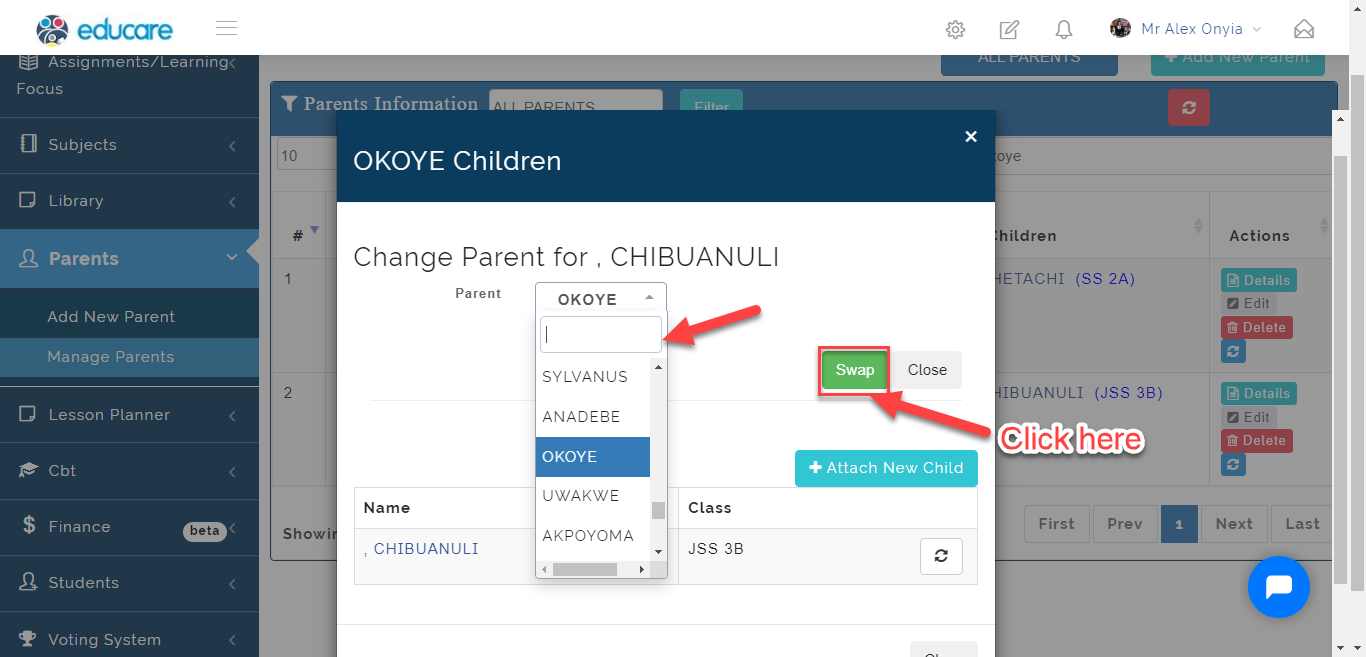
- Select the name of the parent then click on Swap. This will replace the parent assigned to the student previously. Click on Close to ignore.