
Here you can record all students visit to the school's clinic. This record captures the reason for the student visit to the clinic and also the action taken.
To create medical, follow these steps
Step 1:
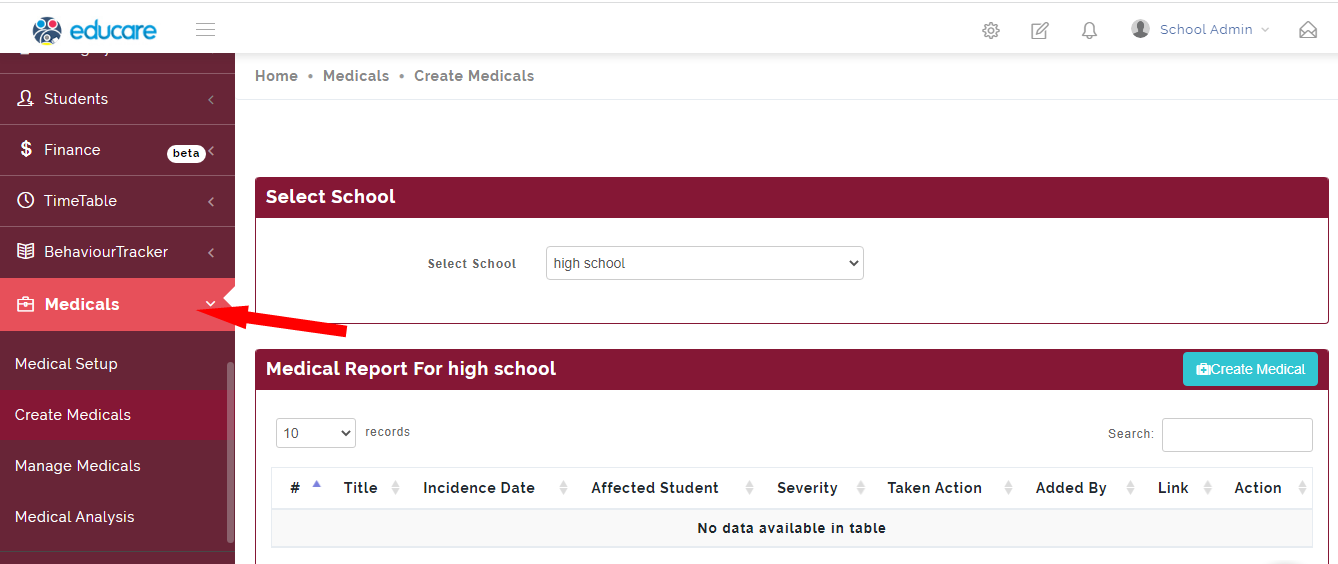
Click on Medicals as shown below
Step 2:
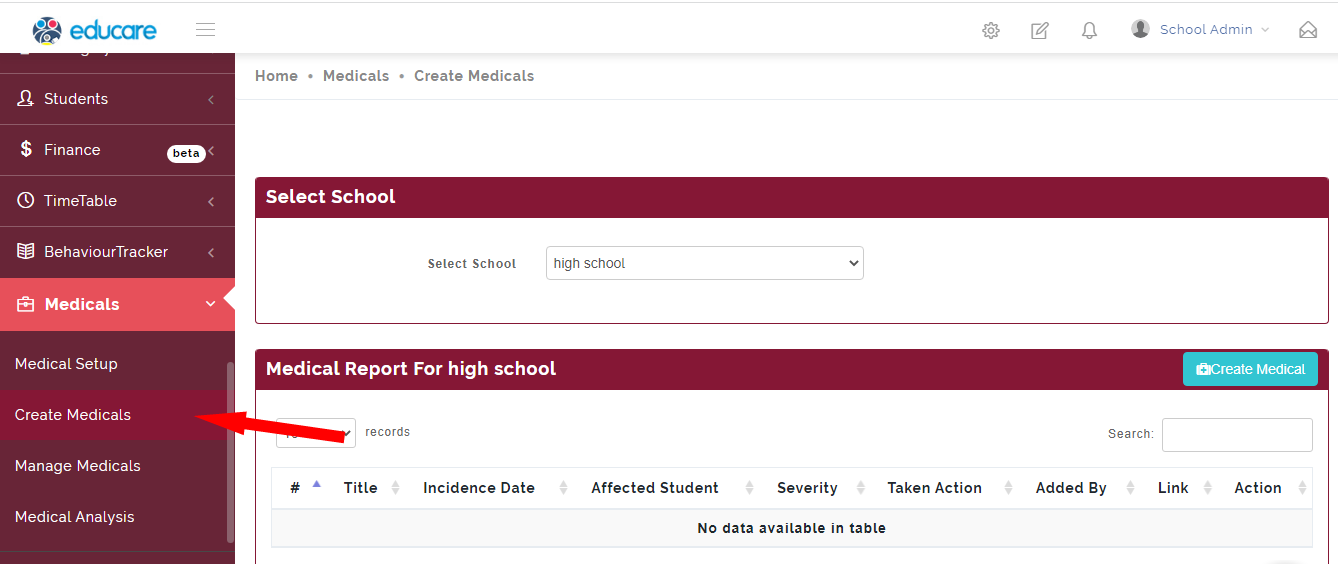
Select Create Medicals
Step 3:
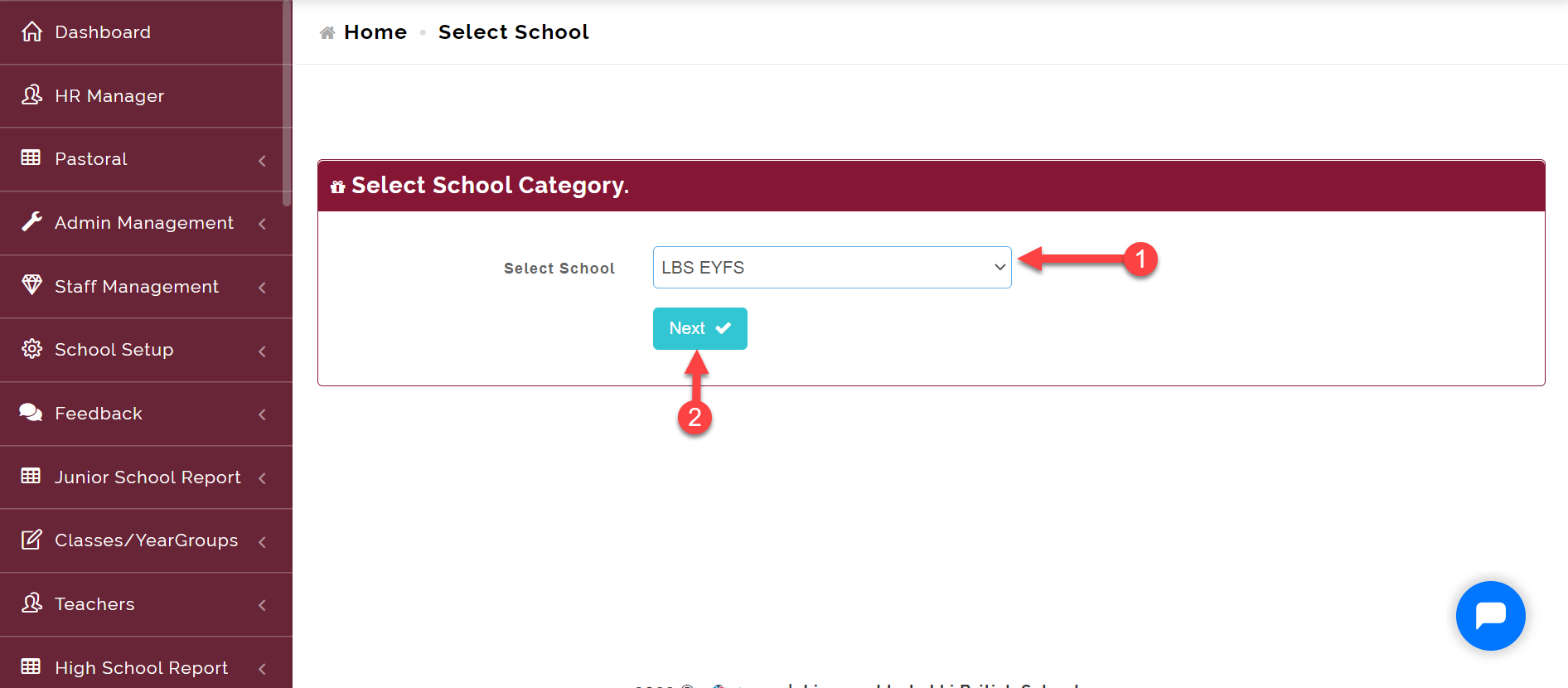
Select the school the child is in (i.e. EYFS, Junior or High School) and click on Next button.
Step 4:
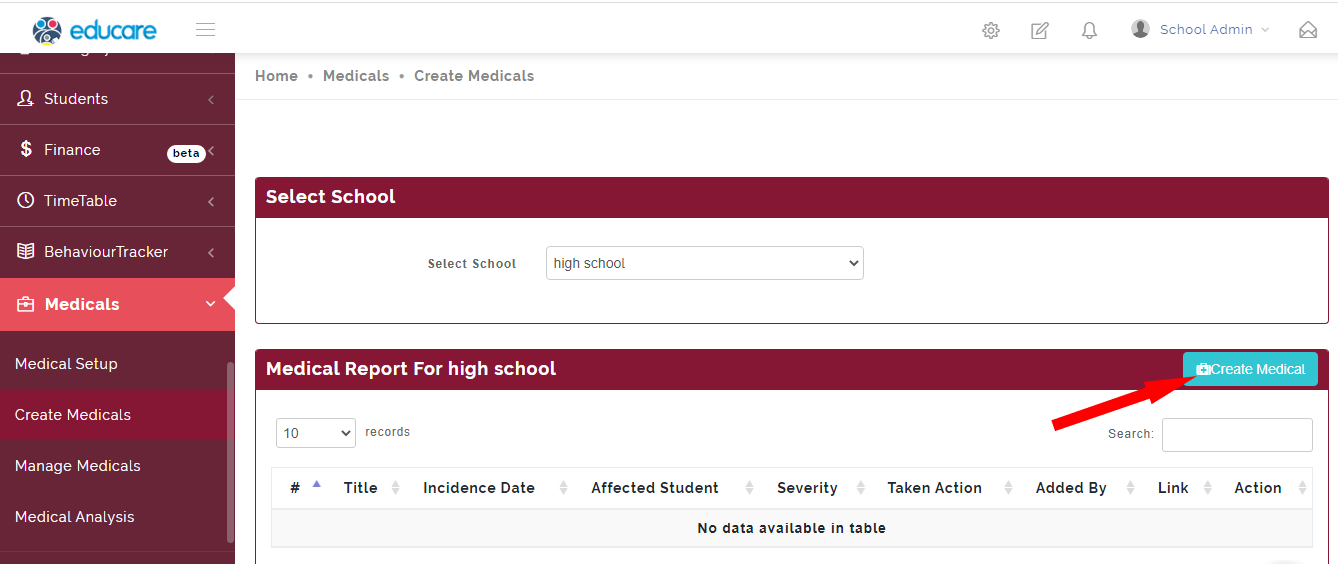
Click on the Create Medical button.
Step 5:
Clicking on the Create Medical button in Step 4 opens up the modal below.
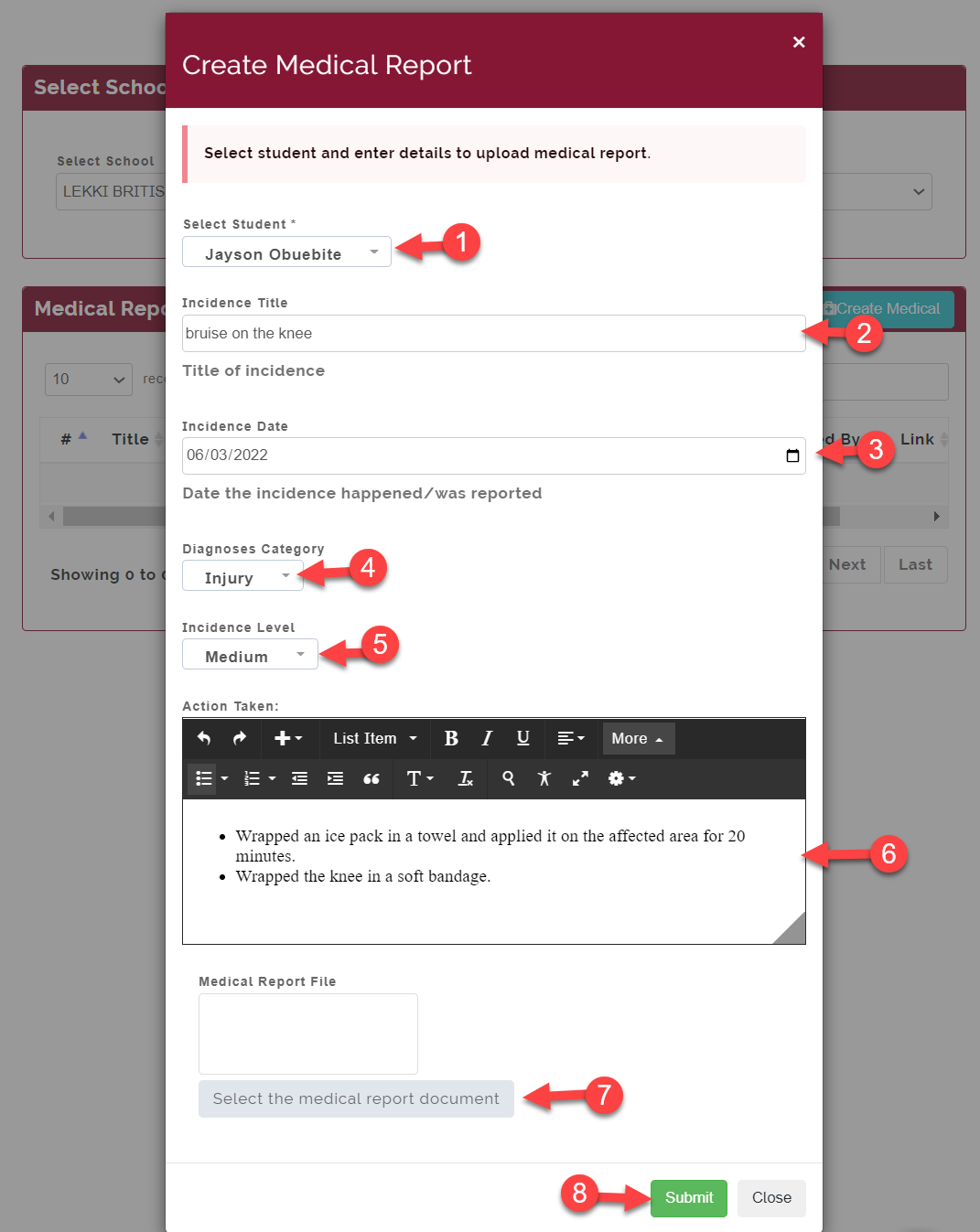
You are required to fill
-
- Search for the student's name you want to enter a medical report for
-
- Enter the incident Title (e.g. bruise, fever, headache etc.)
-
- Enter the date the incident occurred.
-
- Select the diagnosis category of the incident (This is optional)
-
- Select incident level
-
- Type out the action taken.
-
- Here you can upload a document if you have any to backup your report.
-
- Click on the Submit button to save.