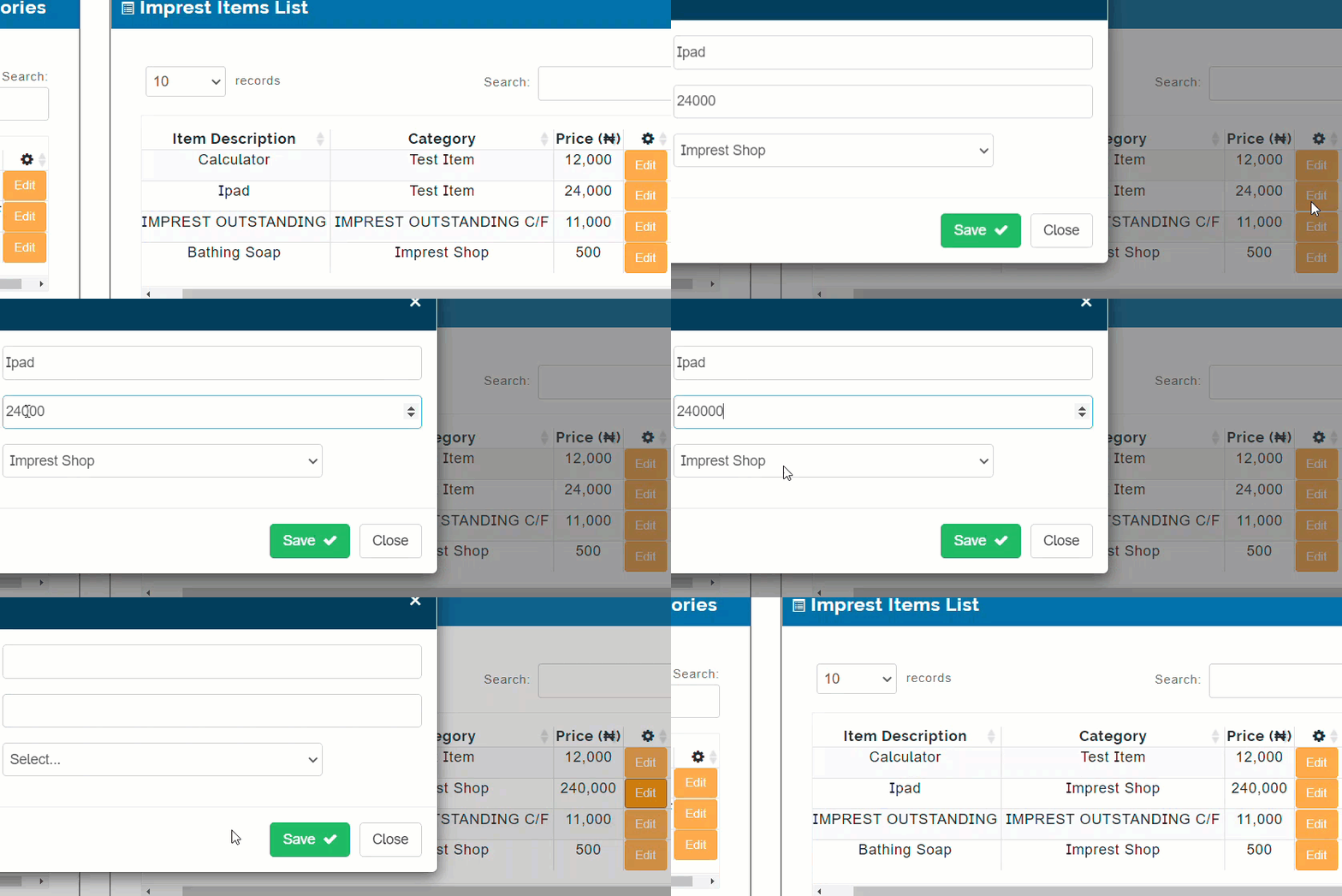
Every item on Imprest manager is added from this here. It displays names of items and their prices. Users can view list of all the items in their categories and their respective prices.
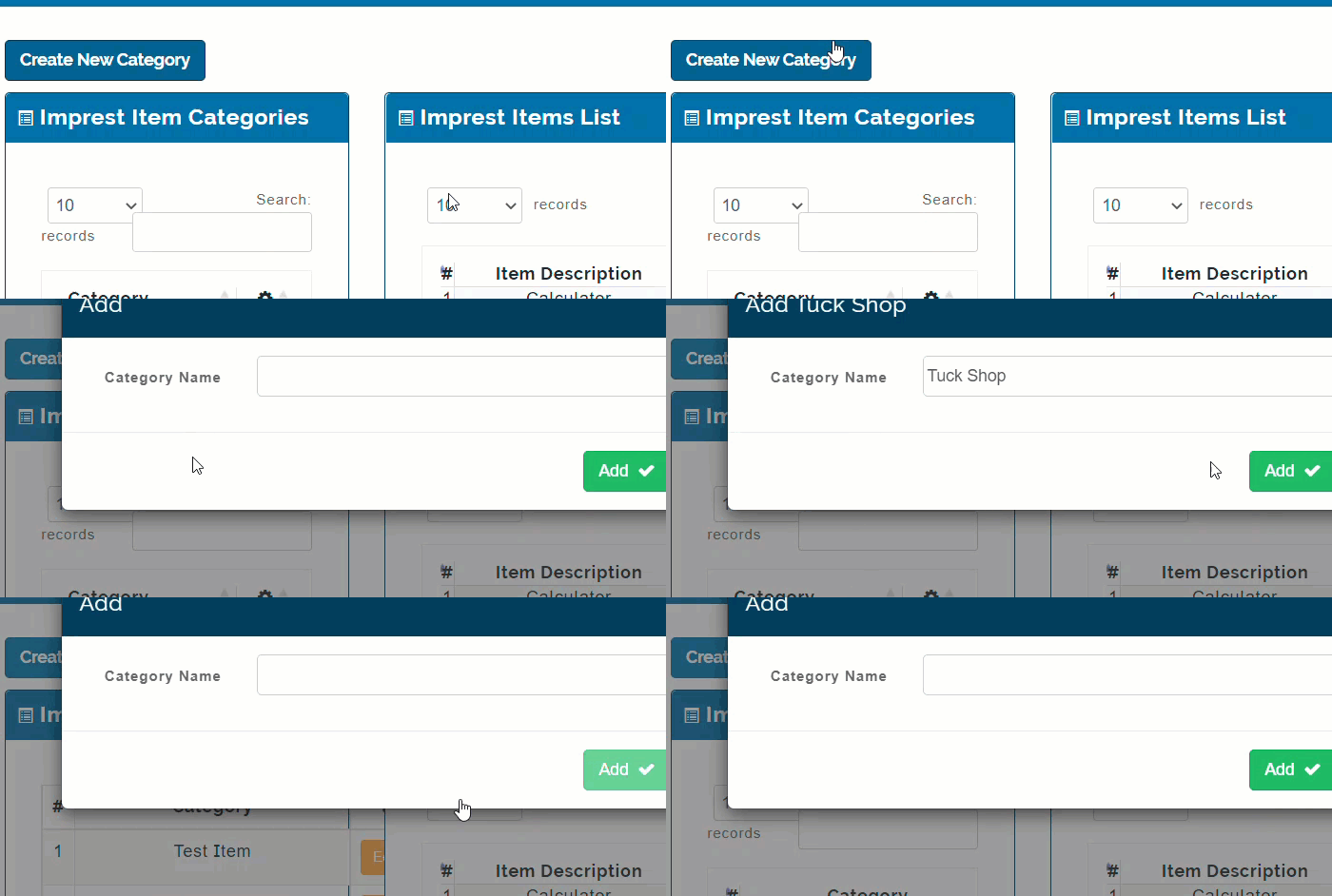
How to Add New Imprest Item Category
To add new categories follow these steps;
-
Click on Create New Category button
-
From pop-up page, enter name of category
-
Click on Add button to save
How to Edit Imprest Category Item
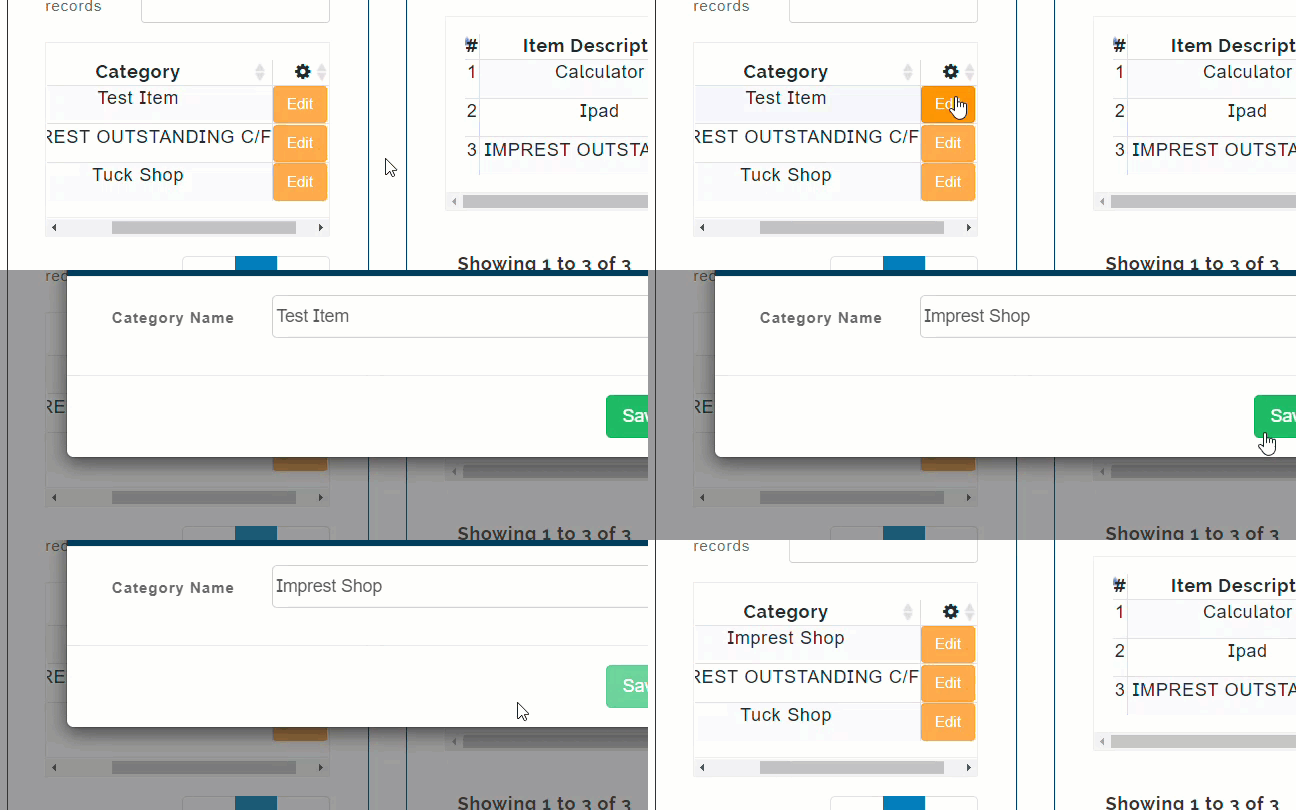
To Edit Imprest Item Category, do the following;
-
Click on Edit button beside desired Category
-
Make changes to the name as desired
-
Click on Save button to save
How to Add New Imprest Item
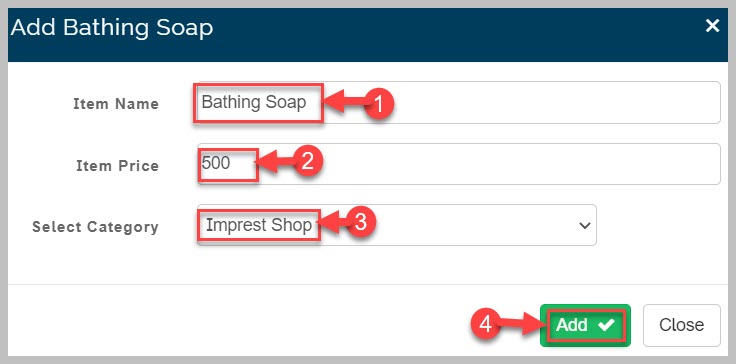
To add new Imprest Item, follow these steps;
-
From Imprest Items page
-
Click on Add New Item button to add items to the categories
-
Provide Item name and Price
-
Select category to add the item to from drop-down list
-
Click on Add button to save
- To make correction on Item follow these steps;
-
Locate desired Item
-
Click on Edit button beside it
-
From pop-up page, make changes to item details as desired
-
Click on Save button to complete action