This is done when a parent pays part payment of a bill sent out
HOW TO MANUALLY CLEAR AN INVOICE PARTLY
This is done when an admin confirms part payment of a bill was paid into the school account
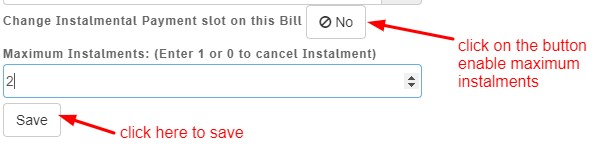
Click on maximum instalment button
Enter number of allowed instalments
Click on save
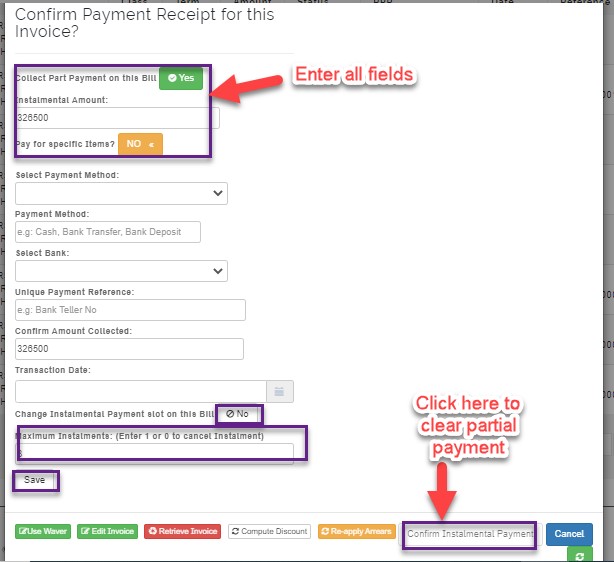
Enable part payment button as YES
Enter installment amount
Enable pay for specific item button as YES
Manually collect the money on the items on the invoice
Select payment method
Select bank
Enter unique payment reference
Confirm amount collected
Select transaction date
Click on confirm instalmental payment