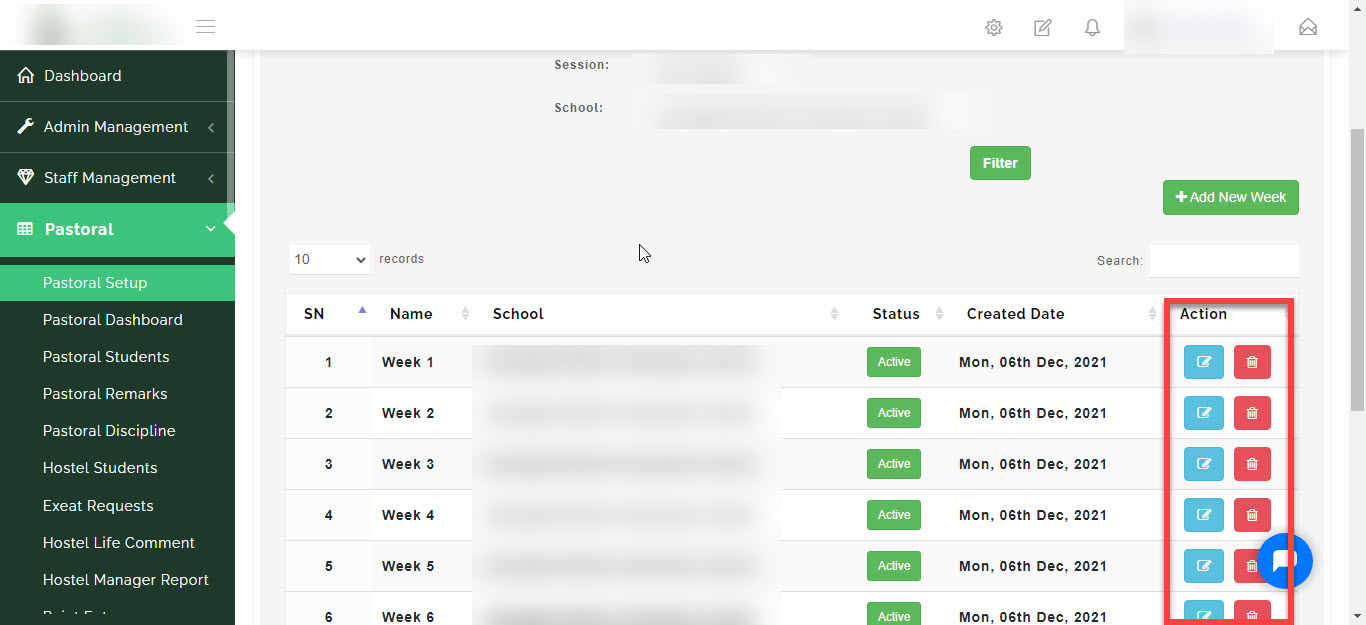
First let me explain HOUSE SYSTEM.
The house system is a traditional feature of schools, The school is divided into subunits called "houses" and each student is allocated to one house at the moment of enrollment. Houses may compete with one another at sports, Debating competitions and charity drives are also often organised along inter-house lines. Merit points for behaviour and academic achievement may also be totalled up for comparison between houses, thus providing a focus for group loyalty.
under pastoral house setup, The admin can setup the school house system that is create the house name and assign the colour associated with the house, add staffs to the house and assign house masters, also setup the house weeks in a term. follow the steps below.
HOUSE MANAGEMENT
Here you will learn how to create the house names and assign the colour associated with the houses.
How to add a new House
-
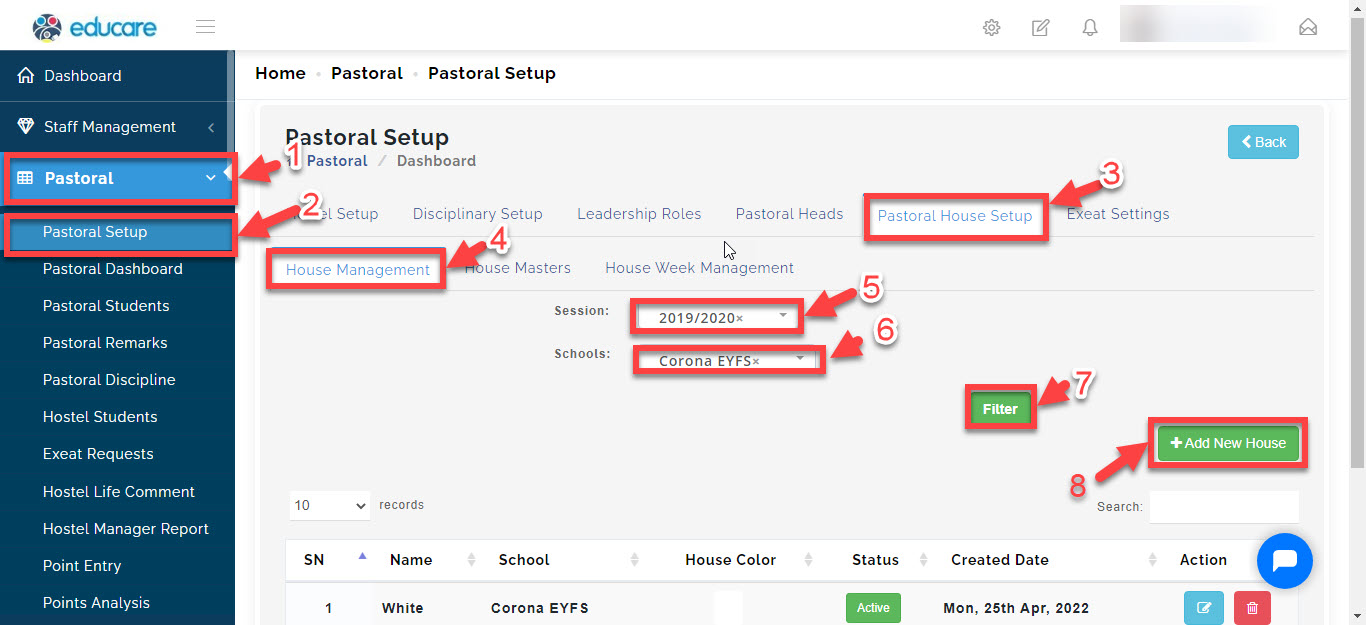
- Go to the Pastoral Module
-
- Select Pastoral Setup then
-
- navigate to Pastoral House Setup
-
- Select house management
-
- select the current session you are on
-
- select the school (if your school has different arms),
-
- filter
-
- click on "+Add New house"
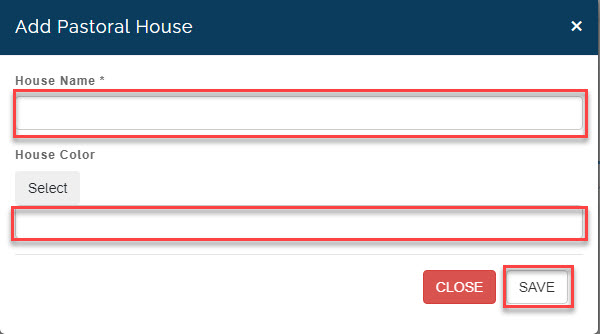
then a new window will pop up
here you write the house name and the house colour
Then click on Save.
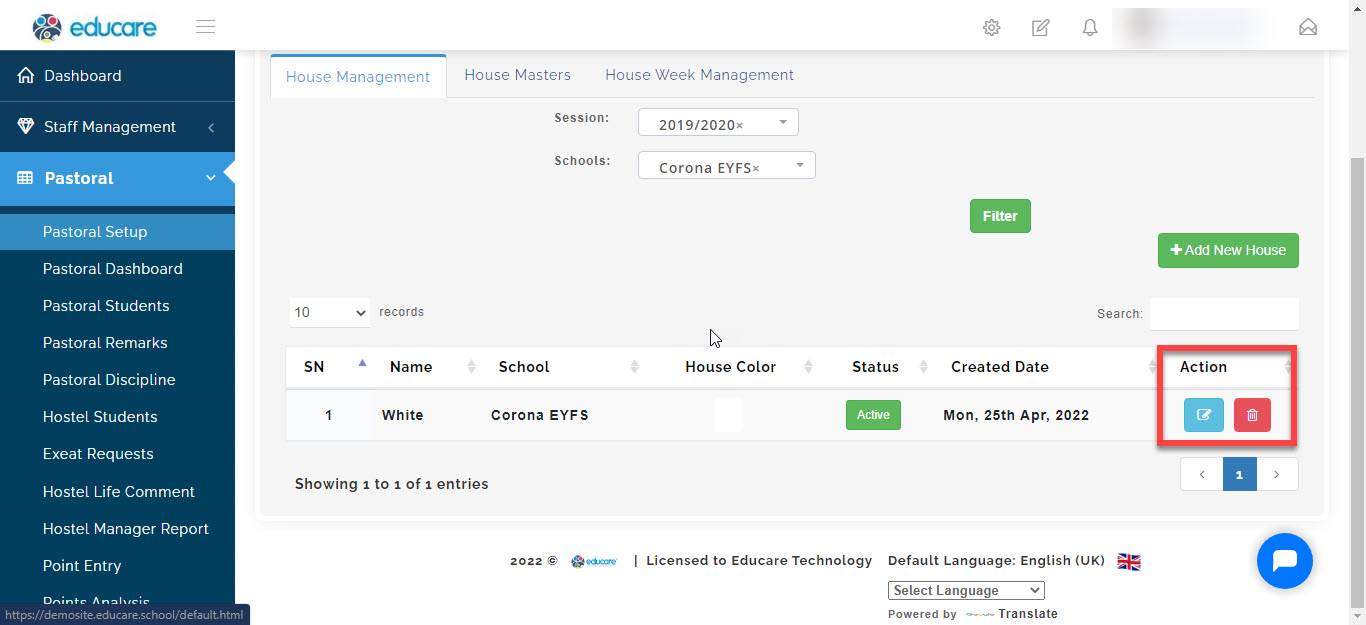
How to edit and delete a house
To delete a House follow these steps:
Go to Pastoral Module
Select Pastoral Setup
Click on Pastoral House Setup then select house management.
Select the session you want to view, select the school and click on Filter.
A table showing the list of houses will appear.
Under ACTION column
click on the blue button to make changes and edit the house details
click on the red button to delete a house from the list
HOUSE MASTERS
Here you will learn how to add staffs to the house and assign house masters
How to staffs to house
-
- Go to the Pastoral Module
-
- Select Pastoral Setup then
-
- Navigate to Pastoral House Setup
-
- Select house management
-
- Select the current session you are on
-
- Select the school (if your school has different arms),
-
- Select the House
-
- filter
-
- click on "+Add New house"
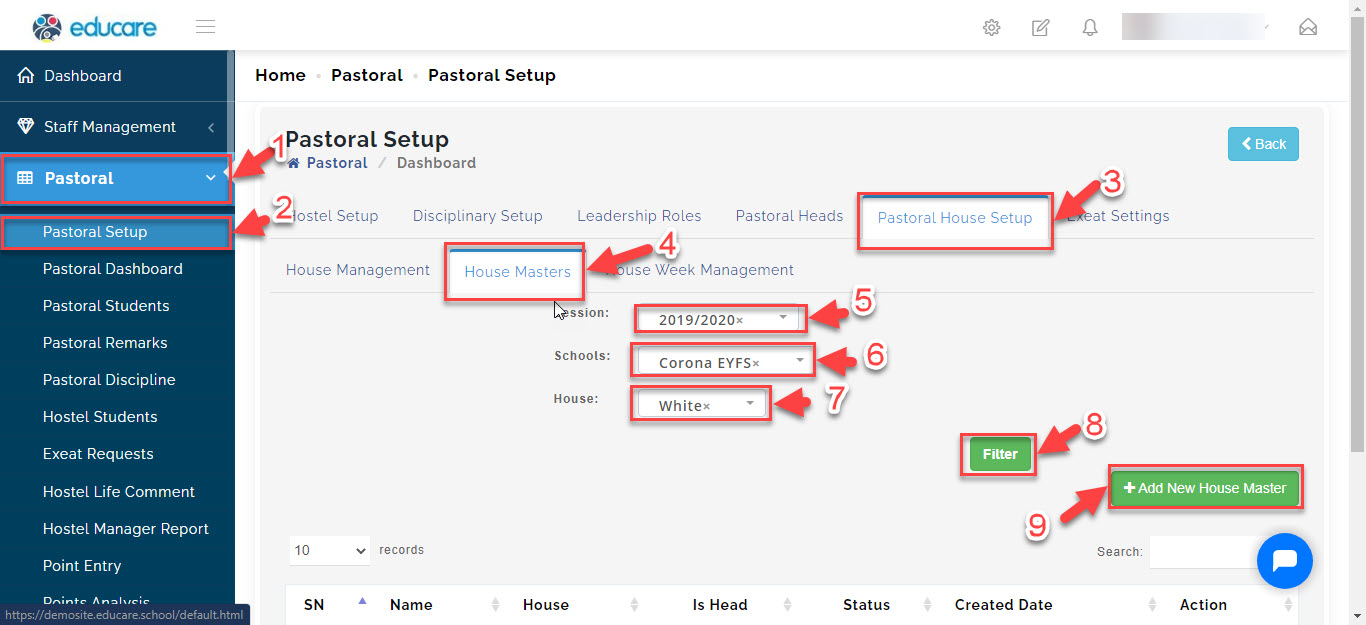
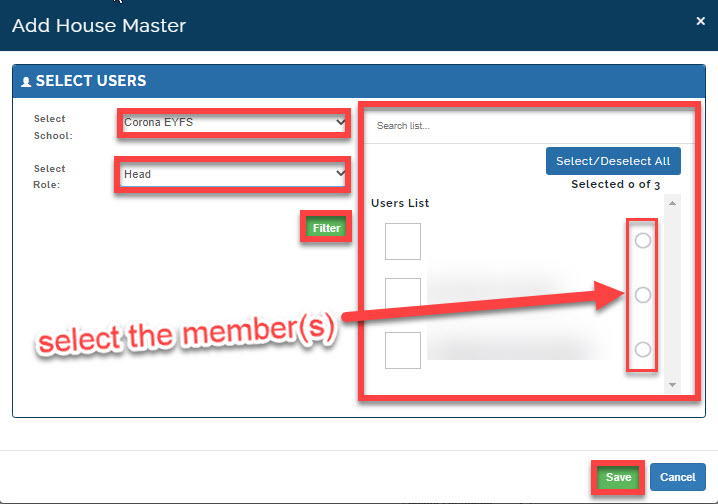
then a new window will pop up
Select the school and role the individual takes in the school.
Click on Filter, this will bring up a list of members in the role you have chosen.
Search or select the member or members of that are in the house and click on Save.
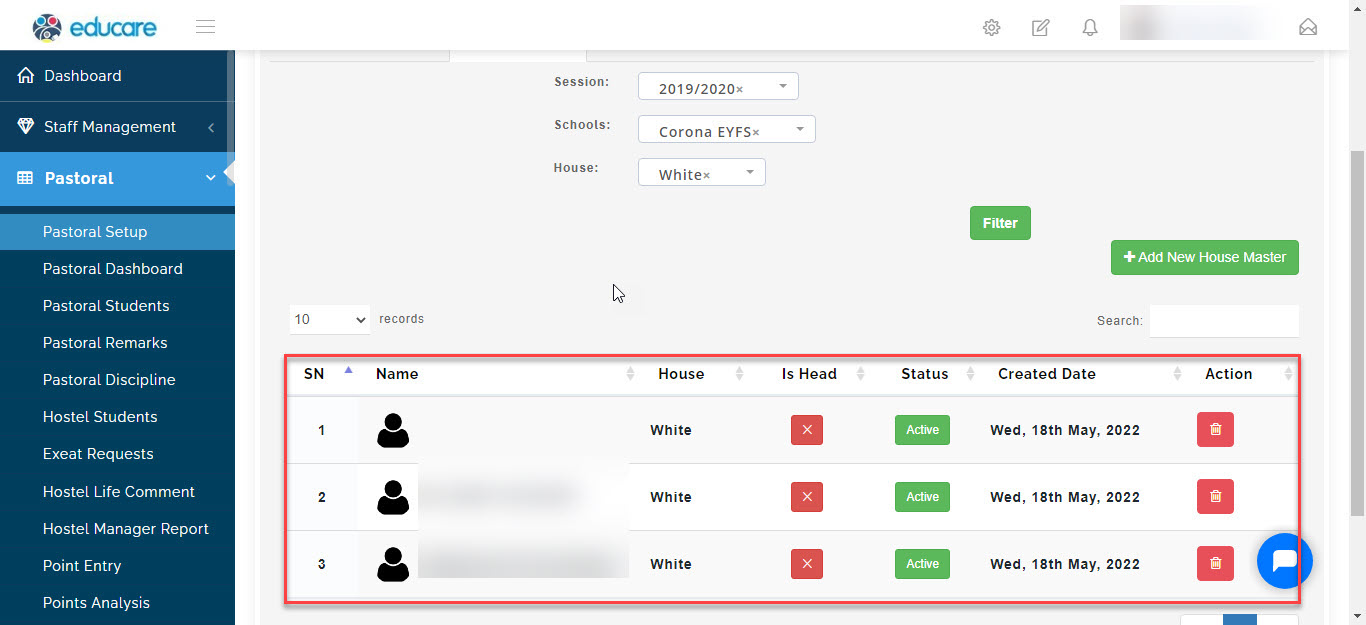
The names will appear in the table.
How to View Staff House members
To view Staff House members follow these steps:
Go to Pastoral Module
Select Pastoral Setup
Click on Pastoral House Setup then select House Masters.
Select the session you want to view, select the school, then select the house and click on Filter.
A table showing the list of house members will appear.
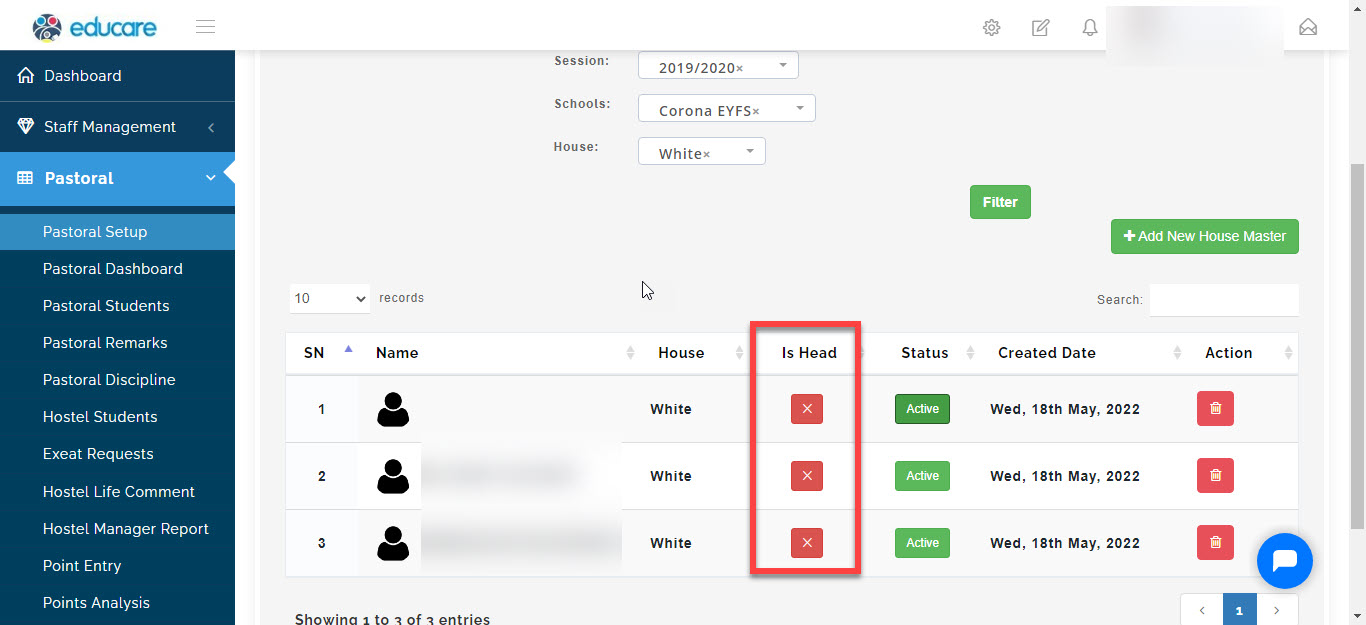
How to select house Master
To select House Master follow these steps:
Go to Pastoral Module
Select Pastoral Setup
Click on Pastoral House Setup then select House Masters.
Select the session you want to view, select the school, then select the house and click on Filter.
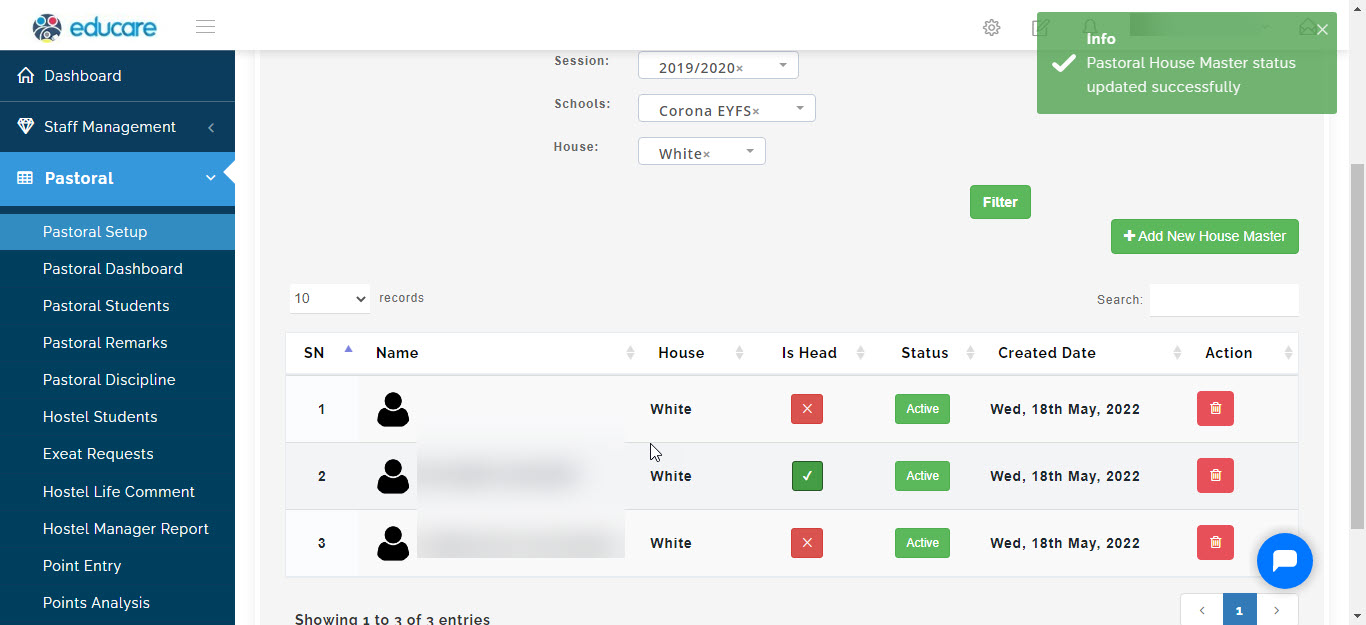
A table showing the list of house members will appear.
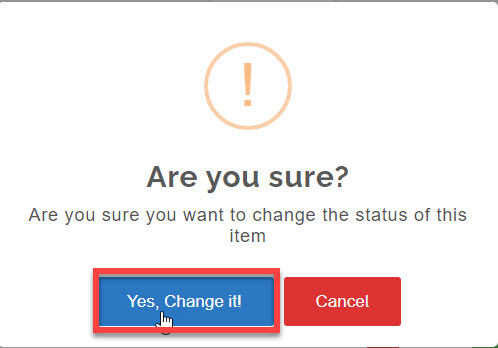
Under IS HEAD column, click against any member to make them the house master
a pop up will appear asking are you sure, select *yes change it .
How to Delete House Members or Master
To delete House Members or Master follow these steps:
Go to Pastoral Module
Select Pastoral Setup
Click on Pastoral House Setup then select House Masters.
Select the session you want to view, select the school, then select the house and click on Filter.
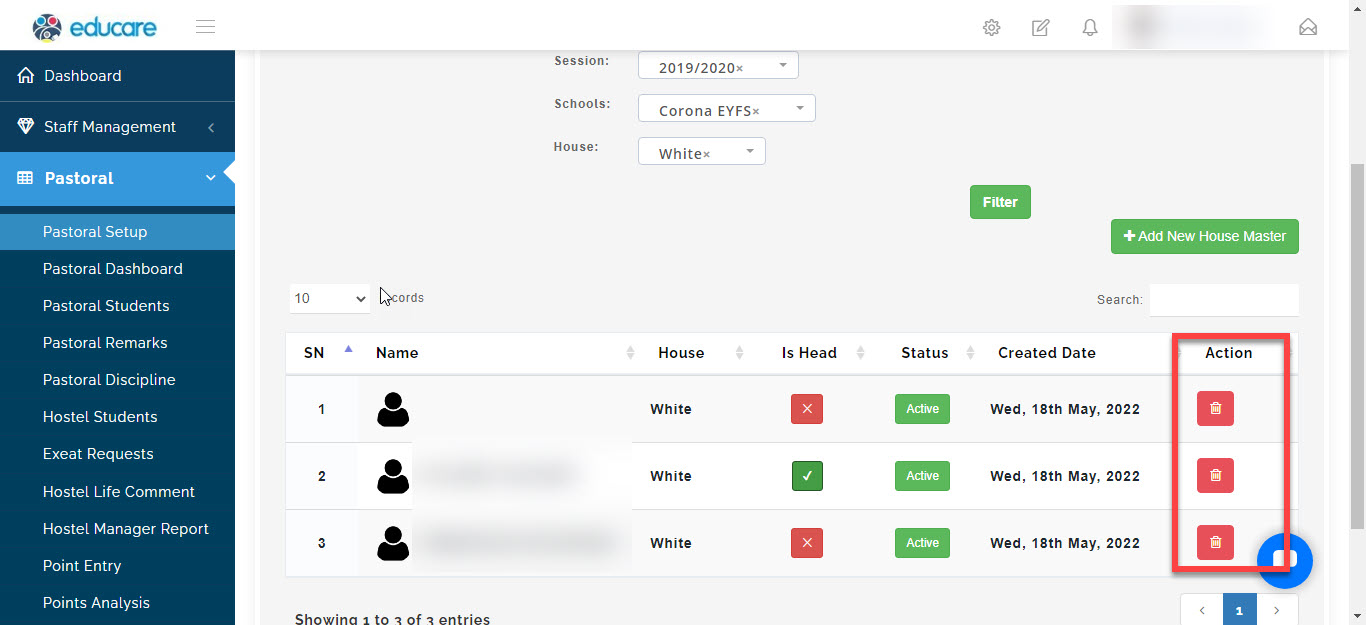
A table showing the list of House members will appear.
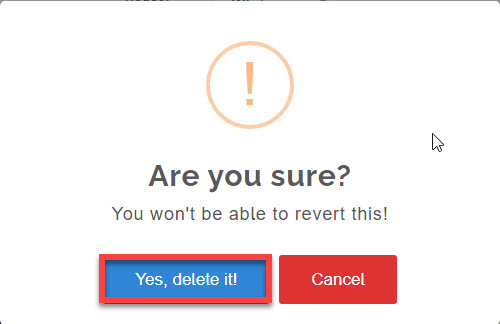
Under ACTION column, click against any member to delete them
a pop up will appear asking are you sure, select *yes delete it
HOUSE WEEK MANAGEMENT
Here you will learn how to setup the house weeks in a term.
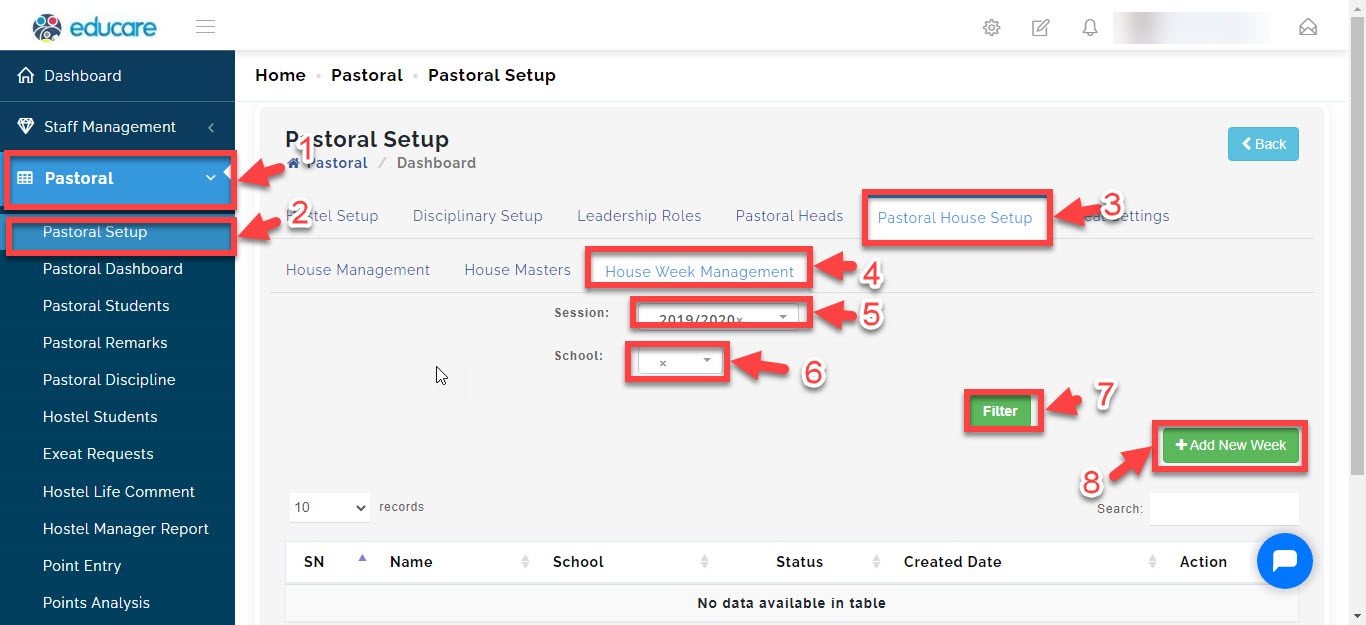
How to add House Weeks
-
- Go to the Pastoral Module
-
- Select Pastoral Setup then
-
- navigate to Pastoral House Setup
-
- Select house week management
-
- select the current session you are on
-
- select the school (if your school has different arms),
-
- filter
-
- click on "+Add New week"
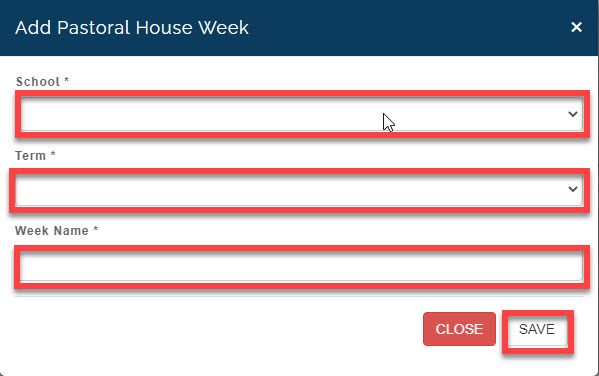
then a new window will pop up
here select the school
select the term
write the week name
then click on SAVE
How to edit and delete a house week
To delete a House week follow these steps:
Go to Pastoral Module
Select Pastoral Setup
Click on Pastoral House Setup then select house week management.
Select the session you want to view, select the school and click on Filter.
A table showing the list of houses will appear.
Under ACTION column
click on the blue button to make changes and edit the house week details
click on the red button to delete a house week from the list