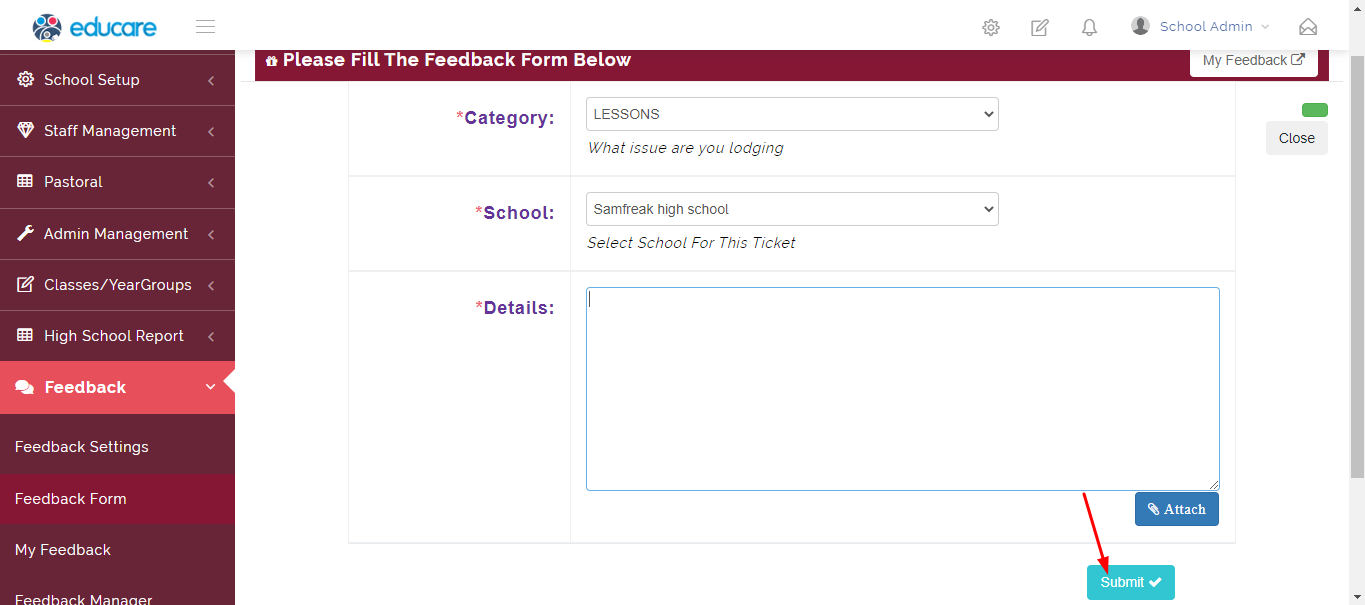
Feedback form is a module where the admin can create a form for other users to fill and respond
Submitting a Feedback form
Step 1
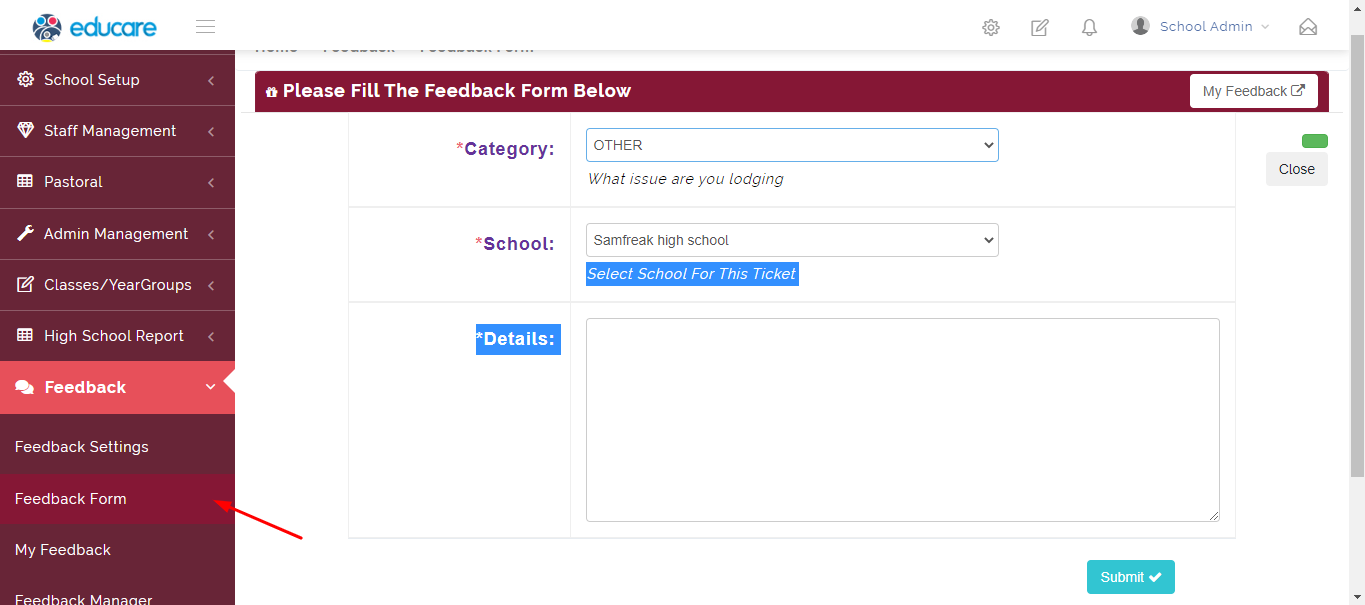
click on feedback form as shown below
Step 2
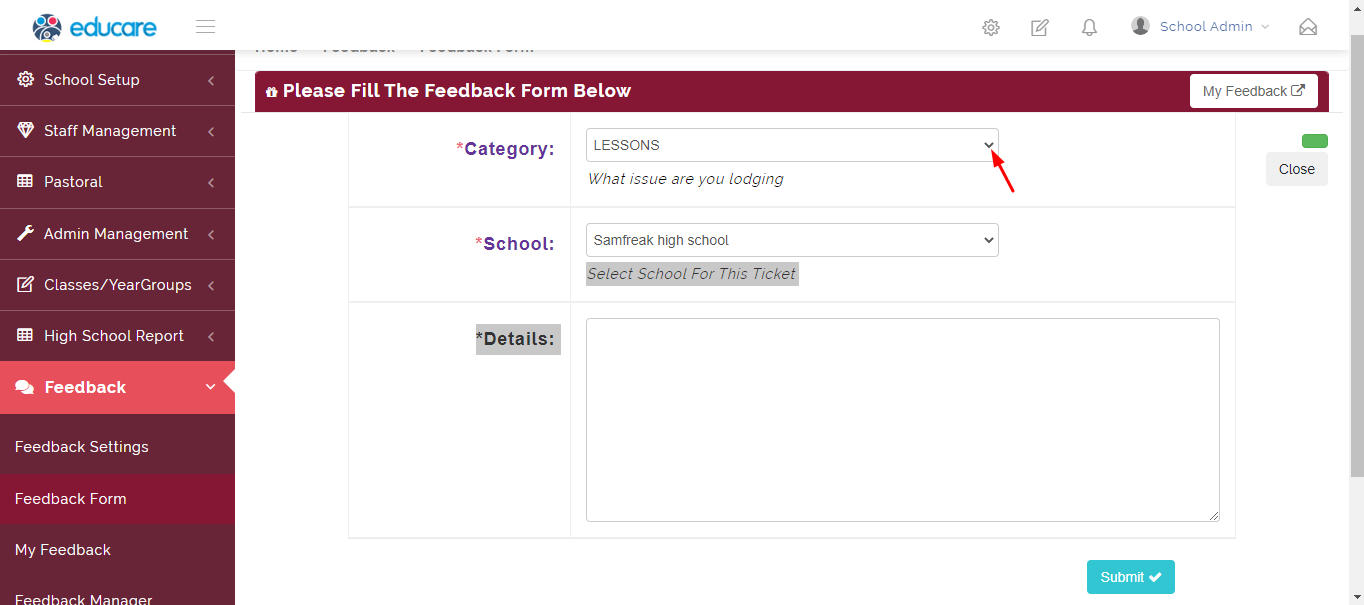
click the arrow shown bellow to select form category
Step 3
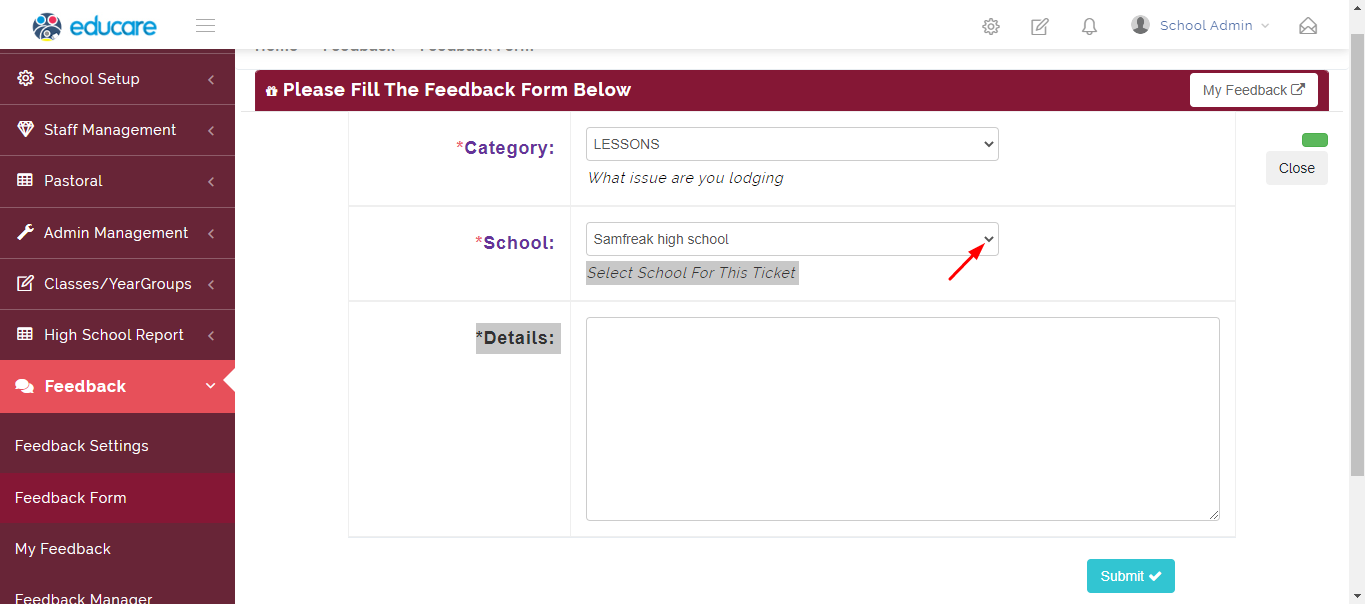
click on the arrow shown below to select school on which the feedback form applies to
Step 4
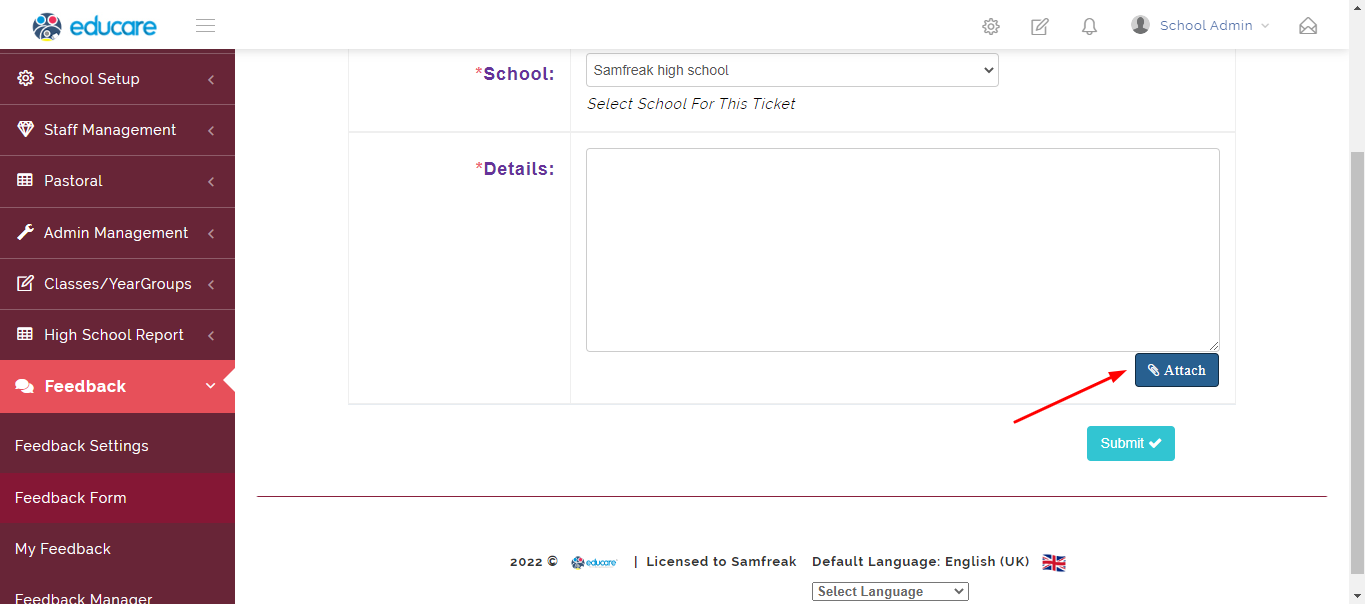
fill in essential details then click on the attach button as shown bellow to attach image if needed
Step 5
Click on the submit button as shown below to submit the feedback form created