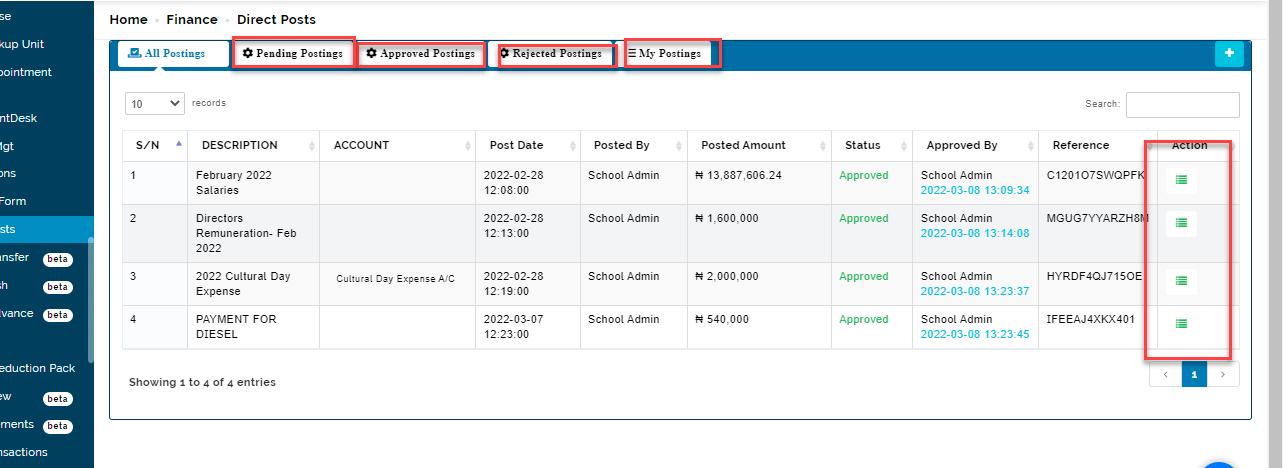
when an accountant or cashier makes cash deposit into the school account, direct post is used to manually input the concluded transaction into the system in order to reflect the transaction. It can be a credit and debit transaction
All Posting Table
This table shows list of recorded post done using the system
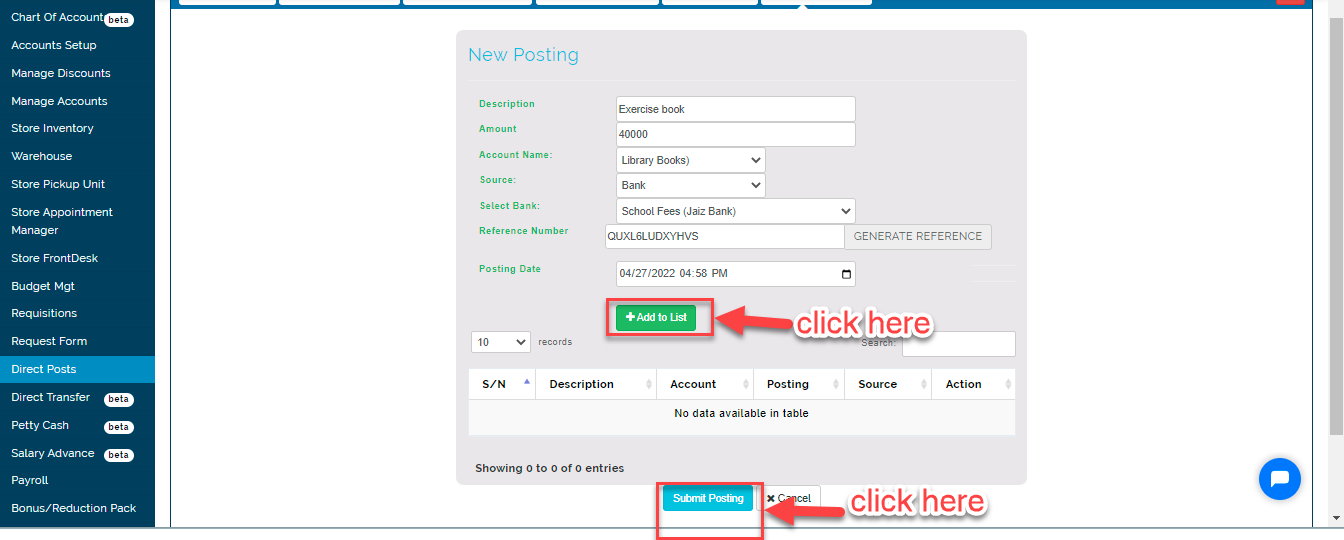
How to create new Postings
To create new postings follow these steps;
-
Click on the blue (+) button to add a posting
-
Enter item name/description
-
Enter amount
-
Select account name
-
Select source either bank or petty cash
-
Select bank
-
Enter the reference number or generate a number from the system
-
Enter the posting date; date at which the post was done
-
Click on Add List button to save
-
Click on Submit Posting
Approve Posting
This button enables admin to approve a pending post and the amount adds up to previous account balance of that bank.
click on the approve button
Post Note:
when a post is approved it cannot be reversed
when a posting is deleted it cannot be reversed
Reject Posting
This button enables admin to reject posting, reject posting is case dependent.
Delete Posting
this button enables an admin to remove a created posting in the system
Approved Posting Table
This table shows list of posting that has been approved by admin/accountant
Rejected Postings Table
This table shows a list of postings that were rejected by who is given the permission to reject