HOW TO MANUALLY CLEAR INVOICE WITH DISCOUNT
Select child who has a discount applied to his/her invoice and follow process bellow.
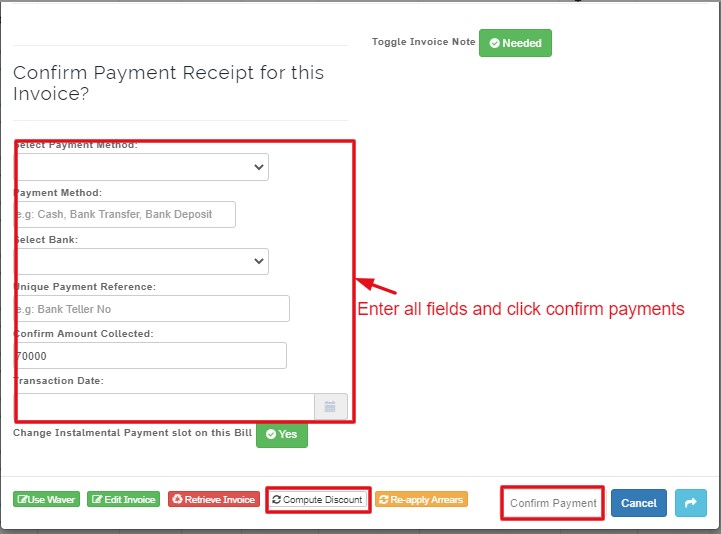
Scroll to confirm payment Receipt for this invoice
Select payment method
Select bank
Enter unique payment reference
Confirm amount collected
Select transaction date
Click on confirm payment
NB:
When a student invoice is generated without discount, but later linked to a discount
click on Compute Discount, to apply it.