Syncing and assigning of students to a mentor and Houses
In this Section, The Pastoral admin is able to admit all active students in the school into the pastoral module and assign them to a mentor and house.
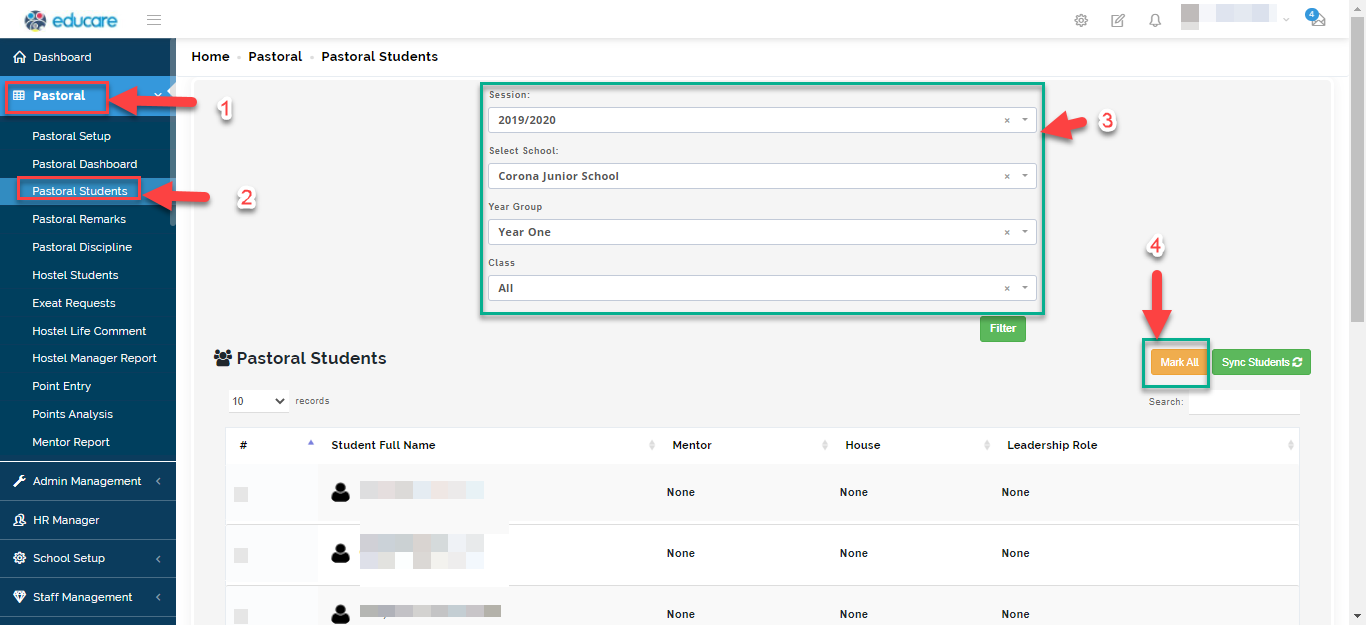
To admit students into the pastoral module, follow these simple steps:
- Click on Pastoral from the list of modules on the left
- Select Pastoral Students
- From the options provided, select the session, school, year group and class. The system will filter all the names of active students in the chosen class.
- click on "Mark all" if all student belong to the same mentor and house or tick on the student name to assign mentors and houses accordingly.
once you select students, you can go ahead to assign them to a mentor and house.
5. Click on assign house/ assign mentor then select the house/mentor they belong to and "save".
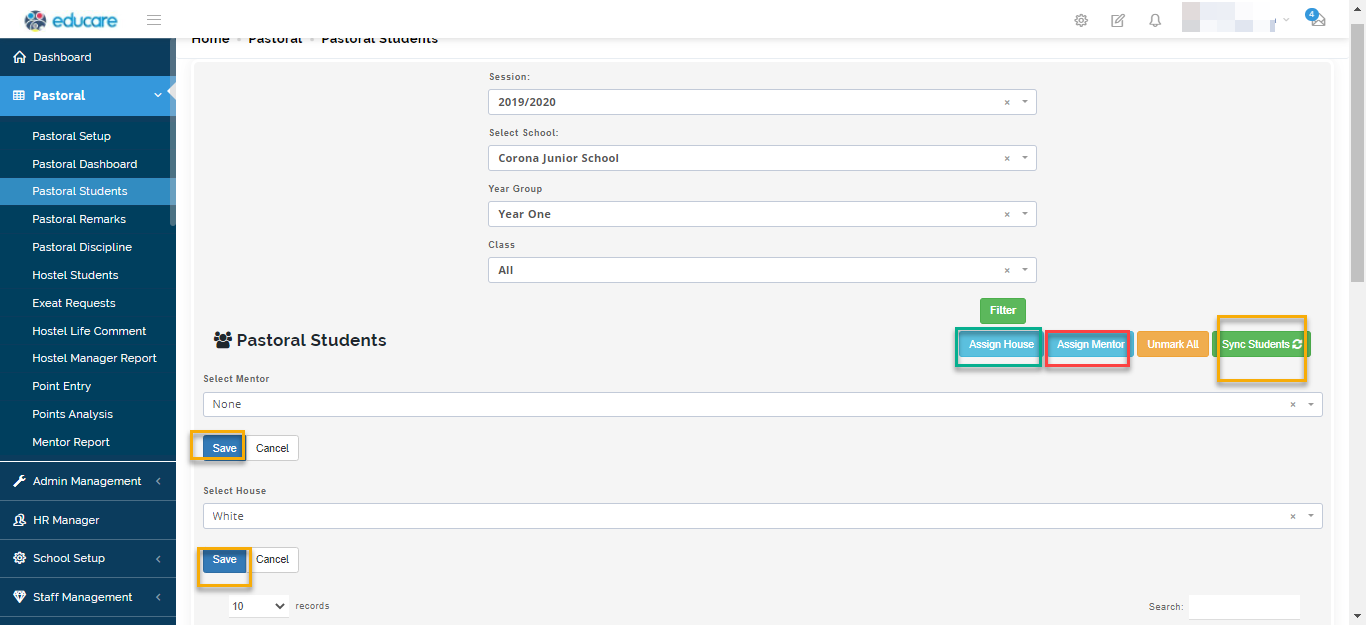
- Click on Sync students when you are done to effect admission of students onto pastoral
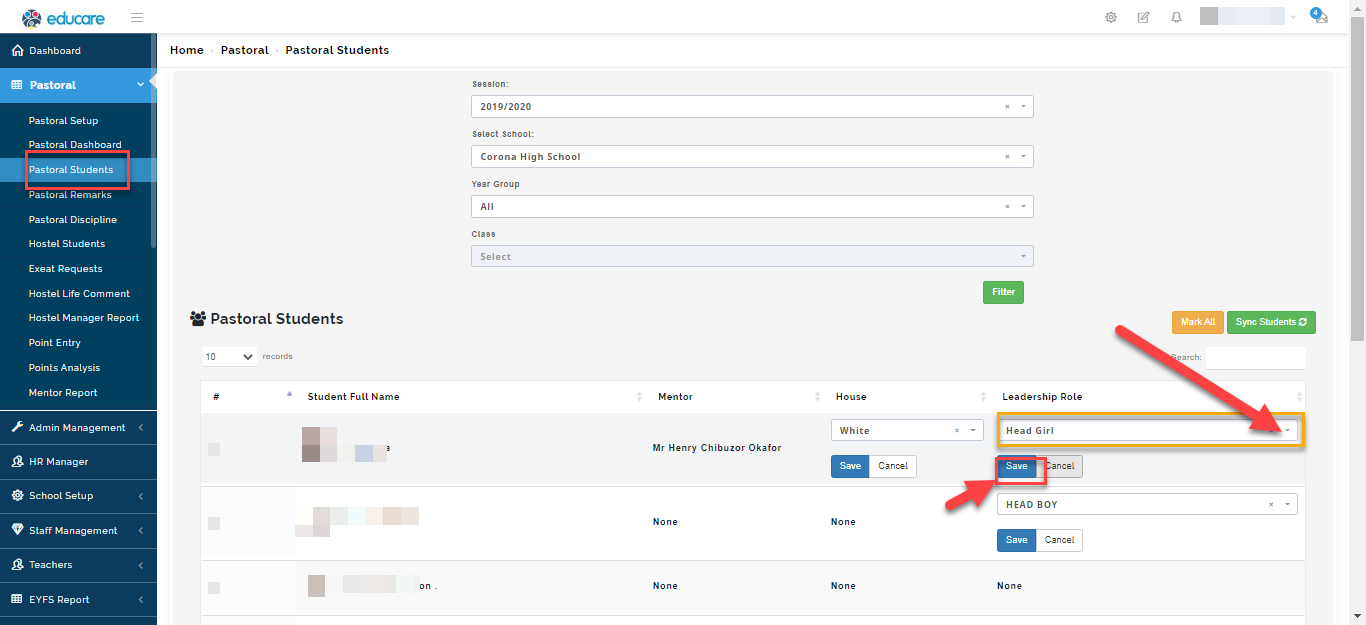
How to add leadership position to students profile
Students who have leadership positions in school can be assign their role by following these step.
7. Click on none under the leadership role for the student you want to assign a position to.
8. Select the position and click on "Save"