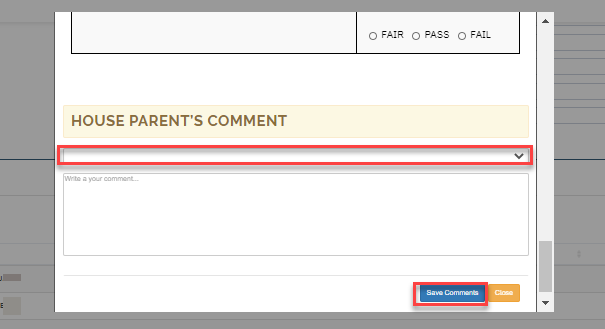
In this section, Hostel mangers can make report on the students overall behavior.
To make report follow these simple steps:
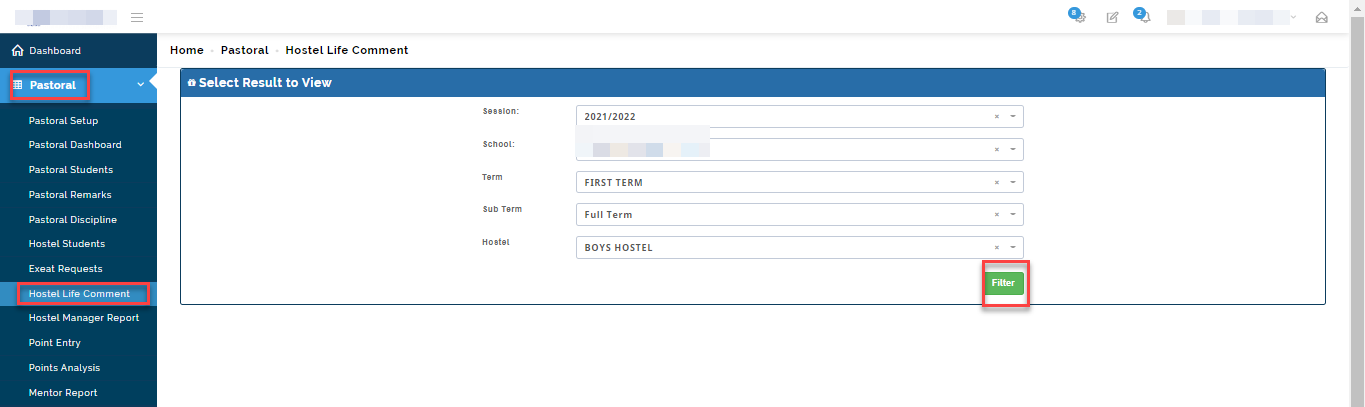
- Go to the Pastoral module
- Click on Hostel life comment
- Select the session and school (i.e. EYFS, Junior or High school)
- Select the Term and Sub-term you want to create report for
- Select Hostel and then click on filter.
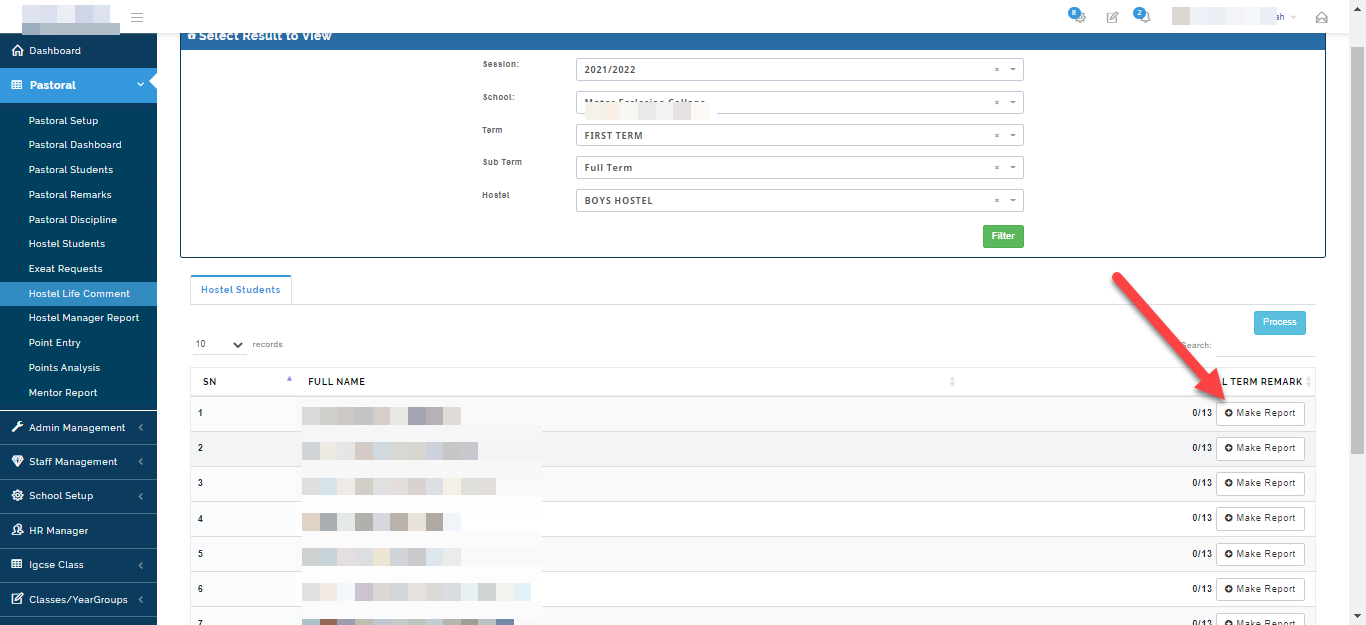
The system will filter all the students names based on your selection. Click on Make report to enter report for the student.
A modal will appear showing the template for report entry, Enter report and select comment of choice from your comment bank or write House parent comment in the textbox. Click save comments when done.