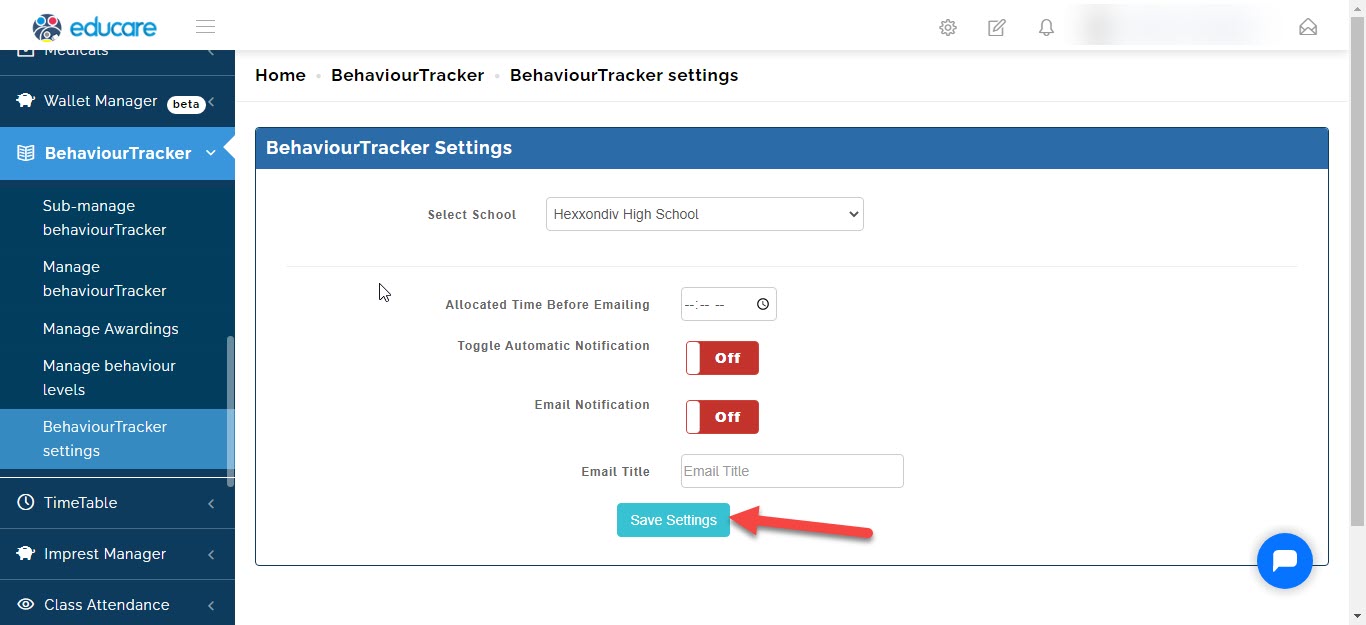
Admin staff can setup notification notice for when even a case is report to the level managers
to do that we will take you through the steps.
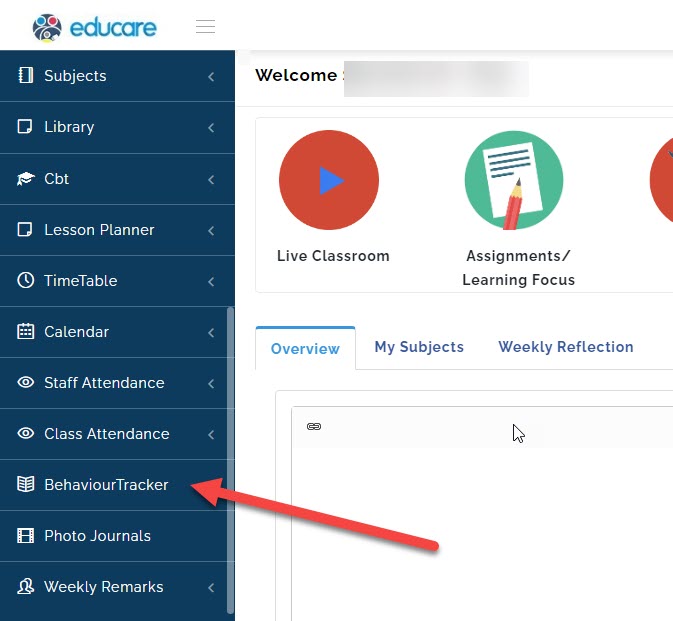
- Go to Behaviour Tracker.
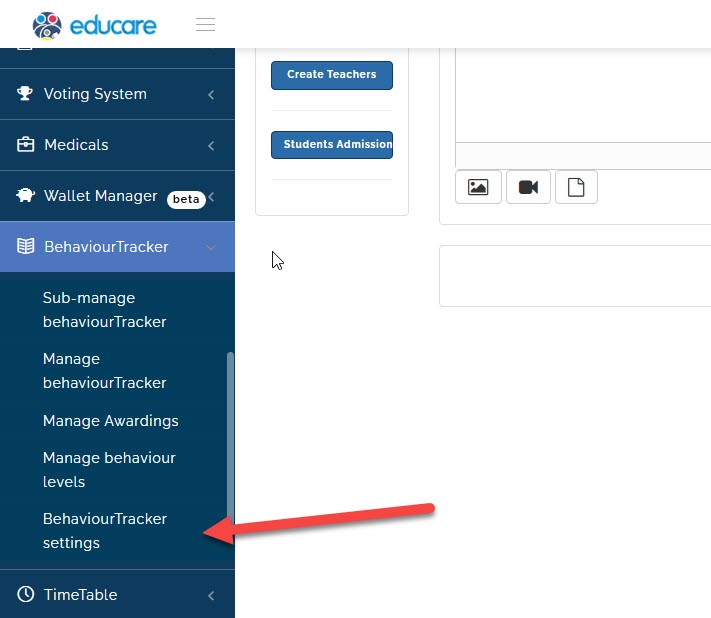
- Click on Behaviour Tracker settings
A new page will open
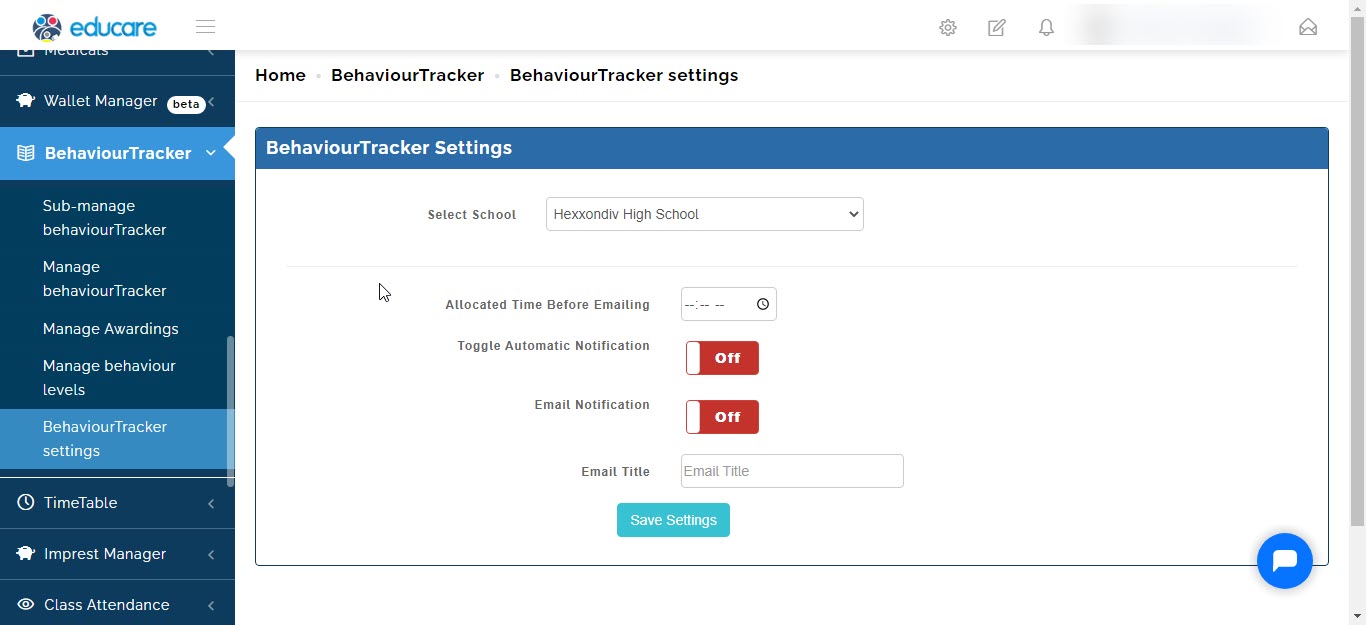
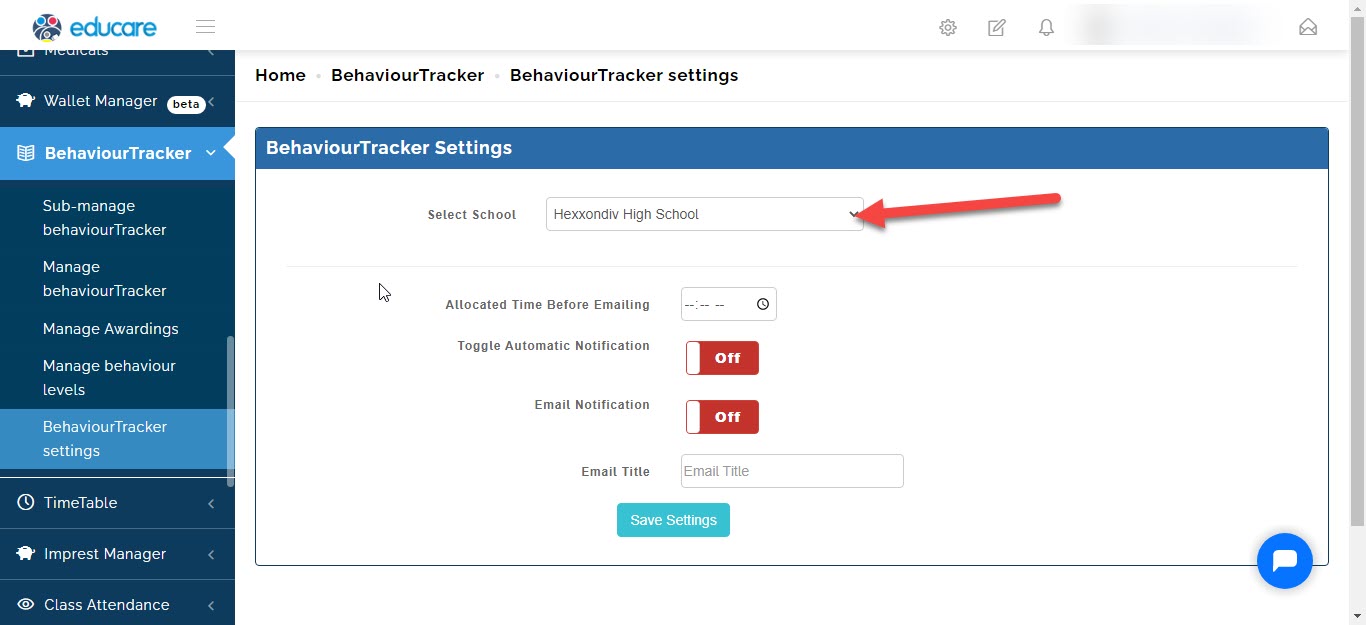
Select the school (if your school has different arms like Eyfs, Junior school or High school).
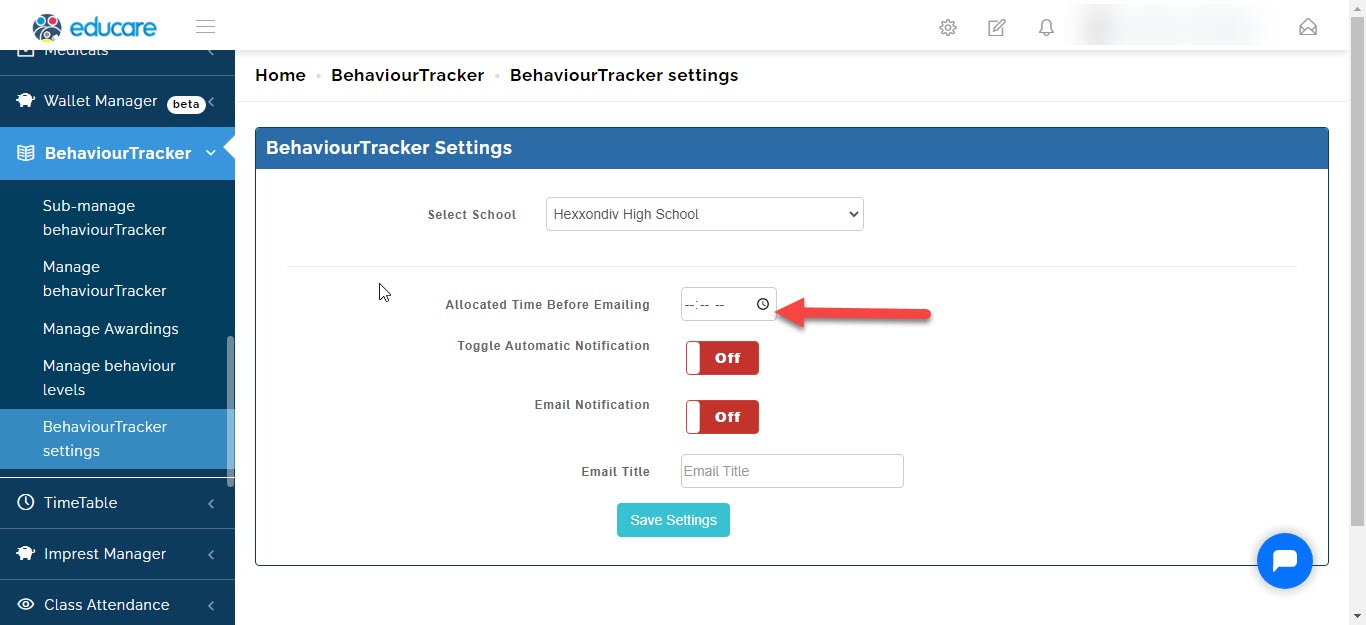
Select the time you want the email notification to go out
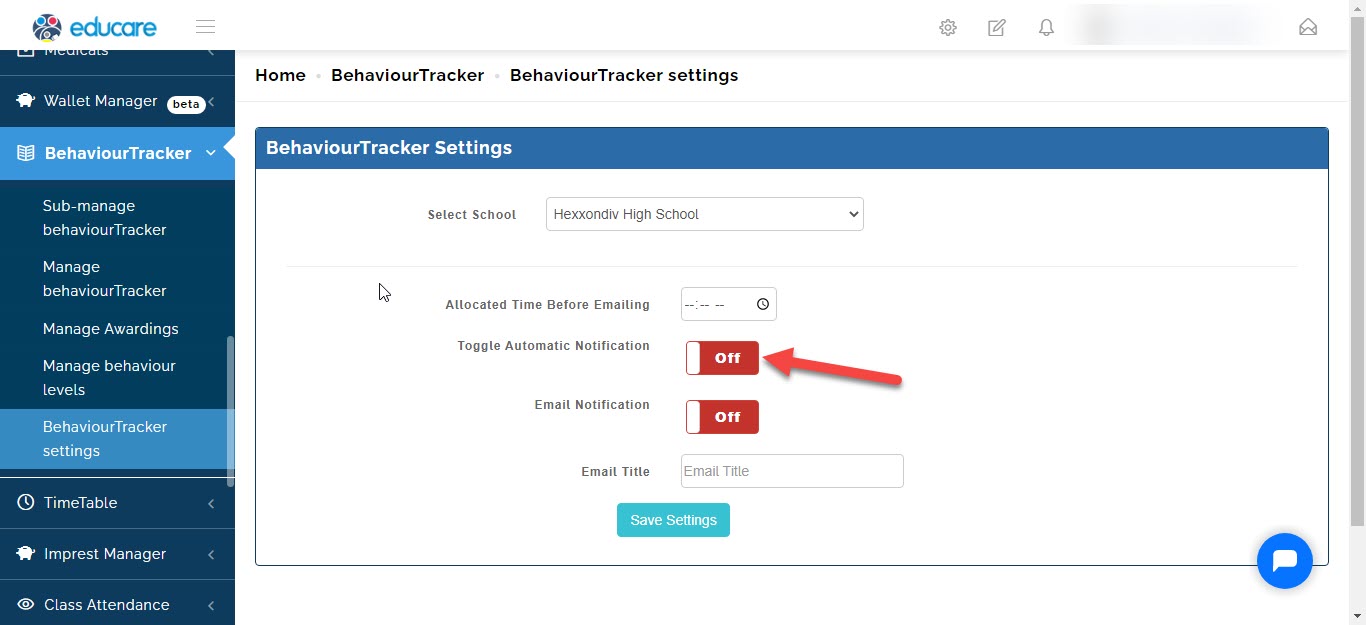
Toggle ON or OFF the automation notification
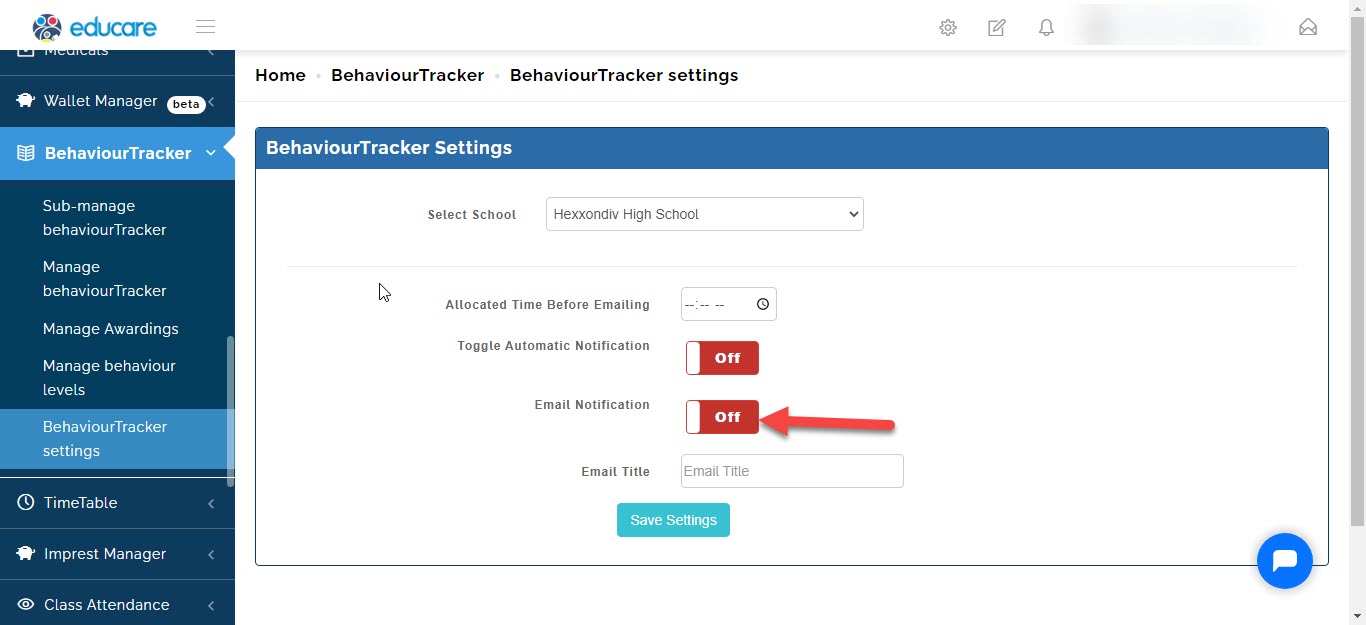
Toggle ON or OFF the email notification
Write the email title
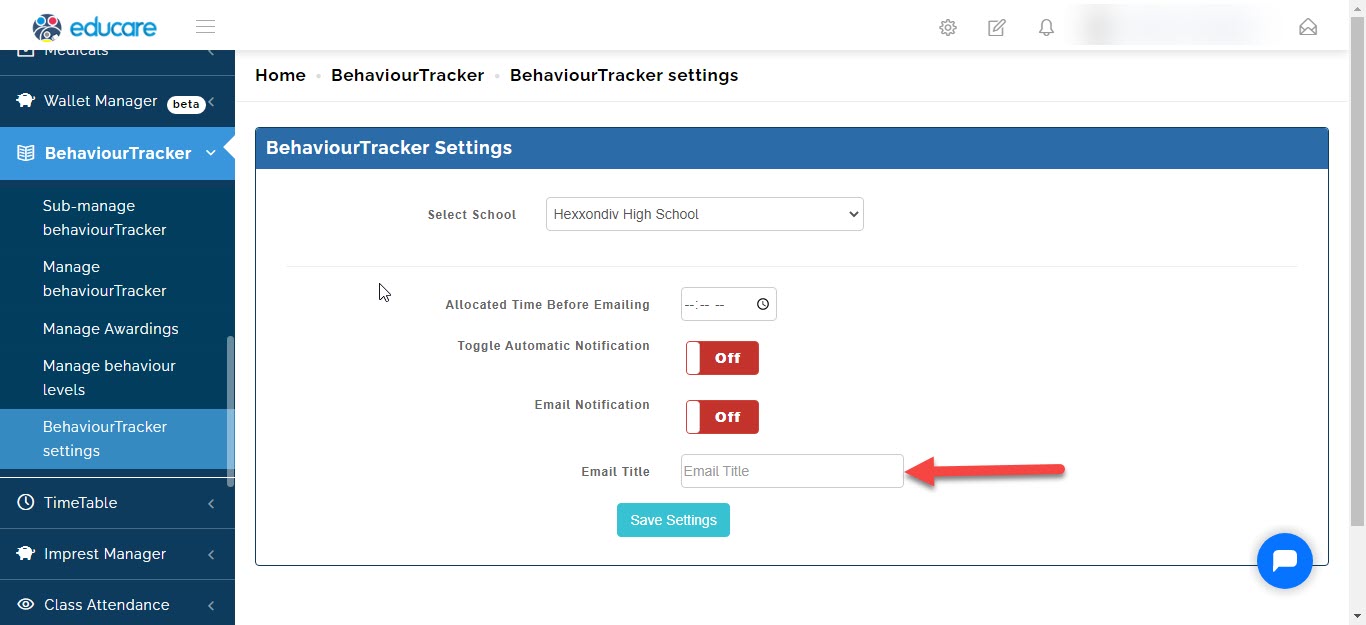
Once you are done click on save settings.