This is where admin can activate notifications for Birthdays, Emails WhatsApp and SMS Messaging to be received by educare Portal Users
Email Notifications
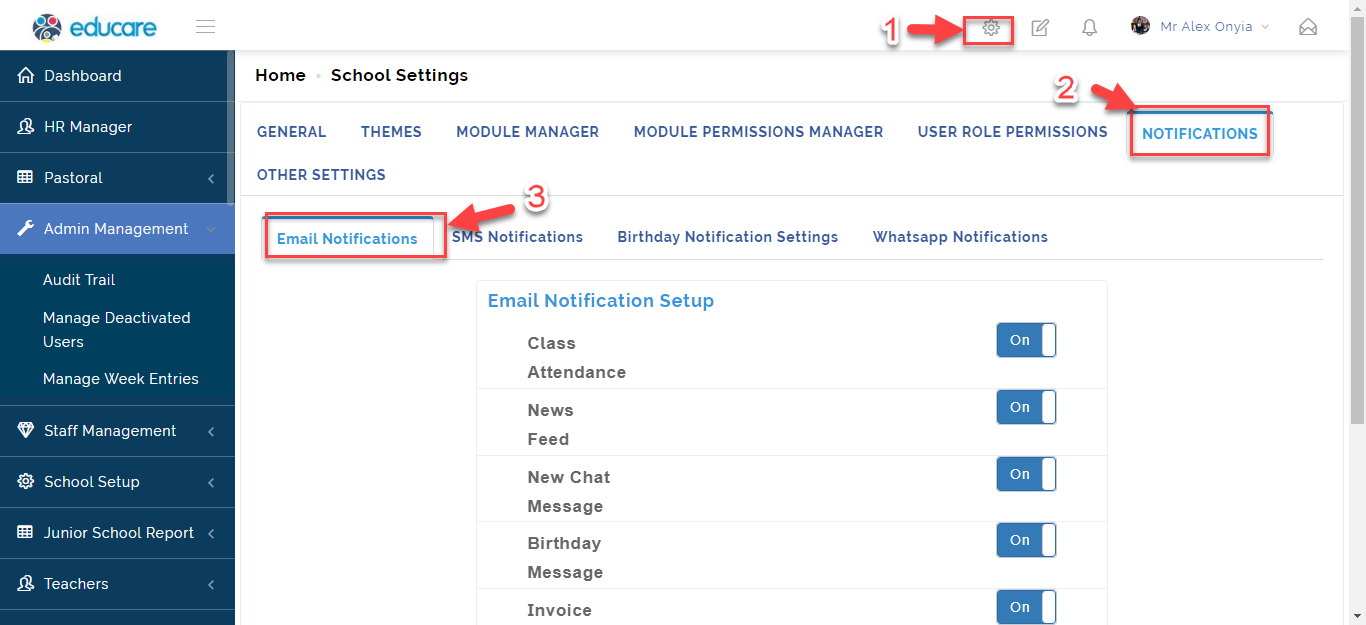
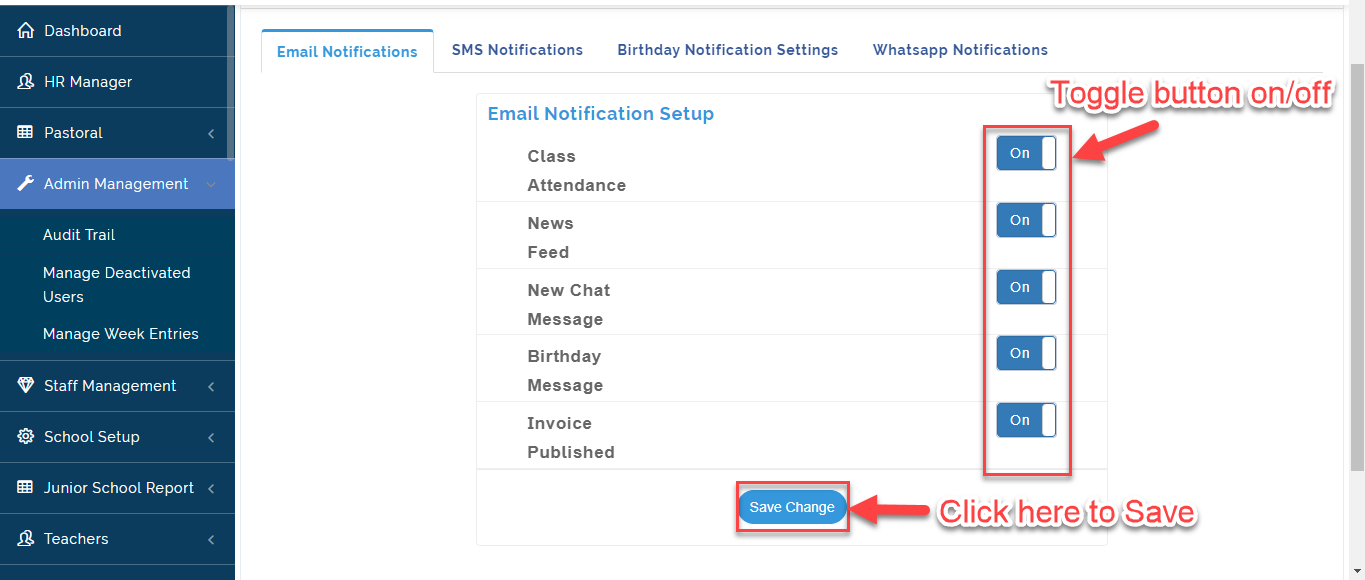
To receive email Notifications on Class Attendance, News Feed, New Chat Message, Birthday and Invoice Published for these Steps:
- From the Setting Icon, Click on Notifications then Select Email Notifications.
- Toggle button ON/OFF the Module(s) you want to receive email notifications on and click on Save Change.
SMS Notifications
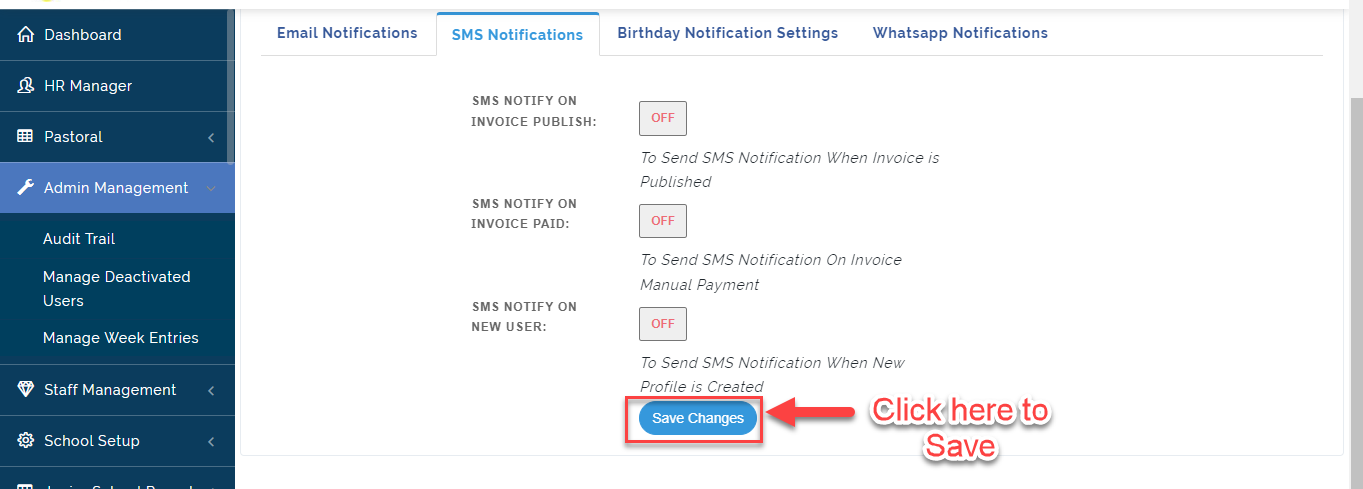
In this Section Admin can set SMS Notifications Payment needs to User. To Activate SMS Notifications for payment, follow these Steps:
- From the Setting Icon, Click on Notifications then Select Email Notifications.
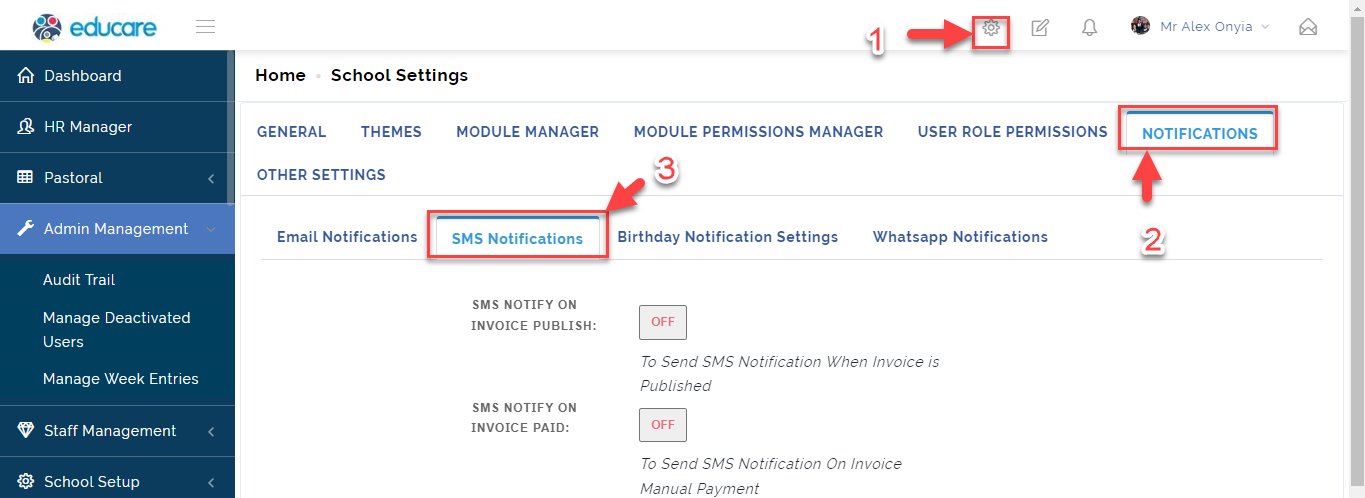
- Toggle button ON/OFF when an Invoice is Published, Paid and a New Profile is Created and click on Save Change.
Birthday Notifications Settings
In this Tab, The School Admin can Set up Birthday Messages and notifications to be sent to User's on their Birthday.
To set up Birthday Message Notifications, Follow these Steps:
- From the Setting Icon, Click on Notifications then Select Birthday Notifications.
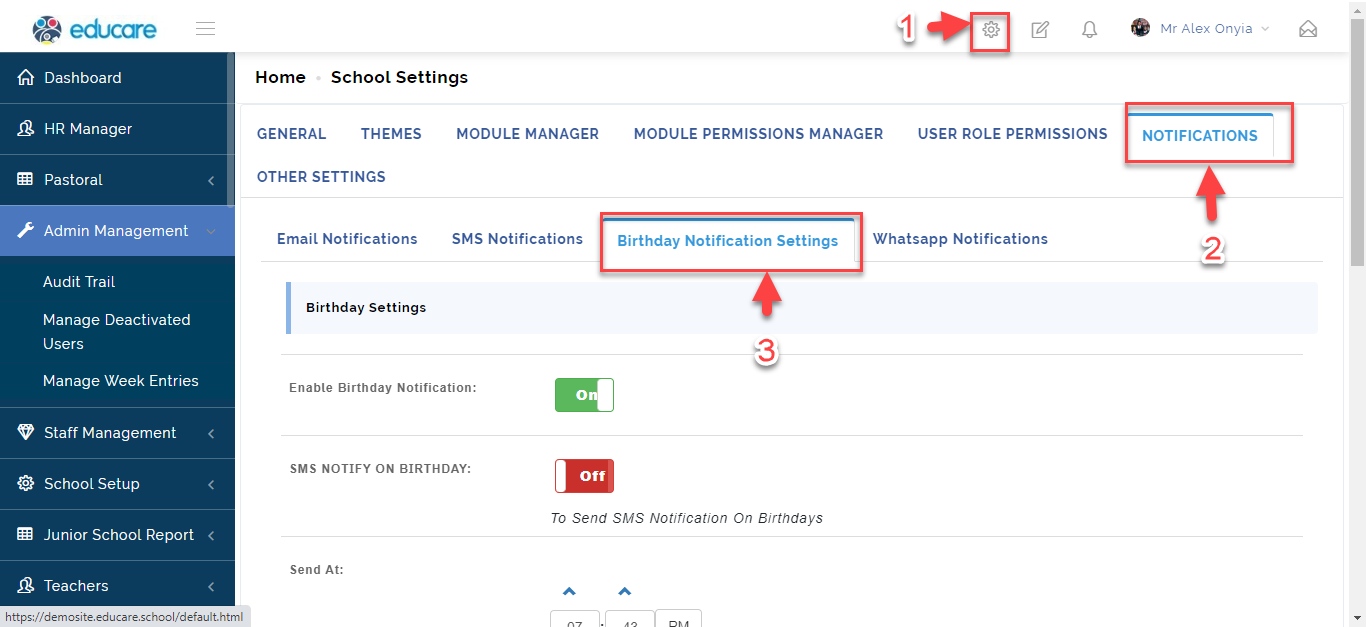
-
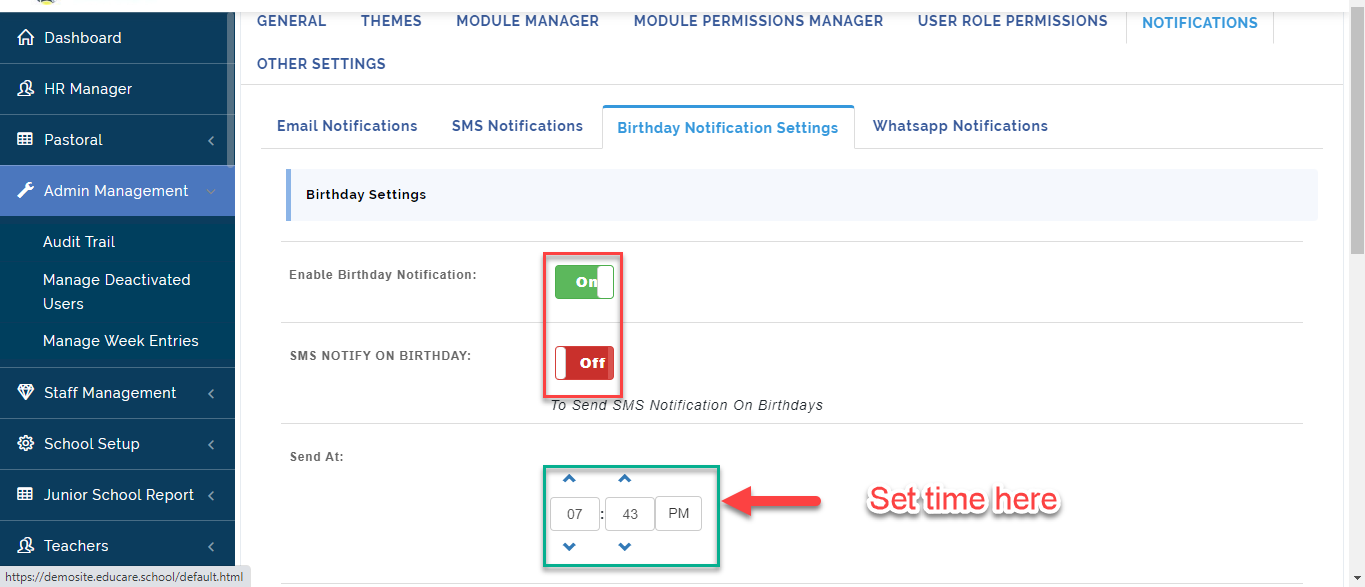
Toggle button ON/OFF to send SMS notification to Roles who have permission to see when a User is Celebrating his/her Birthday.
-
Set a time you want the messages to be sent out to the Celebrants.
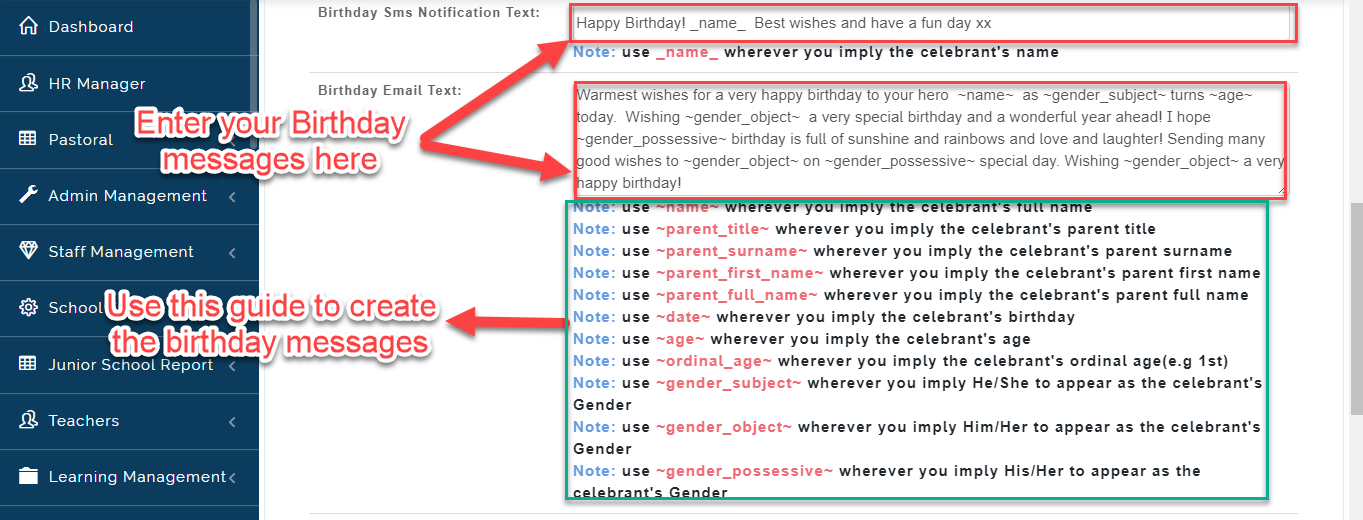
- Using the Guide indicated in the picture below, Customize a message to be sent to the Celebrants.
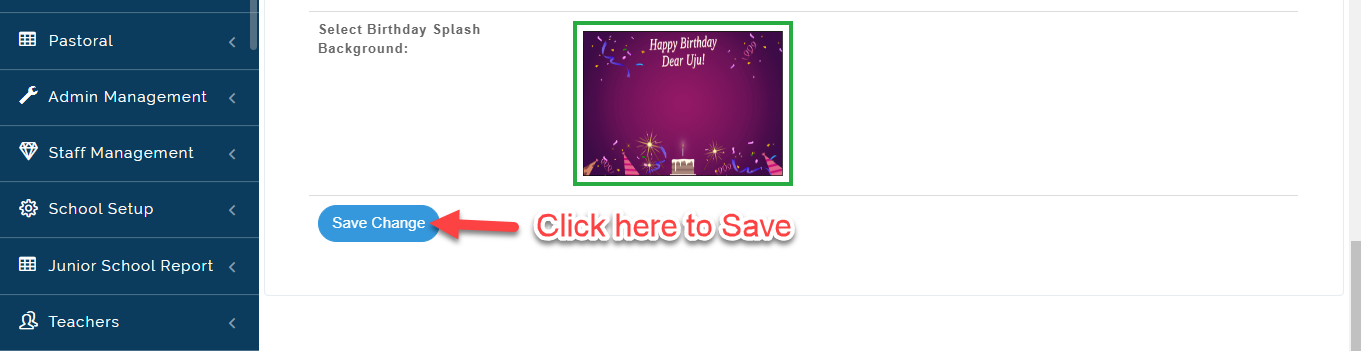
- Click on Save Changes to Save Birthday Settings.
WhatsApp Notifications
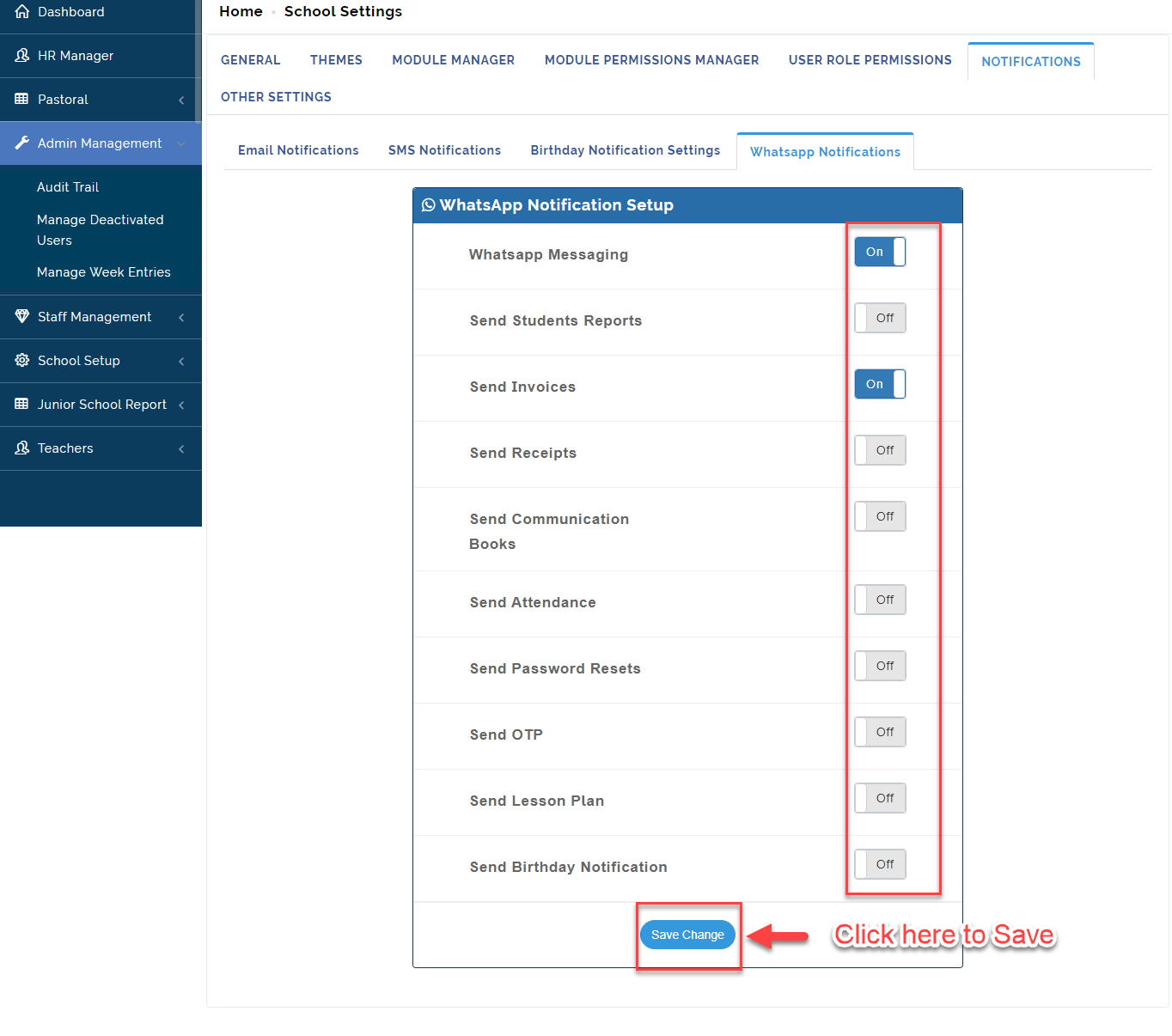
In this Section, The admin can enable notification on some key modules to be sent via WhatsApp to Parents.
To do this, follow these steps:
- From the Setting Icon, Click on Notifications then Select WhatsApp Notifications.
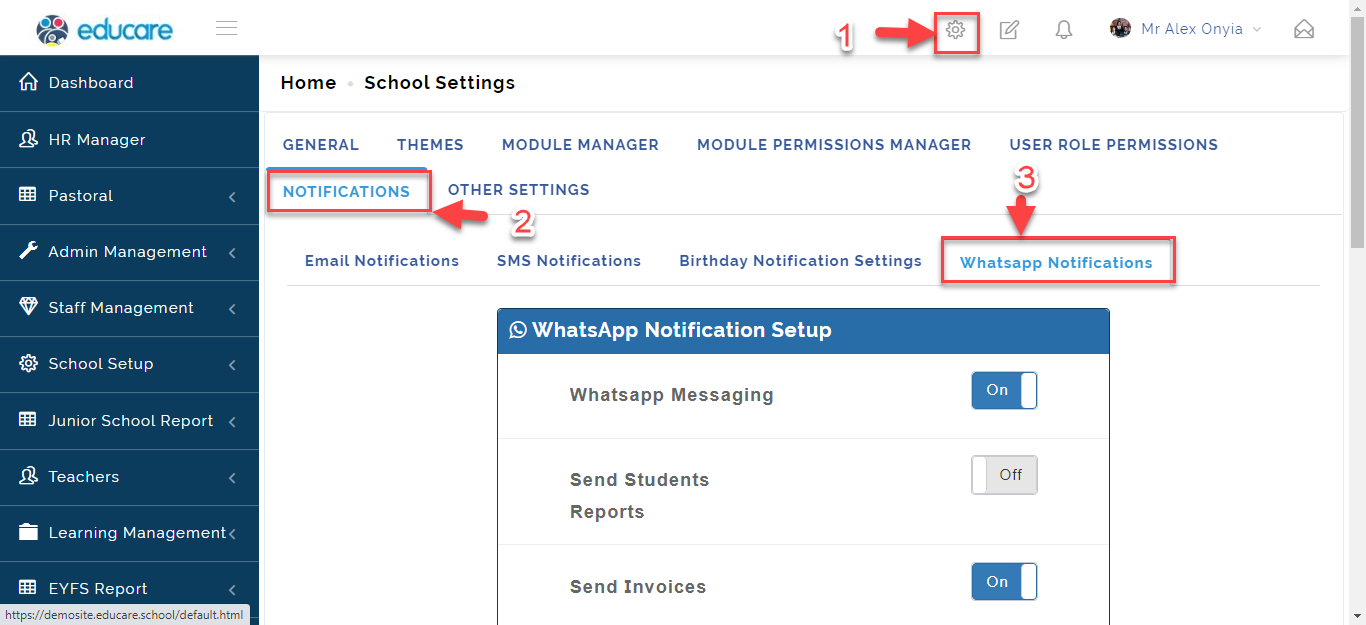
- Toggle button ON/OFF to receive notifications on updates made in the modules indicated below; click on Save Change when done.