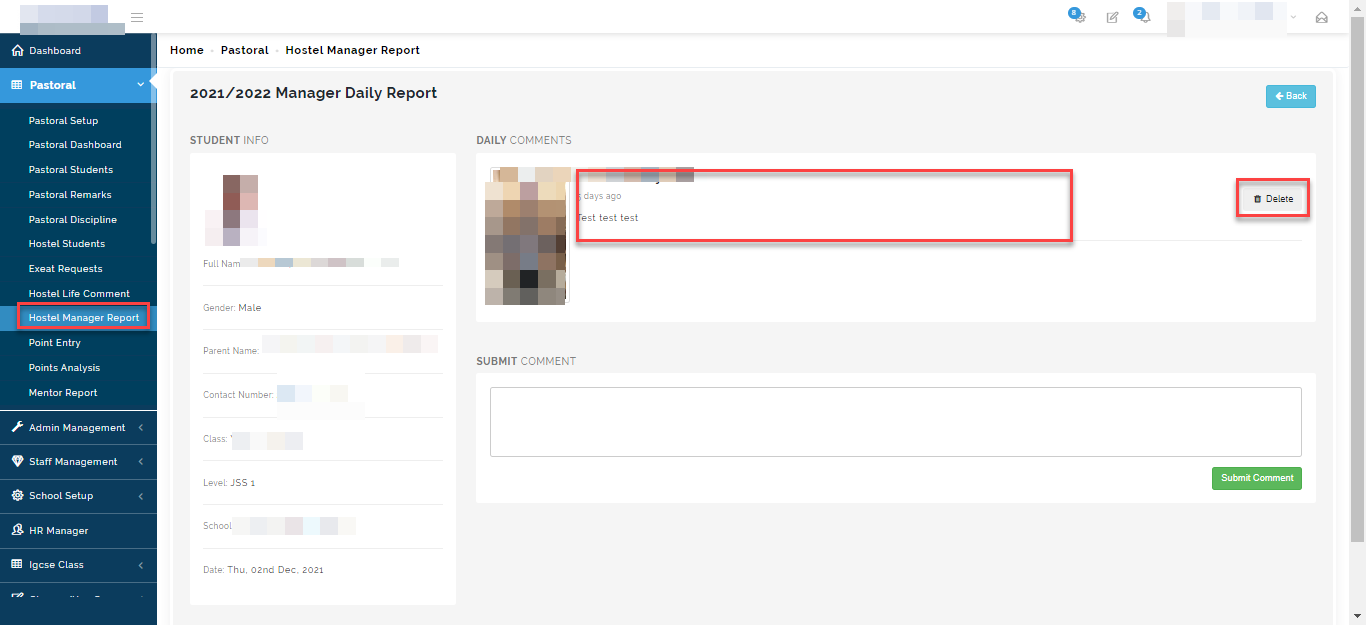
In this Section, Hostel Manager can give comment on students well been. This can be entered at any time depending on the school regulation.
To enter comments, follow these steps:
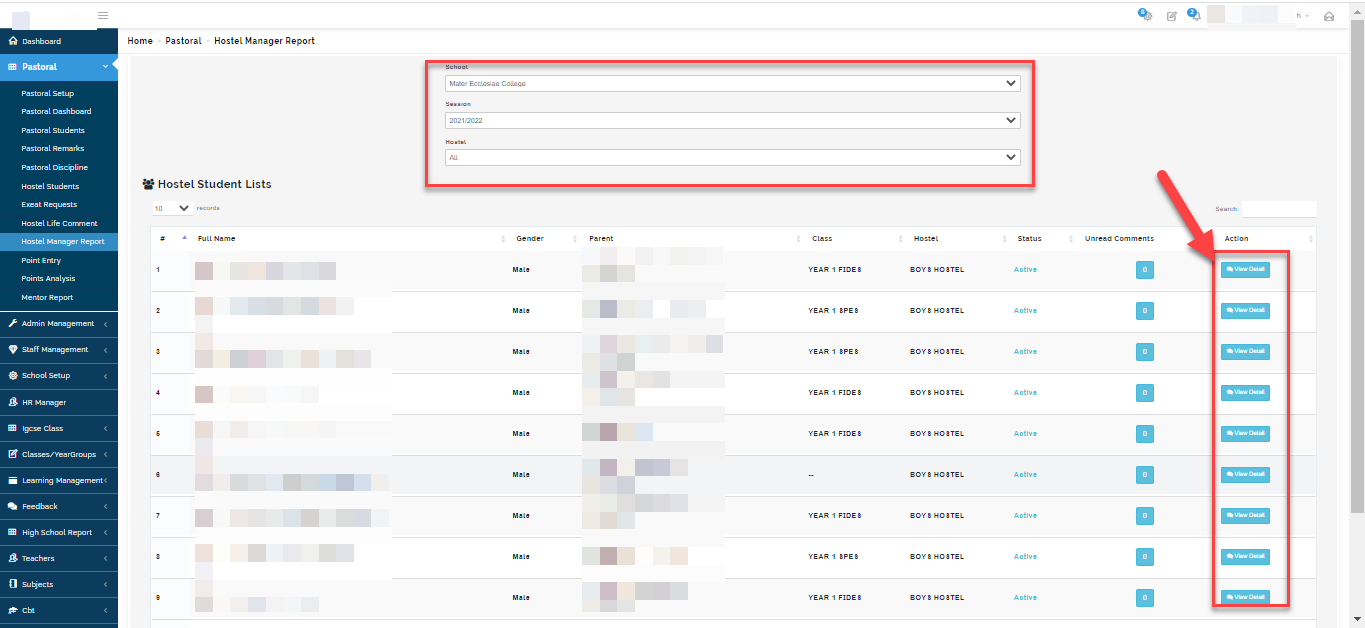
- Go to the Pastoral Module
- Select Hostel Manger Report
- Select the school, session and hostel you want to enter comments for.
- List of all the Hostel student will appear.
- Click on view details.
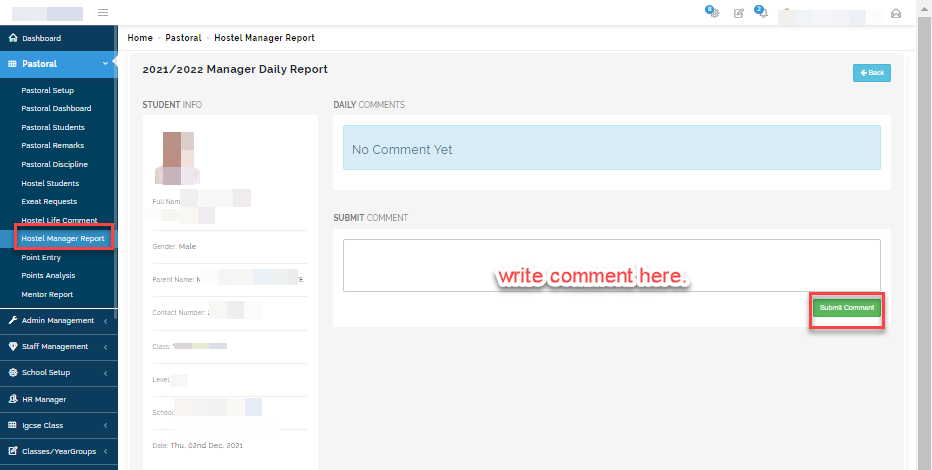
- Enter comment and click on submit to save comments.
How to view comment
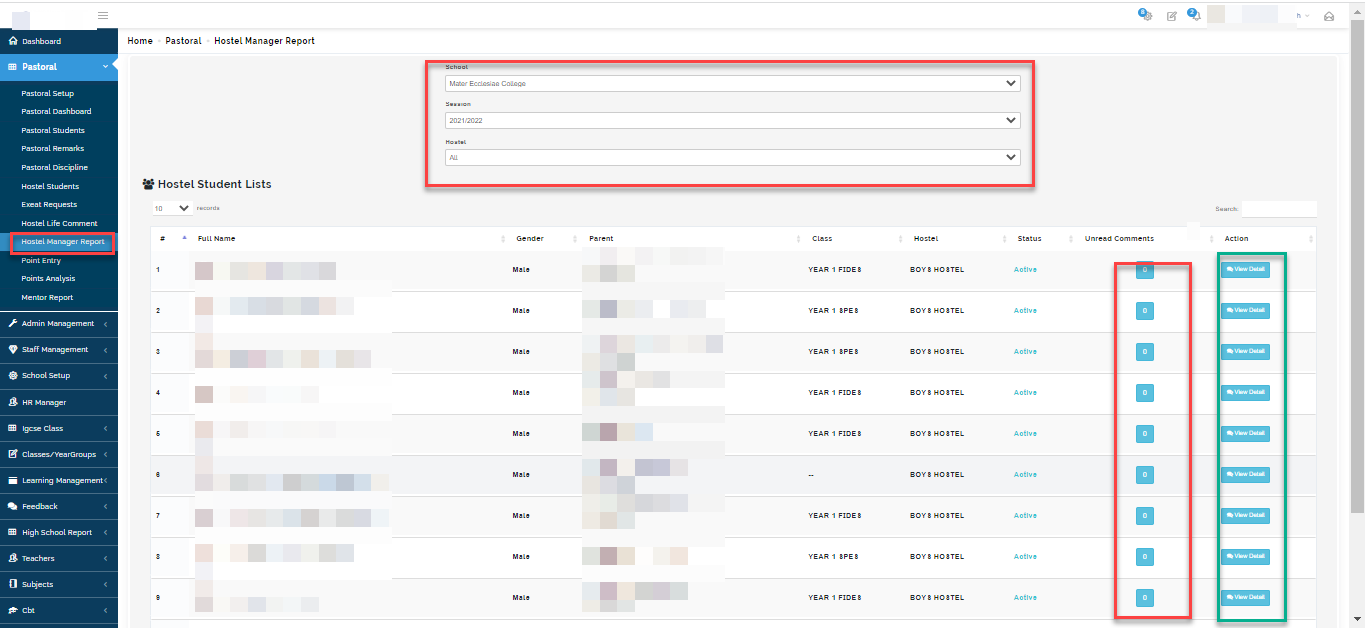
If there is a comment entered for any student, you will see the number of comments entered for the student under the "unread comments columns".
Click on the box for the student you want to view comment on.
You will see the comment and the name of the staff who wrote it.
Click on the Delete button to delete a comment written in error.