
Under the Pastoral heads, The admin can add all the names of all staff who are pastoral managers. follow the steps below to add individual as pastoral heads.
How to add a new Pastoral Head
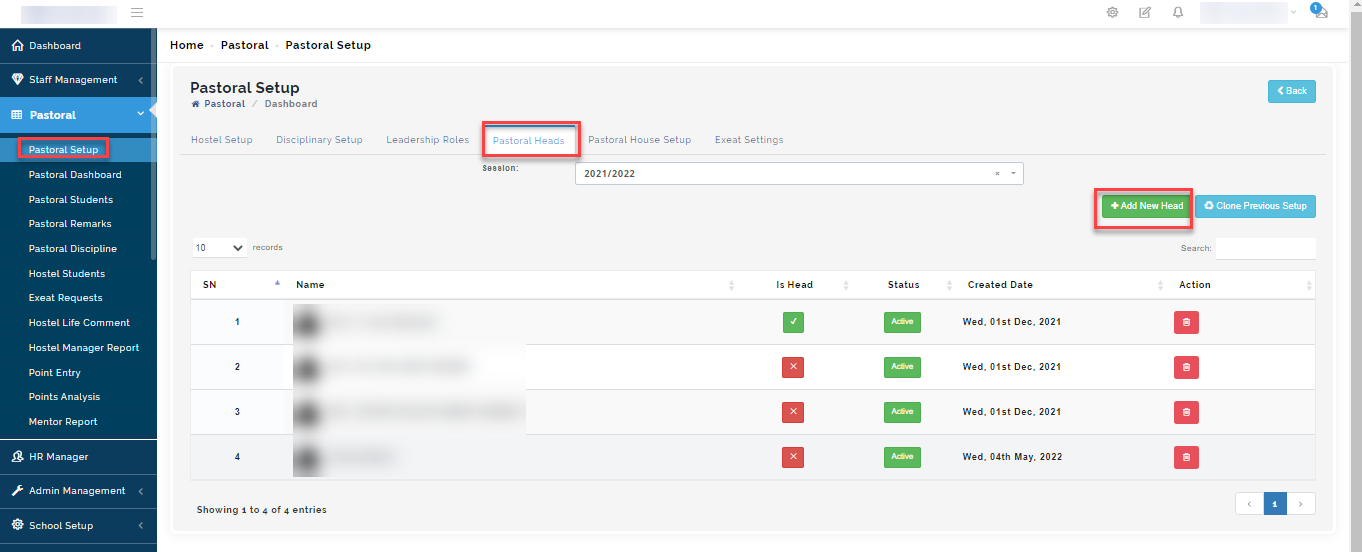
Go to the Pastoral Module
Select Pastoral Setup then navigate to Pastoral Heads
For the current session you are on, click on "+Add New Head"
A modal will appear, select the session you want to create pastoral manager under and role the individual belongs to and click on filter.
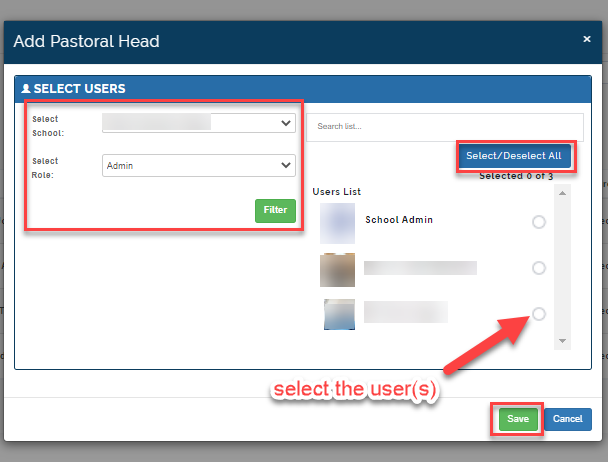
The names of individuals in the selected parameters will appear on the right corner as seen in the picture above.
Search for names of individuals and select them.
Then click on Save.
Step 2: Viewing Pastoral
To view list of person(s) managing the pastoral functions, follow these simply steps:
Go to the Pastoral Module
Select Pastoral Setup then navigate to Pastoral Heads
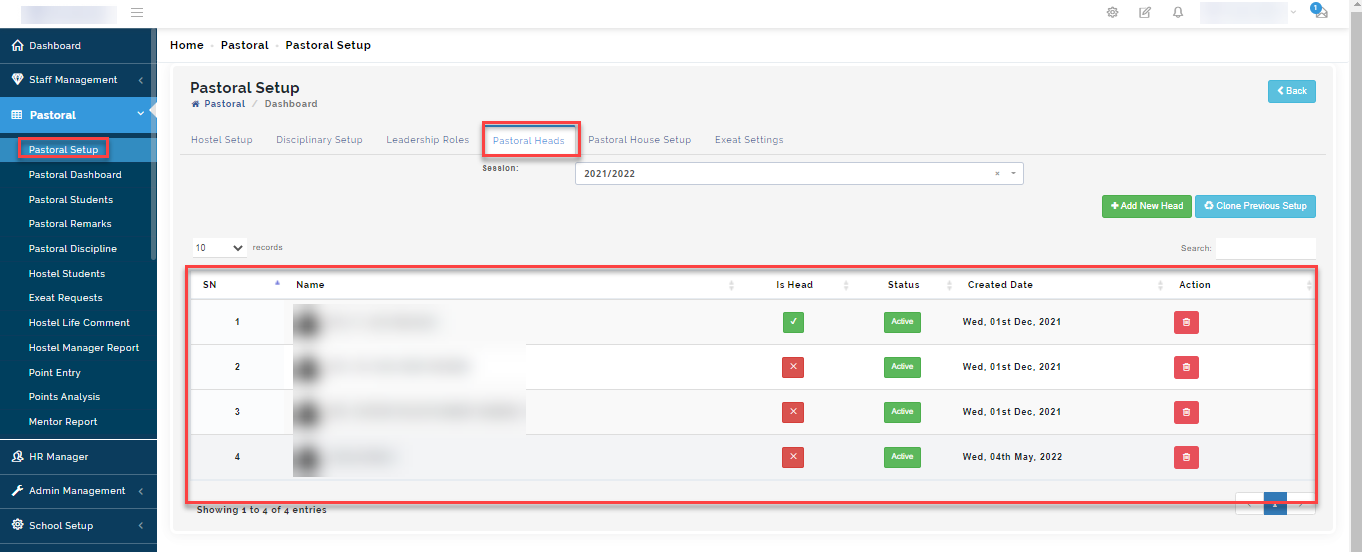
Select the session and click on filter to give you the list of pastoral mangers.
The list will appear as a table below.
Step 3: How to clone previous session pastoral head setup to the current session
To do this, follow these steps:
Select the current session, click on Clone Previous setup
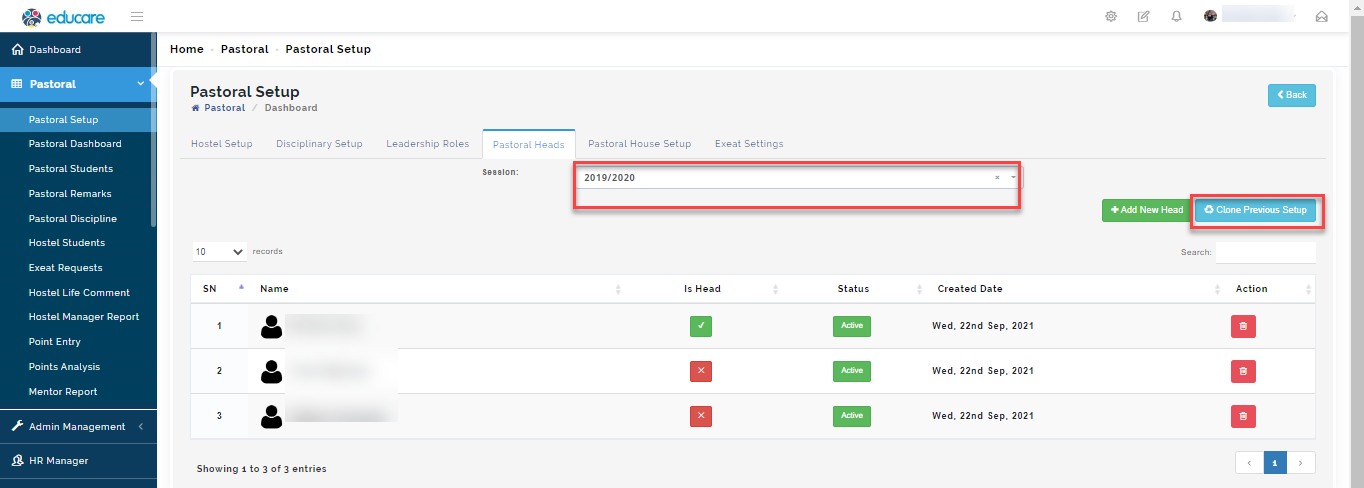
A Modal will appear
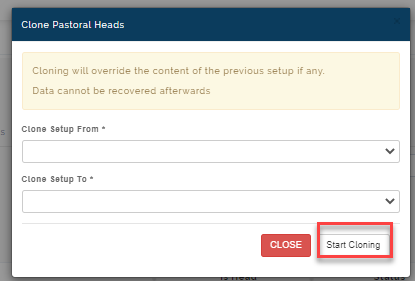
Select the session you want to clone from
Then, under clone setup to option, Select the current session you want the content of the previous session to have and click on Start cloning
When cloning is done, contents from the previous setup will appear on the chosen session
IMPORTANT TO NOTE
Cloning will override the content of the previous setup if any.
Data cannot be recovered afterwards
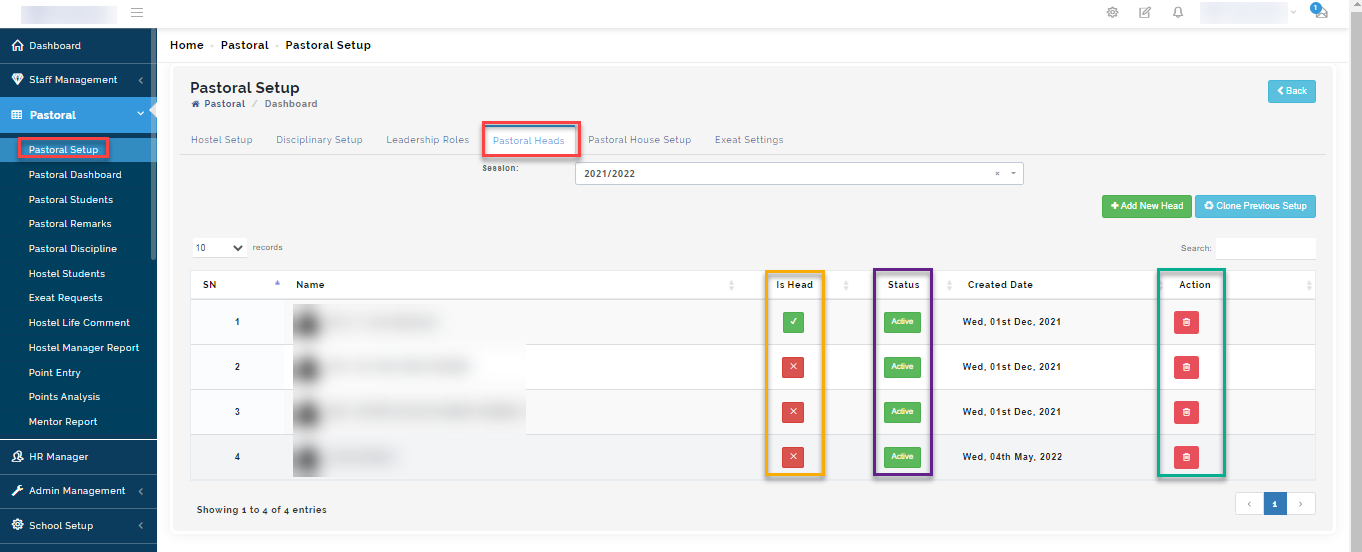
Is Head: To reflect the head of pastoral manager on the portal, tick the IS HEAD button.
Status button: Click on the active button to deactivate a staff who is not active on the system maybe due to a sanction or if the individual is on leave. You can always toggle the button back to active when the individual becomes available to carry out it's pastoral duties.
Under action, click on the button to remove a name from the list of Pastoral Heads