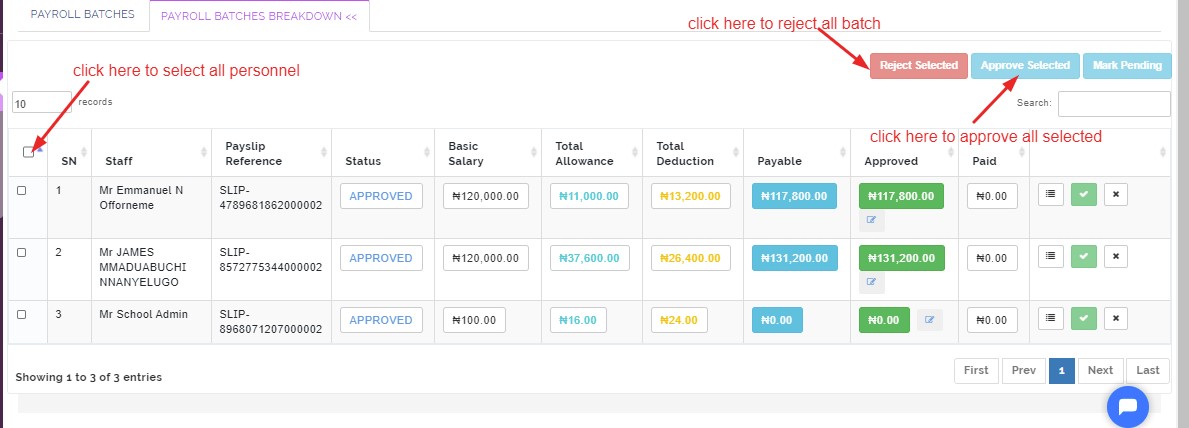
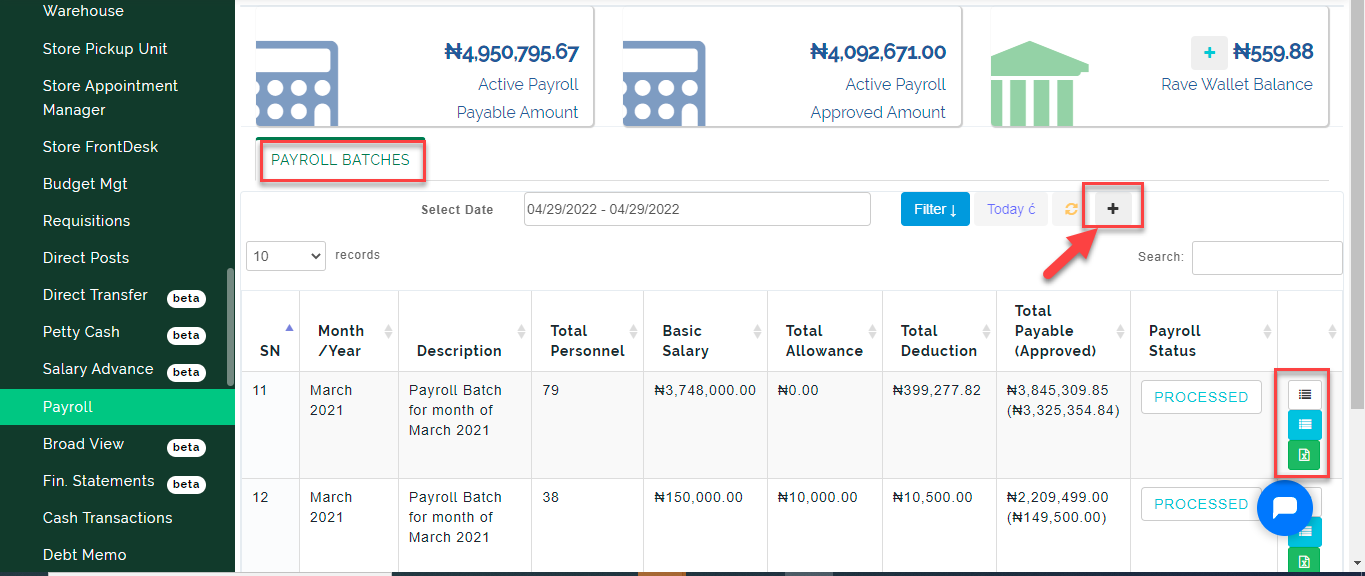
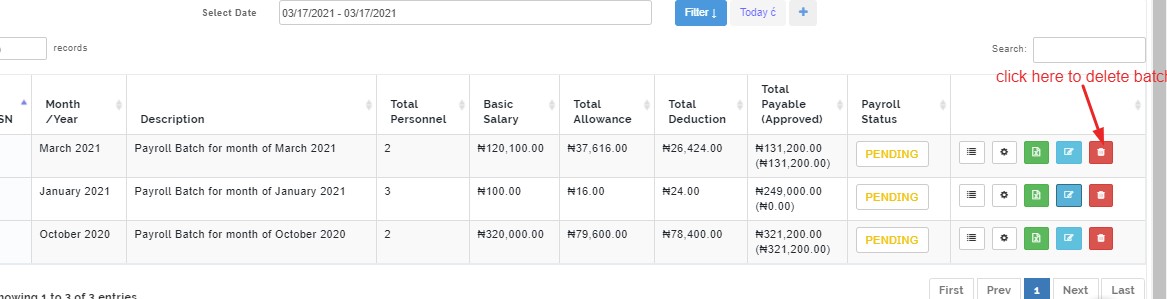
A list of payroll batches that contain components of salary slip of personnel in the school
View Details
This button shows detailed analysis of every personnel who has a salary slip from HRM
Payroll Note:
Before, using the payroll;
The salary structure and pay grade has to be setup from HRM module for every staff
Their bank details must be fully entered in the system
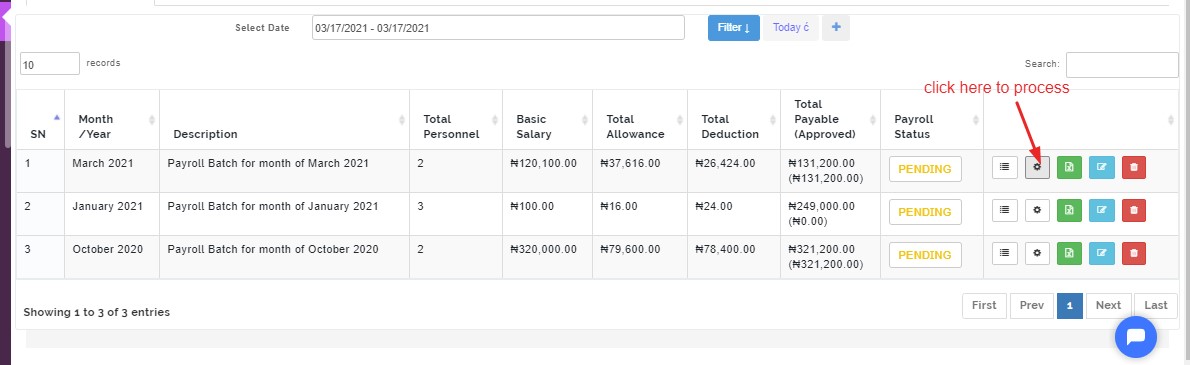
Process Payroll
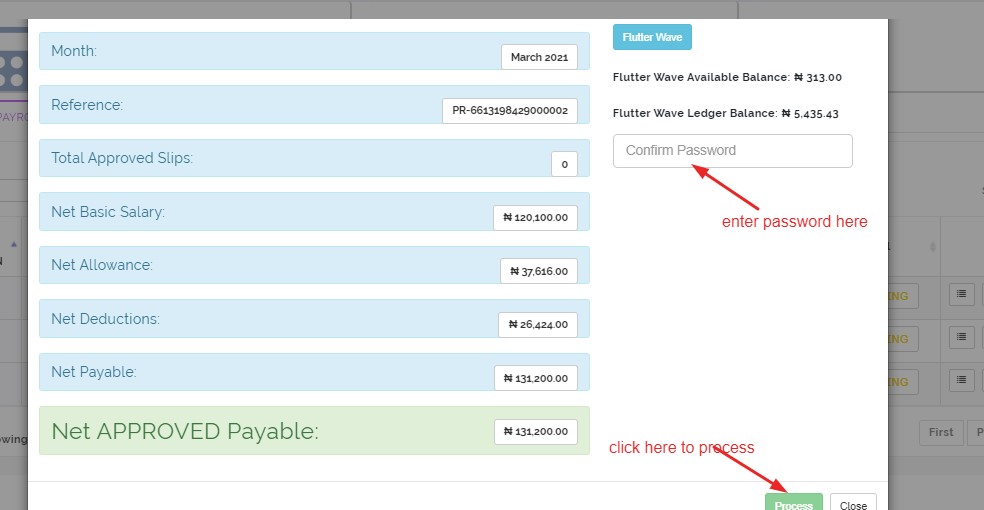
This gear button enables admin to process a batch payroll, this modal shows admin your balance with flutter wave
Admin enters password to approve processing
when a payroll is processed, the delete button automatically goes out.
Download Excel
- Click on the download button to download an excel format of the payroll batch
Edit Batch
Click on the edit button to make changes and re-generate the batch for payroll
Delete Batch
Click on the delete button to remove already created batch
Approve/Reject Slip
Check the small box at the left to select all personnel with salary slip in that batch either approve all or reject all
the slip can also be approved individually depending