
The Point Analysis gives the breakdown of all the points award and deduction on students academic and extracurricular activities. Schools can choose to have the points appear on their pastoral report for the students.
Step 1: How to view Point breakdown
To View Point breakdown, kindly follow these steps:
- Navigate to the Pastoral Module
-Select points analysis. - Select Session, school, Term, year group and class
Click on Filter.
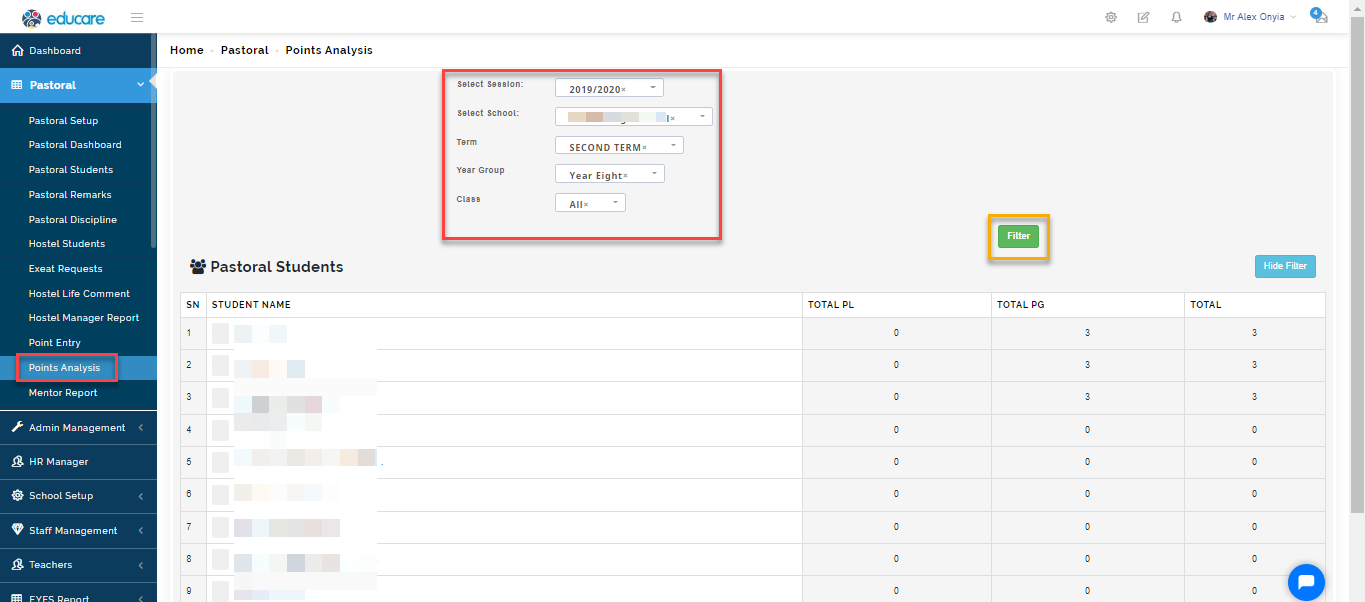
Using the parameters you have chosen, the system will filter the list of students showing the breakdown of the scores they have been awarded for the term.
Total PL means total points deducted/ lost
Total PG means Total points gotten
Total is the subtraction of Total points lost from Total points given.