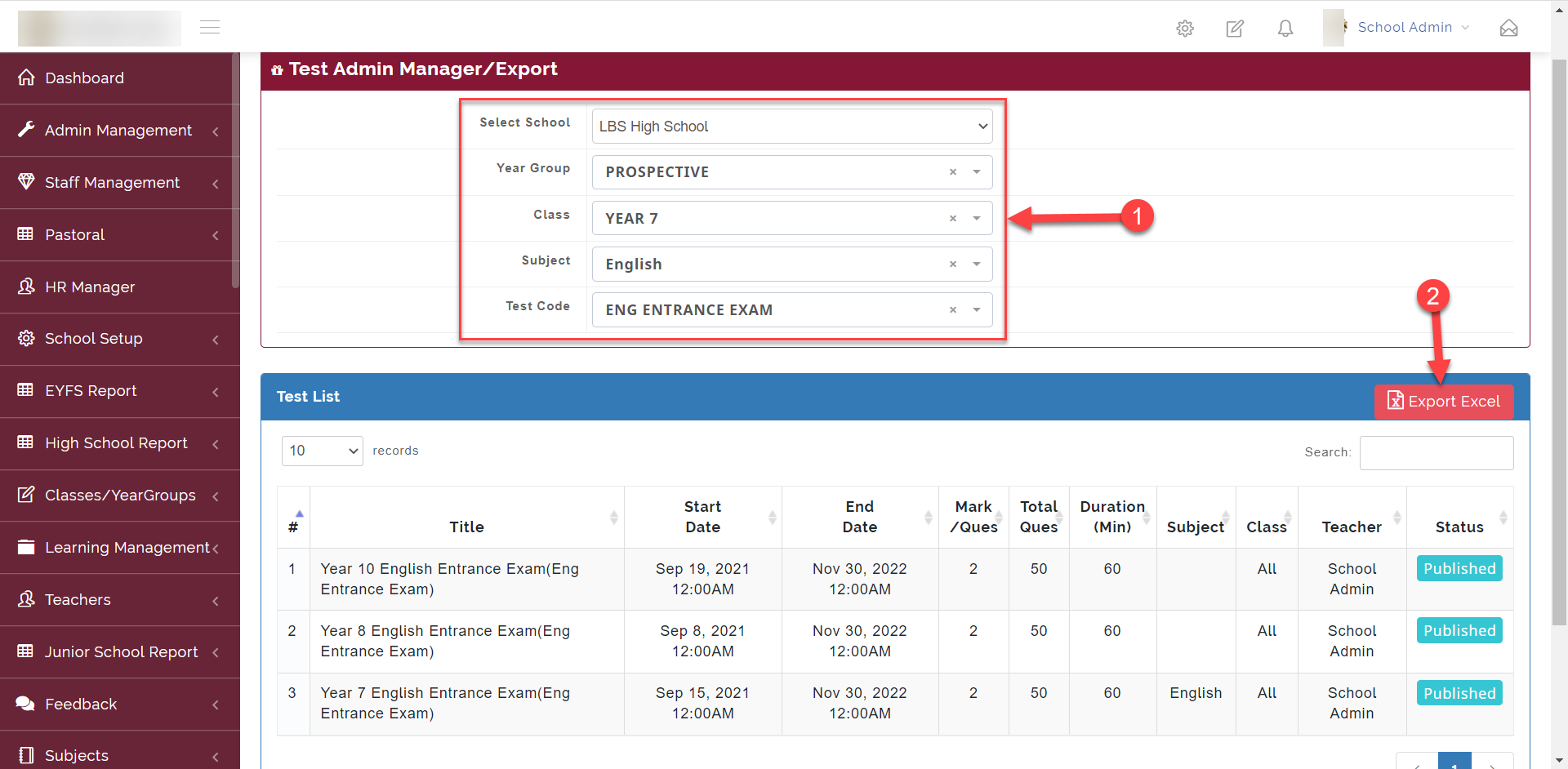
Here is where the admin can export the excel sheet containing the scores for all students that took the test
FOLLOW THE SIMPLE STEPS BELOW TO VIEW STUDENTS CBT REPORT.
Step 1:
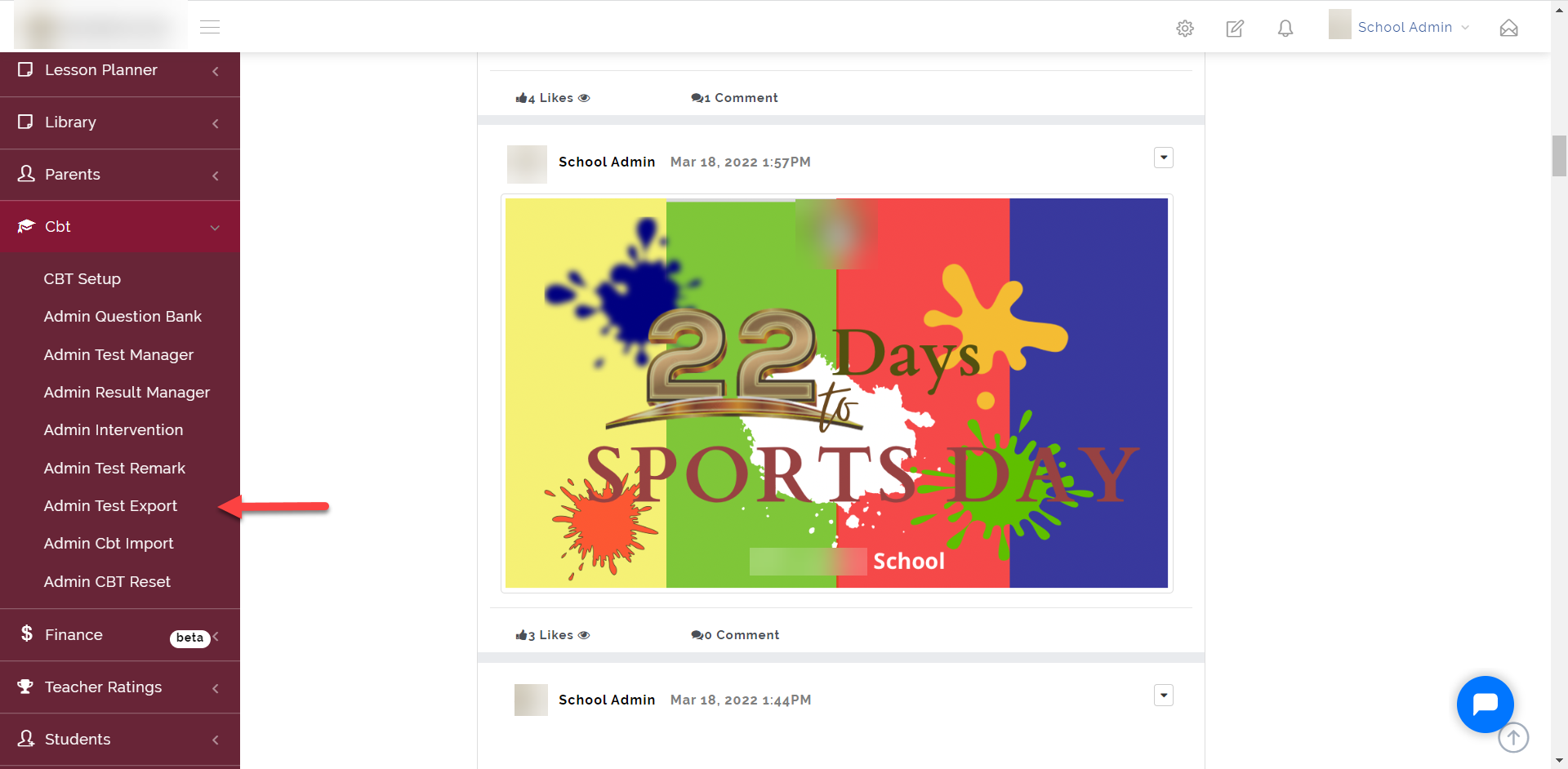
As indicated in the picture below, click on the “CBT” dropdown then select “Admin Test Export”
Step 2:
- Select the School, Year Group, Class, Subject and Test Code of the test you want to export.
- Click on Export Excel to download the excel document